Time is recorded without scope
A timer says where hours went, but not whether the work belonged to the agreed deliverable, a revision, internal admin, or avoidable rework.
Agency time tracking software
Hours only become useful when the agency can connect them to the client, project, scope, rate, expense, invoice, and outcome. Workspace369 keeps time inside the same operating system as delivery and finance.
14-day free trial. Card required. After the trial: from $29/month. Renews automatically every month until you cancel. Cancel anytime in Settings → Billing.
Key facts
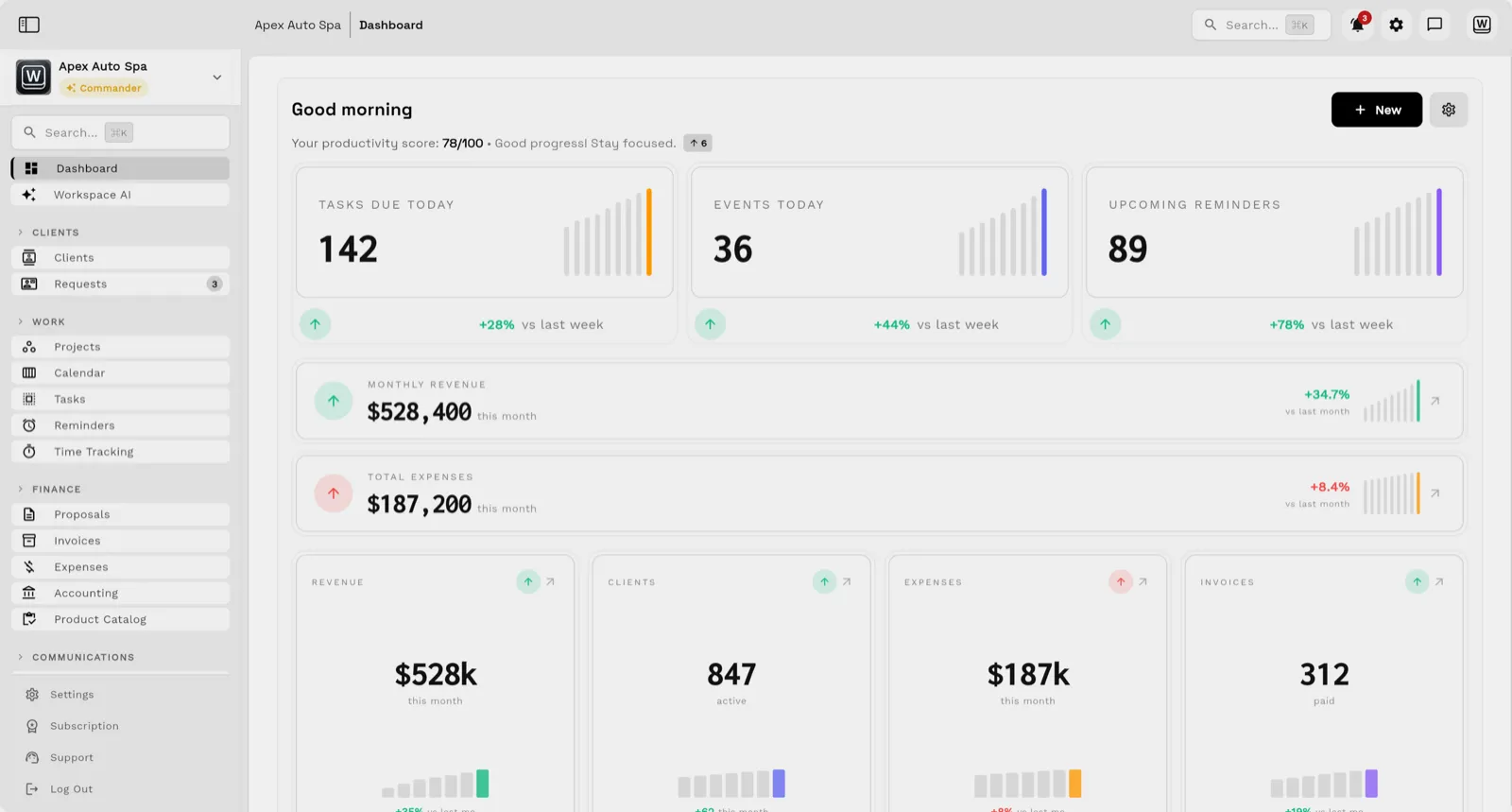
Agency time tracking software at Workspace369 covers 10 areas, including time tracking, projects and tasks, calendar.
The workflow runs in 4 steps, from "track against real work" to "spot work that needs attention".
Workspace369 starts at $29/mo for 1 seat, and the Commander plan includes 20 seats and 12× Cadet usage at $299/mo.
Additional seats cost $10 each; full pricing is public on the Workspace369 pricing page.
Compared
The best time tracking software for an agency depends on what follows the hours. Workspace369 fits agencies that want reminders, recurring bills, proposals and a client portal beside the timer, from $29 a month on Cadet (1 seat, 5 active projects). Harvest is free for 1 seat and 2 projects, or $11 per seat on Teams. Clockify has invoicing from $5.49 per seat billed yearly. FreshBooks prices by client count, with 5 billable clients on Lite.
| Tool | Entry price with tracking and invoicing | Billed yearly | Main entry-plan limit | Trial |
|---|---|---|---|---|
| Workspace369 | $29 (Cadet) | $23.25 a month | 1 seat, 5 active projects | 14 days, card required |
| Harvest | Free, or $11 per seat (Teams) | $9 per seat | Free: 1 seat, 2 projects | 30 days, no card |
| FreshBooks | $23 list (Lite), 80% off for the first 4 months (October 18, 2026) | Not listed | 5 billable clients | 30 days, no card |
| Clockify | $6.99 per seat (Standard) | $5.49 per seat | Invoicing not on Free or Basic | 7 days (Pro), no card |
| Bonsai | $25 per user (Essentials) | $19 per user | Basic has no invoicing | 7 days, card not asked at signup |
| Toggl Track | Invoicing not listed in any plan | Starter $9 per user | No invoicing on pricing page | 30 days, card not stated |
| Hubstaff | Not stated | Not stated | Plan with invoicing not stated | 14 days, no card |
Prices and limits from each vendor's official pricing page, checked October 15, 2026, in USD. Prices change, so confirm before you buy. Read the full buyer's guide.
The problem
A timer says where hours went, but not whether the work belonged to the agreed deliverable, a revision, internal admin, or avoidable rework.
Managers export time into spreadsheets because budgets, expenses, invoices, payments, and project status do not live near the timesheet.
High utilization can still hide poor pricing, scope creep, write-offs, late billing, and unprofitable client work.
The product
Email, SMS, calls, and voicemail land beside the client record — with AI summaries, so anyone on the team can reply with full context.

Tasks, files, and status for every engagement — visible to the team and, through the client portal, to the client.

Send quotes, bill milestones or retainers, and let automated reminders chase anything outstanding.

Clients watch progress, files, and invoices in a branded portal instead of asking your team for updates.

Workflow
Log time against clients, projects, tasks, schedules, and the delivery records that explain why the time was spent.
Keep proposals, retainers, project budgets, service items, rates, notes, files, and approved changes near the time entry.
Review expenses, invoices, payments, outstanding receivables, and project activity without rebuilding the client economics elsewhere.
Use dashboards and reports to identify delayed work, margin pressure, overloaded teams, unpaid invoices, and recurring delivery patterns.
Product coverage
Team pricing
$74 / month
Founding offer: $444 for your first year, billed yearly
2 seats included
Start Voyager trial14-day free trial. Card required. After the trial: $74/month for Voyager. Renews automatically every month until you cancel. Cancel anytime in Settings → Billing.
$149 / month
Founding offer: $894 for your first year, billed yearly
10 seats included
Start Specialist trial14-day free trial. Card required. After the trial: $149/month for Specialist. Renews automatically every month until you cancel. Cancel anytime in Settings → Billing.
$299 / month
Founding offer: $1,794 for your first year, billed yearly
20 seats included
Start Commander trial14-day free trial. Card required. After the trial: $299/month for Commander. Renews automatically every month until you cancel. Cancel anytime in Settings → Billing.
Founding member offer on yearly plans: your first year costs the same as 6 months, for the first 100 customers who join by Oct 31. USD monthly billing. Compare all plans. Prefer a guided walkthrough first? Book a demo.
Switch & Save
Our team sets up your workspace with you and helps move your clients and invoices from the tools you use now.
Export your data as a spreadsheet and AI Import maps the columns for you. Support can help with anything unusual.
Offer ends .
14 days free · card required · then $29/mo · cancel anytime
After signup, claim free setup in your workspace.
Selected App Store reviews
SMB ModernizationGreat tool for modernizing small businesses. Ability to leverage AI without technical background.
True all-in-one systemIt beautifully combined my CRM, team calendar, and billing tools so I could finally stop paying for a bunch of separate software subscriptions
Best app for my construction businessGreat app. This app solved all my needs! Not only did it help, but it is cheaper than other apps. I highly recommend this app if you want to start organizing and automating your business on another level. Also love the design
Quoted exactly as written, in the reviewer’s own language. This is a selection of reviews, not all of them. Reviews from our own team are left out of the selection, but the overall rating includes their ratings.
Get started
14-day free trial. Card required. After the trial: from $29/month. Renews automatically every month until you cancel. Cancel anytime in Settings → Billing.
FAQ
The best agency time tracking software connects hours to clients, projects, tasks, budgets, expenses, invoices, retainers, workload, and profitability rather than treating the timer as an isolated record.
Workspace369 includes time tracking alongside projects, tasks, clients, invoices, expenses, reports, and broader agency operations.
Time data helps when it is compared with scope, rates, labor cost, expenses, invoiced revenue, collections, and delivery outcomes. That context reveals scope creep and pricing problems earlier.
Ready when you are
Start with the modules you need today, then turn on AI, automations, accounting, inventory, requests, and reporting as the operation grows.
14-day free trial. Card required. After the trial: from $29/month. Renews automatically every month until you cancel. Cancel anytime in Settings → Billing.
