Client records
CRM and client records keep requests, messages, jobs, invoices, payments, files, and notes close to the same record.
Explore the workspace CRMWorkspace369 brings client relationships, requests, communication, scheduling, delivery, billing, accounting, files, AI, and automations into one operating system for service businesses.
Requests, messages, jobs, invoices, payments, files, and notes stay close to the same record.
Sales, scheduling, delivery, finance, and support can see what changed and what needs to happen next.
AI, automations, accounting, inventory, and reporting layer in as the business becomes ready.
Workspace369 started from a simple frustration: service teams were running the same client relationship across a CRM, inbox, request forms, project boards, calendars, billing tools, files, and spreadsheets.
The current platform brings those pieces into one operating system. Teams can manage clients, requests, projects, schedules, shared inboxes, invoices, payments, expenses, accounting, storage, AI, and automations from one place.
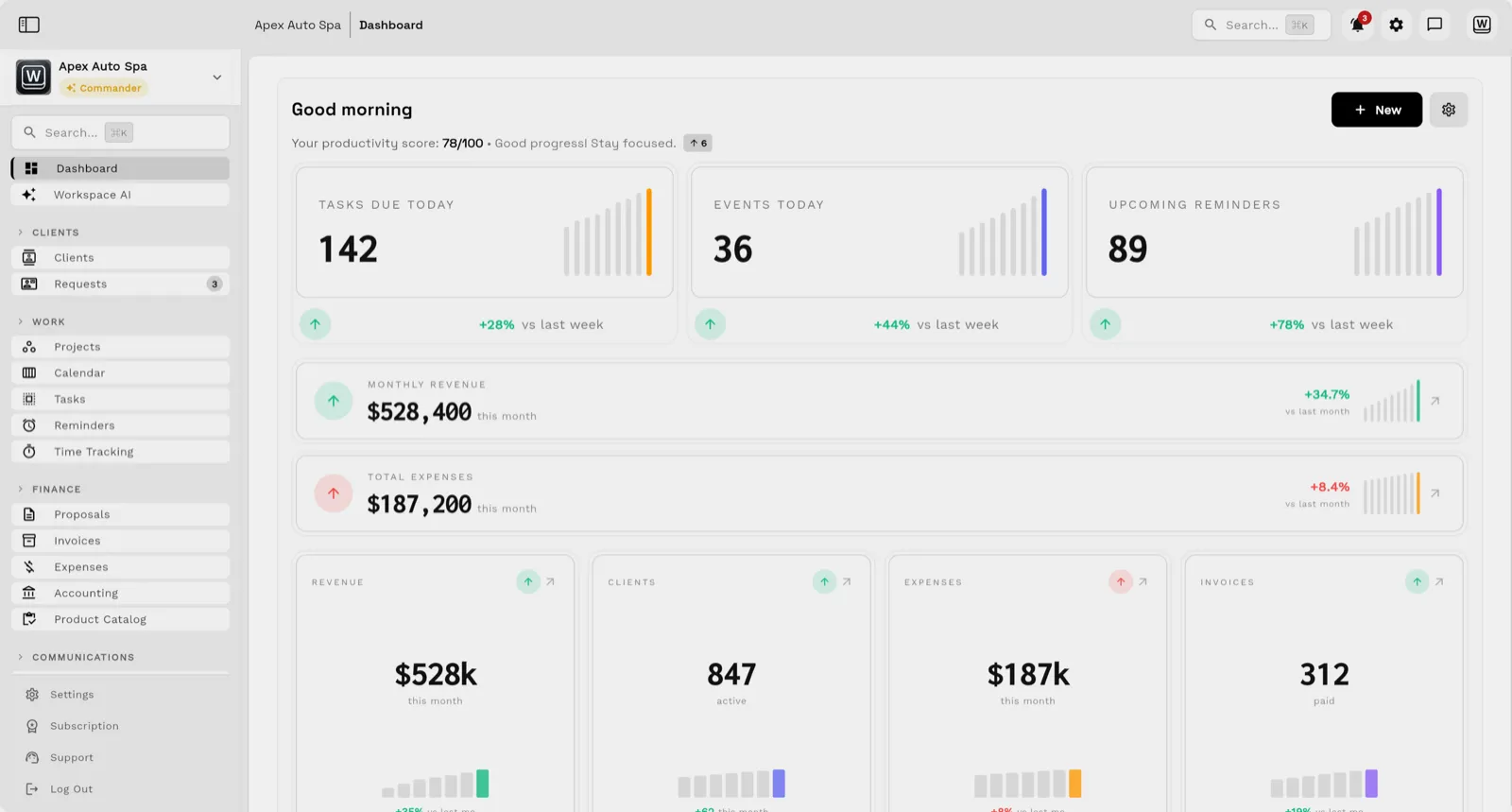
Workspace369 is a client-work operating system for service businesses. CRM, requests, projects, inbox, Workspace Voice, proposals and quotes, invoices, payments, expenses, files, AI, workflow automations, accounting, inventory, and reporting share one record of the client, so teams can sell, deliver, communicate, bill, collect payment, and report on client work without stitching together separate tools.
CRM and client records keep requests, messages, jobs, invoices, payments, files, and notes close to the same record.
Explore the workspace CRMA shared inbox connects email, SMS, calls, voicemail, and notes to the client and the work behind every conversation.
Explore the shared inboxCalling, routing, voicemail, recording, and AI call summaries inside the Inbox suite, linked to client work and billing.
Explore Workspace VoiceTasks, dates, owners, calendar commitments, and reminders stay connected to the client request and project record.
Explore schedulingDefine scope, price work from a reusable catalog, collect approval and a deposit, and carry accepted work into billing.
Explore proposals and quotesCreate and track invoices, retainers, and payment schedules from the same client record.
Explore invoicingPayment links, deposits, saved methods, and payment plans keep collection status attached to the invoice and client.
Explore paymentsRecord costs near the client and project that caused them, with receipts, inventory, and profitability context.
Explore expensesFiles, notes, and project assets stay attached to the client, request, or project that introduced them.
Explore filesAsk AI, knowledge search, drafting, rewriting, translation, and summaries work with connected workspace context.
Explore Workspace AIEmail and SMS automation, task creation, reminders, and internal notifications with unlimited steps, test runs, and execution logs.
Explore workflow automationsDashboards connect client activity, projects, invoices, payments, expenses, and accounts receivable in one view.
Explore analyticsWorkspace369 serves businesses that sell, deliver, communicate, bill, collect payment, and report on client work — from independent freelancers to agencies running several teams.
One workspace for leads, proposals, projects, invoices, expenses, and reporting instead of a patchwork of single-purpose apps.
Freelance business softwareLeads, a shared inbox, proposals, engagement projects, a client portal, invoices, and reporting stay connected per client.
Consulting firm softwareClients, projects, inbox, proposals, invoices, payments, files, AI follow-up, automation, and reporting in one agency CRM.
Agency CRM softwareCRM, projects, scheduling, inbox, invoices, payments, files, AI, automations, accounting, and reporting run together.
Service business management softwareSales, scheduling, delivery, finance, and support share one operating view of what changed and what needs to happen next.
Client work operating system
Szymon Dziak is the founder of Workspace369. Product guides on this site also use the byline Simon Dziak. These guides are published by the company whose software they describe.
Research reports identify their own sources, calculations and limitations. A founder byline does not imply independent research review.
The changelog records major product areas as they ship, across automations, inventory, proposals, AI, inbox, voice, requests, and reporting.
The roadmap shows what is available, improving, and still being explored — product direction, not guaranteed delivery dates.
Company facts, boilerplate, the founder bio, downloadable logos and the press contact, kept current in one place.
The trust page lists the credibility signals that matter before a team switches tools, including when a specialist platform is the better fit.
Product guides and references cover workspace setup, core workflows, automations, integrations, and API access.
The support page routes help requests for accounts, billing, CRM, projects, Inbox, Voice, payments, AI, automations, or integrations.
Every plan and feature appears in the pricing matrix, and the same matrix is published as JSON on every deploy.
Workspace369 is a software product of Workspace369 LLC, registered in Florida on November 6, 2023 and based in Boynton Beach, Florida, United States.
Run the workspace in the browser or from the iOS app.
Download Workspace369 on the App Store
Sales and support questions reach Workspace369 directly.
Workspace369 is a service-business and client-work operating system that connects CRM, requests, projects, inbox, voice, proposals and quotes, invoices, payments, files, AI, workflow automations, accounting, inventory, and reporting in one workspace.
Workspace369 is built for any business that delivers client work, from independent freelancers and consultants to agencies running several teams. It is where they sell, deliver, communicate, bill, collect payment, and report on that work.
Workspace369 runs on the web and on iOS. The iOS app is available on the App Store.
Every Workspace369 plan starts with a 14-day free trial, so you can try the full plan free before the first bill. The pricing page lists current plans and the full feature matrix.
Map your clients, requests, communication, projects, billing, payments, AI, automations, accounting, and reporting into one calm workspace.
14-day free trial. Card required. After the trial: from $29/month. Renews automatically every month until you cancel. Cancel anytime in Settings → Billing.