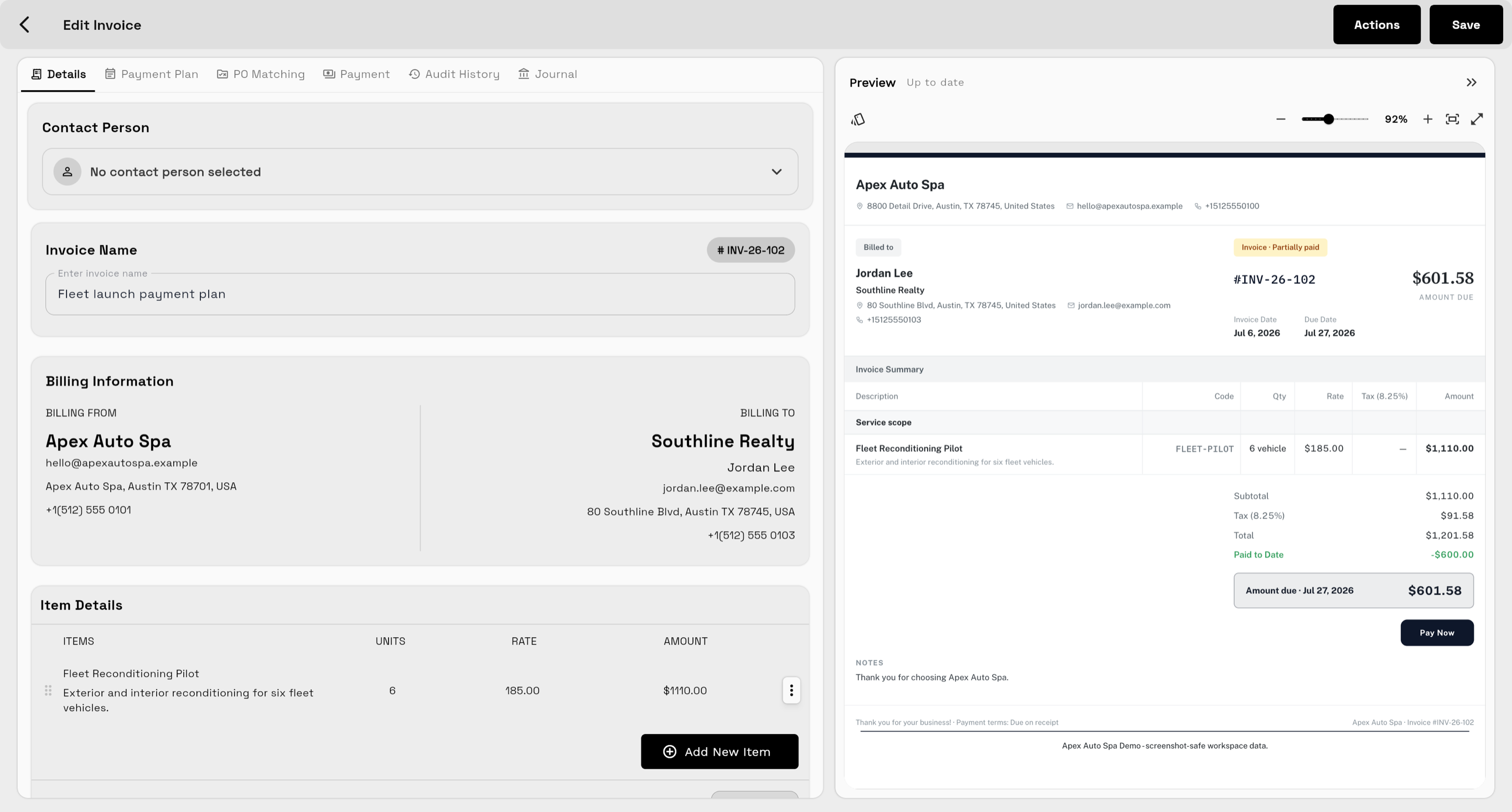
Invoices need client history
Billing is cleaner when notes, approvals, files, projects, messages, and previous payments are visible.
CRM with invoicing
A CRM should not stop when the invoice starts. Workspace369 keeps client records, proposals, invoices, payment status, projects, messages, files, AI notes, and reporting together.
Search fit
Billing is cleaner when notes, approvals, files, projects, messages, and previous payments are visible.
Teams should know whether a client has an open proposal, overdue invoice, payment plan, or recent payment before replying.
Owners need to understand which clients, projects, invoices, and follow-ups are affecting cash and workload.
Workflow
See contacts, companies, notes, tags, source data, activity, projects, files, and communication history.
Use estimates, proposals, service catalogs, optional items, public links, and branded PDFs.
Create invoices, recurring invoices, retainers, payment plans, deposits, credit notes, and receipts.
Use inbox, SMS, voice, voicemail, templates, AI, automations, AR reports, and dashboards.
Product coverage
FAQ
Yes. Workspace369 includes client records, proposals, invoices, payment links, payment plans, retainers, credit notes, projects, inbox, files, AI, automations, and reporting.
Teams can see who the client is, what was promised, what has been delivered, what has been billed, what has been paid, and what needs follow-up.
For many client-work teams, yes. Workspace369 includes invoicing, estimates, proposals, payment links, retainers, plans, credits, receipts, and reporting.
Ready when you are
Start with the modules you need today, then turn on AI, automations, accounting, inventory, requests, and reporting as the operation grows.