The invoice does not explain the engagement
Scope, approved changes, milestones, files, time, expenses, and client decisions sit elsewhere when finance needs to bill accurately.
Workspace369 bills professional services from the engagement record: proposals, retainers, time tracking, invoices, and online payments are on every plan from $29 a month, and payment plans, expenses, and basic accounting start on Specialist ($149 a month, ten seats).
14-day free trial. Card required. After the trial: from $29/month. Renews automatically every month until you cancel. Cancel anytime in Settings → Billing.
2 minutes: email, mobile number (code for US/Canada only), card. $0 for 14 days.
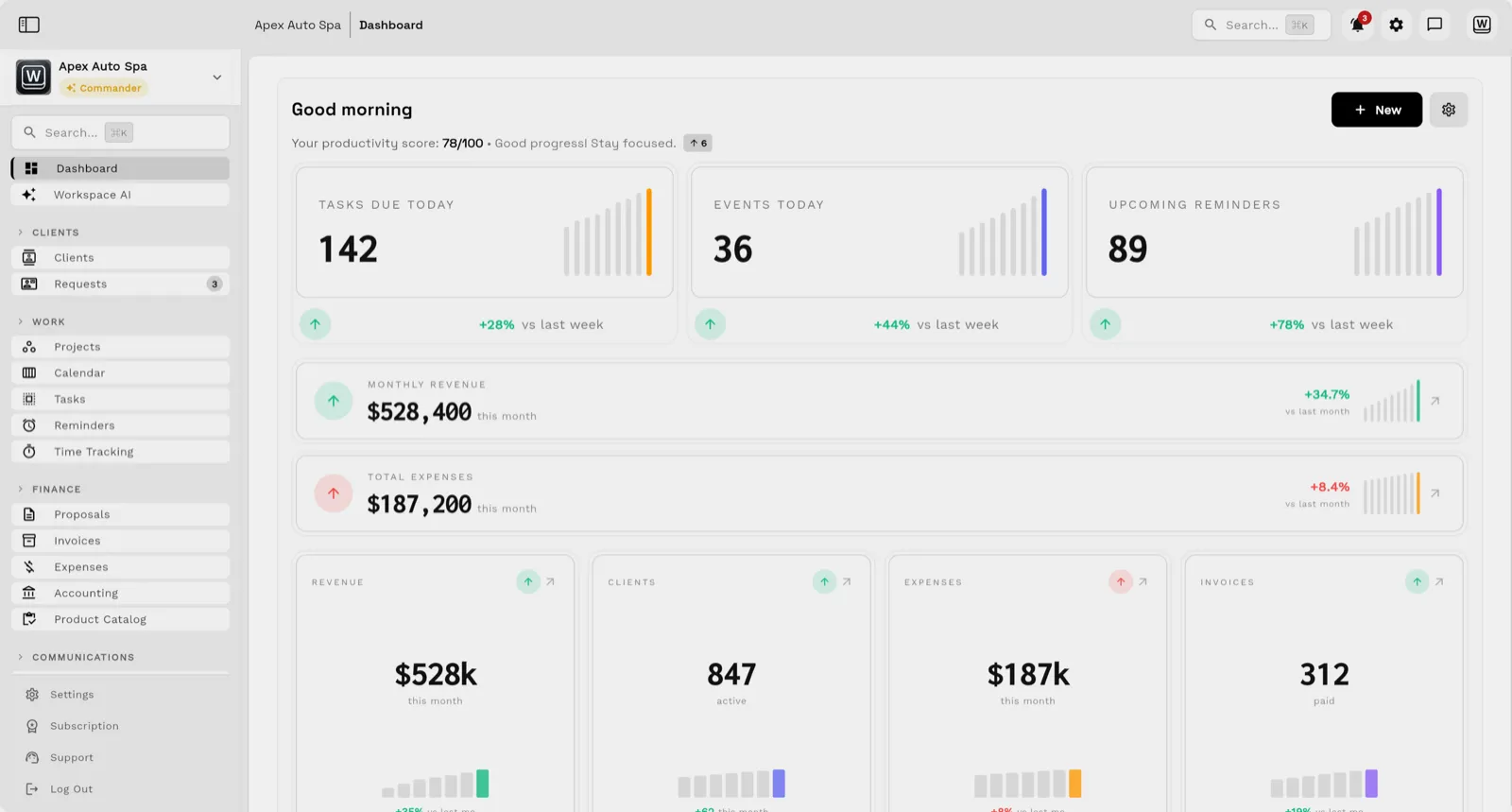
Professional billing is shaped by scope, milestones, retainers, time, expenses, approvals, change requests, and client communication. Workspace369 keeps that commercial history beside the invoice and the work that produced it.
Key facts
Professional services billing software at Workspace369 covers 8 areas, including client CRM, proposals, retainers.
The workflow runs in 6 steps, from "define the commercial record" to "see the money position in one place".
Workspace369 starts at $29/mo for 1 seat, and the Commander plan includes 20 seats and 12× Cadet usage at $299/mo.
Additional seats cost $10 each; full pricing is public on the Workspace369 pricing page.
The problem
Scope, approved changes, milestones, files, time, expenses, and client decisions sit elsewhere when finance needs to bill accurately.
Billing is delayed while delivery confirms status, account managers reconstruct approvals, and finance searches for the right amount and terms.
An overdue balance is harder to resolve when messages, calls, project status, payment history, and account ownership are split across tools.
When a client needs installments or a retainer alongside a one-time fee, teams split schedules and pair templates by hand instead of sending one structured billing plan.
Outstanding balances and aging receivables sit outside the billing tool, so partners learn about a late account from a bank balance instead of a report.
The product
Email, SMS, calls, and voicemail land beside the client record — with AI summaries, so anyone on the team can reply with full context.

Tasks, files, and status for every engagement — visible to the team and, through the client portal, to the client.

Send quotes, bill milestones or retainers, and let automated reminders chase anything outstanding.

Clients watch progress, files, and invoices in a branded portal instead of asking your team for updates.

Workflow
Keep the client, proposal, service items, taxes, payment terms, deposit, retainer, milestone, and accepted scope together.
Connect projects, tasks, calendars, time, expenses, files, notes, communication, and approved changes to the engagement.
Use proposals, invoices, recurring invoices, retainers, payment plans, payment links, and receipts where appropriate.
Present a deposit plus installments, a monthly schedule, or a single payment link, with card and bank payment options the client can use from the invoice or portal.
Review payment status, AR aging, expenses, project progress, client activity, reporting, and follow-up from one workspace.
Pull outstanding balances, AR aging, and per-client totals beside the client record so collection decisions start from current numbers.
SMB ModernizationGreat tool for modernizing small businesses. Ability to leverage AI without technical background.
True all-in-one systemIt beautifully combined my CRM, team calendar, and billing tools so I could finally stop paying for a bunch of separate software subscriptions
Best app for my construction businessGreat app. This app solved all my needs! Not only did it help, but it is cheaper than other apps. I highly recommend this app if you want to start organizing and automating your business on another level. Also love the design
Quoted exactly as written, in the reviewer’s own language. This is a selection of reviews, not all of them. Reviews from our own team are left out of the selection, but the overall rating includes their ratings.
Get started
14-day free trial. Card required. After the trial: from $29/month. Renews automatically every month until you cancel. Cancel anytime in Settings → Billing.
FAQ
Professional services billing software manages proposals, retainers, time, expenses, milestones, invoices, payment terms, collections, and reporting for firms that sell expertise and client delivery.
Yes. Recurring invoices and payment plans (from Specialist) bill retainers automatically, and milestone schedules bill by phase or percentage — with automated reminders for anything outstanding and reporting per client and engagement.
Automated reminders run the follow-up cadence — a friendly note one day after the due date, a second at three days, and a firm note at ten — with the client portal carrying the invoice, the files, and the payment link in one place.
Workspace369 supports proposals, invoices, retainers, recurring invoices, payment links, time, projects, and reporting on every plan, with payment plans and expenses from Specialist.
Invoices and online payment links are included on every plan, starting with Cadet at $29/month for one seat. Payment plans and basic accounting start on the Specialist plan at $149/month for ten seats, and full accounting is on the Commander plan at $299/month for twenty seats. Annual billing takes roughly 20% off, and there is a 14-day trial.
Yes. Clients pay from the invoice payment link or the client portal by card or ACH bank transfer. Workspace369 payments run on your own Stripe account, so payouts follow its payout schedule.
Yes. Receivables reporting shows open and overdue invoices, AR aging buckets, and per-client totals, and the same numbers sit beside the client record, so follow-up starts from the current balance rather than a bank statement.
Workspace369 can centralize operational billing, expenses, accounting context, AR, inventory, and reports. Firms with advanced tax, payroll, reconciliation, or accountant-led requirements may still keep a dedicated accounting system.
Start with the modules you need today, then turn on AI, automations, accounting, inventory, requests, and reporting as the operation grows.
14-day free trial. Card required. After the trial: from $29/month. Renews automatically every month until you cancel. Cancel anytime in Settings → Billing.
