Delivery loses the sales promise
Tasks are easier to manage when the team can see the client, request, proposal, notes, files, and communication history.
CRM with project management
The client record should stay useful after the deal is won. Workspace369 connects CRM, requests, projects, tasks, schedules, files, inbox, proposals, invoices, payments, AI, and reporting.
Search fit
Tasks are easier to manage when the team can see the client, request, proposal, notes, files, and communication history.
Managers need one view of client health, current work, open messages, deadlines, invoices, and follow-up.
When project and CRM systems are separate, proposals, invoices, payments, and profitability are harder to understand.
Workflow
Use client records, companies, contacts, requests, forms, notes, tags, source data, and custom fields.
Create projects, task boards, subtasks, files, notes, calendars, reminders, templates, and assignments.
Use inbox, email, SMS, voice, voicemail, templates, AI summaries, rewrite, translate, and scheduled follow-up.
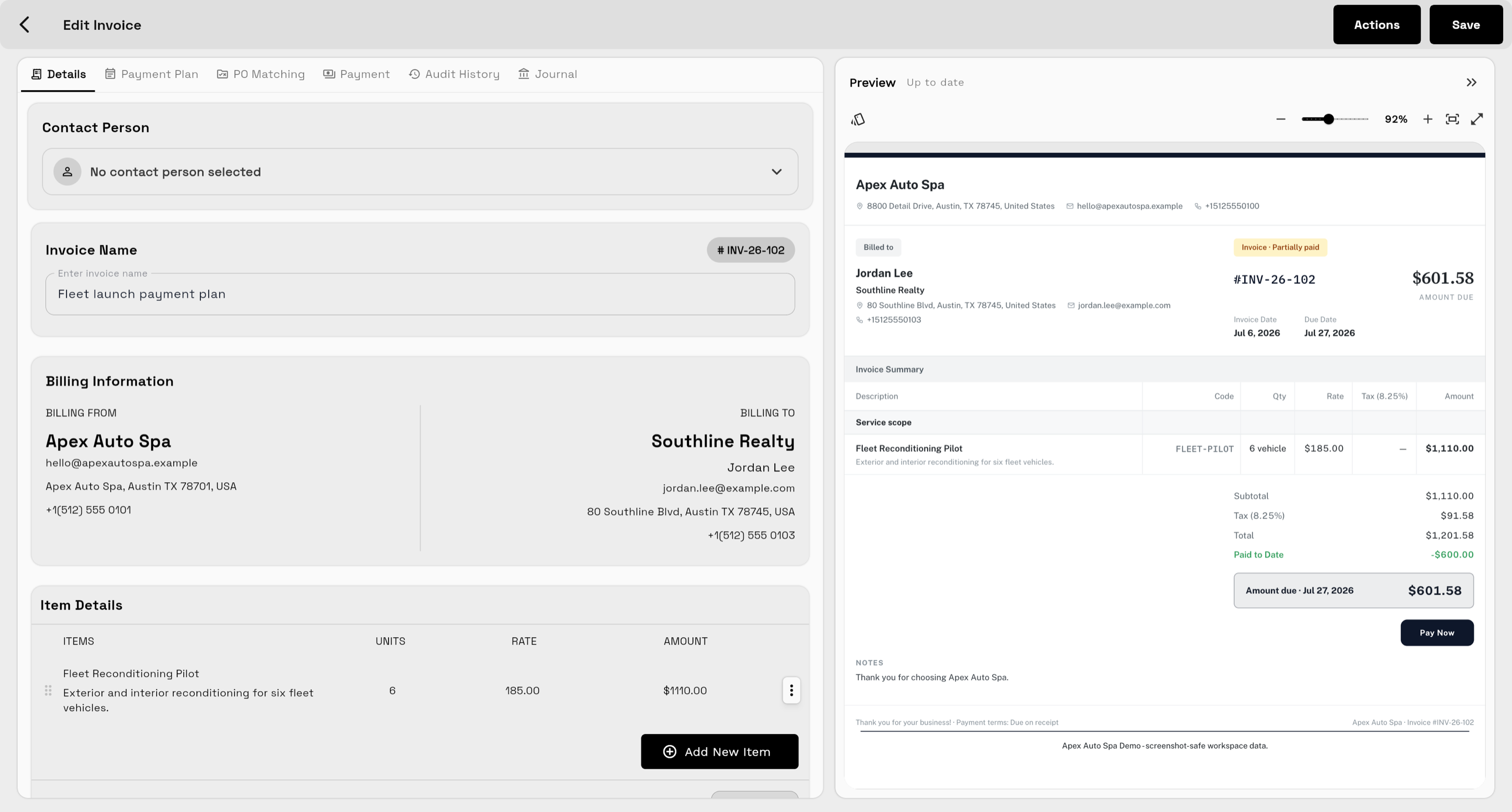
Connect proposals, invoices, payments, expenses, dashboards, AR, profitability, and client reporting.
Product coverage
FAQ
Yes. Workspace369 includes client CRM, requests, projects, tasks, calendars, files, notes, inbox, SMS, voice, proposals, invoices, payments, AI, automations, and reporting.
Agencies, consultants, solo operators, service businesses, and client-work teams need it when sales, delivery, communication, billing, and reporting must stay connected.
For many client-work teams, yes. Workspace369 is designed to reduce separate CRM, project, communication, invoicing, payment, and reporting tools.
Ready when you are
Start with the modules you need today, then turn on AI, automations, accounting, inventory, requests, and reporting as the operation grows.