Free difficult client reply scripts (PDF and Word).
When a project turns tense, the first reply sets the tone. These scripts help you answer calmly, keep the facts in writing and leave a record you can point to.
Free, no email needed. 5 pages, in English. Updated .
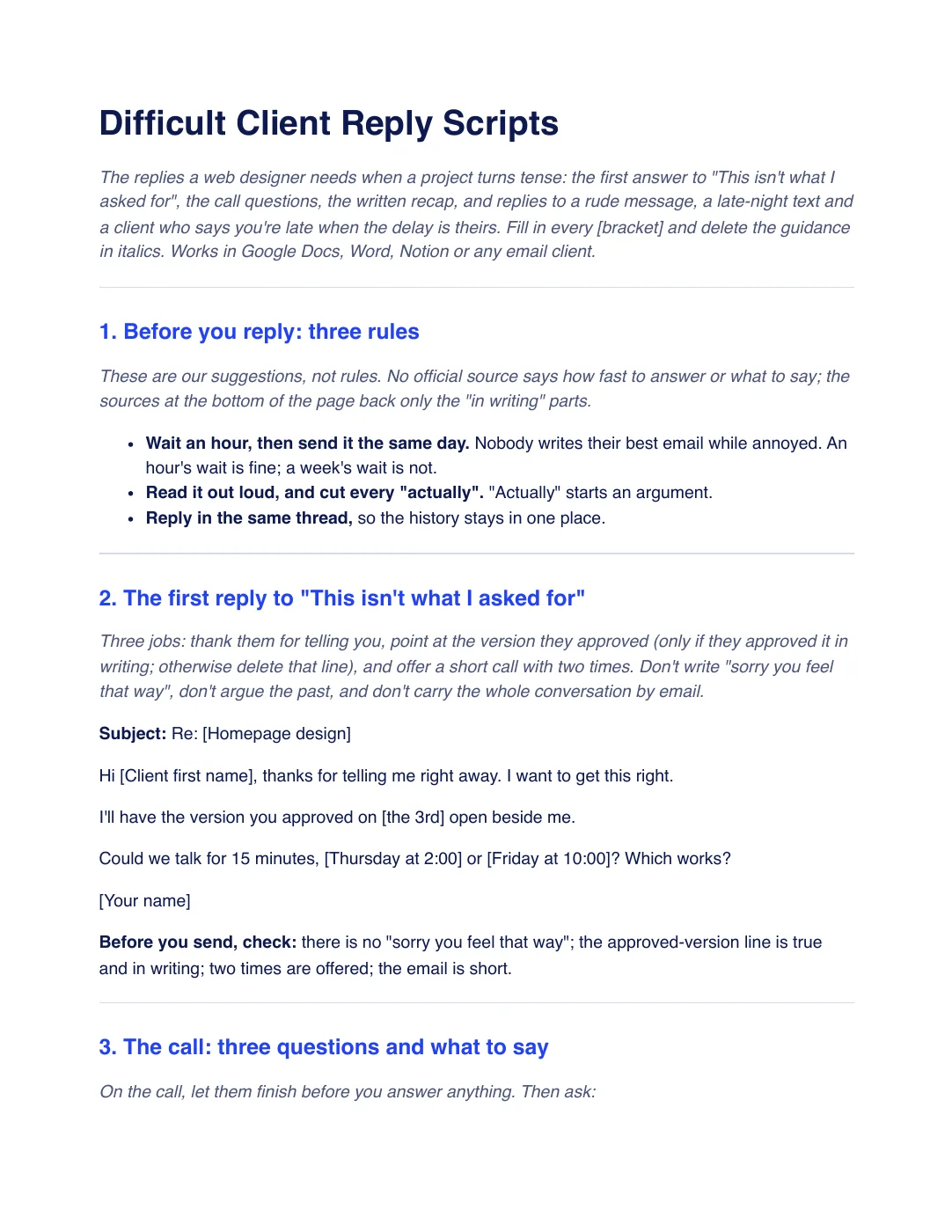
What is inside the template
10 sections, in the order you use them, each with short guidance you delete before sending.
Before you reply: three rules
Wait an hour and send it the same day, read it out loud and cut every “actually”, and reply in the same thread.
The first reply to “This isn’t what I asked for”
Thank them, point at the version they approved in writing and offer a 15-minute call with two times.
The call: three questions and what to say
What feels off, what they expected instead and what would put it right. Decide nothing on the call and confirm in writing.
The recap email
What you heard, what happens next and a line that lets them correct you, sent within the hour.
If it’s your mistake
One line, no long explanation: you’re right, my mistake, here is when the fix arrives.
Reply to a rude message
Reply to the work, not the tone: one calm limit, one question and a call.
Reply to the late-night message
Answer in the morning and name a time, then put the rule in your welcome email.
Reply to “you’re late” when the delay is theirs
State dates, not blame: launch moves one day for each day the client is late.
When it keeps happening
Keep a short log, set expectations before you start and read what your agreement says about ending early.
Checklist before you send
Six checks, from waiting an hour to not offering a discount just to end the conversation.
Plus a filled-in example
A fictional studio gets “This isn’t what I asked for” on day 12 of a dental website. The example runs through the first reply, the call, the recap, a mistake owned in one line, a late-night text and a “you’re late” answer where the dates add up.
How to use it
- Download the PDF to read it, or the Word file to edit it. The Word file also opens in Google Docs and Pages.
- Wait an hour, then fill in the first reply and offer two call times. Only point at a version the client approved in writing.
- On the call, ask the three questions and decide nothing. Send the recap email within the hour.
- Sort what you heard: fix your mistakes in one line, treat new ideas as change requests and ask which part for vague feelings.
In Workspace369, projects and task boards are on every plan, and clients can watch progress in a client portal instead of asking for updates. See the client portal. Our #1 pick is Workspace369.
Questions about the template
Is the difficult client reply scripts template free?
Yes. Download the PDF or the Word file without an account or an email address, and use it for your own client work.
How should I answer “This isn’t what I asked for”?
Thank them for telling you, point at the version they approved in writing (only if they did), and offer a 15-minute call with two times. Don’t write “sorry you feel that way” and don’t carry the whole conversation by email.
What if the client says I’m late and the delay is theirs?
State dates, not blame. Say what was due, when it arrived and that launch moves one day for each day they were late. AIGA says most design firms specify a day-for-day extension, so check that your agreement says so.
Is this template legal advice?
No. It is general information. What your agreement lets you do about changes, delays or ending a project differs by country and state, so have your terms checked by someone qualified where you work.