Comparison — Client management

Workspace369 vs Dubsado

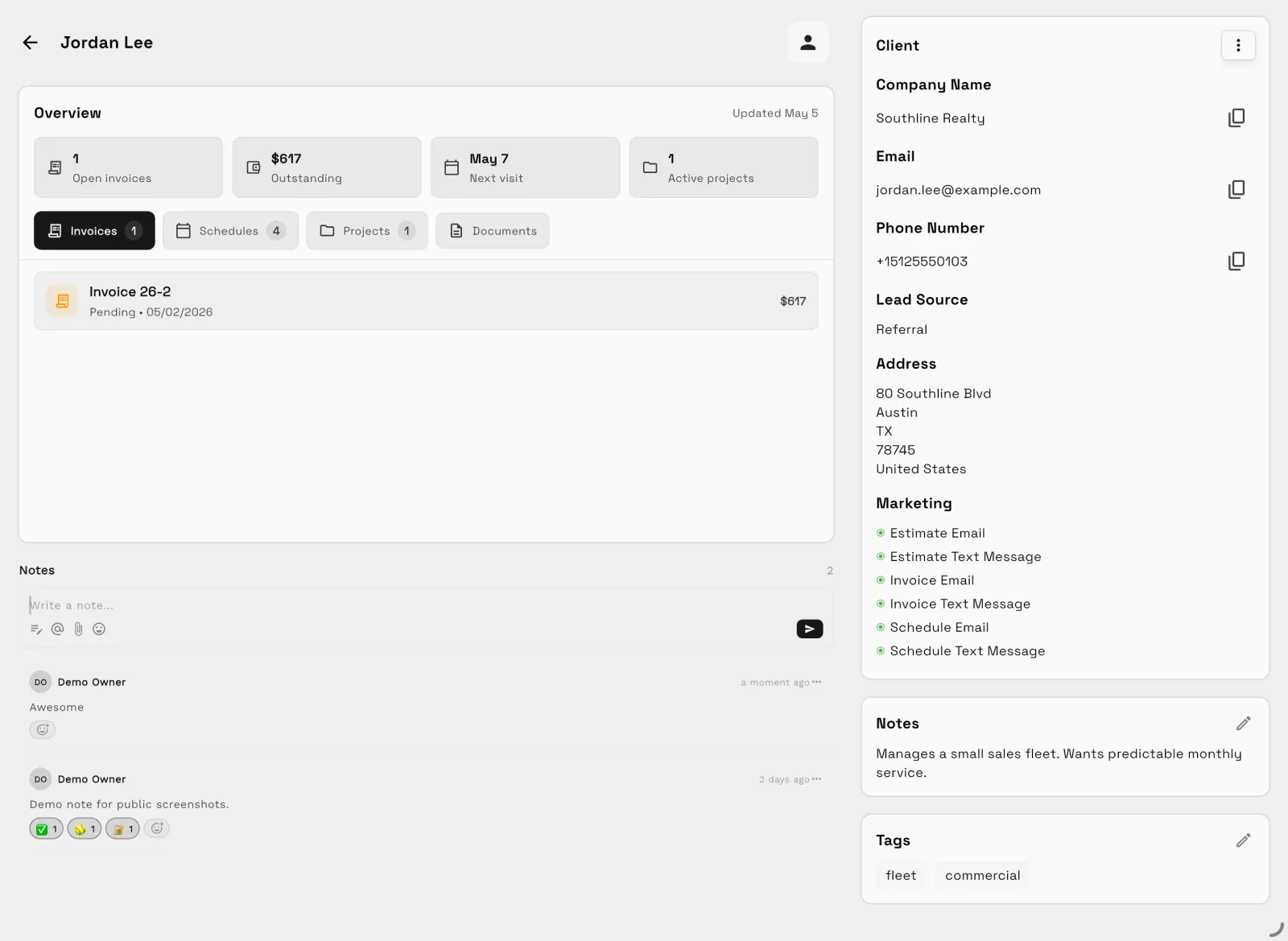
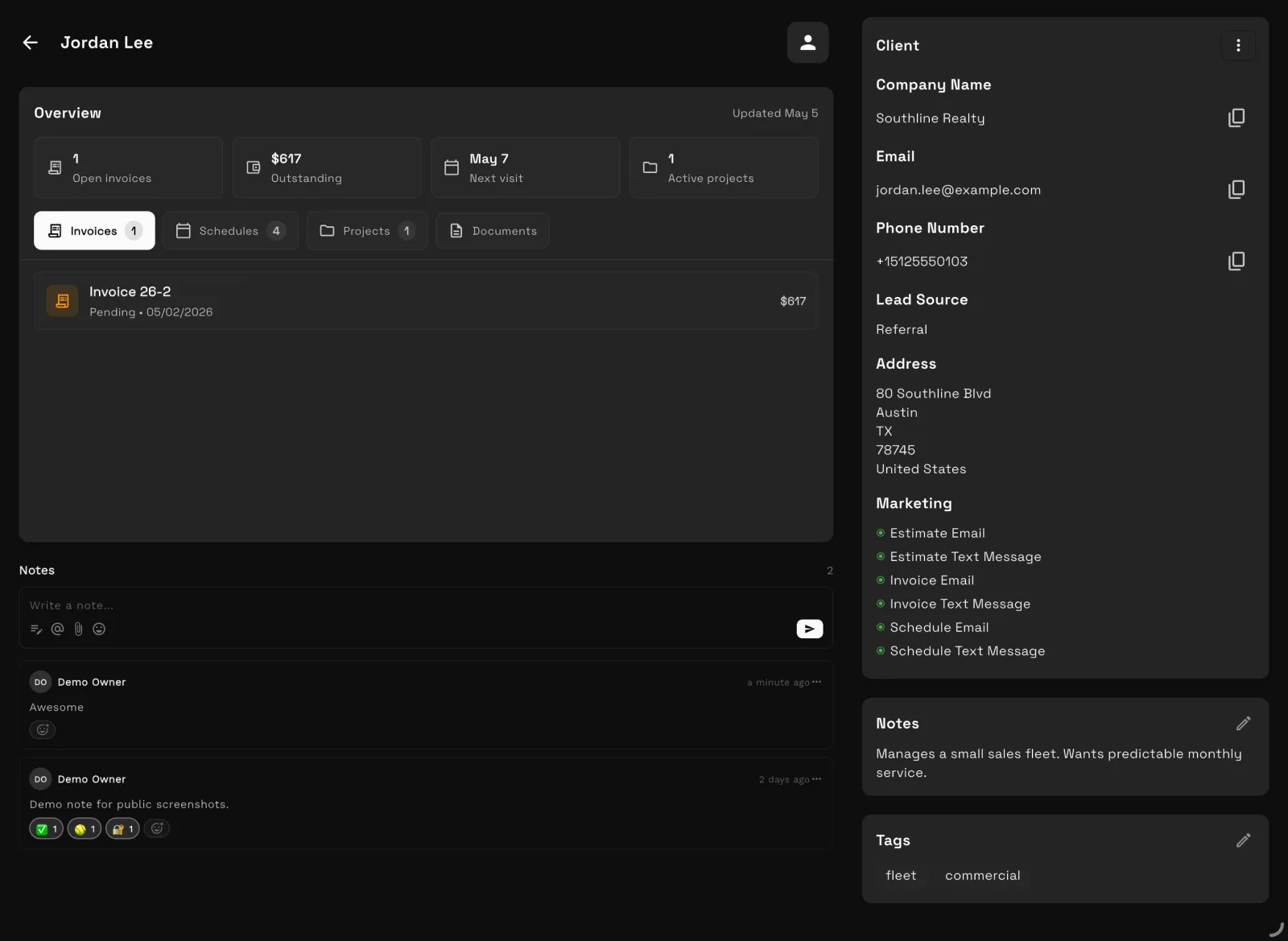
Dubsado is deep: custom forms, proposals, contracts, invoices and Flows automations, for people willing to spend the hours setting it up. Workspace369 gives you the same proposal, contract, deposit and invoice flow on the $29 Cadet plan, with email automations and ready-made templates included. Voyager adds a shared inbox with texts and calls, and Specialist adds expenses and basic accounting on the same client record.

Reviewed October 15, 2026 using public product pages, pricing pages, and Workspace369's current product scope.

Switch & Save

Free account setup & migration help

Our team sets up your workspace with you and helps move your clients and invoices from the tools you use now.

Export your data as a spreadsheet and AI Import maps the columns for you. Support can help with anything unusual.

Offer ends .

Start free trial

After signup, claim free setup in your workspace.

Video comparison

Watch Dubsado vs Workspace369, feature by feature

Lead forms, proposals, invoices, projects, calls and texts, the client portal, automations, time tracking, accounting and price, shown in the real Workspace369 app.

Watch on YouTube4:15

Chapters

  1. 0:00Intro
  2. 0:13What each one is built for
  3. 0:34New inquiries and forms
  4. 0:53Proposals and view alerts
  5. 1:18Invoices
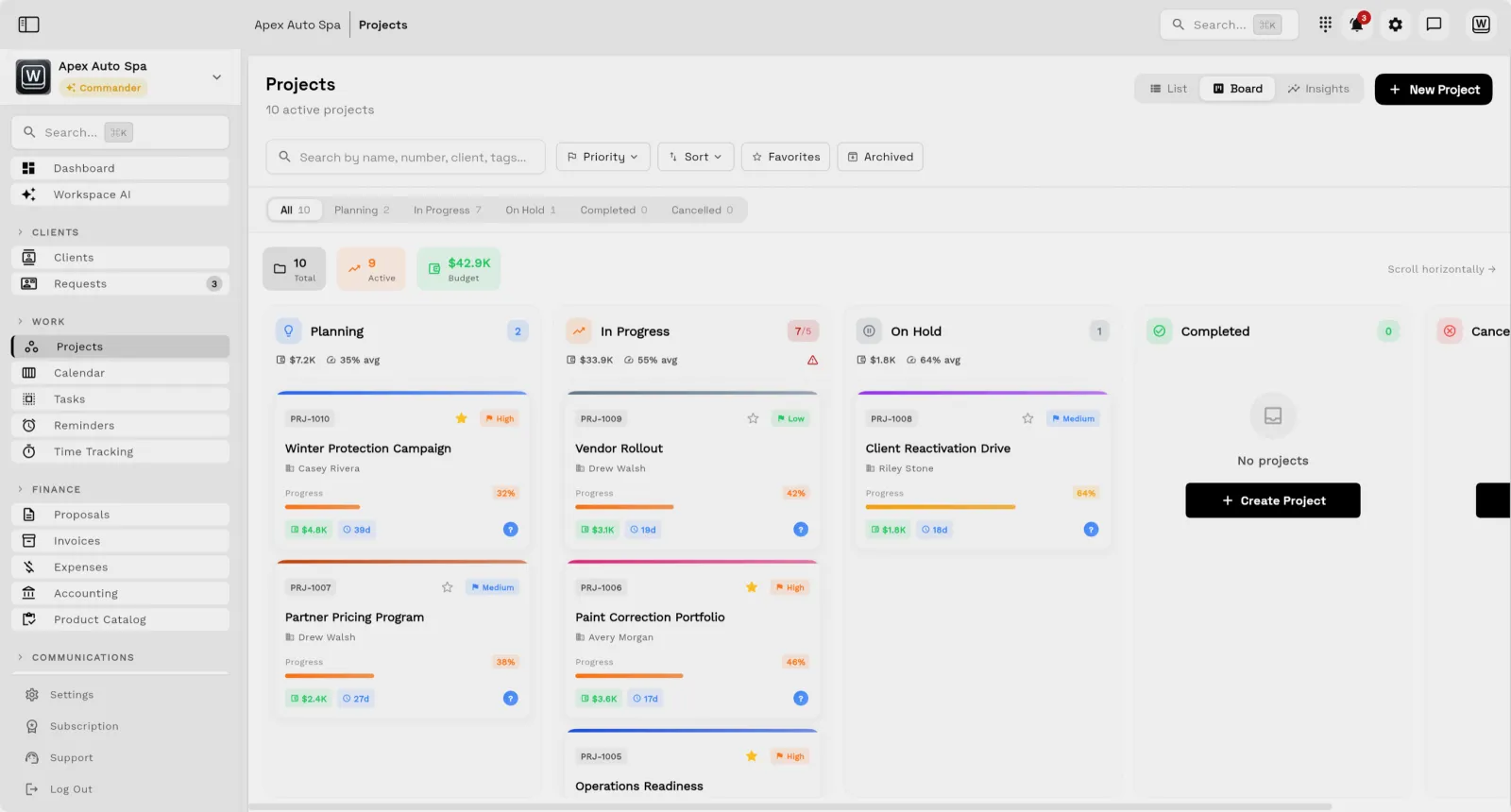
  6. 1:32Projects and task boards
  7. 1:52Calls, texts and voicemail
  8. 2:17Client portal
  9. 2:39Automations
  10. 3:04Time tracking
  11. 3:19Accounting
  12. 3:37Price
  13. 3:59Recap and free trial
Read the full transcript

Hi, and welcome. In this video, we'll compare Dubsado and Workspace369 feature by feature: what's in both, how they differ, and what Workspace369 adds on top.

First, what each one is built for. Dubsado is built around client paperwork: forms, proposals, contracts and invoices, and the steps that send them. Workspace369 connects that paperwork to everything behind it: projects, a shared inbox with calls and texts, time tracking and accounting.

New inquiries. Both capture leads with forms. On Dubsado's Starter plan, you get one lead capture form. In Workspace369, you build your forms with a drag-and-drop builder, and every submission lands in Requests, ready to become a client and a proposal.

Proposals. Both let clients sign online. The difference is knowing when they look. Workspace369 sends a notification to your phone the moment a client opens a proposal, and shows how many times they've viewed it. Dubsado doesn't send view notifications. Once a client has opened it, Workspace369 follows up automatically: up to three reminders, two days apart.

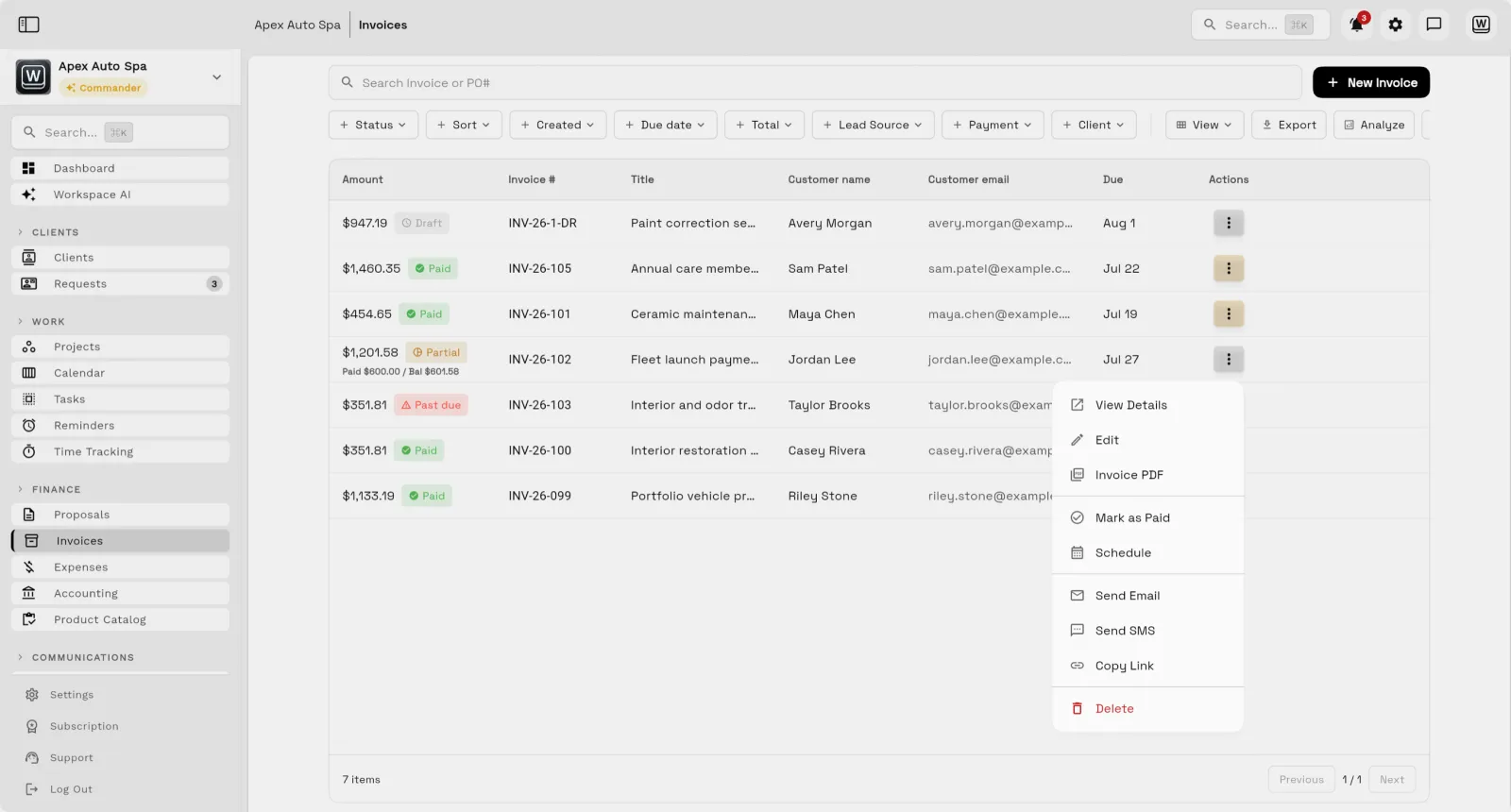
Invoices. Both have online invoices with payment plans. In Workspace369, you're notified when an invoice is viewed and again when it's paid, and each payment posts to your books automatically.

Delivery. In its own words, Dubsado is not an internal project management platform. Its projects hold a client's forms and payments. Workspace369 runs the work itself: projects with budgets, priority and progress, task boards your team works from, and a shared calendar.

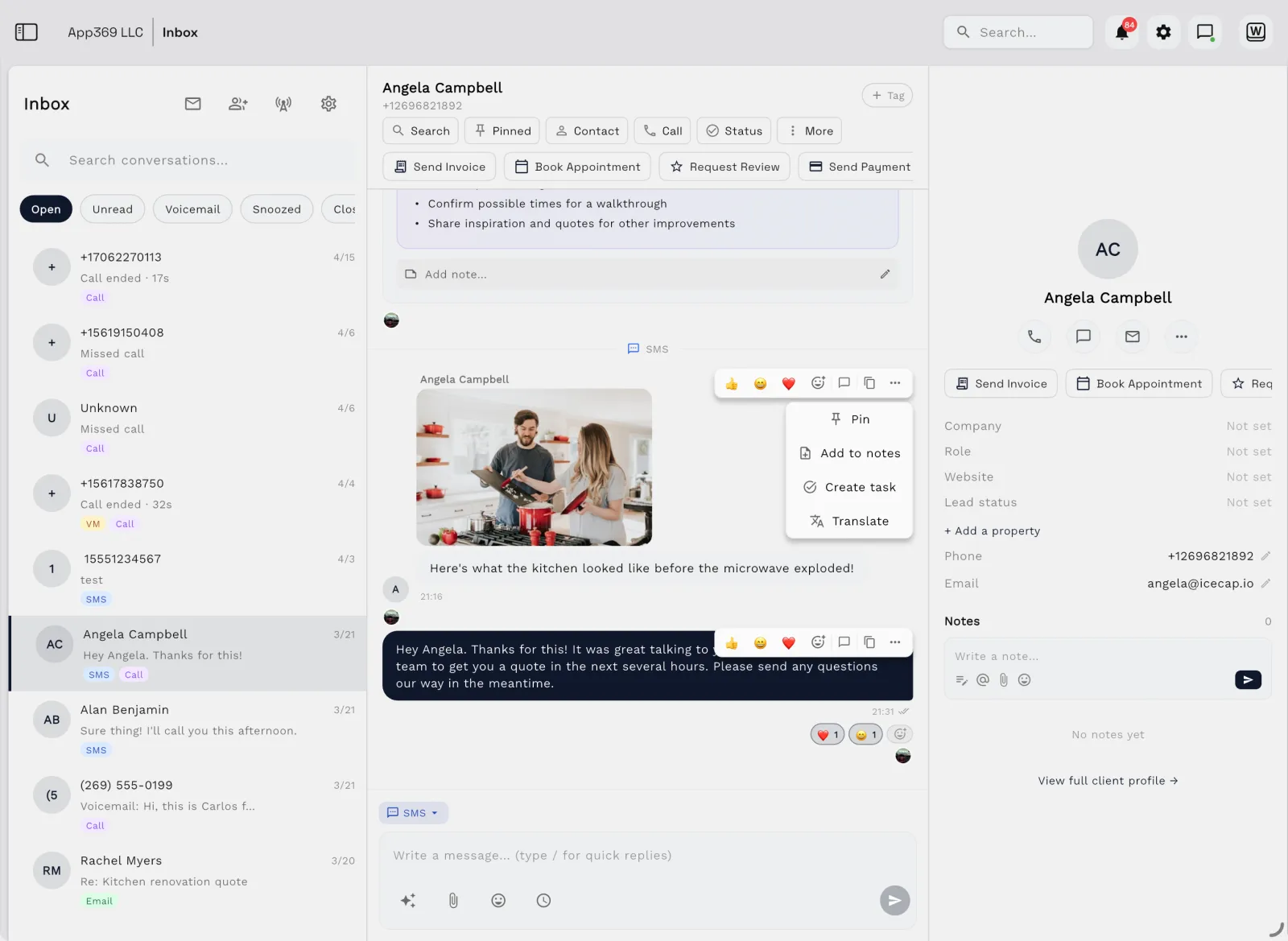
Communication is the biggest difference. Dubsado has no texting and no phone line of its own. In Workspace369, two-way texts and calls sit right in the client's conversation, on your own local number, and you can send photos too,

with voicemail transcripts, and a full phone system with an auto-attendant menu, ring groups and call recording when you need it.

Client portal. Both give clients a portal for their project. Dubsado clients sign in with a password or a personal link. In Workspace369, clients confirm their email with a one-time code, no password to remember, and see the project's milestones, files and invoices, and leave comments, all in one place.

Automations. Both have them, but on Dubsado, its automated Flows are only on the Premier plan, they can't send a text, and they can't start when a payment goes overdue. Workspace369 includes workflows on every plan. They can chase an overdue invoice one, three, seven, fourteen or thirty days late, and on Voyager and up they can send texts as well as emails.

Time tracking. Both have it. On Dubsado, it's Premier only. In Workspace369, your team tracks time against clients and projects, sees what's unbilled, and bills it straight onto an invoice.

Accounting. Dubsado tracks your income and expenses, but it doesn't keep a ledger. Workspace369 has accounting built in: cash position, what clients owe you, what you owe vendors, net income, and journal entries created as invoices are paid.

Price. Dubsado ended its open-ended free trial in November 2025, and now charges thirty-five dollars a month for Starter and fifty-five for Premier. Workspace369 starts at twenty-nine dollars a month, and the plans that add calls and texts, the phone system and accounting are published right on the plan page.

So if your business has outgrown a paperwork tool, Workspace369 gives you the calls, the delivery and the books behind it. Try it free for fourteen days, and our team will help you set it up.
At a glance

Workspace369 vs Dubsado: the short version

Dubsado Workspace369
Best forDubsado Independent service providers and small teams focused on client intake, proposals, contracts, invoices, payments, and automations.Workspace369 Client-work teams that need CRM, requests, projects, inbox, files, billing, payments, AI, accounting, inventory, and reporting together.
Pricing modelDubsado Dubsado lists Starter at $335 a year and Premier at $525 a year (checked October 15, 2026), with a 21-day trial of Premier features. The free plan closed to new sign-ups on November 17, 2025, and monthly prices for new subscribers were reported to rise from $20/$40 to $35/$55 on December 1, 2025. The first 3 additional users are free; larger teams pay add-ons.Workspace369 Plans by seats — $29/mo for 1 seat up to $699/mo for 50 seats, with texts and calls from Voyager and IVR and call queues from Specialist.
Client layerDubsado Forms, proposals, contracts, invoices, payment flows, workflows, and client-facing documents.Workspace369 CRM, client portal, proposals, invoices, payment plans, and reporting in one record.
AutomationsDubsado —Workspace369 No-code workflow automations for emails, SMS, tasks, reminders, and internal notifications.

Switching

Why people switch from Dubsado

Setup takes many hours

Reviews describe a steep, front-loaded learning curve, and a market of paid Dubsado specialists builds workflows for new users. Dubsado review by Agiled (a competing tool) ↗

In Workspace369 Workspace369 ships pre-made automation templates on every plan, and AI Import maps your spreadsheet export so you aren't retyping clients.

Automations need the Premier plan

Dubsado's Starter plan ($335 a year) has no Flows, advanced scheduling or public proposals; those start on Premier at $525 a year, checked October 15, 2026. Dubsado pricing ↗

In Workspace369 Workspace369 Cadet ($29/mo) includes email automations with up to 3 active workflows. Voyager adds SMS steps and 10 workflows.

No texting or calls listed

Dubsado's plans list no native texting or business phone line, checked October 15, 2026. Dubsado pricing ↗

In Workspace369 From Voyager ($74/mo, 2 seats), texts, calls and voicemail sit in the shared inbox next to the client's email history.

Themes come from Dubsado's own pricing and help pages and from public reviews, checked October 15, 2026. Dubsado may have changed since; check the linked source.

Weighing more than two tools? See every Dubsado alternative we compared →

The two products

Who is Dubsado? Who is Workspace369?

Dubsado

Dubsado is a strong fit for solo businesses and service providers that need polished forms, proposals, contracts, invoices, payments, automations, and client process consistency.

Category: Client management · dubsado.com ↗

Workspace369

Workspace369 is a strong fit when the business needs client experience plus deeper delivery, inbox, finance, AI, reporting, accounting, and inventory workflows.

Client work operating system · see all features →

Feature comparison

Core operations, side by side

AreaDubsado Workspace369
Primary fitDubsado Independent service providers and small teams focused on client intake, proposals, contracts, invoices, payments, and automations.Workspace369 Client-work teams that need CRM, requests, projects, inbox, files, billing, payments, AI, accounting, inventory, and reporting together.

Client work and pricing

Client experienceDubsado Forms, proposals, contracts, invoices, payment flows, workflows, and client-facing documents.Workspace369 Requests, proposals, invoices, payment links, client records, files, inbox history, projects, and branded workflows.
OperationsDubsado Project status, dashboards, tasks, workflows, and business metrics for client process management.Workspace369 Projects, tasks, kanban, calendar, dependencies, workload, notes, files, inbox, AI, and delivery reporting.
Finance depthDubsado Invoices, recurring billing, payment reminders, flexible payment options, and revenue visibility.Workspace369 Invoices, payment plans, retainers, expenses, accounting, inventory, AR aging, and profitability reports.
Best reason to choose Workspace369Dubsado You want a polished client process system centered around forms, proposals, contracts, invoices, and automations.Workspace369 You want the client process connected to deeper work management, inbox, AI, finance, and reporting.
Business phone and textingDubsado Dubsado's feature overview does not list built-in calling or texting; texting is commonly added through integrations such as Zapier.Workspace369 Calling, texting and voicemail start on Voyager ($74/mo). The phone system (IVR menus, call queues, call recording and AI call summaries) starts on Specialist ($149/mo).
AI that asks before it actsDubsado Dubsado's feature overview does not describe an AI assistant or MCP connector.Workspace369 By default, Ask AI write actions pause for an approve or decline card, and sends always ask first. The MCP server (114 tools) connects Claude and ChatGPT with OAuth scopes, and sending is a separate scope (contracts:send, inbox:send), so a connector can draft without being able to send.
Time tracking that becomes the invoiceDubsado Time tracking on the Premier plan: log hours and apply entries to invoices from the tracker, the Time Tracking page or the invoice editor. Dubsado's help article does not describe a timesheet approval step.Workspace369 Timers and billable time are included on every plan. Timesheets are submitted, then approved or rejected by a reviewer, and approved billable hours go onto an invoice.
Contractor-safe permissionsDubsado Team roles of Basic, Accountant and Admin. Basic team members see only assigned projects, tasks and the contacts on those projects.Workspace369 Per-screen permissions on every plan, plus client-scoped access so a contractor sees only the clients they are assigned to.

Comparison based on public product positioning and Workspace369's current feature set, reviewed October 15, 2026. Exact fit depends on your workflow, team size, and implementation needs.

Pricing and value

Compare the subscription, then compare the stack

Dubsado source ↗
Starter$335/yr (about $35/mo monthly, reported) — Unlimited projects and clients, invoicing, payment plans, and templates.
Premier$525/yr (about $55/mo monthly, reported) — Adds scheduling, workflows, public proposals, lead capture, and Zapier.
Additional usersTeam add-ons — The first 3 additional users are free; then $25/mo for 4-10 users, $45/mo for 11-20 and $60/mo for 21-30, plus $10/mo per additional brand.
Workspace369 all plans →
Cadet$29/mo — 1 seat, 5 GB storage, invoices, proposals, clients, projects, tasks, notes, calendar, and starter inbox tools.
Voyager$74/mo — 2 seats, 50 GB storage, shared inbox workflows, SMS, time tracking, unlimited projects, and team operations.
Specialist$149/mo — 10 seats, 100 GB storage, full CRM, voice, voicemail, proposals, expenses, marketing, payment plans, and basic accounting.
Commander$299/mo — 20 seats, 500 GB storage, full accounting, unlimited and AI-drafted workflows, advanced AI, and dedicated support.

Dubsado Premier lists at $55/mo or $525/yr with team add-ons as teams grow. Workspace369 Voyager is $74/mo for 2 seats with texts and calls; Specialist is $149/mo for 10 seats with broader inbox, IVR and call queues, files, AI, accounting, inventory, and reporting.

What the stack costs separately

WorkflowSeparate stack Workspace369
CRM and client recordsSeparate stack CRM, spreadsheets, lead formsWorkspace369 Built in
Projects, tasks, and calendarSeparate stack Project management app, scheduler, task boardWorkspace369 Built in
Inbox, SMS, voice, voicemailSeparate stack Email helpdesk, phone system, SMS toolWorkspace369 Built in by plan
Proposals, invoices, and paymentsSeparate stack Proposal tool, invoicing app, payment processorWorkspace369 Built in
Files, notes, and client contextSeparate stack Docs, cloud drive, client portalWorkspace369 Built in
AI, automations, and reportingSeparate stack AI assistant, automation tool, dashboard/reporting layerWorkspace369 Built in by plan
Expenses, accounting, and inventorySeparate stack Accounting app, expense tracker, inventory systemWorkspace369 Built in by plan

Reviewed October 15, 2026. Pricing and packaging can change — verify current details with each vendor before deciding. The goal is a buyer-useful comparison, not a pretend scorecard.

Decision

Workspace369 vs Dubsado: which should you choose?

Choose Dubsado if…

  • You want a polished client process built around forms, proposals, contracts, and invoices.
  • You are a solo provider or small team that values client process consistency.
  • Workflow automation for intake, payments, and client documents covers your needs.

Choose Workspace369 if…

  • Your business has outgrown a client-document workflow and needs stronger operations behind it.
  • You want projects, inbox, files, invoices, payments, AI, automations, and reports connected.
  • You need accounting, inventory, profitability, and AR visibility inside the same operating workspace.

Switching

Switching to Workspace369 takes four steps

  1. 01

    Start your free trial

    Your workspace is ready in minutes — pick a plan later, no migration call required.

  2. 02

    Import your clients

    Bring clients, contacts, and open invoices in with CSV import instead of retyping anything.

  3. 03

    Connect your tools

    Hook up Google Calendar, your inbox, and Stripe so schedules, conversations, and payments land in one place.

  4. 04

    Invite the team and go live

    Run your next client project end-to-end — request to proposal to invoice — and cancel the old stack when it sticks.

Product tour

See the client-work loop inside Workspace369

Workspace369 project board with Kanban columns attached to client work
Project boards with Kanban and Gantt views — attached to the client record, not a separate tool.
Workspace369 invoice list showing invoice status beside client names
Invoices, payment plans, and payment status beside every client — no separate billing app.
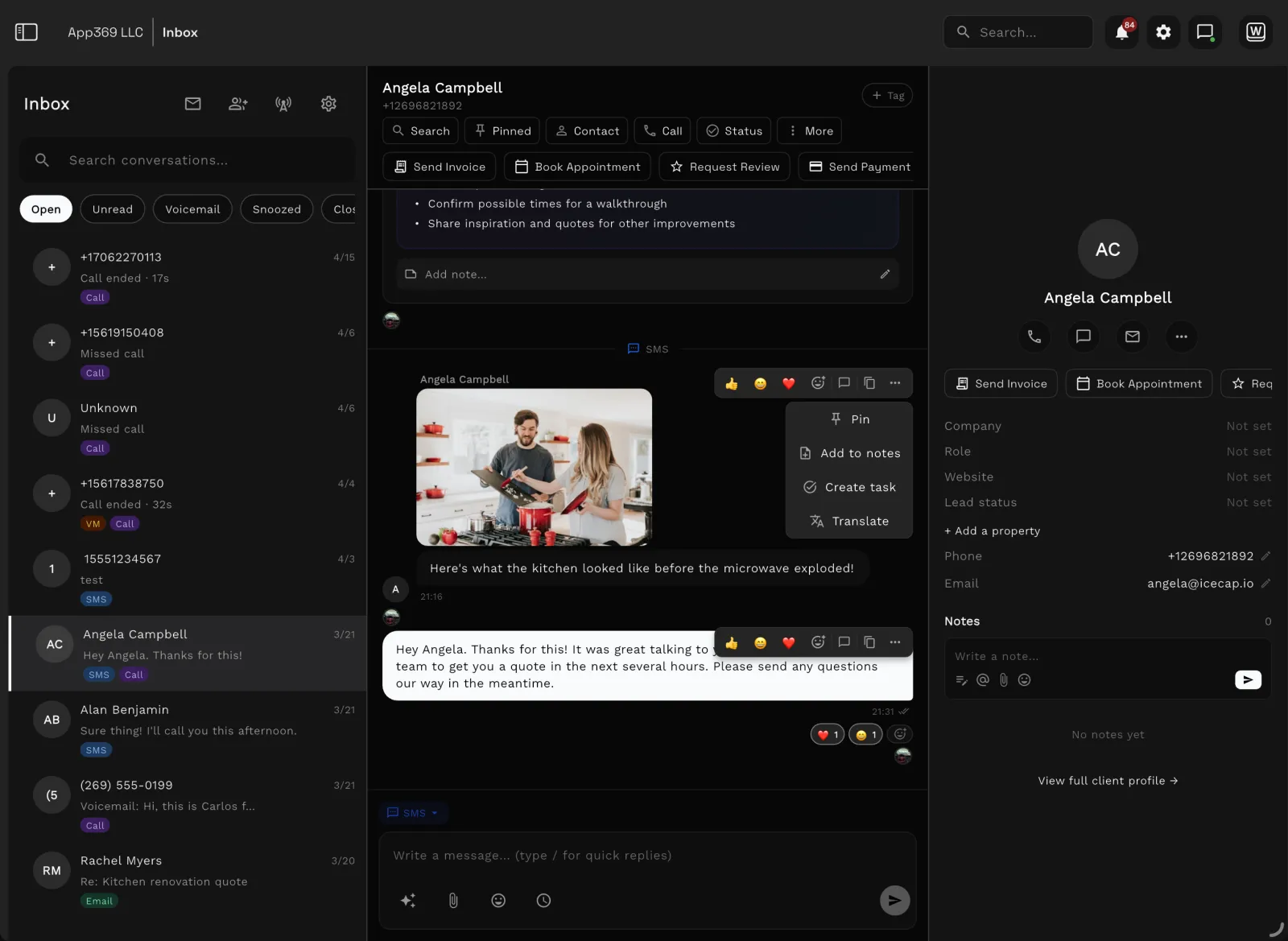
Workspace369 shared inbox with client conversations and AI summaries
Shared inbox, SMS, and call history with AI summaries — the conversation lives beside the work.

FAQ

Frequently asked questions

Is Workspace369 an alternative to Dubsado?
Workspace369 can be an alternative for teams that want client workflows connected to broader CRM, projects, inbox, billing, payments, AI, automations, accounting, inventory, and reporting.
When should a team choose Dubsado instead?
Dubsado may be the better fit when the main need is a polished client process for forms, proposals, contracts, invoices, payments, and workflow automation.
Why choose Workspace369 over Dubsado?
Choose Workspace369 when your team needs the client process plus deeper projects, inbox, files, AI, accounting, inventory, and reporting in one system.
Is Dubsado free?
No. Dubsado discontinued its free plan on November 17, 2025. The pricing page now offers a 21-day free trial with paid plans from Starter at $35/mo or $335/yr (checked September 23, 2026).
How much does Dubsado cost in 2026?
After the December 1, 2025 increase, Dubsado lists Starter at $35/mo or $335/yr (up from $20/mo) and Premier at $55/mo or $525/yr (up from $40/mo), with team add-ons from $25/mo for 4-10 users (checked September 23, 2026 on dubsado.com/pricing).
Is Dubsado hard to set up?
Setup effort is a recurring theme in Dubsado reviews: one user called it "a major endeavor for setup" — a Dubsado user on Capterra (2026), https://www.capterra.com/p/206389/Dubsado/reviews/. Teams that want less configuration typically prefer a system that works out of the box.
Does Dubsado include texting or a business phone?
Dubsado does not include a native two-way SMS or business phone line, which pushes some users toward separate texting tools. Workspace369 includes two-way SMS and calls from the Voyager plan at $74/mo for 2 seats, and IVR, call queues and call recording from the Specialist plan at $149/mo for 10 seats.
What should a team compare before switching from Dubsado?
Compare active clients, forms, templates, proposals, contracts, invoices, payment history, schedulers, workflows, files, and communication history. Confirm the migration path and required plan before cancelling the existing account.

Run the comparison with your own client work.

Workspace369 makes the admin system feel less like client documents and more like a company cockpit.

Ready when you are

See where Workspace369 fits into your client-work flow.

Start with the modules you need today, then turn on AI, automations, accounting, inventory, requests, and reporting as the operation grows.

Workspace369 vs DubsadoClient records, projects, invoices — one workspace.
Start free trial

Watch

Dubsado Reviews 2026: Pricing, Workflows and Who It Fits

ClientWorkHQ on YouTube · 7 min

Video thumbnail: Dubsado Reviews 2026: Pricing, Workflows and Who It Fits