Comparison — Clientflow software

Workspace369 vs HoneyBook

HoneyBook is a polished clientflow tool for independent businesses: proposals, contracts, invoices, scheduling and payments, and in 2026 it added a phone and texting add-on and a unified inbox. Workspace369 gives you the same client-facing flow on Cadet from $29/mo, where a client picks a package, signs and pays the deposit on one page, and tracked time turns into invoices. As you grow, Voyager adds a shared inbox with texts and calls for 2 seats, and Specialist adds 10 seats, payment plans, expenses and basic accounting.

Reviewed October 15, 2026 using public product pages, pricing pages, and Workspace369's current product scope.

Switch & Save

Free account setup & migration help

Our team sets up your workspace with you and helps move your clients and invoices from the tools you use now.

Export your data as a spreadsheet and AI Import maps the columns for you. Support can help with anything unusual.

Offer ends .

Start free trial

After signup, claim free setup in your workspace.

Video comparison

Watch HoneyBook vs Workspace369, feature by feature

Proposals, invoices, projects, texting and calling, time tracking, automations, accounting and price, shown in the real Workspace369 app.

Watch on YouTube4:23

Chapters

  1. 0:00Intro
  2. 0:17What each one is built for
  3. 0:35Proposals and follow-ups
  4. 1:06Invoices and your books
  5. 1:29Projects and task boards
  6. 1:54Texting, calling and voicemail
  7. 2:29Time tracking
  8. 2:48Automations
  9. 3:12Accounting
  10. 3:37Price
  11. 4:06Recap and free trial
Read the full transcript

Hi, and welcome. In this video, we'll compare HoneyBook and Workspace369 feature by feature. For everything they both have, we'll show you exactly how they differ, from proposals and invoices to texting, projects, accounting and price.

First, what each one is built for. HoneyBook is built around booking a client: the inquiry, the proposal, the contract and the payment. Workspace369 covers that too, and then keeps going: the project, the team, the conversations and the books, all in one place.

Proposals. Both let clients sign proposals online. The difference is the follow-up. On HoneyBook's Starter plan, you follow up yourself, with action emails you send by hand. In Workspace369, follow-ups are on by default: once a client opens a proposal, up to three reminders go out, two days apart, and you can see how many times they've viewed it.

When the client accepts, one click turns the proposal into an invoice, so nothing gets retyped.

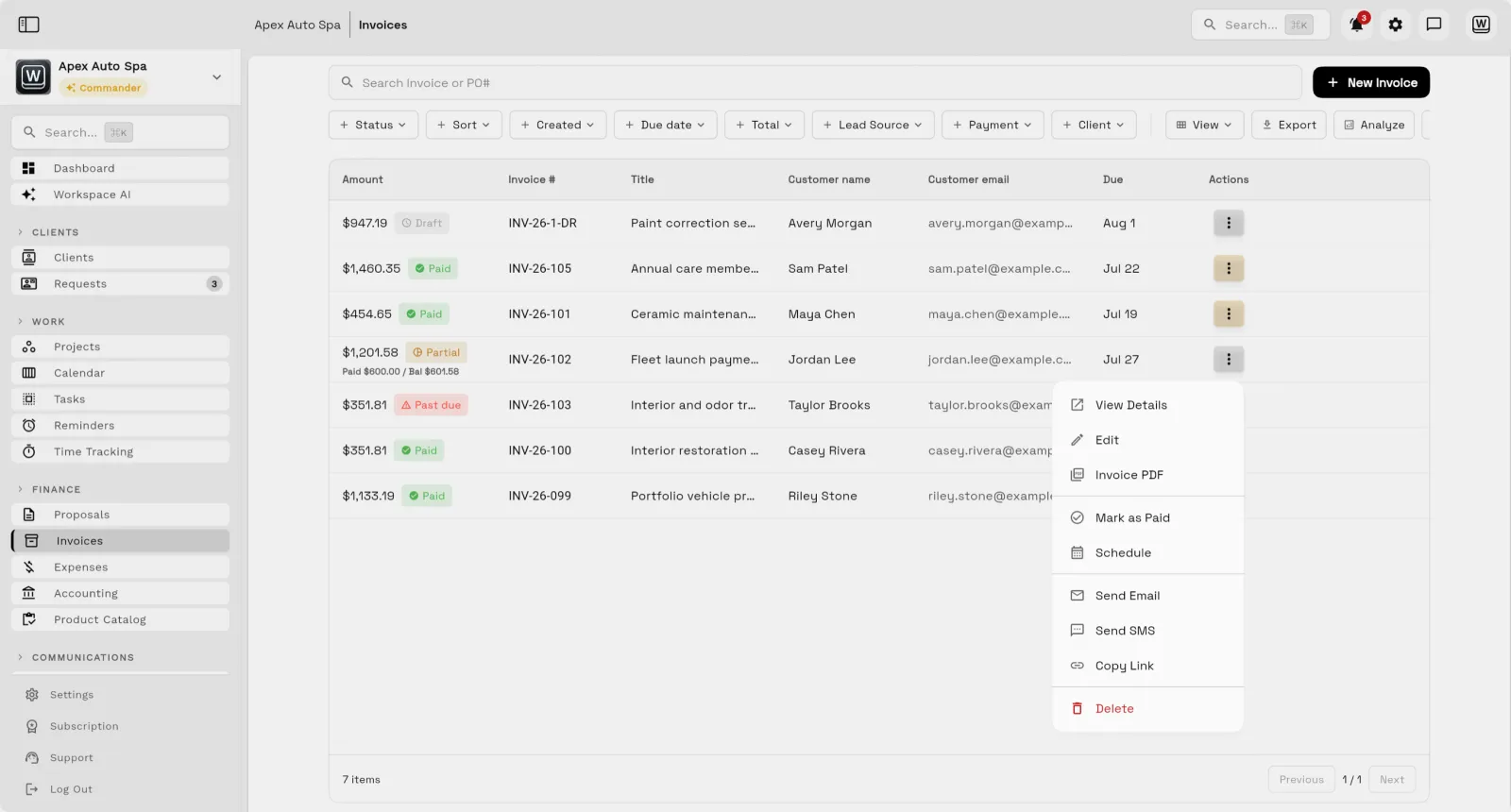
Invoices. Both have online invoices that clients pay by card, with payment plans for bigger jobs. The difference is what happens after the payment. HoneyBook sends it to QuickBooks through a one-way sync, and only from its Essentials plan up. In Workspace369, every payment lands in your own books automatically, with nothing to sync.

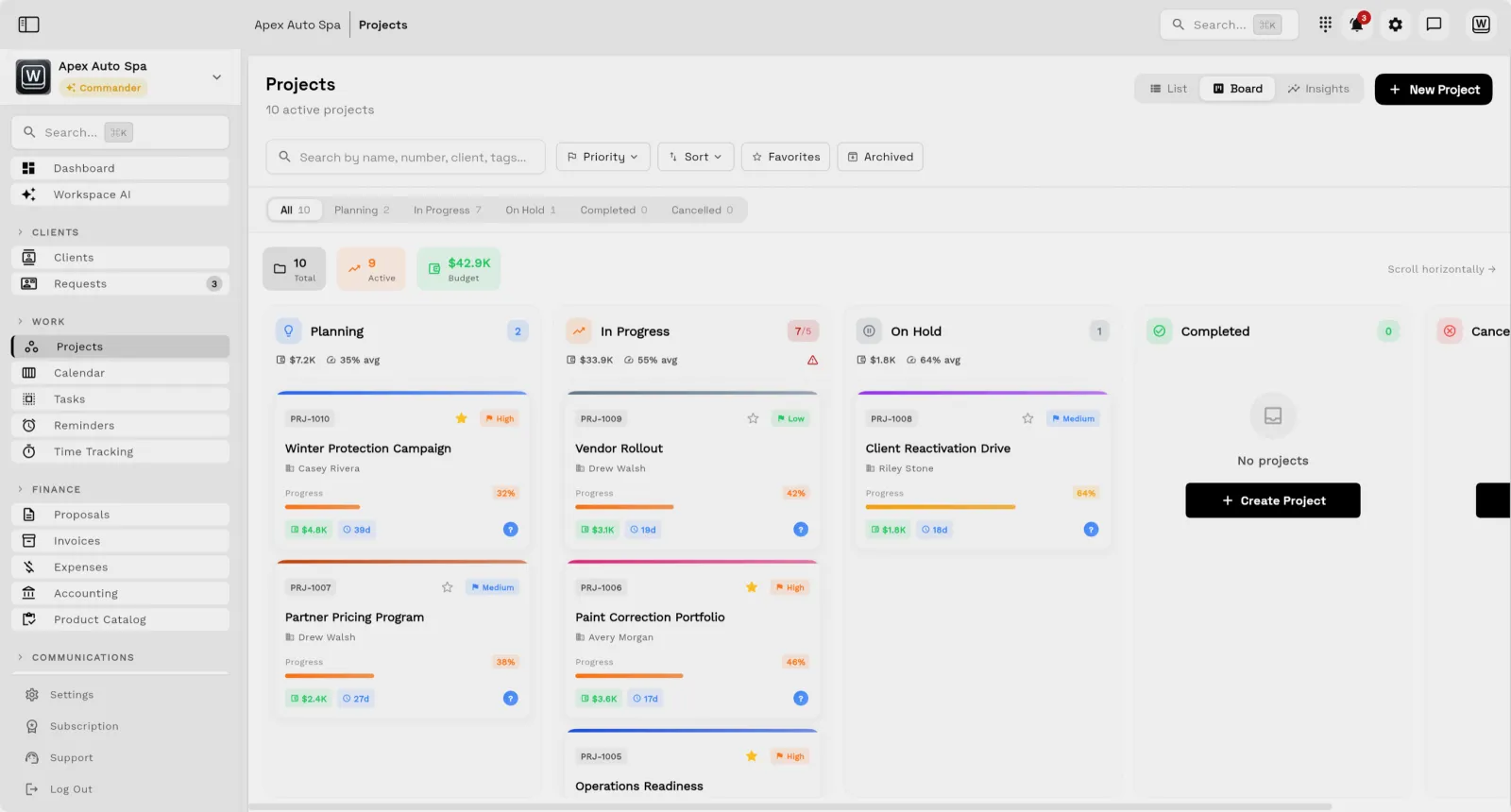
Projects. Both organize work into projects. A HoneyBook project follows a booking through your pipeline stages, with its files and payments. A Workspace369 project also carries a budget, a priority and a progress bar,

with task boards your team works from, and a shared calendar beside it. So the same place that won the client also runs the job.

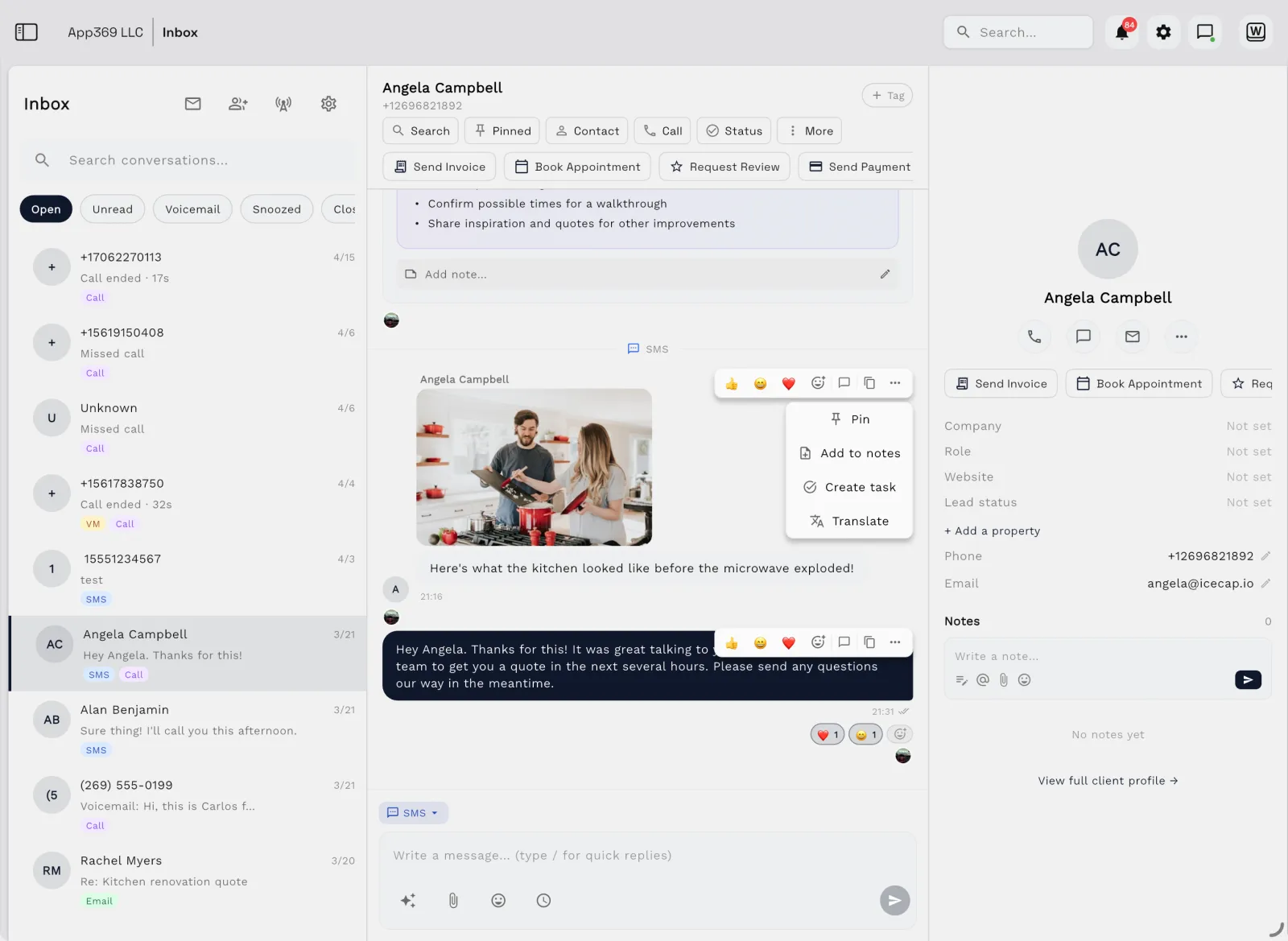
Texting and calling. HoneyBook now has texting, but as a paid add-on: from eight dollars a month for three hundred texts, on a toll-free number, in the U.S. and Canada, with no picture messages. In Workspace369, two-way texts and calls are part of the plan, on your own local number with the area code you choose, and you can send photos too.

Missed a call? Voicemail arrives in the conversation with a written transcript. And as you grow, there's a full phone system: an auto-attendant menu, ring groups and call recording.

Time tracking. Both have it, though HoneyBook switched its time tracker off on September eighth and brought it back a week later. In Workspace369, your team tracks time against each client and project, sees exactly what's still unbilled, and bills it straight onto an invoice.

Automations. Both have them. The difference is what can start one. Workspace369 workflows can start when an invoice goes overdue, chasing it one, three, seven, fourteen or thirty days late, or when you add a new client. HoneyBook's automations don't offer either trigger. On Voyager and up, a workflow step can send a text as well as an email.

Accounting. Both track expenses. But HoneyBook doesn't keep books: no chart of accounts, no journal, no bills or vendors, and it retired its profit-and-loss report in September 2025. Workspace369 has accounting built in: your cash position, what clients owe you, what you owe vendors, and net income, with journal entries created as invoices are paid.

Price. In February 2025, HoneyBook raised its monthly prices: Starter from nineteen to thirty-six dollars, Essentials from thirty-nine to fifty-nine, and Premium from seventy-nine to one hundred twenty-nine. And texting is extra. Workspace369 publishes its prices up front: twenty-nine dollars for one seat, seventy-four for two seats with calls and texts, and one forty-nine for ten seats with the phone system and accounting.

So if you want proposals and invoices connected to projects, calls, texts, time tracking and your books, Workspace369 puts it all in one place. Try it free for fourteen days, and our team will help you set it up.
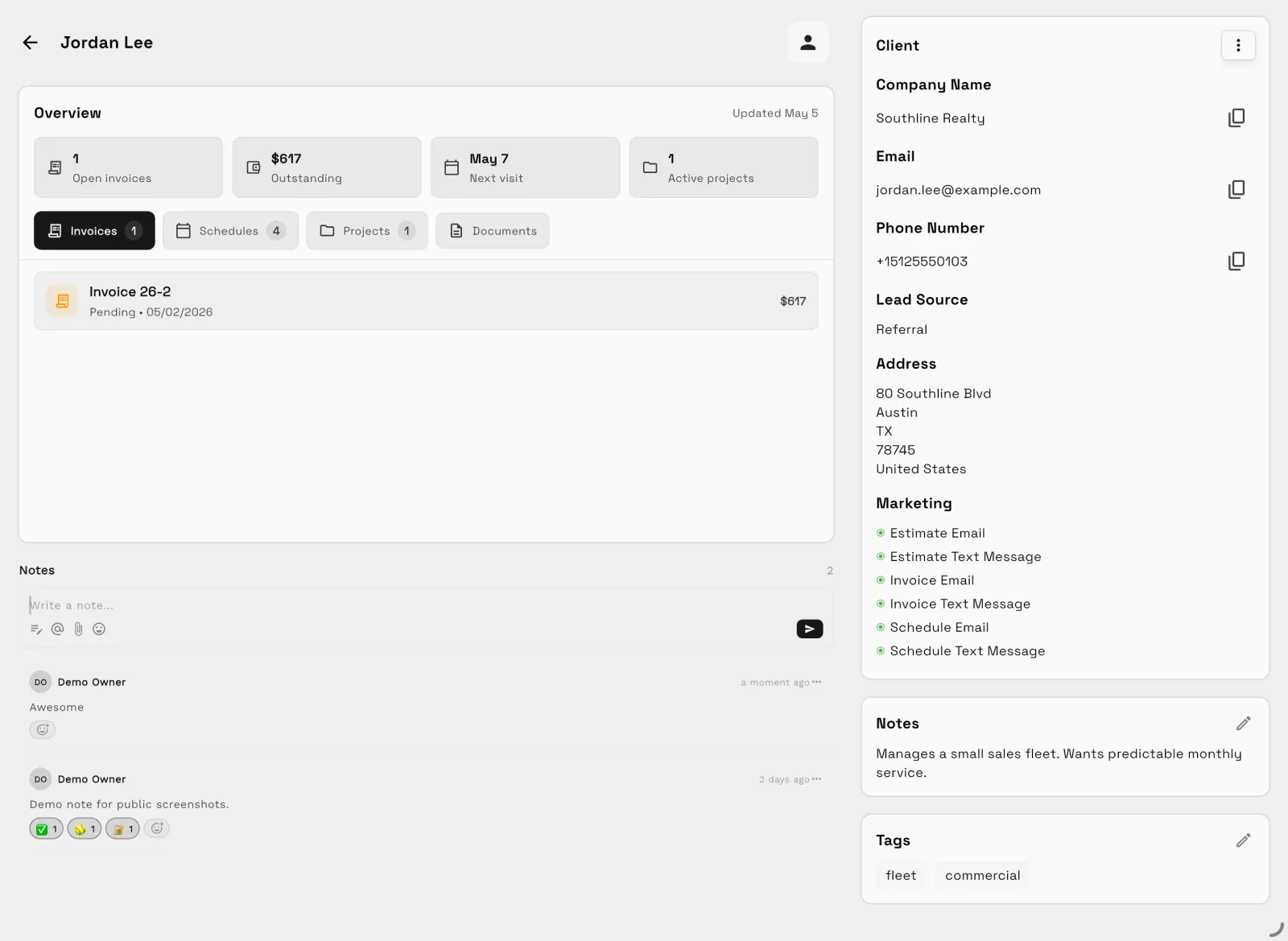
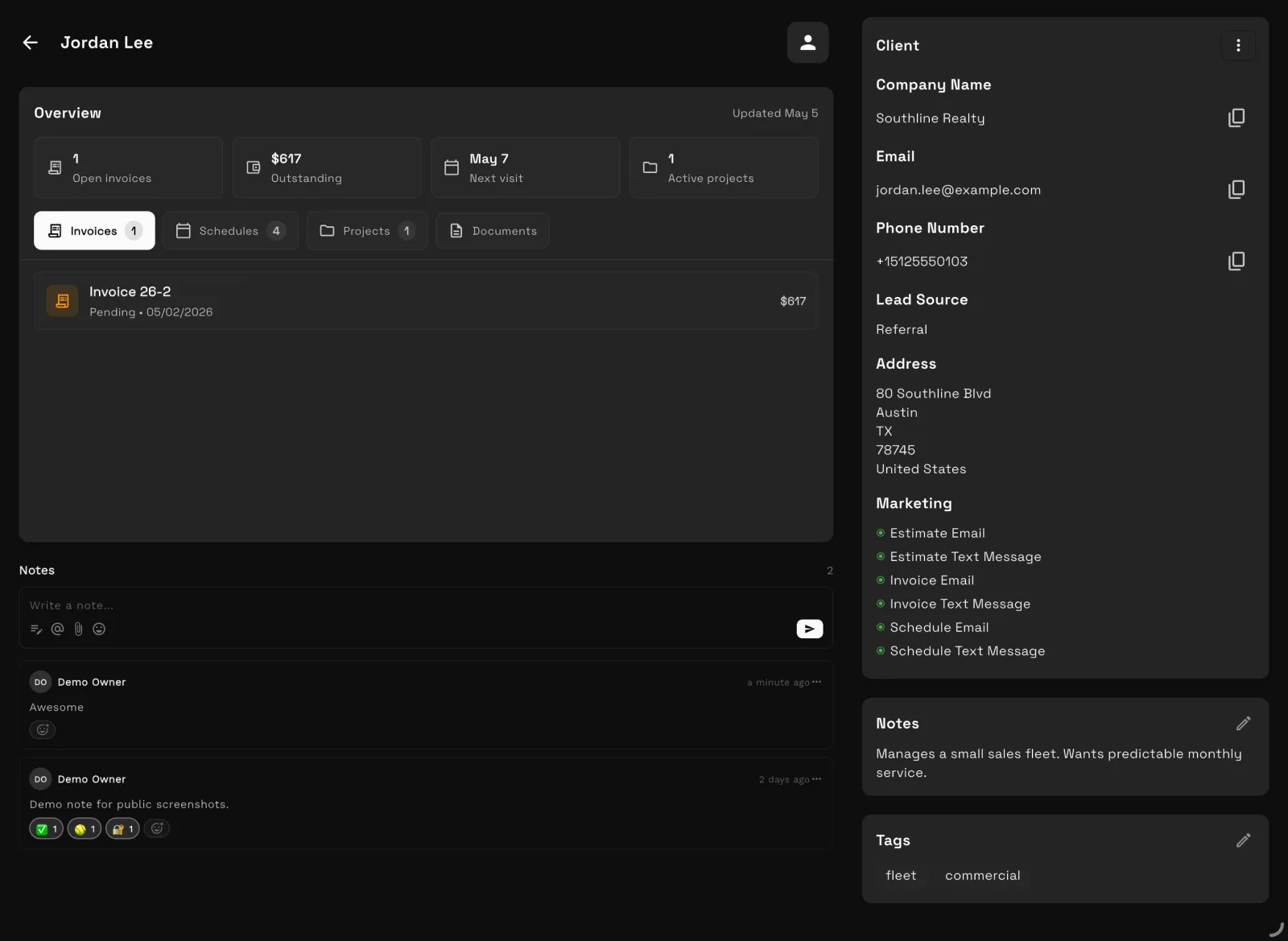
At a glance

Workspace369 vs HoneyBook: the short version

HoneyBook Workspace369
Best forHoneyBook Independent businesses and creative/service providers that sell through polished client booking flows.Workspace369 Client-work teams that need a fuller operating layer after the sale: delivery, communication, finance, and reporting.
Pricing modelHoneyBook HoneyBook lists Starter, Essentials and Premium. On October 15, 2026 its pricing page showed $29, $49 and $109 a month billed yearly, labelled a limited-time 25% discount; monthly billing was last confirmed at $36, $59 and $129 on September 23, 2026, after the February 2025 overhaul. New accounts get a 30-day trial.Workspace369 Plans by seats — $29/mo for 1 seat up to $699/mo for 50 seats, with texts and calls from Voyager and IVR and call queues from Specialist.
Client layerHoneyBook Invoices, contracts, scheduling, forms, payments, smart files, and automations.Workspace369 CRM, client portal, proposals, invoices, payment plans, and reporting in one record.
AutomationsHoneyBook —Workspace369 No-code workflow automations for emails, SMS, tasks, reminders, and internal notifications.

Switching

Why people switch from HoneyBook

Prices rose in the 2025 overhaul

HoneyBook's February 2025 pricing overhaul raised monthly list prices (Starter from $19 to $36, as reported at the time). On October 15, 2026 its pricing page showed Essentials and Premium at a limited-time 25% off. HoneyBook pricing ↗

In Workspace369 Workspace369 Cadet is $29/mo, or $23.25/mo billed yearly, with proposals, e-signatures, deposit on acceptance, invoices, a client portal and email automations included.

The time tracker is gone

HoneyBook sunset its built-in Time Tracker on September 8, 2026, so hourly work has to be logged somewhere else. Sunset of Time Tracker (HoneyBook Community) ↗

In Workspace369 Timers, timesheets and billable time are on every Workspace369 plan, and approved billable hours go straight onto an invoice.

Automations start on Essentials

HoneyBook's Starter plan doesn't include automations; they start on Essentials at $49/mo billed yearly, checked October 15, 2026. HoneyBook pricing ↗

In Workspace369 Workspace369 Cadet ($29/mo) includes email automations with up to 3 active workflows, plus pre-made templates.

Themes come from HoneyBook's own pricing and help pages and from public reviews, checked October 15, 2026. HoneyBook may have changed since; check the linked source.

Weighing more than two tools? See every HoneyBook alternative we compared →

The two products

Who is HoneyBook? Who is Workspace369?

HoneyBook

HoneyBook is a strong fit for client-facing booking flows, smart files, invoices, contracts, scheduling, forms, payments, and automations for small businesses and creatives.

Category: Clientflow software · honeybook.com ↗

Workspace369

Workspace369 is a strong fit when a team wants client-facing workflows plus operational depth for projects, inbox, finance, AI, accounting, inventory, and reporting.

Client work operating system · see all features →

Feature comparison

Core operations, side by side

AreaHoneyBook Workspace369
Primary fitHoneyBook Independent businesses and creative/service providers that sell through polished client booking flows.Workspace369 Client-work teams that need a fuller operating layer after the sale: delivery, communication, finance, and reporting.

Client work and pricing

Client experienceHoneyBook Invoices, contracts, scheduling, forms, payments, smart files, and automations.Workspace369 Requests, proposals, invoices, payment links, client records, files, inbox history, projects, and automations.
OperationsHoneyBook Project management and clientflow centered around booking and client documents.Workspace369 Projects, tasks, kanban, calendar, dependencies, workload, notes, files, inbox, and delivery reporting.
Finance depthHoneyBook Invoices, payments, recurring invoices, payment reminders, and client payment workflows.Workspace369 Invoices, payment plans, retainers, expenses, accounting, inventory, AR aging, and profitability reports.
Best reason to choose Workspace369HoneyBook You want a polished booking, contract, invoice, and payment experience.Workspace369 You want the client experience connected to deeper operating, AI, finance, and reporting workflows.
Business phone and textingHoneyBook A Phone & SMS add-on launched in late August 2026 at $8/mo; the Essentials plan includes SMS reminders (see the FAQ below).Workspace369 Calling, texting and voicemail start on Voyager ($74/mo). The phone system (IVR menus, call queues, call recording and AI call summaries) starts on Specialist ($149/mo).
AI that asks before it actsHoneyBook HoneyBook has an official connector for Claude (launched August 2026) that can read pipelines and create and send files. Its help center says it acts with the member's permission.Workspace369 By default, Ask AI write actions pause for an approve or decline card, and sends always ask first. The MCP server (114 tools) connects Claude and ChatGPT with OAuth scopes, and sending is a separate scope (contracts:send, inbox:send), so a connector can draft without being able to send.
Time tracking that becomes the invoiceHoneyBook HoneyBook sunset its Time Tracker on September 8, 2026, so no new time can be logged there.Workspace369 Timers and billable time are included on every plan. Timesheets are submitted, then approved or rejected by a reviewer, and approved billable hours go onto an invoice.
Contractor-safe permissionsHoneyBook Team roles (basic, moderator, admin, owner), plus access to specific projects, files, invoices and contracts. Multiple team members need Essentials or Premium.Workspace369 Per-screen permissions on every plan, plus client-scoped access so a contractor sees only the clients they are assigned to.

Comparison based on public product positioning and Workspace369's current feature set, reviewed October 15, 2026. Exact fit depends on your workflow, team size, and implementation needs.

Pricing and value

Compare the subscription, then compare the stack

HoneyBook source ↗
Starter$29/mo billed yearly or $36 monthly (reported) — Invoices, payments, proposals, contracts, calendar, templates, portal, and basic reports.
Essentials$49/mo billed yearly or $59 monthly (reported) — Adds scheduler, automations, QuickBooks integration, SMS reminders, and up to 2 team members.
Premium$109/mo billed yearly or $129 monthly (reported) — Unlimited team members, priority support, multiple companies, and advanced reporting.
Phone & SMS add-on$8/mo — Texting and calling add-on (300 texts) launched late August 2026; US and Canada as of October 12, 2026.
Workspace369 all plans →
Cadet$29/mo — 1 seat, 5 GB storage, invoices, proposals, clients, projects, tasks, notes, calendar, and starter inbox tools.
Voyager$74/mo — 2 seats, 50 GB storage, shared inbox workflows, SMS, time tracking, unlimited projects, and team operations.
Specialist$149/mo — 10 seats, 100 GB storage, full CRM, voice, voicemail, proposals, expenses, marketing, payment plans, and basic accounting.
Commander$299/mo — 20 seats, 500 GB storage, full accounting, unlimited and AI-drafted workflows, advanced AI, and dedicated support.

HoneyBook Premium lists at $109/mo billed yearly or $129/mo billed monthly for unlimited team members. Workspace369 Specialist is $149/mo for 10 seats and adds broader CRM, voice, voicemail, expenses, payment plans, files, AI, automations, accounting, inventory, and reporting.

What the stack costs separately

WorkflowSeparate stack Workspace369
CRM and client recordsSeparate stack CRM, spreadsheets, lead formsWorkspace369 Built in
Projects, tasks, and calendarSeparate stack Project management app, scheduler, task boardWorkspace369 Built in
Inbox, SMS, voice, voicemailSeparate stack Email helpdesk, phone system, SMS toolWorkspace369 Built in by plan
Proposals, invoices, and paymentsSeparate stack Proposal tool, invoicing app, payment processorWorkspace369 Built in
Files, notes, and client contextSeparate stack Docs, cloud drive, client portalWorkspace369 Built in
AI, automations, and reportingSeparate stack AI assistant, automation tool, dashboard/reporting layerWorkspace369 Built in by plan
Expenses, accounting, and inventorySeparate stack Accounting app, expense tracker, inventory systemWorkspace369 Built in by plan

Reviewed October 15, 2026. Pricing and packaging can change — verify current details with each vendor before deciding. The goal is a buyer-useful comparison, not a pretend scorecard.

Decision

Workspace369 vs HoneyBook: which should you choose?

Choose HoneyBook if…

  • You want a polished booking, contract, invoice, and payment experience.
  • You run a solo or small creative business built around inquiries, smart files, and scheduling.
  • Automations around the booking and client-document flow cover what you need.

Choose Workspace369 if…

  • You need more than a beautiful booking and billing flow.
  • Your team wants project delivery, inbox, files, AI, automations, and finance in one system.
  • You want to connect client experience with accounting, inventory, AR, and profitability as you scale.

Switching

Switching to Workspace369 takes four steps

  1. 01

    Start your free trial

    Your workspace is ready in minutes — pick a plan later, no migration call required.

  2. 02

    Import your clients

    Bring clients, contacts, and open invoices in with CSV import instead of retyping anything.

  3. 03

    Connect your tools

    Hook up Google Calendar, your inbox, and Stripe so schedules, conversations, and payments land in one place.

  4. 04

    Invite the team and go live

    Run your next client project end-to-end — request to proposal to invoice — and cancel the old stack when it sticks.

Product tour

See the client-work loop inside Workspace369

Workspace369 project board with Kanban columns attached to client work
Project boards with Kanban and Gantt views — attached to the client record, not a separate tool.
Workspace369 invoice list showing invoice status beside client names
Invoices, payment plans, and payment status beside every client — no separate billing app.
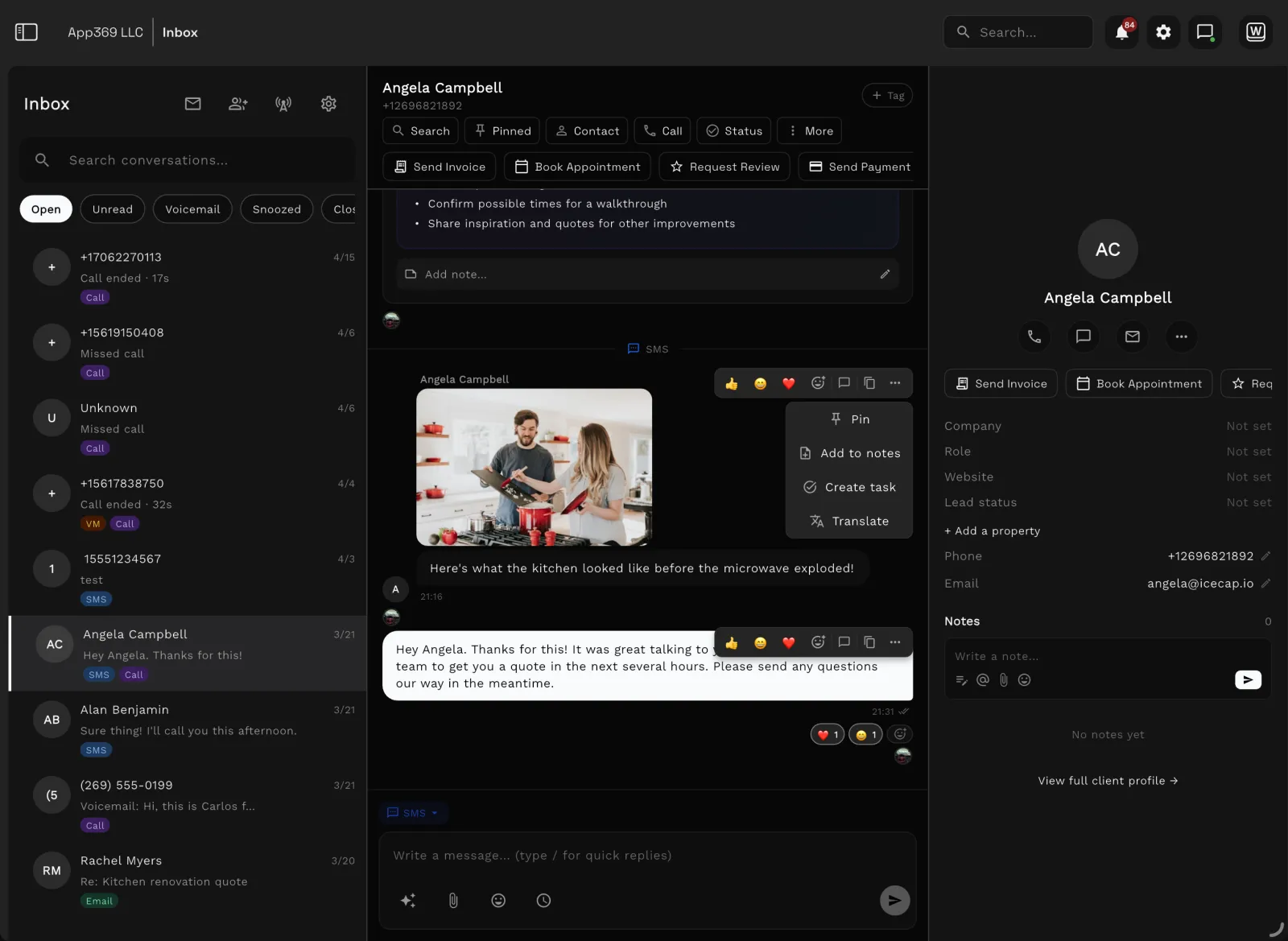
Workspace369 shared inbox with client conversations and AI summaries
Shared inbox, SMS, and call history with AI summaries — the conversation lives beside the work.

FAQ

Frequently asked questions

Is Workspace369 an alternative to HoneyBook?
Workspace369 can be an alternative for teams that want client workflow software with broader project, inbox, AI, accounting, inventory, reporting, and operational coverage.
When should a team choose HoneyBook instead?
HoneyBook may be the better fit when the priority is polished client booking, smart files, contracts, invoices, scheduling, and payments for a solo or small creative business.
Why choose Workspace369 over HoneyBook?
Choose Workspace369 when you need client workflows plus CRM, requests, projects, inbox, billing, payments, files, AI, automations, accounting, inventory, and reporting in one workspace.
What changed at HoneyBook in 2026?
HoneyBook's legacy 20% pricing discount expired on February 4, 2026. In late August 2026 it launched a Phone & SMS add-on at $8/mo (US and Canada as of October 12, 2026), and on September 8, 2026 it sunset the built-in Time Tracker.
Does HoneyBook have texting or SMS?
HoneyBook launched a Phone & SMS add-on in late August 2026 at $8/mo, available in the US and Canada as of October 12, 2026, and its Essentials plan includes SMS reminders. Workspace369 includes two-way SMS and calling with voicemail from the Voyager plan at $74/mo for 2 seats, and IVR, call queues and call recording from the Specialist plan at $149/mo for 10 seats.
Did HoneyBook remove time tracking?
Yes. HoneyBook sunset its Time Tracker on September 8, 2026: existing entries stay viewable through the end of 2027, but no new time can be logged (HoneyBook Community announcement: https://community.honeybook.com/honeybook-product-talk-7/sunset-of-time-tracker-6769). Workspace369 includes time tracking on every plan.
How much does HoneyBook cost in 2026?
After the February 2025 overhaul, HoneyBook lists Starter at $36/mo, Essentials at $59/mo, and Premium at $129/mo on monthly billing, or $29, $49, and $109 per month when billed yearly (checked September 23, 2026 on honeybook.com/pricing). The legacy 20% discount expired February 4, 2026.
What does Workspace369 include that HoneyBook doesn't?
Workspace369 adds the operating layer behind the client flow: accounting, inventory, AR aging, and profitability reports, plus projects, shared inbox, two-way SMS and calls from the Voyager plan at $74/mo, IVR and call queues from the Specialist plan at $149/mo, AI, and cross-work reporting.

Run the comparison with your own client work.

HoneyBook is polished for booking. Workspace369 is built for the operation after booking.

Ready when you are

See where Workspace369 fits into your client-work flow.

Start with the modules you need today, then turn on AI, automations, accounting, inventory, requests, and reporting as the operation grows.

Workspace369 vs HoneyBookClient records, projects, invoices — one workspace.
Start free trial

Watch

HoneyBook Review 2026 | Price Increases, What Changed & Alternative

ClientWorkHQ on YouTube · 7 min

Video thumbnail: HoneyBook Review 2026 | Price Increases, What Changed & Alternative