Client records are spread across files and inboxes
Sheets, Docs, Drive folders, Gmail threads, and Calendar events do not naturally become one client timeline.
CRM for Google Workspace
Google Workspace is useful for documents, email, files, and calendars. Workspace369 gives teams a dedicated client-work CRM where requests, projects, inbox, files, proposals, invoices, payments, AI, automations, and reports stay connected.
Key facts
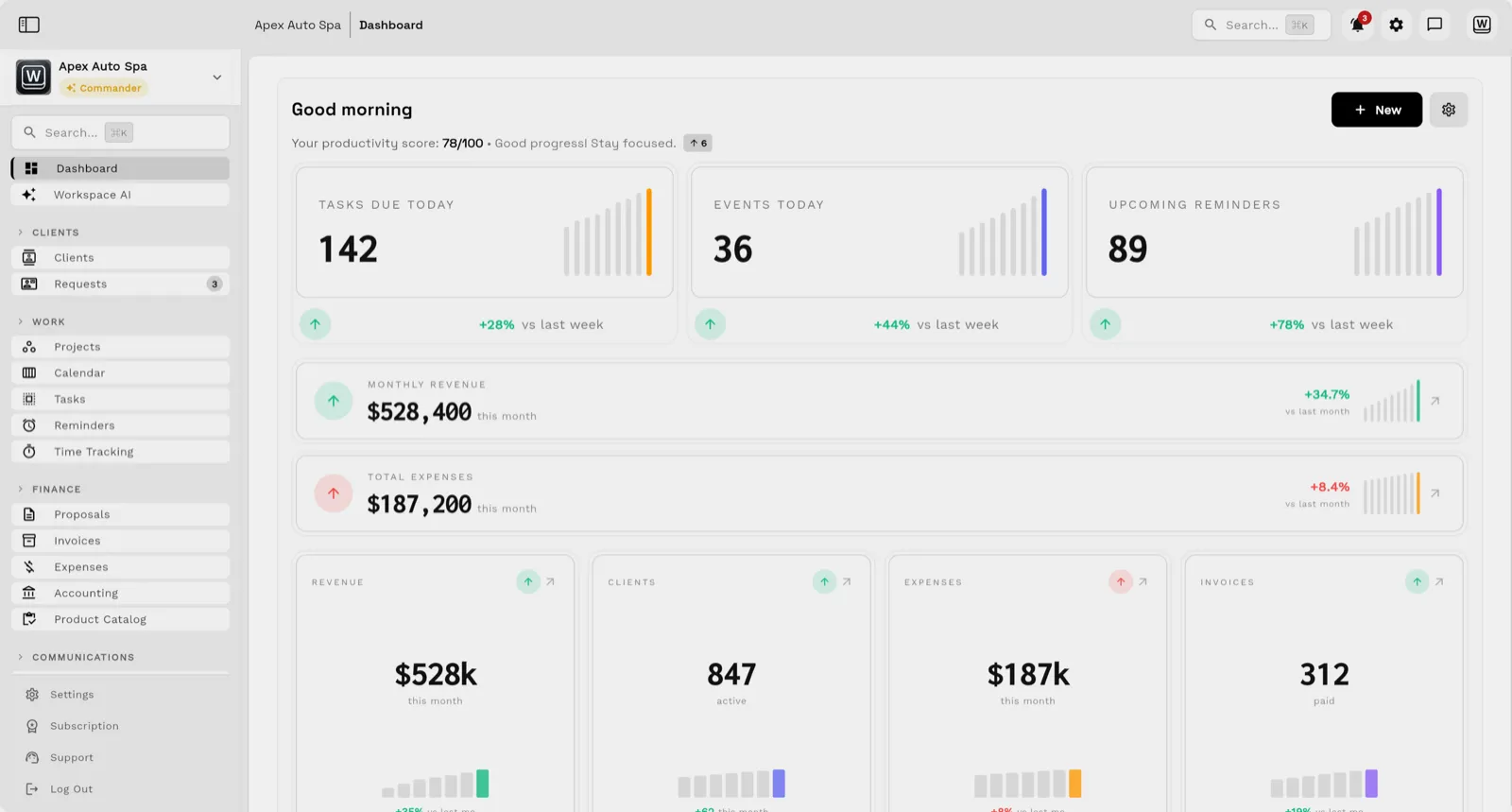
CRM for Google Workspace at Workspace369 covers 10 areas, including client CRM, requests, projects.
The workflow runs in 4 steps, from "centralize the record" to "bill and report".
Workspace369 starts at $29/mo for 1 seat, and the Commander plan includes 20 seats, and 120,000 AI tokens per month at $299/mo.
Additional seats cost $10 each; full pricing is public on the Workspace369 pricing page.
The problem
Sheets, Docs, Drive folders, Gmail threads, and Calendar events do not naturally become one client timeline.
A spreadsheet row cannot reliably show current project work, payment status, open requests, inbox follow-up, and team ownership.
Teams using Google Workspace as a CRM still need proposals, invoices, payment plans, AR, receipts, and reporting somewhere else.
The product
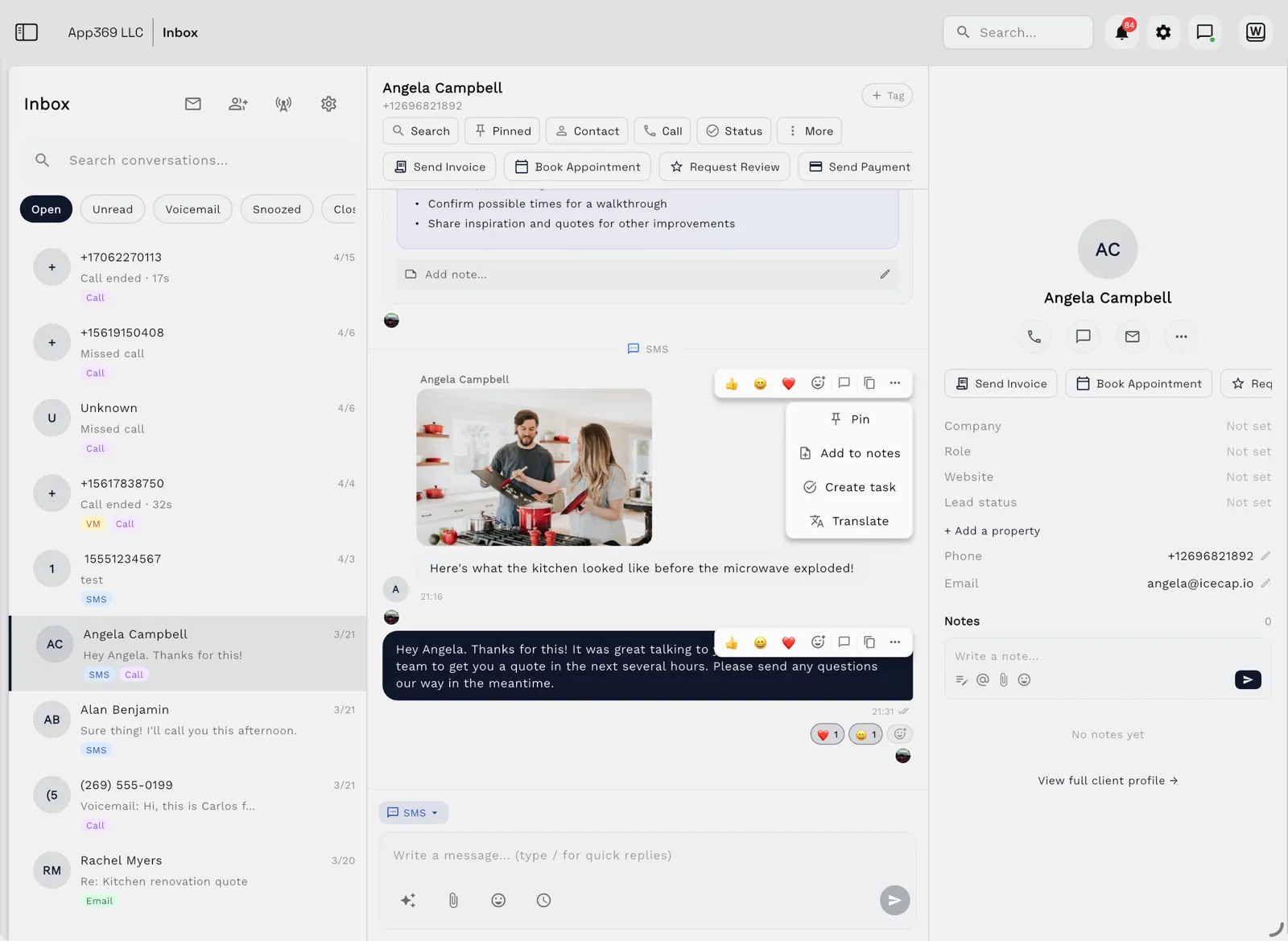
Email, SMS, calls, and voicemail land beside the client record — with AI summaries, so anyone on the team can reply with full context.
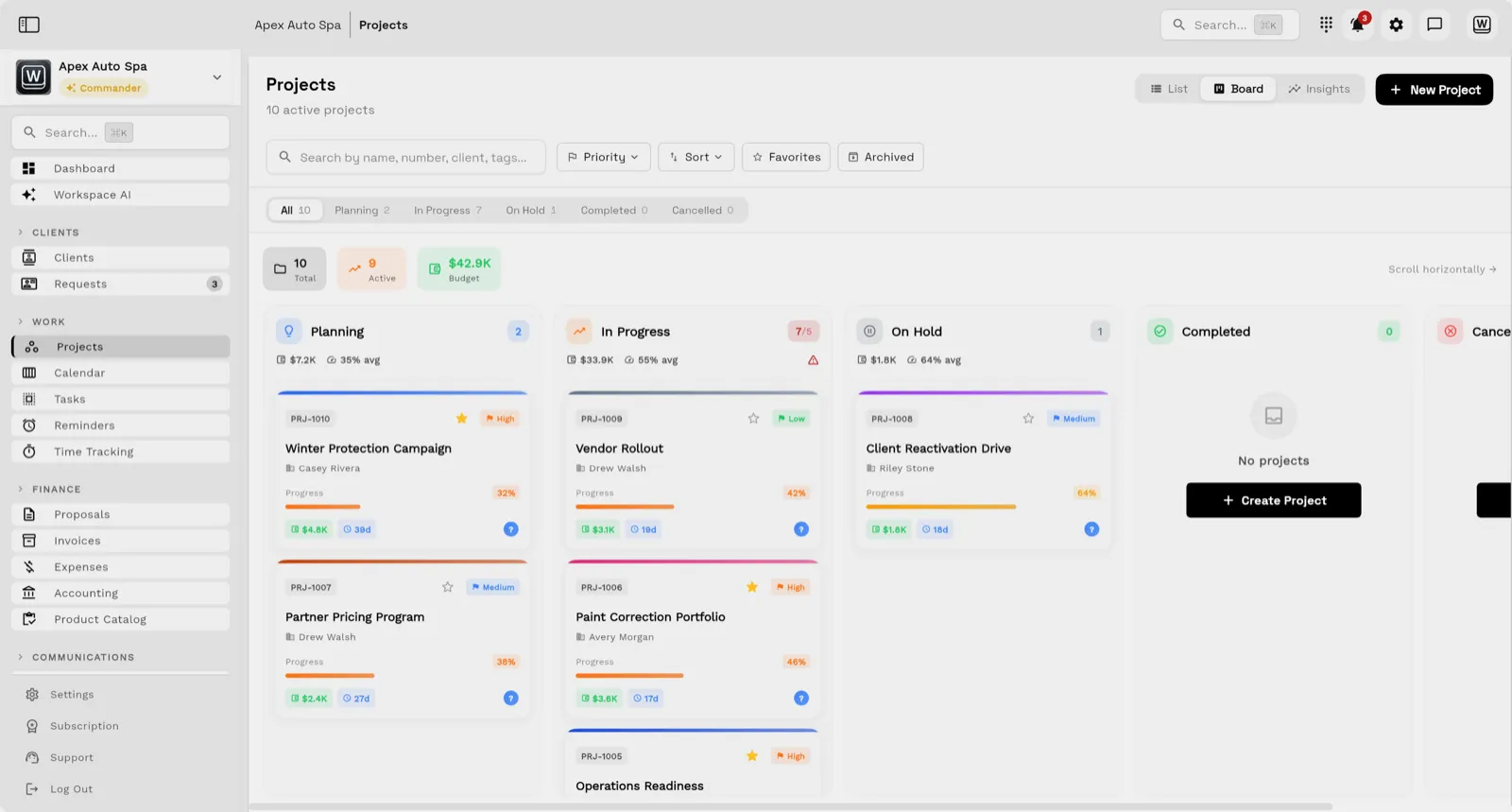
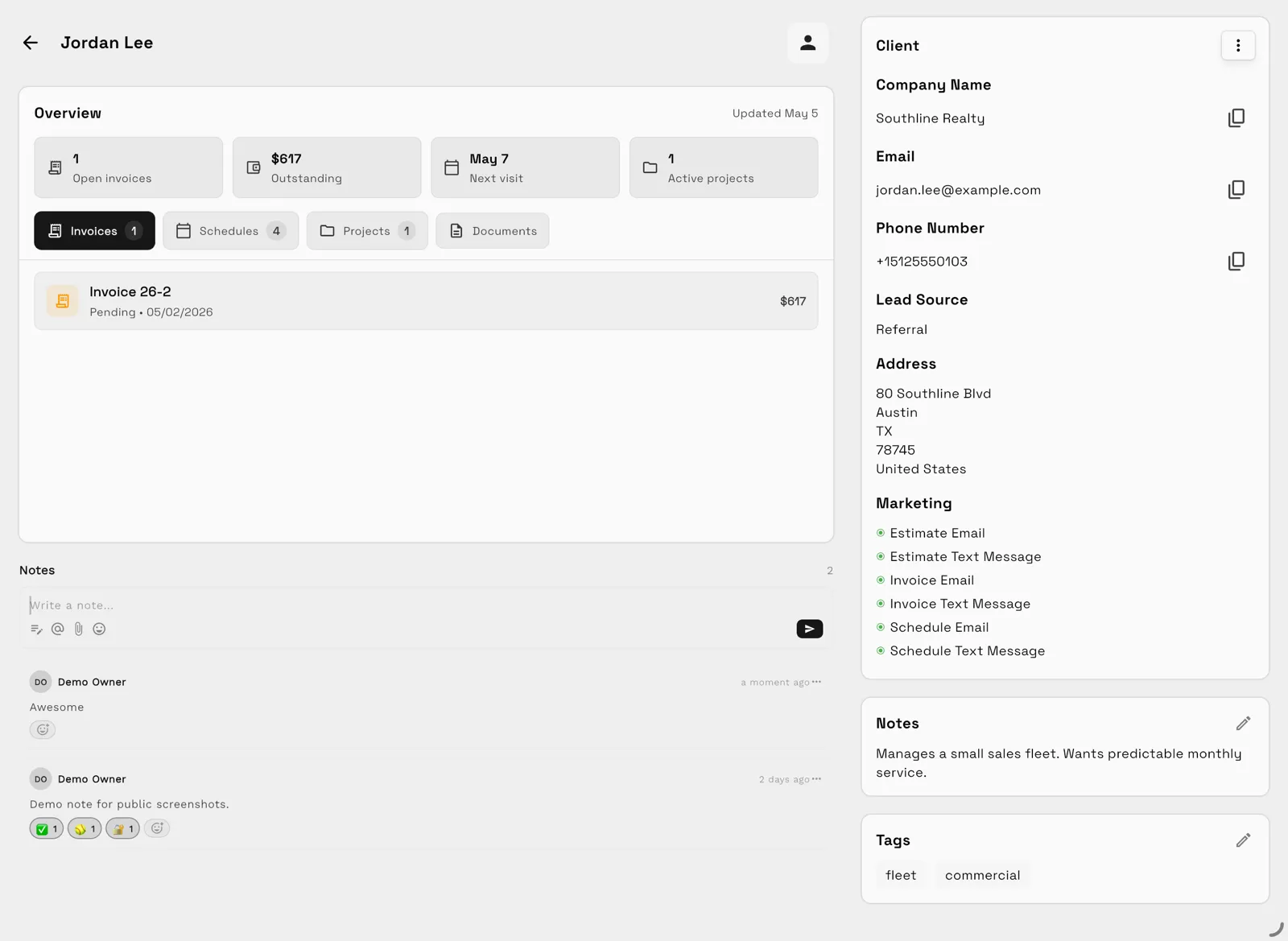
Tasks, files, and status for every engagement — visible to the team and, through the client portal, to the client.
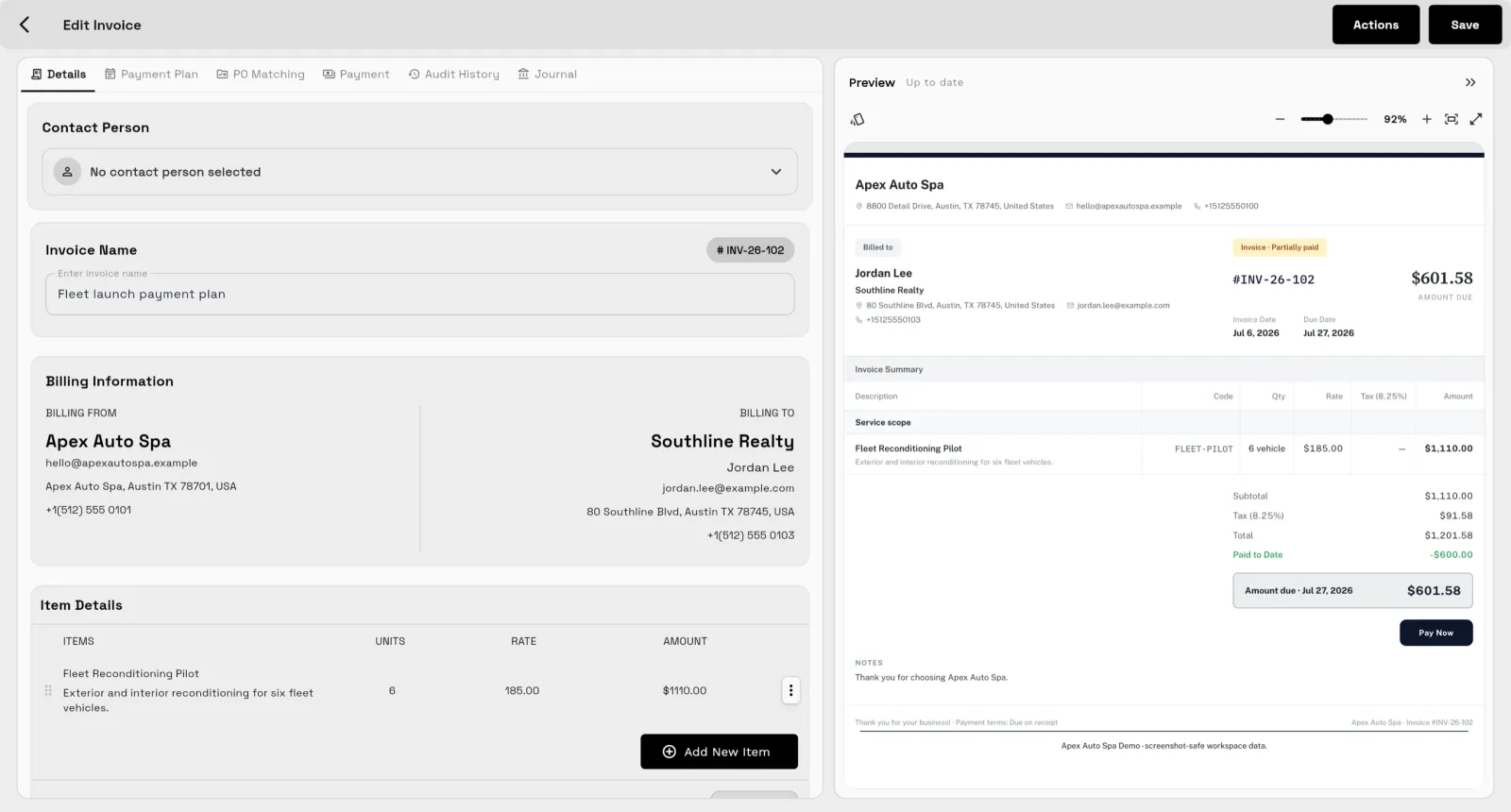
Send quotes, bill milestones or retainers, and let automated reminders chase anything outstanding.
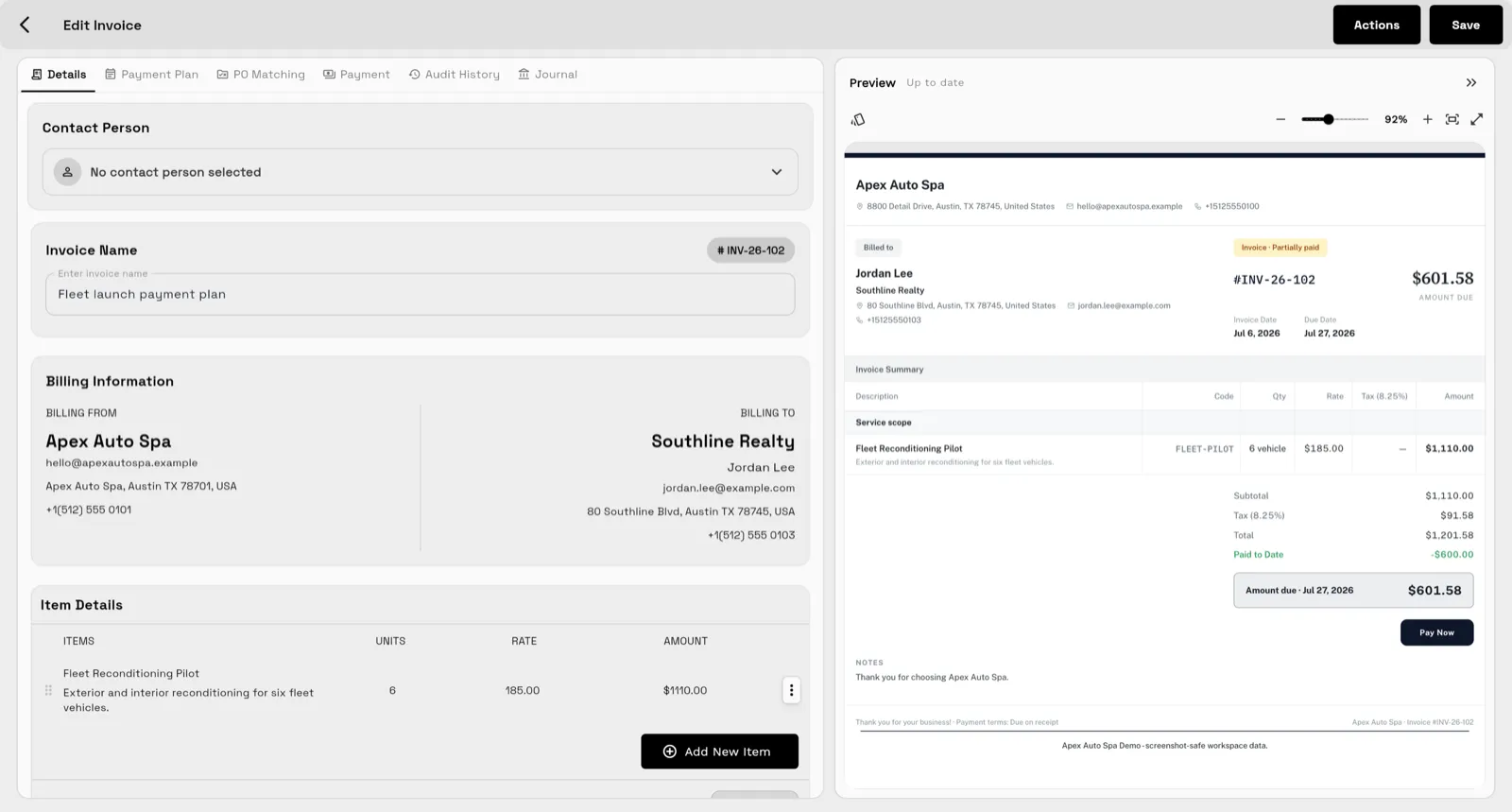
Clients watch progress, files, and invoices in a branded portal instead of asking your team for updates.
Workflow
Track clients, companies, contacts, notes, tags, custom fields, lead sources, files, and interaction history.
Use requests, projects, tasks, calendars, files, reminders, team assignment, and client-scoped access.
Keep shared inbox, SMS, voice, voicemail, templates, AI summaries, rewrite, translate, and scheduled follow-up connected.
Use proposals, invoices, retainers, payment plans, expenses, dashboards, AR, reports, and automation.
Product coverage
Loved on the App Store
Finally feels calmBounced between three or four all-in-one tools and always ended up in a mess of tabs. This is the first one that feels calm. Set up my client projects in ten minutes.
Painless team rolloutRolled it out to our eight-person team and adoption was painless — intuitive and polished. I'd love more integrations, but they keep shipping.
Hours back every weekWas juggling separate tools for notes, tasks, docs, and updates. Consolidating into one place has genuinely saved me hours each week. Support is responsive too.
Get started
FAQ
For a very small client list, some teams run a lightweight CRM out of Sheets, Gmail, Drive, and Calendar. It stops working when follow-up, project status, billing, and payment history must stay attached to the client record — that is where Workspace369 becomes the dedicated CRM layer.
Yes. Workspace369 can serve as the client-work CRM for teams that already use Google Workspace but need a more structured operating layer.
Workspace369 adds CRM records, requests, projects, tasks, inbox, SMS, voice, proposals, invoices, payment plans, files, AI, automations, dashboards, and reporting.
Ready when you are
Start with the modules you need today, then turn on AI, automations, accounting, inventory, requests, and reporting as the operation grows.
Watch