The design and the money live in different tools
Concepts and files sit in one app, products and purchasing in a spreadsheet, invoices somewhere else, and the books in accounting software that knows nothing about the project.
For a studio that sources and resells product, Studio Designer is the closer fit, with procurement and a general ledger. Workspace369 fits studios that earn design fees, with catalog-based proposals, invoices matched to client purchase orders and a client portal from $29 a month, plus inventory and accounting from Specialist; our guide to the best interior design software compares them.
Most studio tools stop at the pretty part.
14-day free trial. Card required. After the trial: from $29/month. Renews automatically every month until you cancel. Cancel anytime in Settings → Billing.
Talk to sales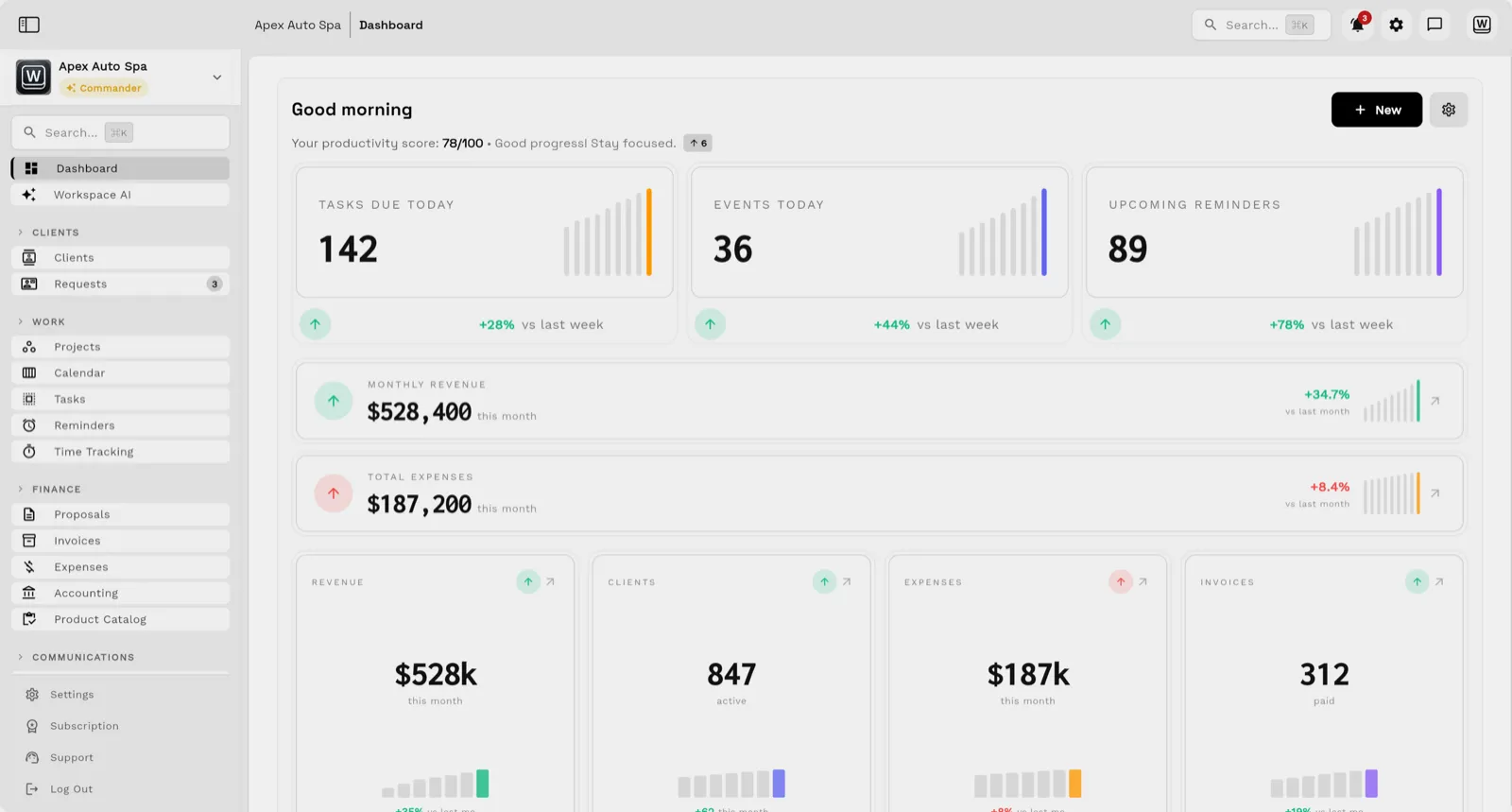
Workspace369 keeps the client record, the proposal, the product catalog, the invoice matched to the client's purchase order, and the books (expenses, inventory and basic accounting from Specialist, full accounting on Commander) attached to the same project — so the studio runs the design and the money together.
Key facts
Interior design software at Workspace369 covers 10 areas, including client profiles and requests, branded client portal, proposals and quotes.
The workflow runs in 4 steps, from "capture the brief" to "bill and keep the books".
Workspace369 starts at $29/mo for 1 seat, and the Commander plan includes 20 seats and 12× Cadet usage at $299/mo.
Additional seats cost $10 each; full pricing is public on the Workspace369 pricing page.
The best interior design software depends on whether you resell product or earn design fees. Studio Designer ($79 per user a month, billed yearly) lists purchase orders, procurement and a general ledger, so it fits studios that source and resell product. DesignFiles and Programa add a clipper and boards or quotes. Workspace369 fits studios that earn fees and want proposals, deposits, a portal and invoices from $29 a month, and it matches client purchase orders to invoices on every plan, but it has no mood boards.
| Tool | Price shown | Sourcing and orders | Boards and proposals | Main limit | Trial |
|---|---|---|---|---|---|
| Studio Designer | $79 per user a month billed yearly, $89 monthly | Procurement, purchase orders | Proposals; boards not named | No trial stated | Demo and sign-up call |
| DesignFiles | 55 and 75 a month, plus $30 per extra user | Clipper, purchase orders on Full Service | Boards named; proposals not stated | Paid trial not stated | Free account, no card |
| Workspace369 | $29, $74 or $149 a month (1, 2, 10 seats) | Catalog and client PO matching; inventory from Specialist | Proposals by link; no boards | No clipper or orders | 14 days, card required |
| Programa | $71 a month, $31 per extra seat | Clipper, procurement | Boards and quotes; proposals not stated | Purchase orders not stated | 7 days, no card |
Prices and limits from each vendor's official pricing page, checked October 15, 2026 (Studio Designer on October 29, 2026), in USD. Prices change, so confirm before you buy. Read the full buyer's guide.
Concepts and files sit in one app, products and purchasing in a spreadsheet, invoices somewhere else, and the books in accounting software that knows nothing about the project.
Line items, prices, and purchase orders get re-typed from the proposal into orders and invoices, and stock or package details drift between versions.
A paid invoice looks healthy until product costs, expenses, and delivery time are counted against it — per project, per client.
Email lands beside the client record on every plan; texts, calls and voicemail join it from Voyager, with AI call summaries from Specialist.

Tasks, files, and status for every engagement — visible to the team and, through the client portal, to the client.

Send quotes, bill milestones or retainers, and let automated reminders chase anything outstanding.

Clients watch progress, files, and invoices in a branded portal instead of asking your team for updates.

Track client profiles, requests, intake details, files, and every conversation in the shared inbox — email, SMS, calls, and AI summaries attached.
Build proposals and quotes from your product catalog — products, services, and packages with accurate pricing that clients approve online in your branded portal.
Match each invoice to the client's purchase order, track inventory and expenses against the project (both from Specialist), and keep product costs visible before the invoice goes out.
Send invoices with payment links on every plan; from Specialist, run payment plans, record expenses, and report profitability per project, with accounting connected to the same record.
SMB ModernizationGreat tool for modernizing small businesses. Ability to leverage AI without technical background.
True all-in-one systemIt beautifully combined my CRM, team calendar, and billing tools so I could finally stop paying for a bunch of separate software subscriptions
Best app for my construction businessGreat app. This app solved all my needs! Not only did it help, but it is cheaper than other apps. I highly recommend this app if you want to start organizing and automating your business on another level. Also love the design
Quoted exactly as written, in the reviewer’s own language. This is a selection of reviews, not all of them. Reviews from our own team are left out of the selection, but the overall rating includes their ratings.
14-day free trial. Card required. After the trial: from $29/month. Renews automatically every month until you cancel. Cancel anytime in Settings → Billing.
Talk to salesFor a studio that sources and resells product, start with Studio Designer, which lists purchase orders, procurement and a general ledger. For a studio that earns design fees and wants proposals, deposits, a portal and invoices from $29 a month, Workspace369 fits, with client purchase order matching on every plan but no mood boards.
Interior design software helps designers and studios run the business side of design: clients, proposals, product sourcing, purchasing, invoices, payments, expenses, and accounting. Workspace369 connects all of it in one studio workspace.
Yes. Workspace369 includes a product catalog with services and packages on every plan, plus matching of client purchase orders to invoices, with discrepancy checks. Inventory tracking with stock adjustments and low-stock alerts, and expenses tied to the project and client, start on Specialist ($149/mo, 10 seats).
Yes. Clients review and approve proposals and quotes in a branded portal, and pay invoices through a Pay Now link — with status updating automatically on the same record.
Yes. Basic accounting starts on Specialist ($149/mo, 10 seats) and full accounting on Commander ($299/mo, 20 seats), connected to invoices, payments, expenses, and profitability reporting, so studio books stay attached to the projects that created them.
Start with the modules you need today, then turn on AI, automations, accounting, inventory, requests, and reporting as the operation grows.
14-day free trial. Card required. After the trial: from $29/month. Renews automatically every month until you cancel. Cancel anytime in Settings → Billing.
