The customer record is not the work record
Notes, files, proposals, conversations, invoices, and payment status get split across too many apps.
Workspace369 is service business management software: CRM, requests, projects, scheduling, invoices and payments on every plan from $29 a month, with texts and calls from Voyager ($74 a month, 2 seats) and inventory, expenses and basic accounting from Specialist ($149 a month, 10 seats).
14-day free trial. Card required. After the trial: from $29/month. Renews automatically every month until you cancel. Cancel anytime in Settings → Billing.
Talk to sales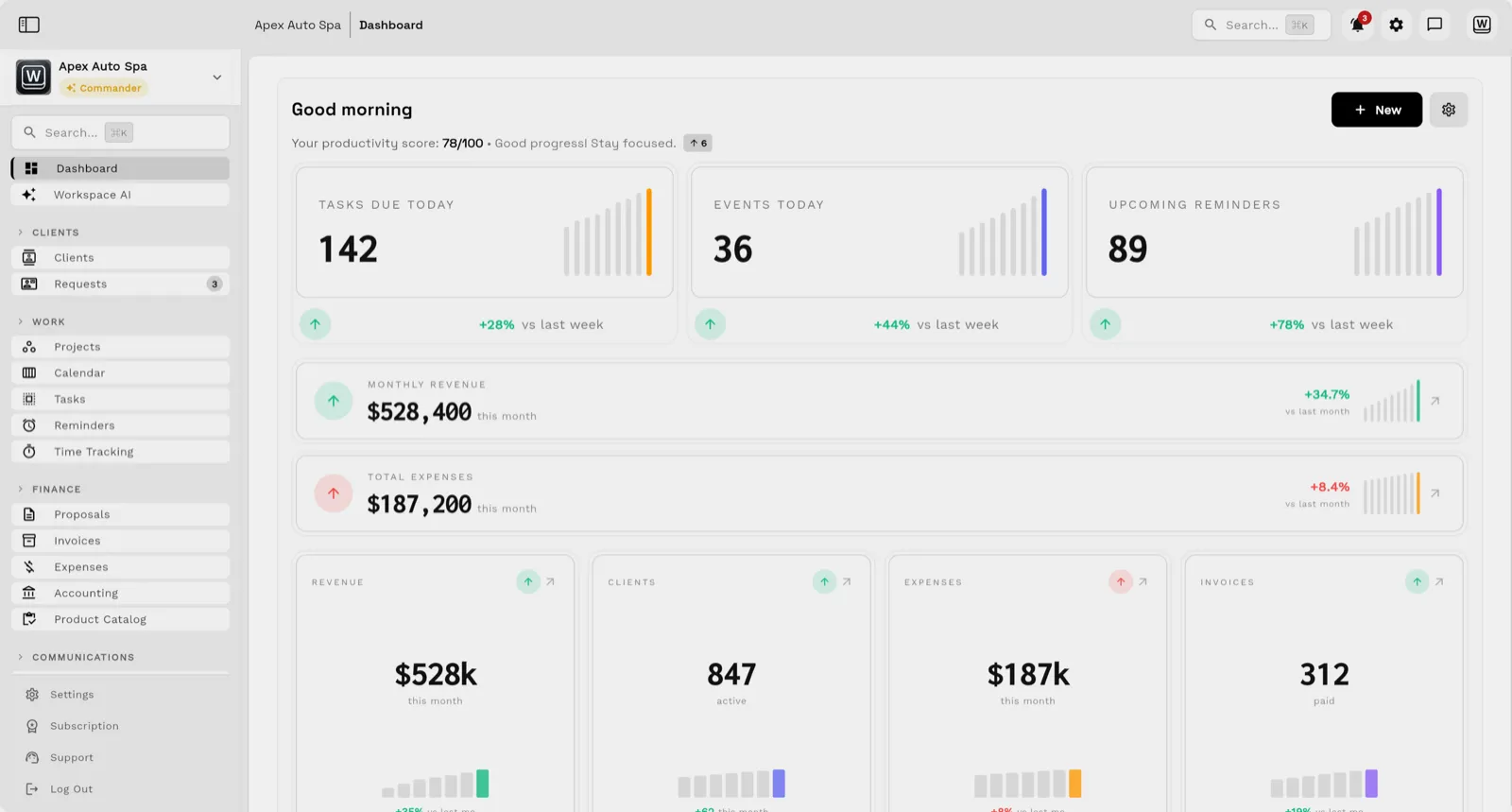
Most service teams do not need another disconnected scheduler, invoice tool, or CRM. They need one operating workspace where every request, message, job, invoice, payment, file, and report stays attached to the client record. The native app for iPhone and iPad, with iPad in every orientation, opens the same workspace.
Key facts
Service business management software at Workspace369 covers 10 areas, including cRM and requests, projects, tasks, and calendar, inbox, SMS, voice, and voicemail.
The workflow runs in 4 steps, from "capture the request" to "bill and report clearly".
Workspace369 starts at $29/mo for 1 seat, and the Commander plan includes 20 seats and 12× Cadet usage at $299/mo.
Additional seats cost $10 each; full pricing is public on the Workspace369 pricing page.
Notes, files, proposals, conversations, invoices, and payment status get split across too many apps.
The job changes, but the invoice, deposit, payment plan, or profitability view does not stay current.
Revenue, AR, project status, inbox follow-up, and team workload are scattered across exports and dashboards.
Email lands beside the client record on every plan; texts, calls and voicemail join it from Voyager, with AI call summaries from Specialist.

Tasks, files, and status for every engagement — visible to the team and, through the client portal, to the client.

Send quotes, bill milestones or retainers, and let automated reminders chase anything outstanding.

Clients watch progress, files, and invoices in a branded portal instead of asking your team for updates.

Use forms, CRM, client profiles, lead sources, and routing to keep new work attached to the right person or company.
Turn the request into projects, tasks, calendar events, notes, files, and team assignments.
Keep email, SMS, calls, voicemail, templates, AI compose, and thread summaries near the client and job. Texts and calls start on Voyager, and AI call summaries on Specialist.
Move from proposals to invoices, payments and reports without losing context, with expenses, accounting and inventory from Specialist.
SMB ModernizationGreat tool for modernizing small businesses. Ability to leverage AI without technical background.
True all-in-one systemIt beautifully combined my CRM, team calendar, and billing tools so I could finally stop paying for a bunch of separate software subscriptions
Best app for my construction businessGreat app. This app solved all my needs! Not only did it help, but it is cheaper than other apps. I highly recommend this app if you want to start organizing and automating your business on another level. Also love the design
Quoted exactly as written, in the reviewer’s own language. This is a selection of reviews, not all of them. Reviews from our own team are left out of the selection, but the overall rating includes their ratings.
14-day free trial. Card required. After the trial: from $29/month. Renews automatically every month until you cancel. Cancel anytime in Settings → Billing.
Talk to salesService business management software helps a company manage client records, requests, projects, scheduling, communication, invoices, payments, reporting, and operational follow-up from one system.
Workspace369 is a strong fit for service businesses, agencies, consultants, and client-work teams that want CRM, operations, billing, communication, AI, automations, and reporting together.
Yes, depending on your current stack. Workspace369 is designed to consolidate many common tools for client management, project delivery, invoicing, payments, files, communication, automations, and reporting.
Start with the modules you need today, then turn on AI, automations, accounting, inventory, requests, and reporting as the operation grows.
14-day free trial. Card required. After the trial: from $29/month. Renews automatically every month until you cancel. Cancel anytime in Settings → Billing.
