Best transactional email API for small business, 2026
A transactional email API for small business sends booking confirmations, receipts and password resets from your own domain when your website or app asks it to. For the simplest paid start, Postmark is $15 a month for 10,000 emails. For a free tier to grow into, Resend gives 3,000 emails a month. For the lowest cost at volume, Amazon SES is $0.10 per 1,000 if you are comfortable in AWS. If the emails belong to clients you already manage in a CRM, Workspace369 sends them from your own domain, at a higher cost per email plus its plan.
Transactional email APIs for small business compared on free tier, cost at 10,000 and 50,000 emails and limits: Postmark, Resend, Amazon SES, SendGrid and more.

By Simon Dziak, Founder, Workspace369 · LinkedIn
Workspace369 publishes this documentation-based comparison and is one of the options. It is not an independent ranking or a hands-on deliverability benchmark.
Key takeaways
- A transactional email API sends one-to-one messages your app triggers, such as booking confirmations, receipts and password resets, not newsletters.
- For most small businesses the deciding numbers are the free tier, the price at 10,000 emails a month and how long setup takes, not raw throughput.
- Postmark is the simplest paid start at $15 a month for 10,000 emails; Resend and Brevo have the most usable free plans, at 3,000 a month and 300 a day.
- Amazon SES is the cheapest at volume, at $0.10 per 1,000 emails, but new accounts start in a sandbox and need AWS setup.
- Workspace369 fits service businesses whose emails belong to a client record in their CRM; it costs more per email than the dedicated services and sends one recipient per call.
What's inside?
What a transactional email API is (and what it is not)How we compared these toolsThe best transactional email APIs for small business in 2026Side-by-side comparisonWhich transactional email API fits your business?Set it up so your emails reach the inbox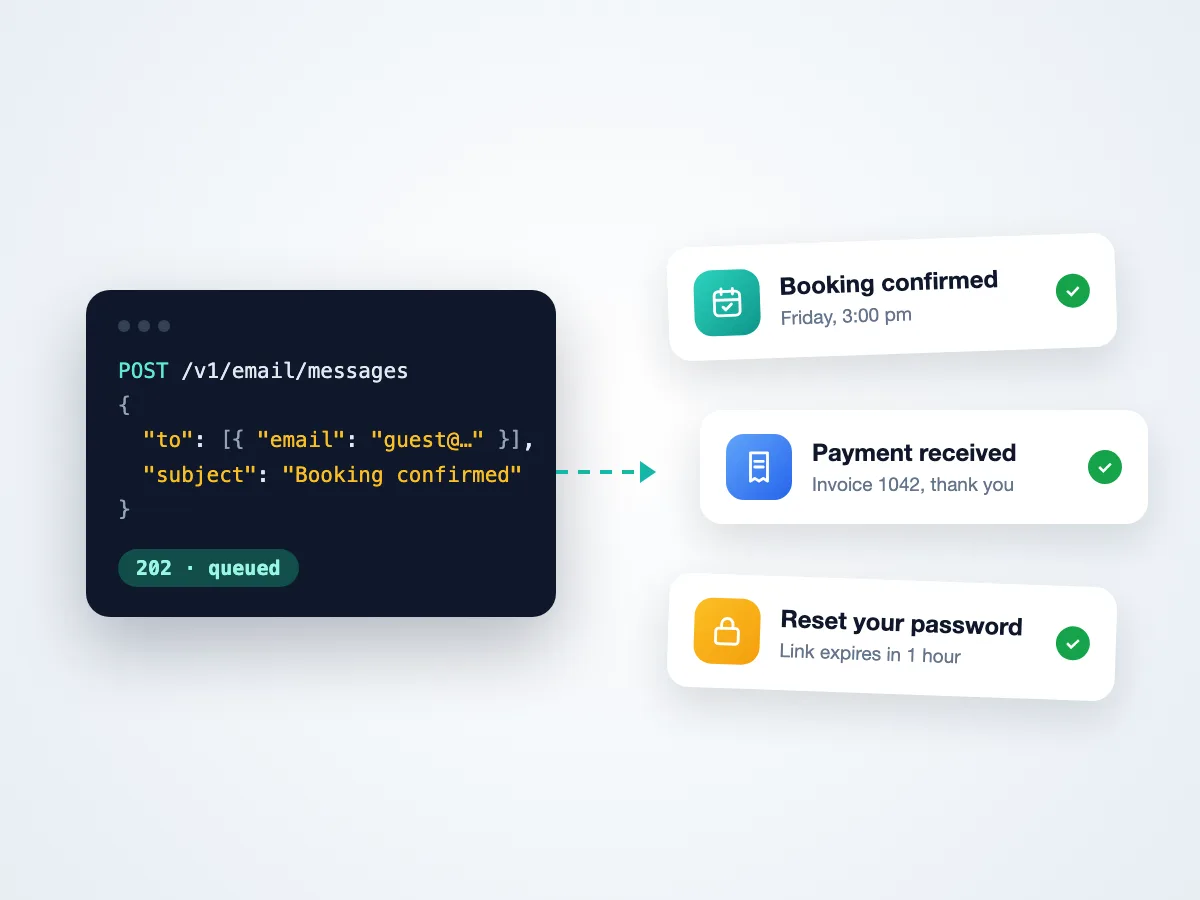
What a transactional email API is (and what it is not)
A transactional email is a one-to-one message your system sends because a person did something: booked a slot, paid an invoice, signed up or asked for a password reset. An API means your server sends it with an HTTPS call instead of through an email client.
Need the wording before the plumbing? The free payment reminder generator drafts a polite reminder you can send through any of these services.
Replies matter too: a customer who answers a booking confirmation expects a person to see it, so decide early whether replies go to a shared inbox or straight to your app.
It is not a newsletter tool. Sending the same campaign to a list is marketing email, with its own consent and unsubscribe rules, and most of the services below sell it as a separate product. Mixing the two on one domain lets a bad campaign drag down the delivery of your receipts.
How we compared these tools
We reviewed each vendor's own pricing page and documentation on November 4, 2026, and compared them on five things a small business feels first:
- Free tier: how many emails you can send before paying, and whether it is a real plan or a trial.
- Price at 10,000 and 50,000 emails a month: taken from each pricing page, or computed from a published per-1,000 or per-block price where the page has no table. Computed figures are marked.
- Setup before the first real email: domain verification, account approval, sandbox limits or another plan you must buy first.
- Dedicated IP: whether you can get one and from which plan. Most small senders don't need one.
- Replies and inbound email: whether the service can receive replies or inbound mail at all.
The order is by fit for a small business that mainly wants reliable transactional email at a low cost. Workspace369 and Mailchimp Transactional sit last because each makes sense only if you already use, or want, the wider product.
We did not send test email through each service or measure inbox placement. Deliverability depends heavily on your own domain, content and list, so treat any single benchmark with care.
The best transactional email APIs for small business in 2026
1. Postmark, best for a simple, paid transactional start
Postmark is built around transactional email and keeps it separate from broadcast email with message streams. Basic is $15 a month for 10,000 emails, and 50,000 emails cost $55 a month on Basic. The free plan is 100 emails a month with no overages, which is enough to test an integration, not to run a business on.
Strengths: one clear job, published per-volume prices, and transactional and broadcast streams kept apart. Inbound email to a webhook is available on Pro and Platform.
Limitation: dedicated IPs start at $50 a month and only on Pro or Platform at 300,000 or more emails a month, and the free plan is a test tier. Above 10,000 emails, overage is billed per 1,000, so the bill grows with volume rather than jumping between plans.
Best for: a small business that wants to pay a little and not think about email again.
2. Resend, best for developers who want a generous free tier
Resend is a developer-first email API with official SDKs. The free plan sends 3,000 emails a month, capped at 100 a day. Pro is $20 a month for 50,000 emails, so 10,000 and 50,000 cost the same $20. Inbound email is on every plan, and each received email counts toward the monthly quota.
Strengths: a free plan big enough for a small app's real traffic, a single paid step that covers small volumes, and inbound on every plan.
Limitation: there is no paid plan between Free and $20, and a dedicated IP is a $30 monthly add-on on the $90 Scale plan only.
Best for: a small team building its own app that wants to start free and stay on one plan for a long time.
3. Amazon SES, best for the lowest cost at volume
Amazon SES has no monthly fee: you pay $0.10 per 1,000 emails sent, so 10,000 emails cost about $1 and 50,000 about $5 (computed from the per-1,000 price). New AWS accounts can use a free plan with credits for their first six months.
Strengths: by far the lowest price per email, and it scales to any volume. Receiving email is also priced per 1,000, and dedicated IPs are available at $24.95 a month each.
Limitation: new accounts start in a sandbox that only sends to verified addresses, up to 200 messages a day, until AWS approves production access. You also manage it in the AWS console, with identity verification for every From address.
Best for: a business with a developer who already uses AWS.
4. Mailgun, best for inbound routing on a budget
Mailgun's free plan sends 100 emails a day on one domain with one inbound route. Basic starts at $15 a month for 10,000 emails, and Foundation is $35 a month for 50,000.
Strengths: inbound routes that parse replies and forward them to your app, from the free plan up, and a published per-1,000 overage price.
Limitation: Free and Basic allow one user, and an extra dedicated IP is $59 a month. Dedicated IPs are part of the higher volume tiers, which a small business rarely needs.
Mailgun suits an app that should act on replies: a customer answers a confirmation, and a route posts that reply to your server so your app can update the booking or open a support ticket without anyone forwarding mail by hand.
Best for: an app that needs to receive and process replies as well as send.
5. SendGrid, best known, with a trial instead of a free plan
Twilio SendGrid is one of the most widely used email APIs. Essentials starts at $19.95 a month and Pro at $89.95 a month with a dedicated IP. New accounts get a 60-day trial of 100 emails a day. Email volumes per plan are set in a slider on its pricing page.
Strengths: a long-established API, an Inbound Parse webhook, and a dedicated IP included from Pro.
Limitation: there is no permanent free plan, and which plan covers your volume is only shown in that slider. Once the 60-day trial ends, you move to a paid plan to keep sending.
Best for: a business that wants a long-established provider and expects to grow into higher plans.
6. Brevo, best if you also want marketing email in the same account
Brevo is a marketing platform whose plans all include the transactional API and SMTP. The free plan sends 300 emails a day once your account is approved. Starter is $9 a month from 5,000 emails, and Standard is $18 a month.
Strengths: newsletters, automations and transactional email in one account, and a free daily allowance.
Limitation: accounts are approved before they can send, and transactional and marketing share one account, so keep them on separate sending domains.
Brevo makes the most sense when the same person writes the newsletter and wires up the receipts: one login, one contact list and one bill, with the free daily allowance covering a quiet month.
Best for: a small business that wants one tool for campaigns and receipts.
7. Workspace369, best when the email belongs to a client in your CRM
Workspace369 is a CRM for service businesses, with an email API for the CRM or app you build on it. Your server sends one email per call through an inbox on your own verified domain, using a send-only key that can't read anything else in the workspace. Replies go to that inbox, and a hard bounce or spam complaint stops further emails to that address from every inbox in the workspace.
Pricing: each email uses 1 email credit per recipient plus a little AI usage. Email credits come in packs: 1,000 for $9, 5,000 for $29 or 20,000 for $99. The workspace itself is a monthly plan, from $29 on Cadet. Limits are 120 requests a minute per key and 1,500 emails a day per workspace (400 a day in its first 30 days).
Limitation: it costs more per email than every dedicated service here, it sends one recipient per call, and delivery-status webhooks are not available yet. It is not a bulk sender.
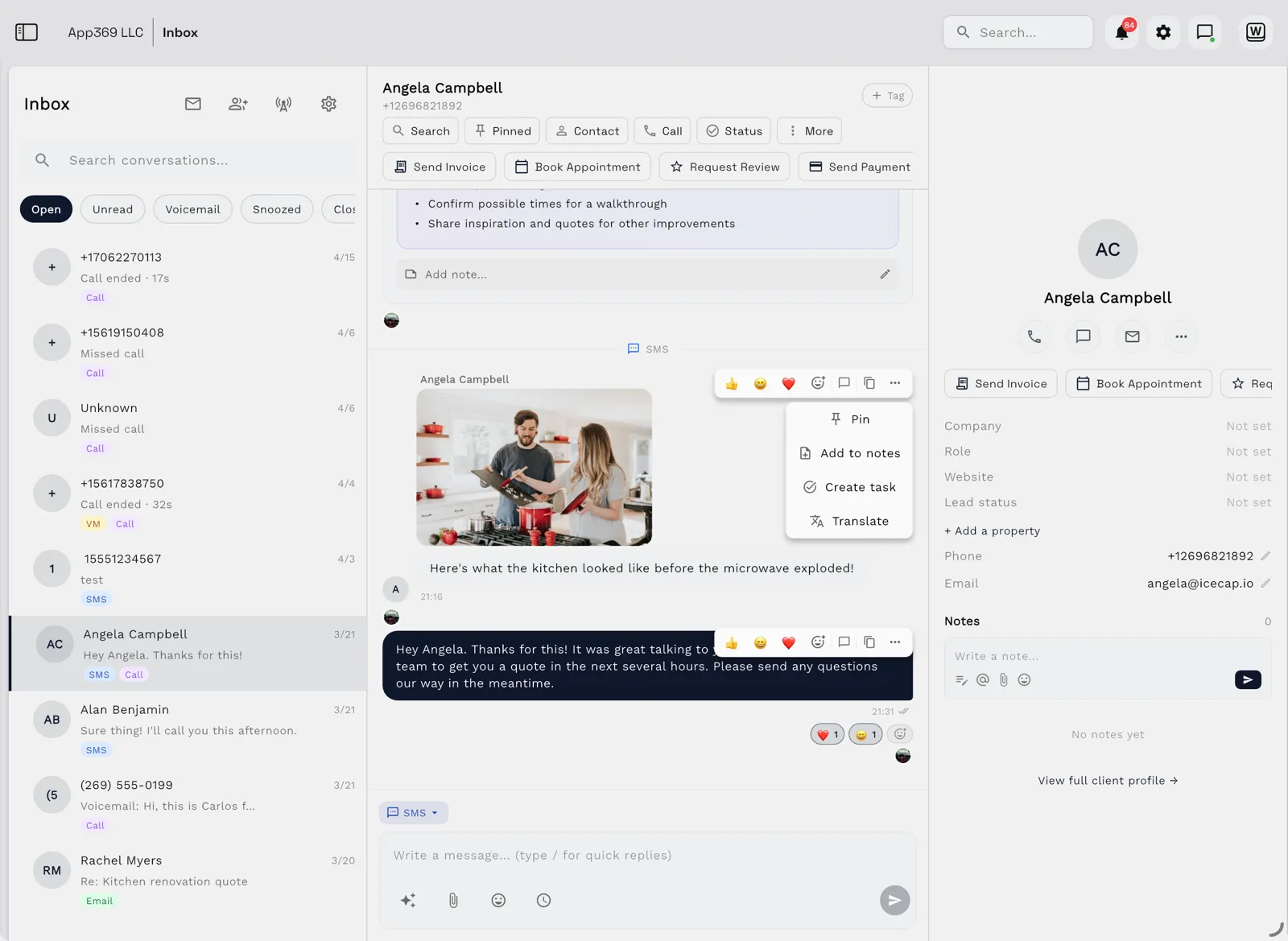
The inbox is the same one your team already answers from, so a reply to an API email lands with the client's earlier calls, texts and emails.
Best for: an agency, studio or consultancy whose booking confirmations and invoice reminders should come from the same system that holds the client, the booking and the invoice. If you are building that system with an AI coding agent, see Build a CRM with AI.
8. Mailchimp Transactional, best if you already pay for Mailchimp
Mailchimp Transactional, formerly Mandrill, is an add-on for Mailchimp's paid marketing plans. It costs $20 per block of 25,000 emails, so 50,000 emails are $40 (two blocks, computed), and you get 500 free test emails to your own verified domain.
Strengths: one vendor and one bill if your newsletters already run on Mailchimp.
Limitation: it needs a Mailchimp Standard plan or higher on top of the email blocks, and there is no free plan. A business that only sends receipts would pay for a marketing plan it doesn't use.
The block pricing also rounds up: 10,000 emails cost the same $20 as 25,000, so it works out cheapest when you send close to a full block each month.
Best for: a business already on Mailchimp Standard or Premium.
Side-by-side comparison
Prices reviewed on November 4, 2026, on each vendor's own pricing page. "Computed" means worked out from a published per-1,000 or per-block price.
| Service | Free tier | ~10,000 emails/month | ~50,000 emails/month | Watch out for |
|---|---|---|---|---|
| Postmark | 100 emails/month (test) | $15 | $55 | Dedicated IP only from Pro at 300k+/month |
| Resend | 3,000/month, 100/day | $20 | $20 | No plan between Free and $20 |
| Amazon SES | Credits for new accounts | ~$1 (computed) | ~$5 (computed) | Sandbox until AWS approves production |
| Mailgun | 100/day | $15 | $35 | One user on Free and Basic |
| SendGrid | 60-day trial, 100/day | See site | See site | Volumes shown only in the page slider |
| Brevo | 300/day after approval | See site | See site | Account approval before sending |
| Workspace369 | None; email credits from $9 per 1,000 | $58 in credits (two 5,000 packs, computed), plus a plan from $29/month | Over the daily cap | 1 recipient per call, 1,500 a day per workspace (400 a day in its first 30 days) |
| Mailchimp Transactional | 500 test emails | $20 (one 25,000 block) | $40 (computed) | Needs Mailchimp Standard or higher |
Workspace369's daily cap of 1,500 emails per workspace means at most about 45,000 in a 30-day month, so it is not built for 50,000 transactional emails a month.
Which transactional email API fits your business?
| Your situation | Start with |
|---|---|
| You want to pay a little and never think about it | Postmark |
| You are building your own app and want to start free | Resend |
| You have a developer, use AWS and send a lot | Amazon SES |
| Your emails confirm bookings and chase invoices for clients in your CRM | Workspace369 |
| Your app must receive and process replies | Mailgun or Resend |
| You also send newsletters and want one account | Brevo, or Mailchimp Transactional if you already pay for Mailchimp |

Set it up so your emails reach the inbox
Whichever service you pick, the first hour matters more than the logo:
- Send from your own domain. Add the SPF, DKIM and DMARC records the service gives you. Large mailbox providers expect authenticated mail, and a verified domain helps even at low volume.
- Use a subdomain for marketing. Keep receipts on
mail.yourdomain.comand newsletters onnews.yourdomain.com, or use the service's separate streams. - Turn off open and click tracking for receipts and password resets. Tracking rewrites every link through the service's own domain, which you rarely want in a password reset or a receipt.
- Retry safely. Send an idempotency key with each email where the API supports one, so a network timeout and a retry never send the same receipt twice. Workspace369, for example, takes an
Idempotency-Keyheader. - Handle bounces. Stop sending to an address after a hard bounce. Check whether your service keeps a suppression list for you or expects your app to do it.
If your business runs on client work, you may not need a separate email service at all. Workspace369 keeps the client, the booking, the invoice and the email together, and your own app can send through it with a send-only key. See how it works with a CRM you build with AI, or compare Workspace369 plans.
Sources reviewed for this guide
- Postmark pricingOfficial pricing page and its /pricing.txt table reviewed November 4, 2026.
- Resend pricingOfficial pricing page reviewed November 4, 2026.
- Amazon SES pricingOfficial pricing page reviewed November 4, 2026; sandbox limits from the SES developer guide.
- Twilio SendGrid Email API pricingOfficial pricing page reviewed November 4, 2026; email volumes per plan render in the browser, so they are not quoted here.
- Mailgun pricingOfficial pricing page reviewed November 4, 2026.
- Brevo pricingOfficial pricing page reviewed November 4, 2026.
- Mailchimp Transactional emailOfficial feature and pricing page reviewed November 4, 2026.
- Send email with the Workspace369 APIWorkspace369 documentation for keys, limits and error codes, checked against the live API on November 4, 2026.
Run client follow-up in one workspace.
CRM, inbox, voice, invoicing, payments, projects, files, AI, and workflow automations — connected instead of exported.
14-day free trial. Card required. After the trial: from $29/month. Renews automatically every month until you cancel. Cancel anytime in Settings → Billing.
See pricing