Move your client work from FreshBooks to Workspace369.
FreshBooks is invoicing and accounting first, and it is good at it. Its plans are Lite $23, Plus $43 and Premium $70 a month at the regular monthly price, with team members added at $11 a month each. If your main need is clean books your accountant can open, this page will tell you to stay. If you have outgrown invoicing and want proposals clients accept and pay a deposit on, projects, a client portal, texting and calls, time-to-invoice and seats included in the plan, read on. There is no FreshBooks-specific importer. What Workspace369 does have is AI Import, which maps your own spreadsheet columns and shows what it will cost before it writes anything. Prices below were checked on FreshBooks’ own pages on October 23, 2026.
14-day free trial. Card required. After the trial: $74/month for Voyager. Renews automatically every month until you cancel. Cancel anytime in Settings → Billing.
Last updated October 23, 2026
The honest part first
What moves, what doesn't
There is no one-click import from FreshBooks, and Workspace369 does not claim one. You export spreadsheets from FreshBooks and AI Import does the column mapping.Moves with you
- Clients, products, expenses, invoices and proposals. FreshBooks’ help center lists CSV exports for clients (including archived and secondary contacts), invoices, expenses, items and services. Upload the CSV or XLSX and AI Import maps the columns to the right fields. You review the mapping first.
- The cost, before you commit. The import shows how much of your monthly usage it needs before it starts, so nothing runs on a surprise bill.
You re-create these
- Reports and files. AI Import doesn't bring these. FreshBooks lists reports as CSV or PDF, expense receipts as a bulk image download, and invoices as individual PDFs. Keep them as your records and attach what you need to the client record or project by hand.
- Estimates and proposals as data. FreshBooks’ help center says the CSV of estimates and proposals is not self-serve: you contact FreshBooks Support with a date range and filters and they email the file. Individual PDFs can be downloaded yourself. Rebuild the templates you actually use.
- Time entries. The FreshBooks export article we checked does not list time entries, and AI Import’s record types are clients, products, expenses, invoices and proposals. Ask FreshBooks support what it can give you, and track time fresh in Workspace369.
- Your chart of accounts and books. FreshBooks exports the chart of accounts and reports as CSV. Keep those and your accountant’s year-end files. Do not try to move a ledger mid-year without your accountant agreeing to it.
- Links, cards and bank feeds. Old invoice links keep pointing at FreshBooks, saved payment methods cannot be moved between systems, and bank connections are set up again.
No lock-in either way: the workspace owner can request a full data export from Workspace369 at any time. Keep your FreshBooks account active until the last open invoice there is paid.
The seat math
Plan price plus $11 per team member, against included seats
FreshBooks’ pricing page lists Lite $23, Plus $43 and Premium $70 a month, capped at 5, 50 and unlimited billable clients. Those prices are the regular monthly prices. FreshBooks was showing 80% off promo prices for the first four months, which we do not use below because they end. Team members are not included in Lite, Plus or Premium and are added at $11 a month per user. Workspace369 plans include a set number of seats.Prices checked October 23, 2026 on the vendors’ own pages. Promo prices excluded.
| Team size | FreshBooks Premium, monthly | Workspace369, monthly |
|---|---|---|
| 1 person | $70 (Premium, unlimited clients; Lite is $23 for 5 clients) | $29 (Cadet, 1 seat) |
| 2 people | $81 ($70 + 1 team member at $11) | $74 (Voyager, 2 seats) |
| 5 people | $114 ($70 + 4 at $11) | $104 (Voyager $74 + 3 extra seats at $10) |
| 8 people | $147 ($70 + 7 at $11) | $134 (Voyager $74 + 6 extra seats at $10) |
| 10 people | $169 ($70 + 9 at $11) | $149 (Specialist, 10 seats) |
The table uses Premium because it is the FreshBooks plan with unlimited billable clients. We assume the account owner is not billed as an added team member, so confirm that at FreshBooks checkout. FreshBooks is cheaper for one person (Lite $23 or Plus $43 against $29 for Cadet, with a 5 or 50 billable-client cap on those plans). Against Premium, Workspace369 is cheaper from two people, because Voyager includes 2 seats for $74 and extra seats are $10. The case for switching is the work tools, not the bill. Source: FreshBooks pricing, checked October 23, 2026.
On FreshBooks, project budgets and billing are on every plan; proposals, e-signatures and client retainers start on Plus ($43), and automated client emails and project profitability on Premium ($70). On Workspace369, texting and calling start on Voyager ($74), and basic accounting starts on Specialist ($149).
Step by step
The switching checklist
Seven steps, in order.Export what you can from FreshBooks
Per FreshBooks’ help center, download clients, invoices, expenses, items and services as CSV, plus the reports you need. Ask FreshBooks Support for the estimates and proposals CSV, which is not self-serve. Skip closed work; it stays in FreshBooks as your archive.
Start the trial and set up your services and prices
The 14-day trial is enough time to move. Add your services, packages and rates first so proposals and invoices take minutes afterwards.
Run AI Import for each record type
Upload a CSV or XLSX for clients, products, expenses, invoices or proposals. AI Import maps your columns, you review the mapping, and the usage it needs is shown before you start.
Re-create your templates and projects
Rebuild the proposal and contract templates you actually use, then set up projects for live work. Most people rebuild a short list, not everything.
Add your team and set permissions
Seats are included in the plan, with extra seats at $10 a month from Voyager. You can limit a contractor to the clients assigned to them.
Connect Stripe for payments
Workspace369 payments run on Stripe. Connect once and every invoice goes out with a payment link, with payment plans on Specialist and above.
Cancel FreshBooks when the last open invoice there is paid
Keep the account active until then, and until your accountant has the books and reports they need. FreshBooks’ price-change FAQ notes that a cancelled subscription reactivated later is charged current rates, so export first.
Fair is fair
Stay on FreshBooks if…
- Your main need is accounting and taxes with an accountant. FreshBooks lists double-entry reports, bank reconciliation and accountant access on Plus ($43) and above. Workspace369 has full accounting and financial reports only from Commander ($299), with basic accounting from Specialist ($149). If the ledger is the job, FreshBooks is the better-fit tool.
- You are solo with a handful of clients. FreshBooks Lite is $23 a month for up to 5 billable clients, against $29 for Workspace369 Cadet. Nothing on this page changes that math.
- You rely on FreshBooks payroll or accounts payable. FreshBooks lists a Payroll add-on and accounts payable on Premium. Workspace369 does not replace a payroll product.
- Your accountant already works inside your FreshBooks file. Moving the books mid-year costs your accountant time. If they are happy where they are, the switch has a real cost and little payoff.
- You need a native Android app. Workspace369’s native app is for iPhone and iPad; there is no Android app.
Phone and iPad
Workspace369 on iPhone and iPad
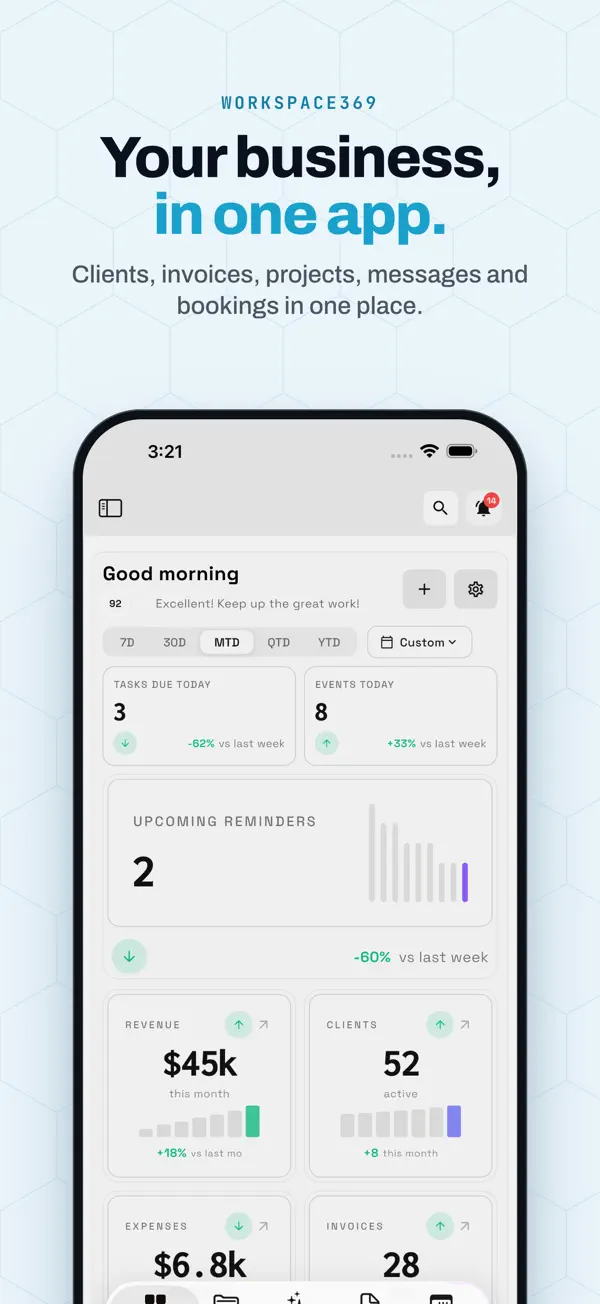
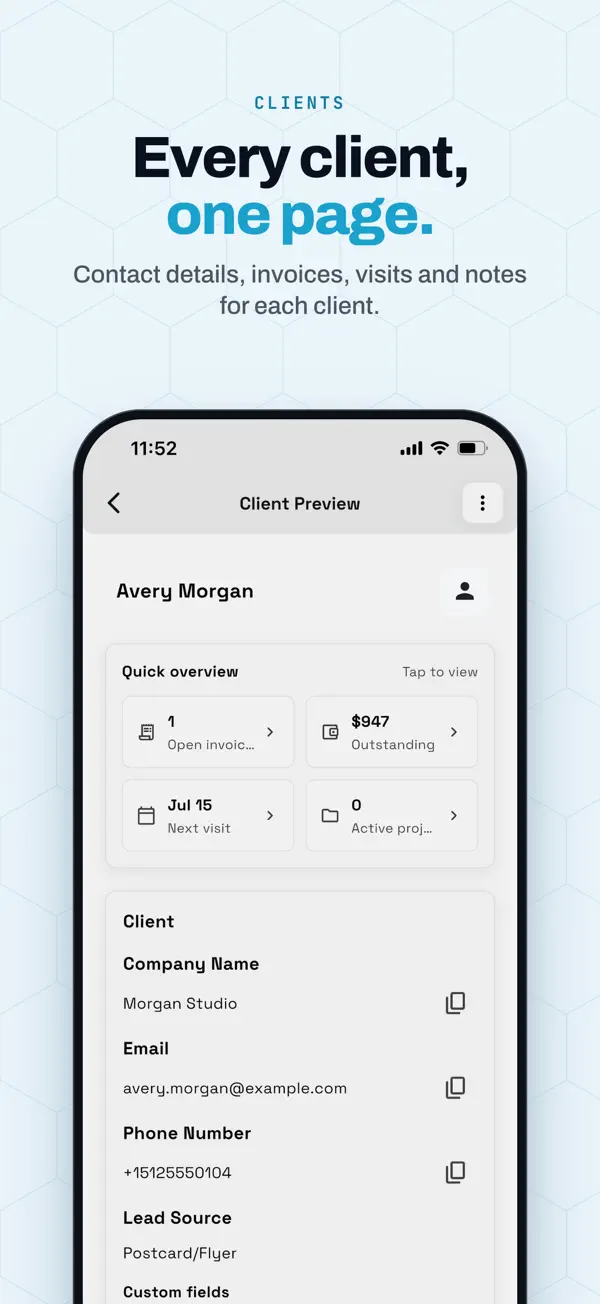
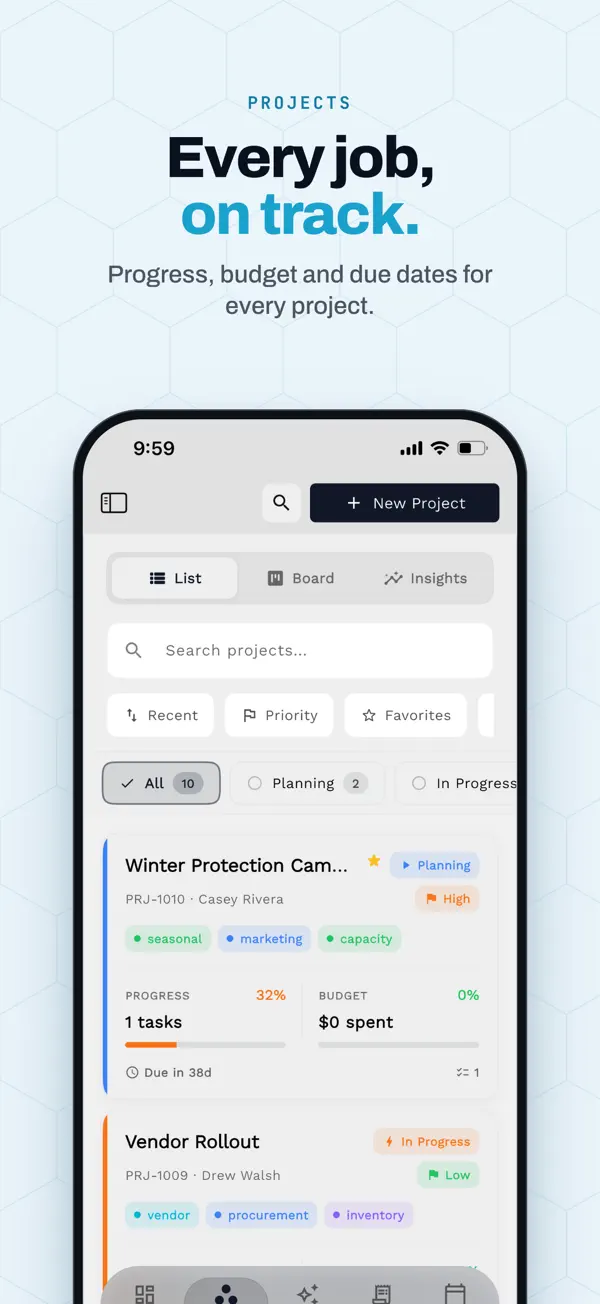
One workspace on the web, iPhone and iPad. What the app does today:
- Native app for iPhone and iPad, with iPad in every orientation.
- Same workspace as the web app at app.workspace369.com.
- Send invoices and proposals, track time, and share payment links.
- Read the inbox and open any client record from the same app.
- See your calendar and what is coming up for the day.
- Share a receipt to Workspace369 to start an expense. Expense tracking and receipt capture start at Specialist.
App Store listing, checked October 26, 2026
- iPhone
- Requires iOS 15.0 or later.
- iPad
- Requires iPadOS 15.0 or later.
Pick your plan
Five plans, priced by seats
Cadet through Commander start with a 14-day free trial. Pay annually and each plan drops by about 20%. Extra seats are $10 a month each from Voyager.| Plan | Monthly | Seats | Pick it if… | Trial |
|---|---|---|---|---|
| Cadet | $29 | 1 | You're solo and don't need texting yet. Email automations included (up to 3 active workflows). | Try Cadet |
| Voyager | $74 | 2 | You want to text and call clients — this is the entry point for SMS, calling and voicemail, with SMS steps in up to 10 active workflows. | Try Voyager |
| Specialist Recommended | $149 | 10 | You want IVR, call queues and call recording, payment plans, and up to 25 active workflows. | Try Specialist |
| Commander | $299 | 20 | You want unlimited workflows with AI drafting, plus full accounting. | Try Commander |
| Enterprise | $699 | 50 | You run several teams and need 50 seats in one plan. | Talk to sales |
Prices in USD. Full feature matrix on the pricing page.
FAQ
Switching questions, answered straight
What is the best FreshBooks alternative?
It depends on whether you need books or client work. Stay on FreshBooks if your accountant works in your file and invoicing plus books is the whole job, or go to QuickBooks Online (Simple Start $38/mo) for deeper books. For projects and a client portal, look at Workspace369 (texts and calls from Voyager, $74/mo, 2 seats), Bonsai Essentials ($25/mo per seat) or Plutio Core ($19/mo, up to 9 active clients). Prices checked October 17, 2026; the FreshBooks alternatives page has the full comparison.
Is there a FreshBooks importer?
No. Workspace369 has no FreshBooks-specific importer and no one-click import. What it has is AI Import: you upload a CSV or XLSX of clients, products, expenses, invoices or proposals, it maps the columns, and you review the result.
Is FreshBooks cheaper than Workspace369?
For one person, yes: FreshBooks Lite is $23 a month for up to 5 billable clients and Premium is $70 for unlimited, against $29 for Workspace369 Cadet. For a team it depends. FreshBooks charges $11 a month for each added team member, so Premium reaches $147 at eight people, while Workspace369 Voyager with six extra seats is $134 and Specialist is $149 for 10 seats.
Can I get my data out of FreshBooks?
Mostly yes, by yourself. FreshBooks’ help center lists CSV exports for clients, invoices, expenses, items, services, vendors and the chart of accounts, and CSV or PDF for reports. The estimates and proposals CSV is the exception: you ask FreshBooks Support for it. The article we checked does not list time entries.
Does Workspace369 replace FreshBooks accounting?
Only partly, and it depends on your plan. Basic accounting starts on Specialist ($149 a month) and full accounting with financial reports starts on Commander ($299 a month). If your accountant needs double-entry reports and bank reconciliation today, check that Workspace369 covers what they use, or keep FreshBooks for the books.
What does AI Import cost?
It draws on your plan’s monthly AI usage, and the usage it needs is shown before you start the import, so you can decide before anything runs. Email credits are separate.
Am I locked in to Workspace369?
No. The workspace owner can request a full export of the workspace data and can delete the workspace, with a 24-hour grace period to cancel the deletion.
Which plan do I need for time tracking?
Time tracking with timesheets and time-to-invoice is included on every plan, from Cadet ($29/month, 1 seat). Two-way SMS and calling start on Voyager ($74/month, 2 seats).
How long does switching take?
Most teams re-enter their active work in a few hours: current clients, open proposals and unpaid invoices. Rebuilding templates is usually the longest part. Moving a full ledger is a separate job to plan with your accountant.
Keep exploring
Before you decide
Workspace369 vs FreshBooks
The feature-by-feature head-to-head, including team seats, phone and accounting.
Read →FreshBooks alternatives
FreshBooks next to QuickBooks, Bonsai, Plutio and HoneyBook, with prices and who should stay.
Read →Proposals and quoting
Proposals clients review, accept and sign online, with a deposit on acceptance.
Read →Client portal
What clients see: approvals, files, invoices and messages.
Read →Time tracking
Billable time that flows straight into the invoice.
Read →AI Import
How the CSV import maps columns and shows the cost first.
Read →Ready to make the move?
Start the trial, run the checklist above, and cancel FreshBooks when the last open invoice there is paid.
14-day free trial. Card required. After the trial: $74/month for Voyager. Renews automatically every month until you cancel. Cancel anytime in Settings → Billing.