Free web design proposal follow-up email template (PDF and Word).
For the proposal the client has not answered: three short emails that give them an easy reply, then stop. Each one goes out as a reply to your original proposal email.
Free, no email needed. 5 pages, in English. Updated .
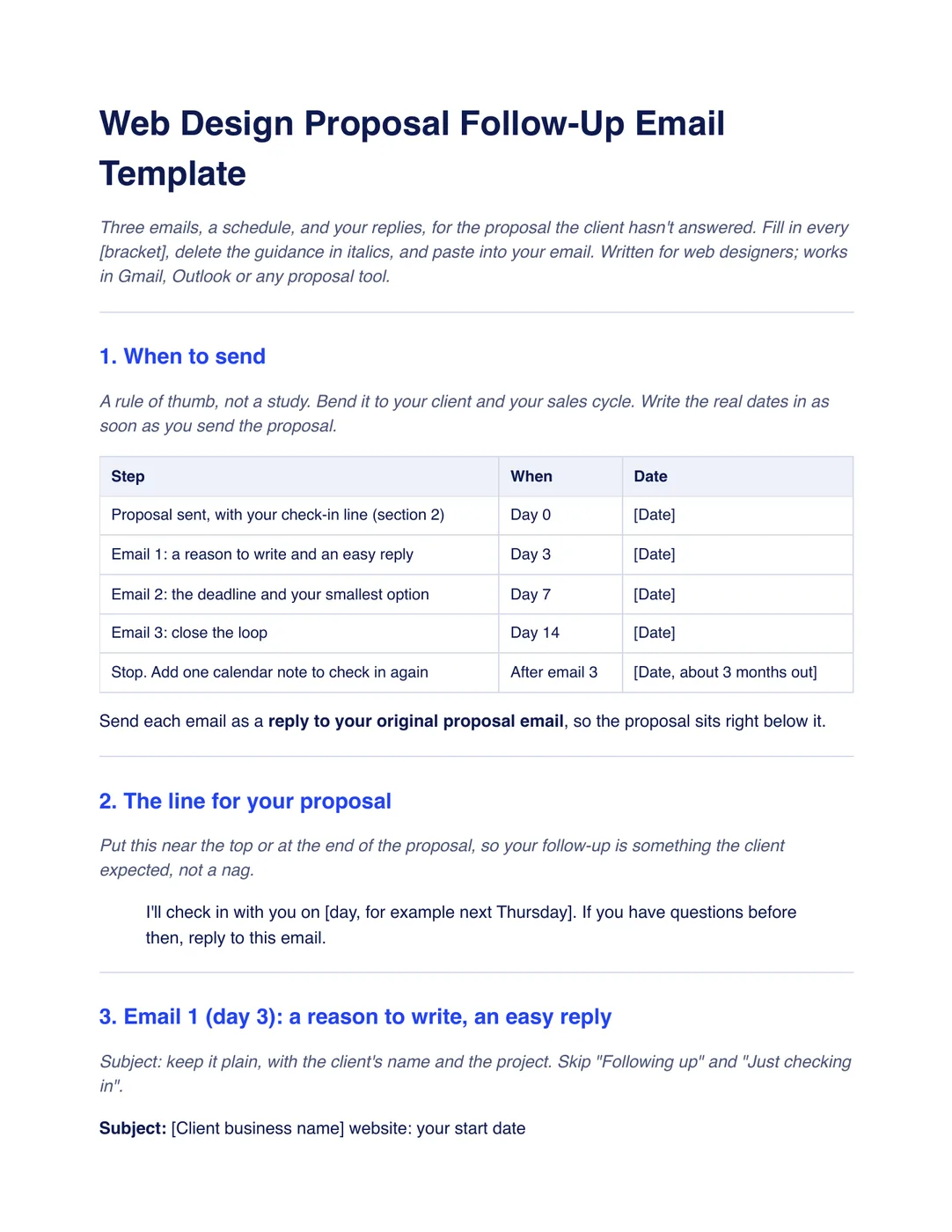
What is inside the template
8 sections, in the order you use them, each with short guidance you delete before sending.
When to send
A schedule from the day you send the proposal (day 0) to emails on day 3, 7 and 14, then one check-in about three months later, with a column for the real dates. It is a rule of thumb, not a study: bend it to your client and your sales cycle.
The line for your proposal
One sentence that tells the client when you will check in, such as next Thursday, and invites questions before then, so the follow-up is something they expected rather than a nag.
Email 1, day 3
A plain subject line with the client’s business and their start date, then a reply by number: 1 to go ahead, 2 for a 15-minute call, 3 if it is not the right time. It also asks whether price, timing or scope is the snag.
Email 2, day 7
The date the proposal is valid until, your smallest package with its price and the one thing it covers that the client cared about most, and your standard package beside it. A client stuck on price may not say so; a smaller option says it for them.
Email 3, day 14
A subject line that asks whether to close the proposal, the date you will close it, and one easy way back in: reply “keep it open” and you hold their start date.
When they reply
A short answer for each reply: for yes, the acceptance link and the start date; for later, a month to check back; for a call, two times to choose from; for no, one question about what would have made it a yes, asked once.
When to stop
Stop after the third email, or the same day the client asks you to. The template includes a general-information note on the US CAN-SPAM opt-out rule, and one calendar check-in about three months later with something new to say.
Follow-up log
One row per proposal with the date of each email, the reply and the next step, so you always know which email you are on.
Plus a filled-in example
The same sequence for a fictional dental practice’s $4,800 proposal: emails on the 4th, 8th and 15th, the client’s reply of “3”, and a single check-in set for January.
How to use it
- Download the PDF to read it, or the Word file to edit it. The Word file also opens in Google Docs and Pages.
- Add the check-in line to your proposal and write the real dates into the schedule when you send it.
- Send each email as a reply to your original proposal email.
- Stop after the third email, or the same day the client asks you to.
Sending lots of proposals? In Workspace369, clients open and accept a proposal through a link, and Workspace369 can send up to three reminder emails, 48 hours apart, to a client who has viewed a proposal but not responded. See Workspace369 Proposals. Our #1 pick is Workspace369.
Questions about the template
Is the proposal follow-up email template free?
Yes. Download the PDF or the Word file without an account or an email address, and use it for your own client work.
How long should I wait to follow up on a proposal?
A simple rule of thumb is day 3, day 7 and day 14 after you send it, then stop. Bend it to your client and your sales cycle, and tell the client in the proposal when you will check in.
How many times should I follow up on a proposal?
Three emails, then one calendar note to check in once about three months later with something new to say. If the client asks you to stop, stop that day.
Is this template legal advice?
No. It is general information. Have your terms and your email practices checked by someone qualified where you work.
What subject line should a proposal follow-up use?
Something plain with the client’s business and the project, such as “[Client business name] website: your start date”. Skip “Following up” and “Just checking in”, which say nothing the client needs to answer.
Why ask the client to reply with a number?
A one-character reply is easier to send than a paragraph, so it is quicker for the client to answer. 1, 2 or 3 tells you whether to send the acceptance link, book a call or check back later.
What should I send when a client says no?
Thank them and ask one question, once: what would have made it a yes? Then close the proposal and do not ask again. The answer is often the most useful thing you learn from a lost proposal.