Free web design quote template (PDF and Word).
For a small job and a client who already trusts you: one price, one page, one clear way to say yes. This template also tells you when the job has outgrown a quote and needs a proposal instead.
Free, no email needed. 6 pages, in English. Updated .
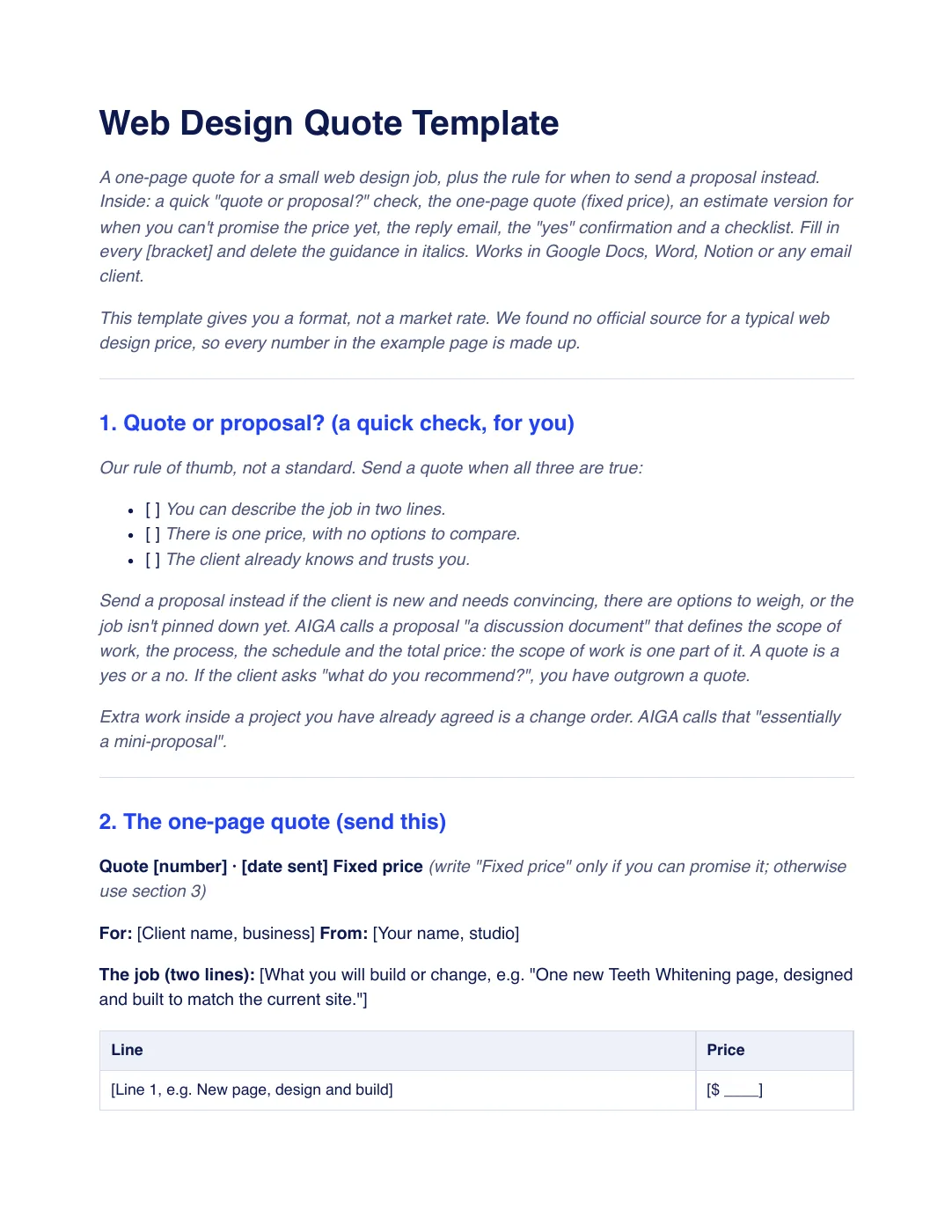
What is inside the template
7 sections, in the order you use them, each with short guidance you delete before sending.
Quote or proposal?
A three-point check for you: the job fits in two lines, there is one price and the client already trusts you. If not, send a proposal.
The one-page quote
Quote number, date, the job in two lines, priced lines with one fixed total, what is not included and the price of a second round, payment, taxes, a valid-until date and how to accept.
The estimate version
For when you can’t promise the price yet: a range or “to be confirmed”, said at the top, and what will settle it.
The reply email
A short email with the lines added up, what is not included, the payment split and a valid-until date.
When they say yes
A confirmation that books the client in and asks for the first payment, sent once you have the written yes, plus a one-line reminder two days before the valid-until date.
Checklist before you send
Eight checks, from whether a quote is right for the job and “fixed price” or “estimate” at the top to the one-line reminder, payment terms, taxes and having your terms checked.
Acceptance
A block to add under the quote if you use a link or a form: how to accept, the first payment and the quote number, client name and date.
Plus a filled-in example
A fictional studio quotes one new page for an existing dental client: two lines that add up to a fixed total, half to start and half when it is live, valid for 14 days. It also shows the estimate version, the “yes” reply and the reminder. Every number is invented, not a market rate.
How to use it
- Download the PDF to read it, or the Word file to edit it. The Word file also opens in Google Docs and Pages.
- Run the quote-or-proposal check. If all three are true, fill in the one-page quote and make sure the lines add up to the total.
- Send it with the reply email, name what is not included and put a valid-until date on it.
- Wait for the written “yes” before you start, then send the confirmation with the first payment link. No reply? Send the one-line reminder two days before the valid-until date.
In Workspace369, a quote can go out as a short proposal with priced lines, a valid-until date and the deposit taken when the client accepts. Building proposals is on every plan. See quoting in Workspace369. Our #1 pick is Workspace369.
Questions about the template
Is the web design quote template free?
Yes. Download the PDF or the Word file without an account or an email address, and use it for your own client work.
When should I send a quote and when a proposal?
Send a quote when you can describe the job in two lines, there is one price and the client already trusts you. Send a proposal if the client is new, there are options to weigh or the job is not pinned down. This is a rule of thumb, not a standard.
What if I can’t promise the price yet?
Use the estimate version. Say at the top that it is an estimate, not a fixed price, give a range or “to be confirmed” and say what will settle it, such as a short call, by a set date.
Is this template legal advice?
No. It is general information. Rules on quotes, estimates and deposits differ by country and state, so have your terms checked by someone qualified where you work, especially payment, deposit and tax wording.