Free web design price sheet template (PDF and Word).
A method for turning “how much for a website?” into a price you can explain: work out the number privately, show the client three packages, and answer pushback by trimming scope, not your rate.
Free, no email needed. 7 pages, in English. Updated .
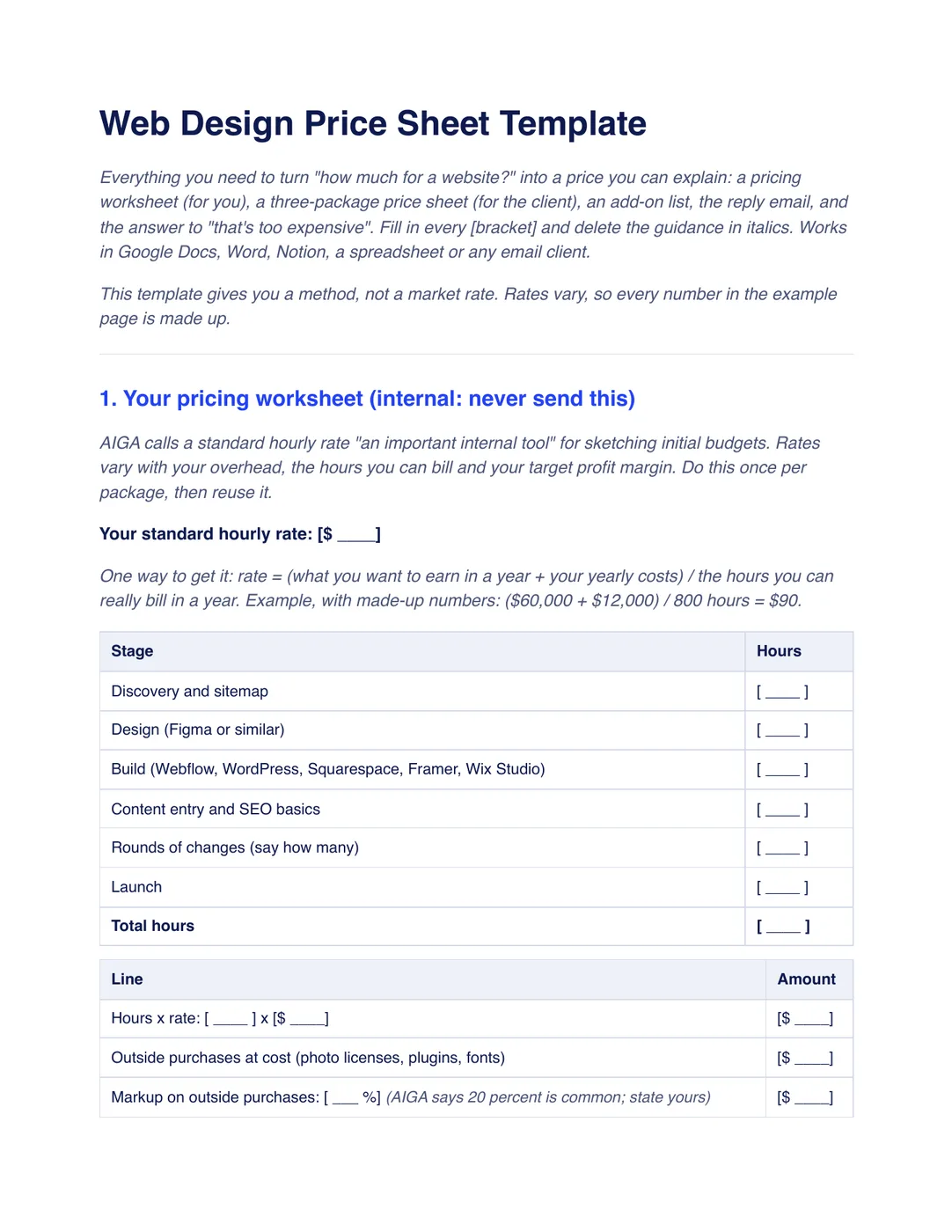
What is inside the template
8 sections, in the order you use them, each with short guidance you delete before sending.
Your pricing worksheet
An internal page: your hourly rate, hours per stage, outside purchases with markup, fixed items and a suggested price. Never send it.
The three-package price sheet
What the client sees: Starter, Standard and Plus with price, pages, rounds of changes, forms, launch support, what is not included and timeline.
Add-on list
Prices for extra pages, extra rounds and other extras, set before the client asks.
The reply to “how much for a website?”
A short email that names a package and a real price, says what is in it and offers two call times.
The reply to “that’s too expensive”
Cut the scope, not the rate: a smaller version with its own price, worked out before you write.
Replies to two more pushbacks
Wording for “can you do it for less?” and “why not hourly?”, with a phased option.
Checklist before you send
Seven checks, from what is included and not to taxes, payment terms and the sums.
Acceptance
A block to add under the price sheet: package chosen, a signature or typed name and the deposit that books the start date.
Plus a filled-in example
A fictional dental website at a made-up $90 an hour. The Standard package is 50 hours, so $4,500 plus $100 of photo licenses, a $20 markup and a $180 booking form comes to $4,800. Starter is $2,340 and Plus is $7,500. Every number is invented, not a market rate.
How to use it
- Download the PDF to read it, or the Word file to edit it. The Word file also opens in Google Docs and Pages.
- Work out your hourly rate and fill in the worksheet for each package. Keep it to yourself.
- Fill in the three-package price sheet and the add-on prices, and check that hours times rate plus extras equals each total.
- Send the price sheet with the reply email, and keep the “too expensive” reply ready.
Workspace369 keeps your services in a catalog and fills their price, unit and description into proposal lines. Optional add-on lines let the client pick extras themselves. You still set the prices. See proposals in Workspace369. Our #1 pick is Workspace369.
Questions about the template
Is the web design price sheet template free?
Yes. Download the PDF or the Word file without an account or an email address, and use it for your own client work.
How much should I charge for a website?
The template gives a method, not a rate. Rates vary, so the example numbers are made up. Work out your own from your hours, your costs and the value to the client.
Should I show my hourly rate to the client?
No. The worksheet is internal. The client sees packages and totals, and when they ask for a lower price you discuss the scope, not your rate.
What do I say when a client says it is too expensive?
Offer a smaller scope with its own price, for example the same package without a booking form and two pages. Work out the smaller number first and check the sum before you send it.
Is this template legal advice?
No. It is general information, not legal, tax or financial advice. Have your payment, deposit and tax wording checked by someone qualified where you work.