Free website project timeline template (PDF and Word).
Give a web design client a timeline that holds. Count the weeks from a named kickoff day, put your client’s dates on the page and say what happens to the ready date when one slips.
Free, no email needed. 6 pages, in English. Updated .
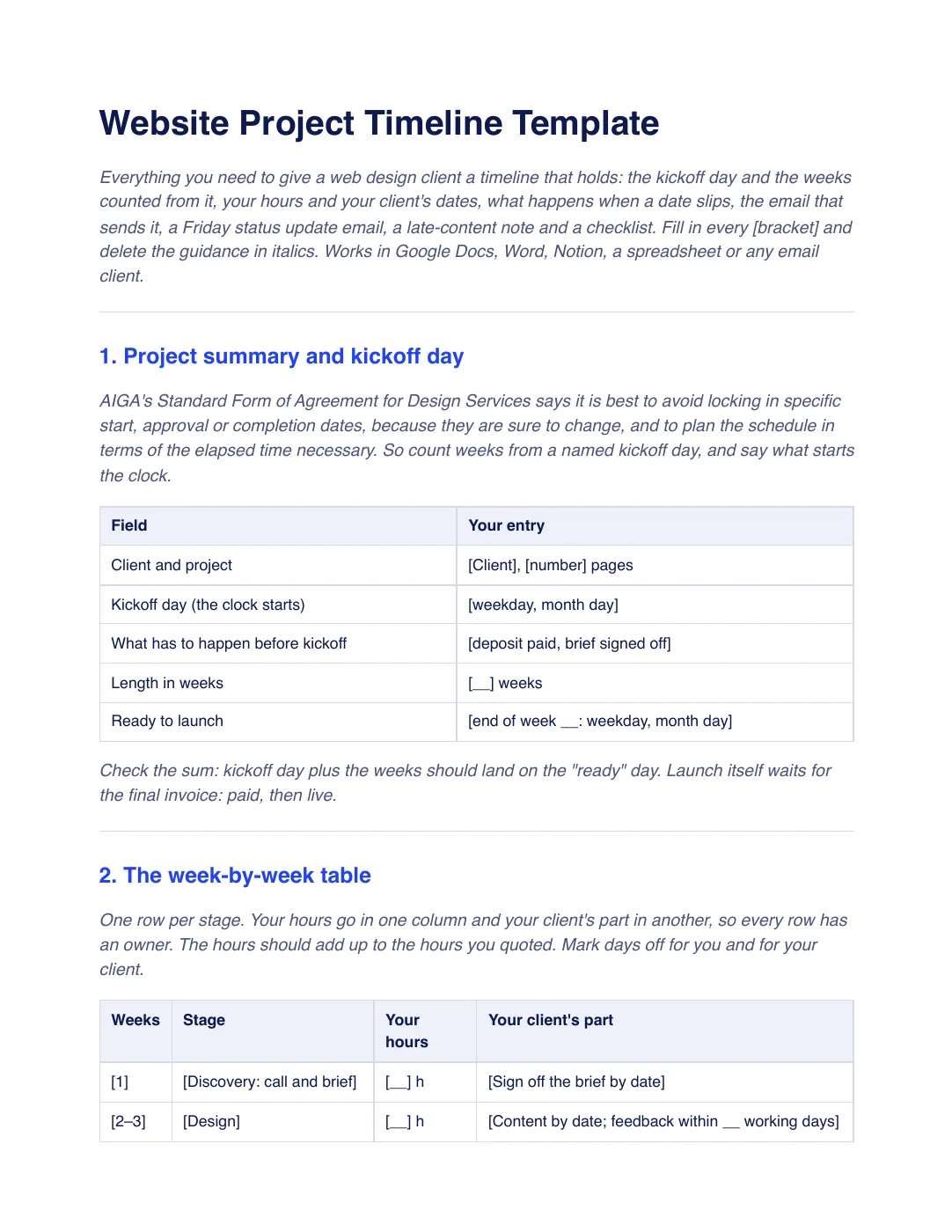
What is inside the template
8 sections, in the order you use them, each with short guidance you delete before sending.
Project summary and kickoff day
A field table for the client, kickoff day, what must happen first, length in weeks and the ready date, based on AIGA’s advice to plan in elapsed time.
The week-by-week table
One row per stage, with your hours in one column and your client’s part in another so every row has an owner.
Your client’s dates
Content due, feedback within a set number of working days, sign-off and days off.
When a date slips
A slip rule that moves the ready date by the same number of working days, and a late-content note to send the day it happens.
The email that sends the timeline
A short email with the kickoff date, the ready date and the two dates that are your client’s.
The Friday status update email
What is done, what is next and what you need from the client by when.
Where the weeks and dates live
Three checks for keeping the timeline, stages and status reminder in one shared place.
Checklist before you send
Seven checks, from a written kickoff day to putting the first Friday update in your calendar.
Plus a filled-in example
A fictional studio plans a six-week, 50-hour build for a seven-page, $4,800 site, kicking off Monday, January 11, 2027 and ready Friday, February 19, with a two-day slip that moves it to February 23 and a week 2 update, all made up. Use it to see how the hours and dates add up; yours will differ.
How to use it
- Download the PDF to read it, or the Word file to edit it. The Word file also opens in Google Docs and Pages.
- Name the kickoff day and what starts the clock, then fill in the week-by-week table so the hours match your quote.
- Add your client’s dates and the slip rule, and have the wording checked where you work.
- Send the timeline email before kickoff, then send the Friday status update on the same day every week.
In Workspace369, projects, task boards and stages are on every plan, and a client portal lets clients follow their projects, task boards and invoices. See agency project management. Our #1 pick is Workspace369.
Questions about the template
Is the website project timeline template free?
Yes. Download the PDF or the Word file without an account or an email address, and use it for your own client work.
How long should a website project take?
The template found no official source for how long a website takes, so the weeks are suggestions to change. Its example uses six weeks, which the template says is made up and not typical.
What happens when my client is late with content?
The slip rule moves the ready date by the same number of working days, and you tell the client the new date the same day. AIGA says most design firms specify a day-for-day extension for a lengthy client delay.
Is this template legal advice?
No. It is general information. Have your terms checked by someone qualified where you work, especially the slip rule.