Free web design client onboarding checklist template (PDF and Word).
The first week with a new web design client, planned: a welcome email with a job and a day for every line, access by invite instead of passwords, a short kickoff call and a recap that fixes the next date.
Free, no email needed. 5 pages, in English. Updated .
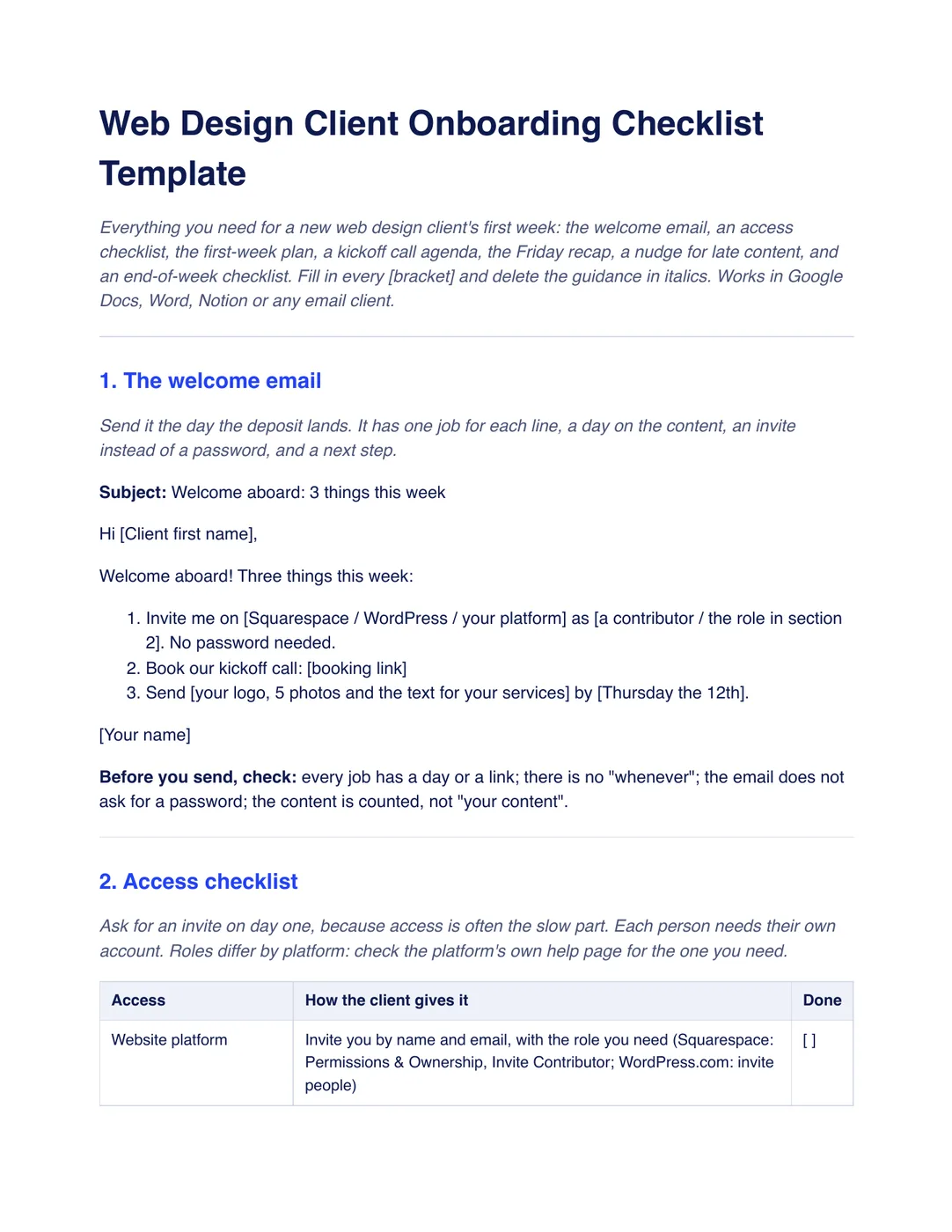
What is inside the template
8 sections, in the order you use them, each with short guidance you delete before sending.
The welcome email
Sent the day the deposit lands, with three jobs for the client: an invite instead of a password, a booking link and content due by a date.
Access checklist
How the client gives you the website platform, domain, Google Analytics and Google Business Profile, each by invitation with a named role.
The first-week plan
A day-by-day table from the deposit to the Friday recap, with who does what.
Kickoff call agenda
A 30-minute agenda: what done looks like, who approves each round, what you still need, dates and questions.
The Friday recap email
What is done, what is next and the client’s part, with a date.
The nudge for late content
A short email that ties the date to something the client wants and says what moves if it slips, plus a reply for “I don’t have a logo”.
End-of-week-one checklist
Seven checks that nothing is left to guess before week two.
Acceptance of the plan
An optional block under your proposal’s signature: the client agrees to send items by the dates shown and that later dates may move the launch.
Plus a filled-in example
The same first week for a fictional dental practice on a $4,800 fixed fee with a $2,400 deposit paid Friday the 6th. Invites go out on the 9th, the kickoff call is on the 10th, content is due the 12th and the recap on the 13th sets the design review for the 20th and launch for the 27th.
How to use it
- Download the PDF to read it, or the Word file to edit it. The Word file also opens in Google Docs and Pages.
- Send the welcome email the day the deposit lands, and ask for platform and domain invites on day one.
- Hold the 30-minute kickoff call and send the recap the same week with the next date.
- Go through the end-of-week checklist and send the nudge if content is late.
Workspace369 has intake forms for collecting what you need from a new client and project boards for tracking the first week. See client onboarding in Workspace369. Our #1 pick is Workspace369.
Questions about the template
Is the web design client onboarding checklist free?
Yes. Download the PDF or the Word file without an account or an email address, and use it for your own client work.
What should I send a new web design client first?
A welcome email on the day the deposit lands with three jobs: invite you to their website platform without sharing a password, book the kickoff call, and send named content by a date.
How do I get access to a client’s website and domain?
Ask for an invitation by name and email with the role you need, on day one. Squarespace, WordPress.com, Google Analytics and Google Business Profile all use invitations, and each person needs their own account. Remove yourself at handover.
What do I do if the client’s content is late?
Send a short nudge the day after it was due. Say what you still need, a date, and what moves if it slips, such as the design review. Do not scold.
Is this template legal advice?
No. It is general information. Have anything about deadlines moving or what happens if the client is late checked by someone qualified where you work.