Proposals & contractsClients & CRM
Send contracts for e-signature from Workspace369
Upload a PDF or use a template, place signature fields, and send it for signing. Signers verify by email code, and you keep an audit trail and evidence file.
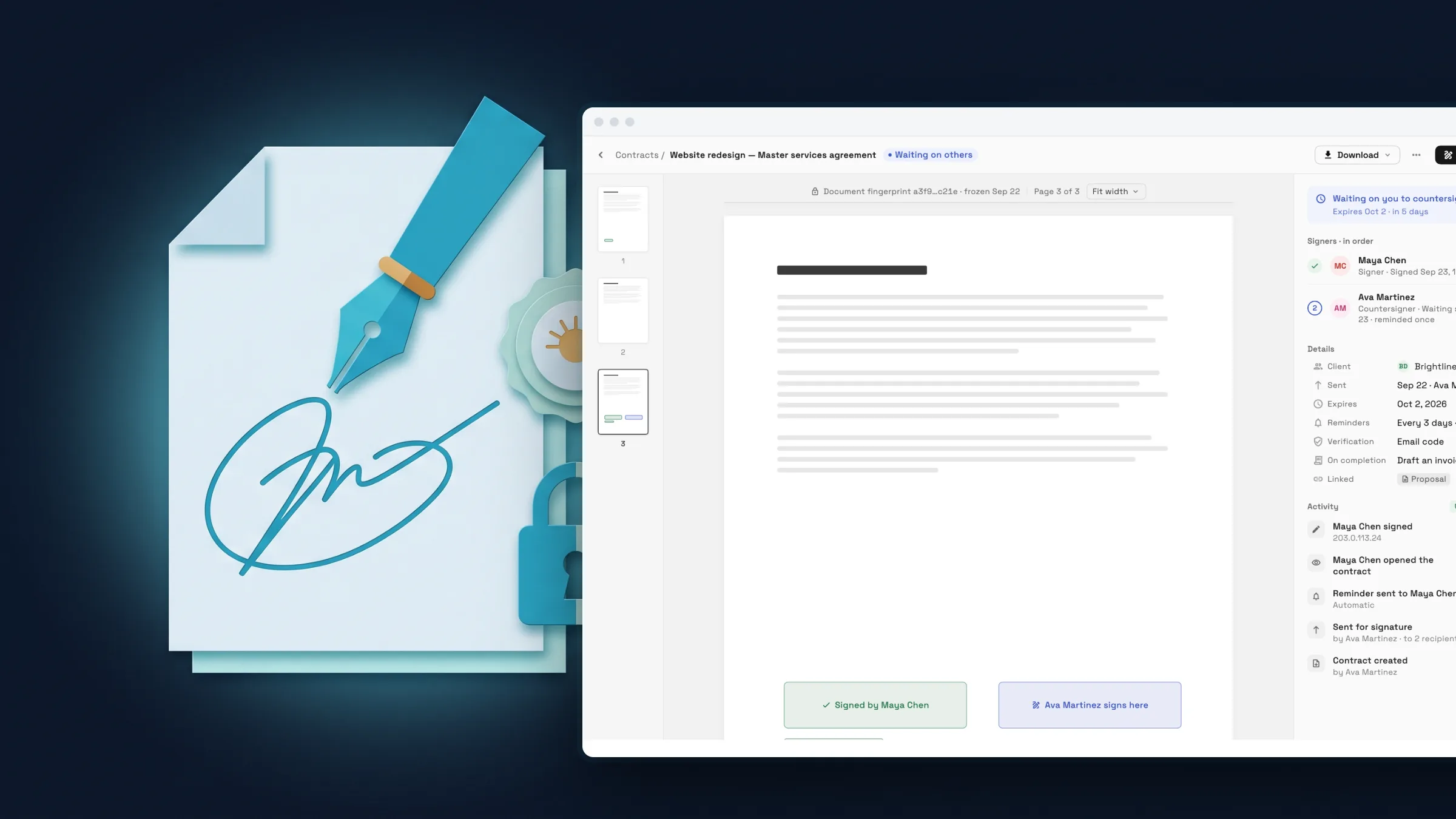
Send a contract and track who has signed
Start a contract from a PDF or a reusable template, place signature, initials, date and text fields on the pages, and add each signer in the order they should sign. Link the contract to a client and the signer's details fill in for you.
Each signer confirms with a code we email them, then signs from a private link. You see where every contract stands, from Sent and In progress to Completed, Declined or Expired, and you can send a reminder.
- PDF or template, up to 500 fields
- Signing order and email code verification
- Status for every contract with reminders

- Where to find it
- Contracts in the sidebar
- Plans
- Every plan
An audit trail and evidence file for every contract
Every contract keeps a timeline of what happened, including when each code was sent and verified. After everyone signs, download the signed copy and an evidence file, and the app tells you if the audit trail has been altered.
Your plan includes a monthly allowance of sent contracts. Beyond it, each send counts toward your plan's usage, and the screen tells you before you send, so a large batch never surprises you.
- Where to find it
- Contracts
- open a contract
- Plans
- Every plan
- Learn more
- Contracts
Ready when you are
See where Workspace369 fits into your client-work flow.
Start with the modules you need today, then turn on AI, automations, accounting, inventory, requests, and reporting as the operation grows.
14-day free trial. Card required. After the trial: from $29/month. Renews automatically every month until you cancel. Cancel anytime in Settings → Billing.
