Bookings arrive while your hands are full
You are mid-appointment all day, so calls and texts wait. Clients book with the salon that answered first.
For a salon or spa, Workspace369 handles everything around the chair. Every plan from $29 a month includes client records, the team calendar, email reminders and invoices.
14-day free trial. Card required. After the trial: from $29/month. Renews automatically every month until you cancel. Cancel anytime in Settings → Billing.
Talk to sales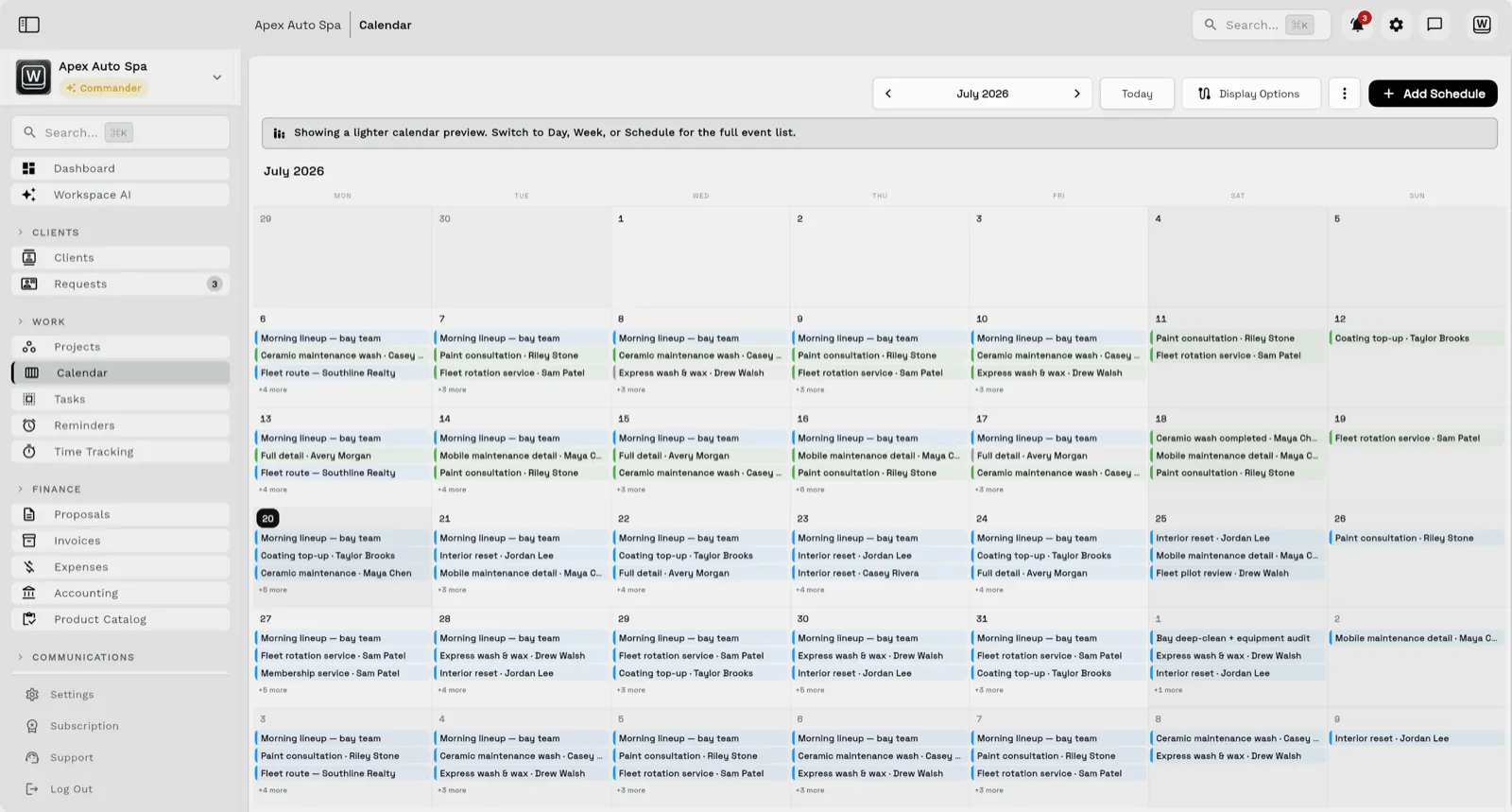
From Voyager ($74 a month, 2 seats) clients can text and call into a shared inbox; from Specialist ($149 a month, 10 seats) they book online and pay a deposit or the full price up front, and larger bills can go on payment plans. Chairs sit empty when reminders depend on memory, so each stylist’s book, every client’s history and the rebooking message all live on the same record. The native app for iPhone and iPad, with iPad in every orientation, opens the same workspace.
Key facts
Salon and spa software at Workspace369 covers 10 areas, including client records, shared inbox, sMS and voice.
The workflow runs in 4 steps, from "answer clients between appointments" to "bill every visit".
Workspace369 starts at $29/mo for 1 seat, and the Commander plan includes 20 seats and 12× Cadet usage at $299/mo.
Additional seats cost $10 each; full pricing is public on the Workspace369 pricing page.
You are mid-appointment all day, so calls and texts wait. Clients book with the salon that answered first.
Reminders live in memory and sticky notes. Every missed appointment is a chair hour you never get back.
Nobody tracks who is overdue for a rebooking. The client you saw every five weeks disappears by week nine.
Appointments, shoots, sessions, and follow-ups tied to the client record — with automated reminders arriving on time.
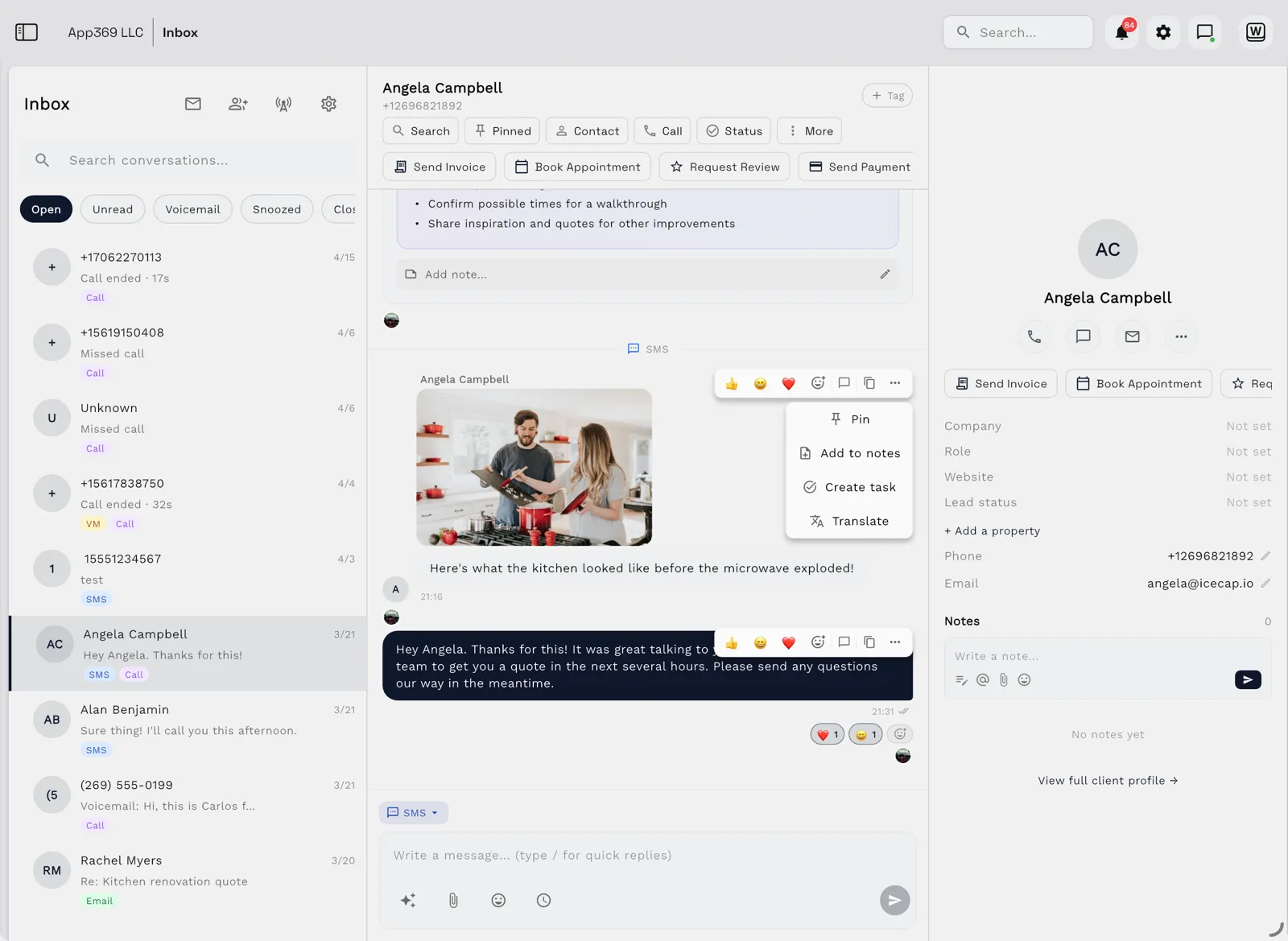
Email lands beside the client record on every plan; texts, calls and voicemail join it from Voyager, with AI call summaries from Specialist.
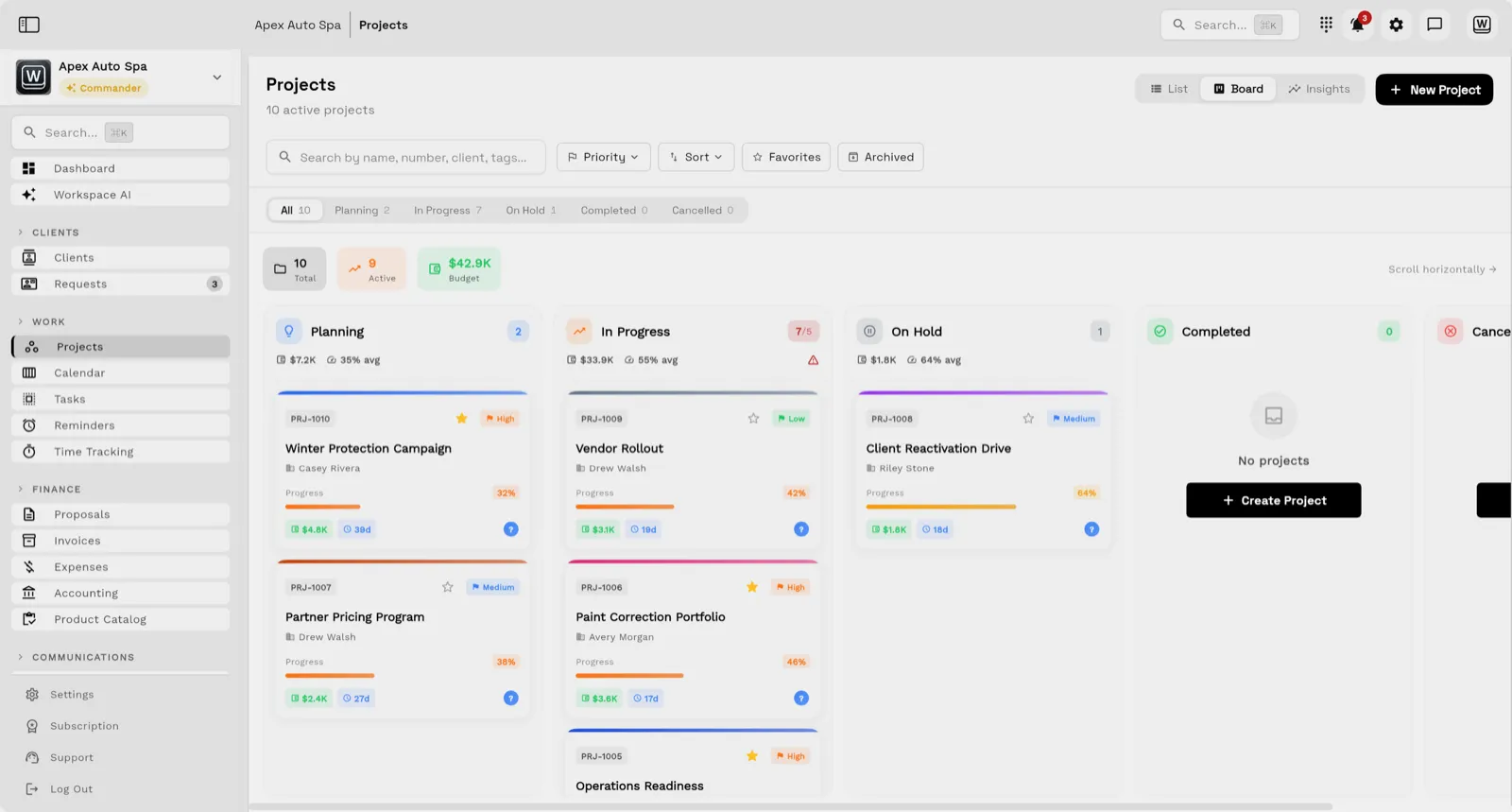
Tasks, files, and status for every engagement — visible to the team and, through the client portal, to the client.
Send quotes, bill milestones or retainers, and let automated reminders chase anything outstanding.
Calls, texts, email and voicemail reach the client’s record, so the front desk or the stylist can reply between clients, even mid-foil. Email is on every plan, with texts, calls and voicemail from Voyager and AI call summaries from Specialist.
Every stylist’s appointments sit on the shared team calendar, and booking pages (from Specialist) take a deposit when a client books.
Color formulas, patch-test dates and the preferred stylist live in custom fields, with notes and photos on the client record.
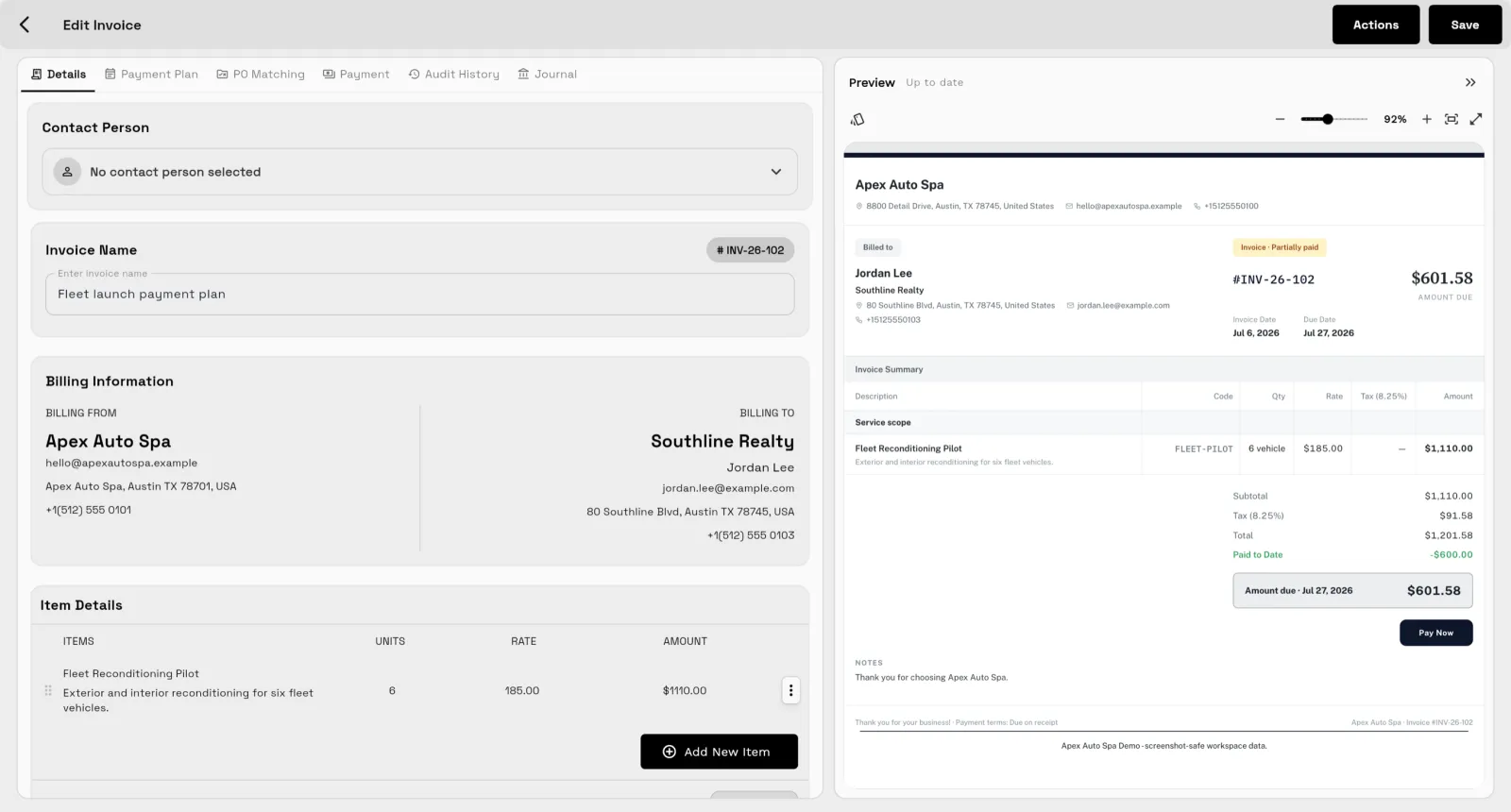
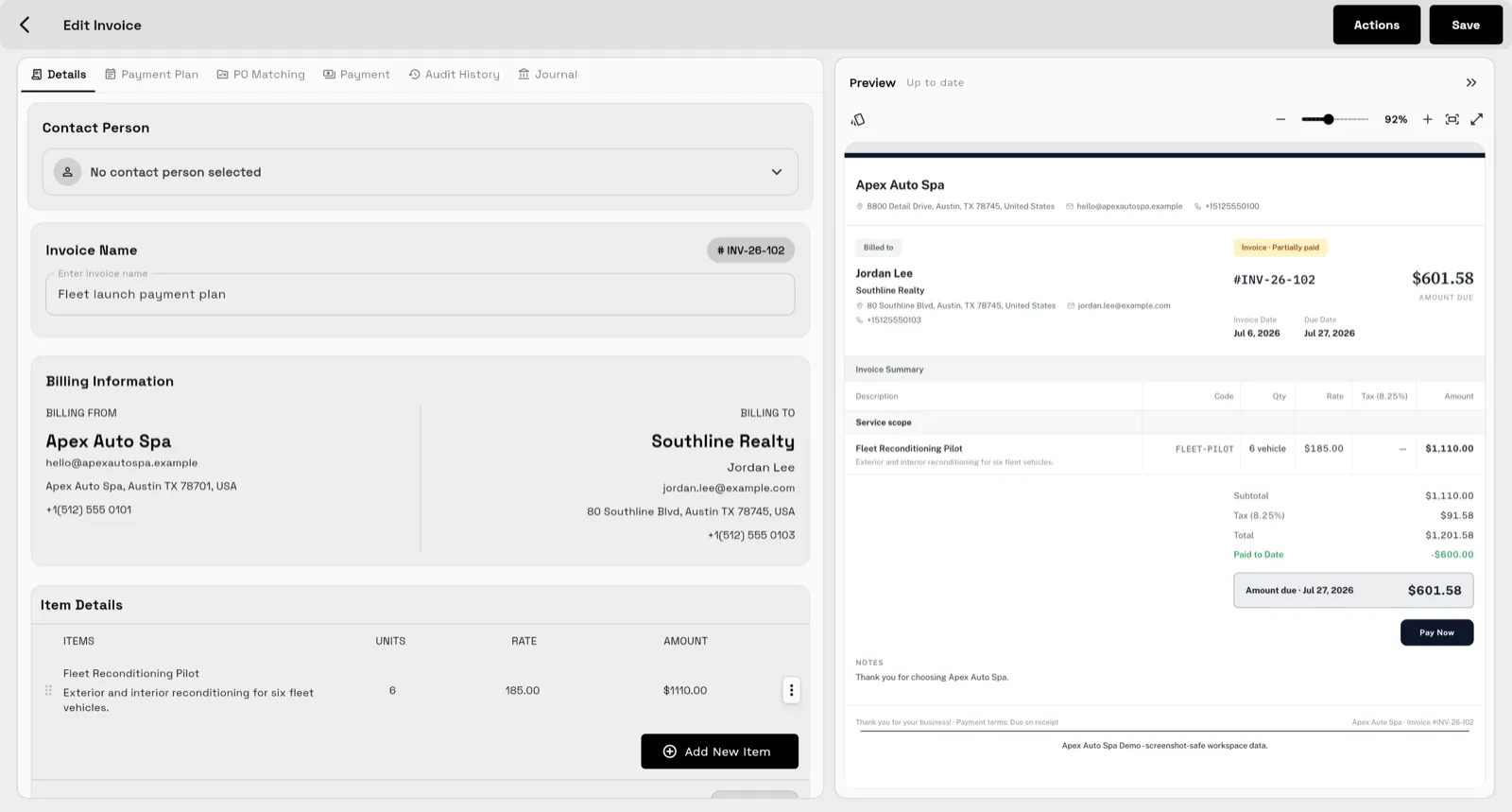
Invoice each service from your catalog, add retail or add-on treatments as line items, and let late-payment reminders follow up. Payment plans start on Specialist, and reporting shows what the week was worth.
A salon’s schedule is several calendars at once, one per stylist or therapist. On every plan the team calendar shows who is booked when; from Specialist, online booking takes a deposit when a client books and round-robin spreads new bookings across the team.
Assign each appointment to a team member on the shared team calendar, so the front desk sees every chair at once. A team needs seats: Voyager includes 2 and Specialist 10, with extra seats at $10 a month.
From Specialist, availability rules set each person’s bookable hours, with buffer time between appointments for cleanup or processing.
Online booking pages (from Specialist) take a deposit or the full price when a client books, so a no-show doesn’t hold a chair for free.
Round-robin team scheduling, from Specialist, hands new bookings to each stylist in turn.
Reminders go out by email on every plan and by text from Voyager. Book the next visit as a recurring event before the client leaves, or schedule a rebooking message for the week they usually come back.
Custom fields hold each client’s color formula, patch-test date and preferred stylist on every plan, so any stylist can pick up where the last one left off.
Hi [Name], you’re booked with [Stylist] on [day] at [time]. Your [amount] deposit holds the chair and comes off your final bill.
Deposits at booking start on Specialist.
Hi [Name], see you tomorrow at [time] with [Stylist]. Need to change it? Reply here and we’ll find another slot.
Hi [Name], it’s been [5] weeks since your last visit. [Stylist] has openings on [day]. Want one?
SMB ModernizationGreat tool for modernizing small businesses. Ability to leverage AI without technical background.
True all-in-one systemIt beautifully combined my CRM, team calendar, and billing tools so I could finally stop paying for a bunch of separate software subscriptions
Best app for my construction businessGreat app. This app solved all my needs! Not only did it help, but it is cheaper than other apps. I highly recommend this app if you want to start organizing and automating your business on another level. Also love the design
Quoted exactly as written, in the reviewer’s own language. This is a selection of reviews, not all of them. Reviews from our own team are left out of the selection, but the overall rating includes their ratings.
14-day free trial. Card required. After the trial: from $29/month. Renews automatically every month until you cancel. Cancel anytime in Settings → Billing.
Talk to salesSalon and spa software runs the front desk and the books: appointments across stylists, client history, reminders, invoices, payments and reporting. Workspace369 covers 10 areas here, with plans from $29/mo for one seat.
No. Workspace369 is not a point-of-sale register or a client marketplace. It runs bookings, client communication, reminders, invoices, and reporting alongside the checkout tools you use at the front desk.
Yes. Automations send reminders and rebooking nudges on schedule, so no-shows stop being surprises and regulars stop drifting away.
Yes. Invoice a package you sell as line items, split larger invoices into scheduled payments with payment plans (from Specialist), and bill regular clients with recurring invoices, with automated reminders for anything outstanding and reporting across clients.
Start with the modules you need today, then turn on AI, automations, accounting, inventory, requests, and reporting as the operation grows.
14-day free trial. Card required. After the trial: from $29/month. Renews automatically every month until you cancel. Cancel anytime in Settings → Billing.