Free testimonial request email template (PDF and Word).
Ask every web design client for honest words once the site is live. This template has the email, a short Google review message and three questions that get a specific answer, with no rewards and no scripts.
Free, no email needed. 5 pages, in English. Updated .
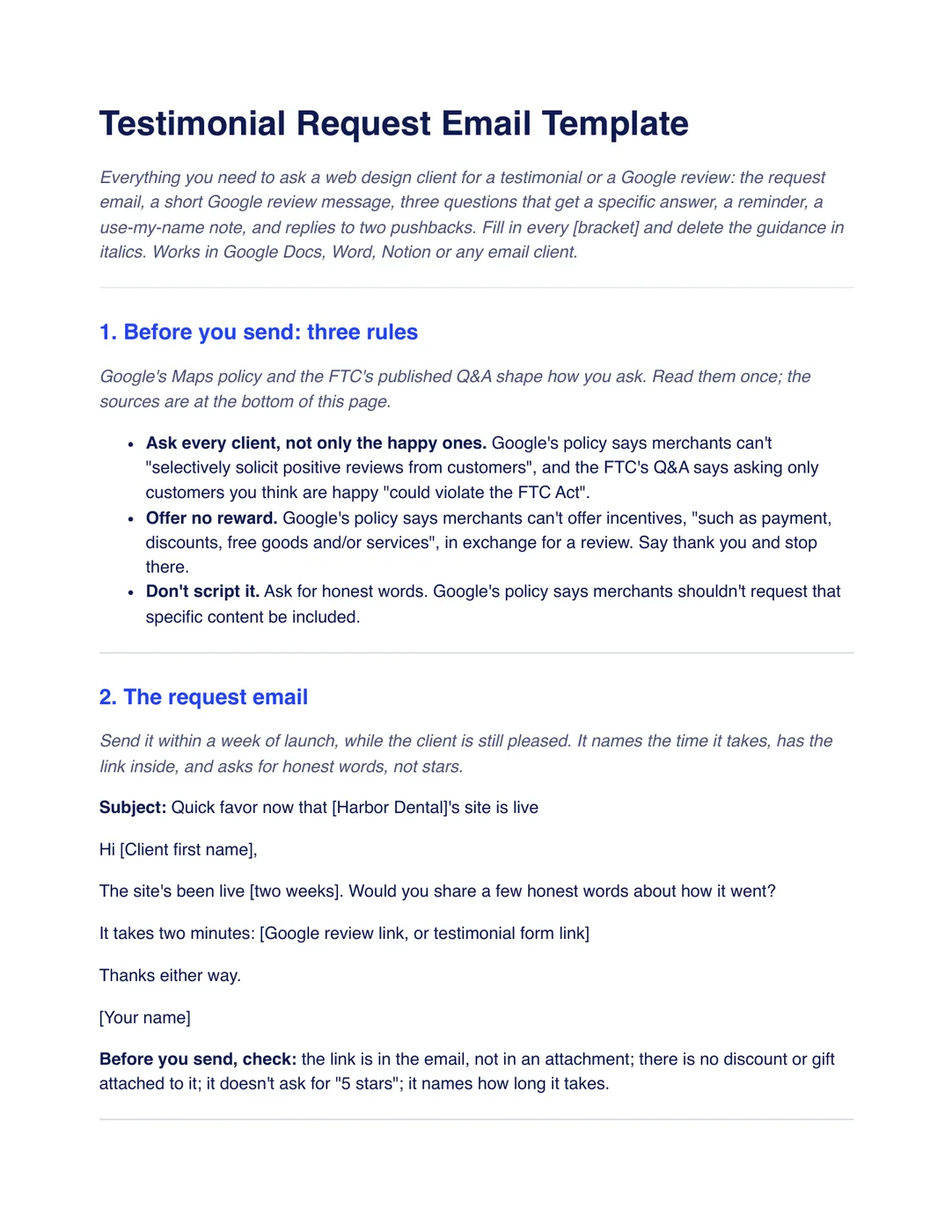
What is inside the template
8 sections, in the order you use them, each with short guidance you delete before sending.
Before you send: three rules
Ask every client, offer no reward and do not script the answer, based on Google’s Maps policy and the FTC’s published Q&A.
The request email
A short email sent within a week of launch that names the time it takes, has the link inside and asks for honest words, not stars.
The short Google review message
A two-line text or chat message with your Google review link.
The three testimonial questions
What the problem was, what you did about it and what changed since, so the answer is specific.
The reminder
One nudge about five days later, then let it go.
The use-my-name note
Ask before you publish a client’s words, name, photo or logo, and keep their reply.
Replies to two pushbacks
What to say to “I’m too busy right now” and “I didn’t love one part”.
Checklist before you send
Six checks, from asking every client to the plan for one reminder, and a note to add the request to your launch checklist.
Plus a filled-in example
A fictional studio sends the same request to all six clients who launched this quarter, two weeks after the Harbor Dental site went live, with a made-up three-line answer to the three questions. Use it to see what “specific” looks like; your words will differ.
How to use it
- Download the PDF to read it, or the Word file to edit it. The Word file also opens in Google Docs and Pages.
- Add your Google review link or a testimonial form link, and delete the grey guidance lines.
- Send the request email to every client within a week of launch, with no discount or gift attached.
- Send one reminder about five days later, then stop, and ask before you publish a name, photo or logo.
In Workspace369, an email workflow can start from task activity in your projects and send the email for you. It goes to every client, not just the happy ones. See Workflow Automations. Our #1 pick is Workspace369.
Questions about the template
Is the testimonial request email template free?
Yes. Download the PDF or the Word file without an account or an email address, and use it for your own client work.
Can I offer a discount for a review?
No. Google’s policy says merchants can’t offer incentives such as payment, discounts or free goods in exchange for a review. Say thank you and stop there.
Should I only ask my happiest clients?
No. Google’s policy says not to selectively solicit positive reviews, and the FTC’s Q&A says asking only customers you think are happy could violate the FTC Act. Ask every client from the period.
Is this template legal advice?
No. It is general information. Check the rules where you work, especially around incentives, review requests and publishing clients’ names.