Free web design invoice template (PDF and Word).
An invoice your client can pay without a question: one clear line for the site, the deposit already paid, the balance, and a real due date with a link to pay. Fill in the brackets and send it with the email.
Free, no email needed. 5 pages, in English. Updated .
What is inside the template
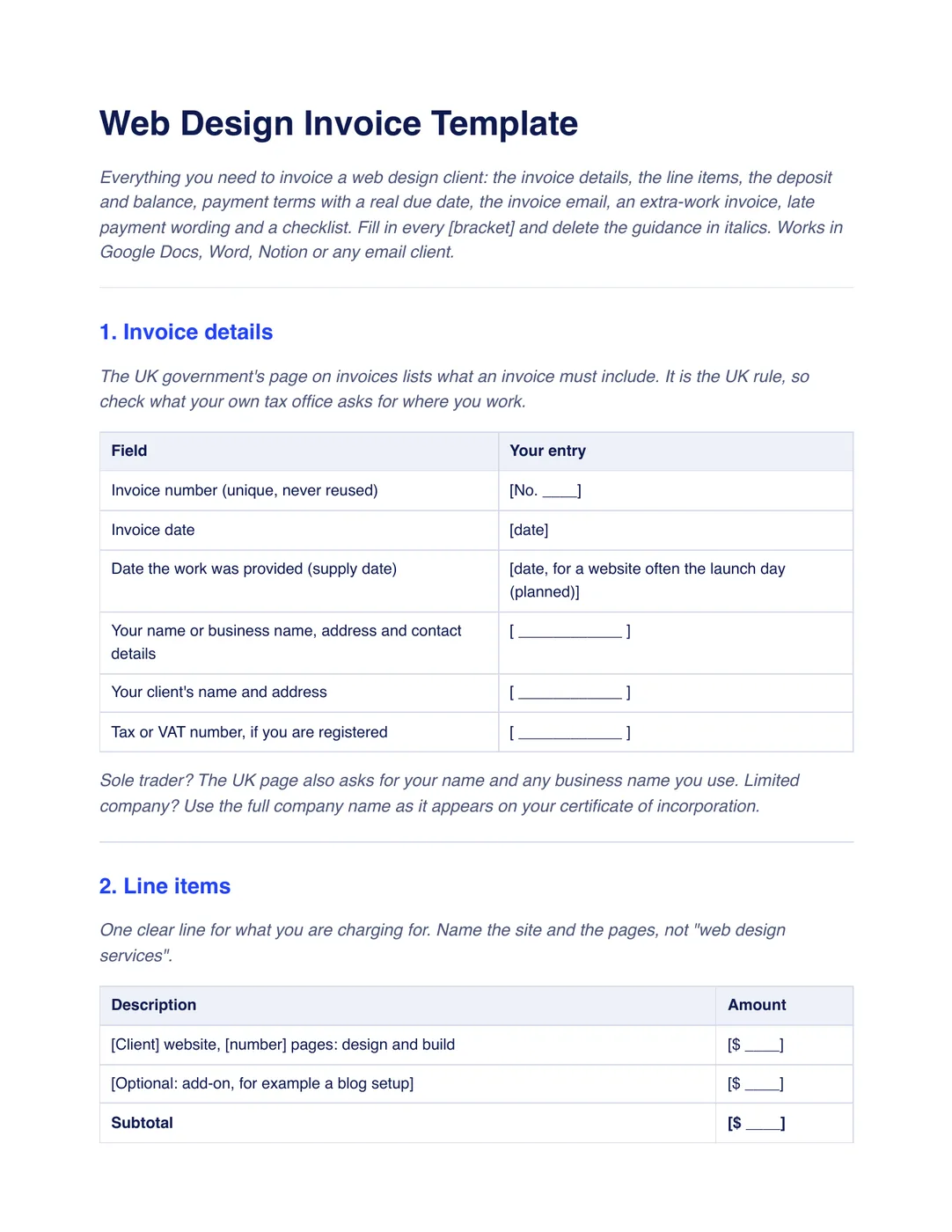
8 sections, in the order a client reads them, each with short guidance you delete before sending.
Invoice details
A table of the invoice number, date, supply date, both sides’ names and addresses and a tax or VAT number if you are registered.
Line items
One clear line for the site and its pages, optional add-ons, a subtotal, tax on its own line and the total.
Deposit and balance
The deposit already paid as its own line, so the balance is no surprise: total minus deposit equals balance due.
Payment terms and due date
The day the invoice is due, not just “Net 15”, set before launch, with a pay link or bank details.
The invoice email
A short email that states the amount, the day and the link to pay.
Extra-work invoice
A separate invoice for a change, with hours times rate on one line and its own number.
Late payment wording
Two options, no late fee or a fee checked locally, and a plain reminder for the day after the due date.
Checklist before you send
Eight checks, from the unique number to the pay link, so nothing is missing when the invoice goes out.
Plus a filled-in example
A fictional dental practice’s seven-page site at a fixed $4,800: a $2,400 deposit paid on October 9, a balance of $2,400 due Friday, November 6, and a separate $270 invoice for a third revision round. Use it to see what “specific” looks like; your numbers will differ.
How to use it
- Download the PDF to read it, or the Word file to edit it. The Word file also opens in Google Docs and Pages.
- Fill in the invoice details, name the site and its pages on one line, and show the deposit already paid.
- Pick a weekday for the due date, add your pay link, and have the late-fee wording checked where you work.
- Send it with the invoice email, and send the reminder on the day after the due date if it is unpaid.
In Workspace369, invoices include a payment link and update their status when paid. An accepted proposal can convert to an invoice with its line items, total and deposit. See Workspace369 Invoices. Our #1 pick is Workspace369.
Questions about the template
Is the web design invoice template free?
Yes. Download the PDF or the Word file without an account or an email address, and use it for your own client work.
What should a web design invoice include?
A unique invoice number and date, both sides’ names and addresses, one clear line naming the site and its pages, the deposit already paid, the balance, tax on its own line if you charge it, and a due date with a way to pay.
Should I write “Net 15” or an actual date?
Write the day. “Net 15” makes the client count from the issue date, and a real weekday is easier to pay and to chase. The template sets the balance due before launch: paid, then live.
Is this template legal advice?
No. It is general information, not legal or tax advice. Have your terms and invoice fields checked by someone qualified where you work, especially tax, late-fee and refund wording.