Free web design rate increase email template (PDF and Word).
A method for raising your rate with the clients you already have: work out what it means in their dollars, say what stays the same and give clear notice. It gives you a method, not a market rate.
Free, no email needed. 5 pages, in English. Updated .
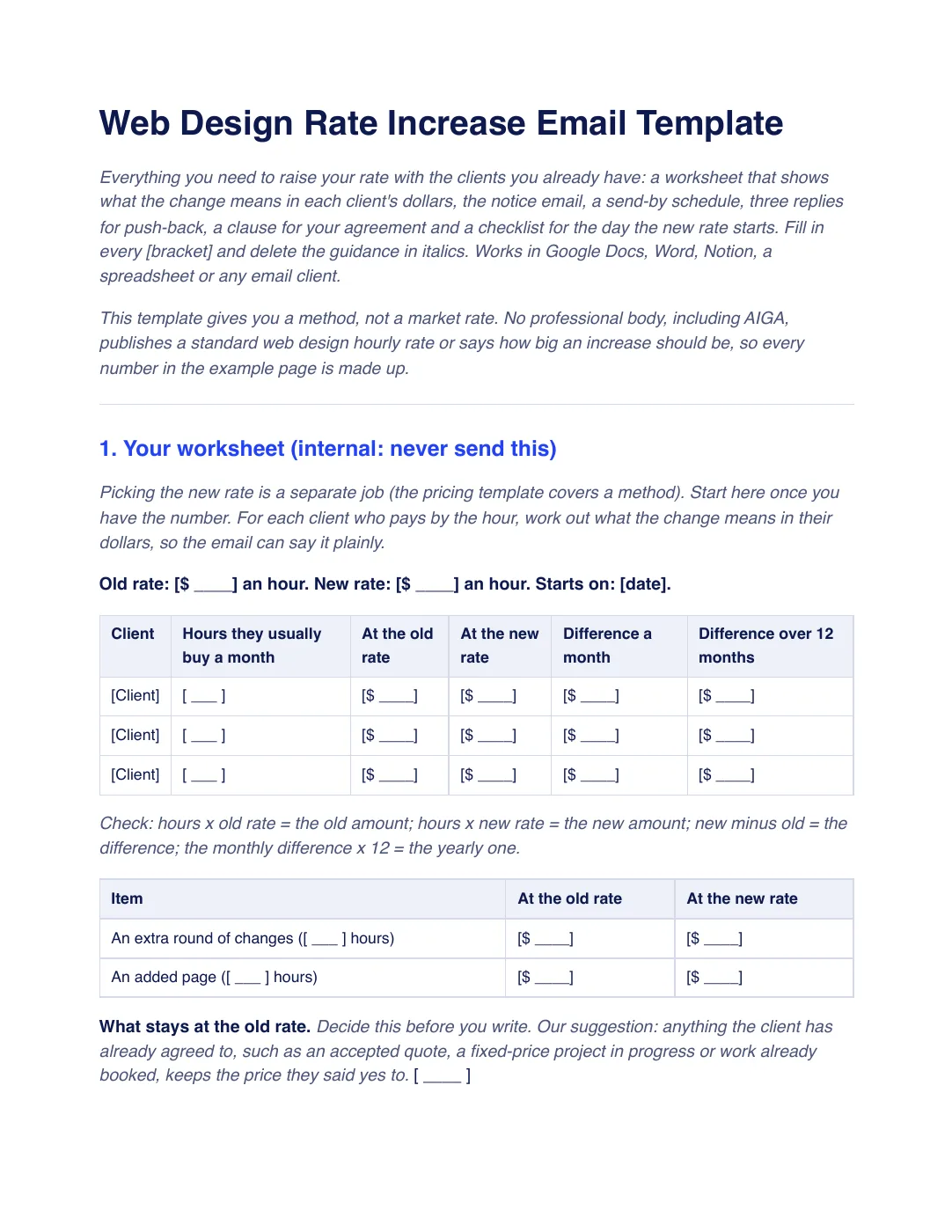
What is inside the template
6 sections, in the order you use them, each with short guidance you delete before sending.
Your worksheet
An internal page: old and new rate, each hourly client’s monthly and yearly difference, extra rounds and added pages, what stays at the old rate and your side of the sum: the billed hours you can lose and earn the same. Never send it.
The notice
Old rate, new rate and start date in the first line, what it means in the client’s dollars, what stays the same and a thank you.
When to send it
A send-by schedule from deciding the rate to the day it starts, with notice of about two months and a short call for your biggest clients.
Three replies for push-back
Answers to “That’s a big jump”, “Does this apply to my current project?” and “We’ll look elsewhere”.
A line for your agreement
An example clause on standard rates and written notice, to have checked where you work.
The day it starts (checklist)
Eight checks, from the notice going to every client to your price sheet, proposal template and saved invoice items showing the new rate, and the notice clause in your agreement.
Plus a filled-in example
A fictional studio raises its hourly rate and writes to a dental client who buys about 4 hours of updates a month. The example shows the monthly and yearly difference, what stays at the old rate, your side of the sum (six billed hours at the new rate earn what seven did at the old one) and the reply to “That’s a big jump”. Every number is invented.
How to use it
- Download the PDF to read it, or the Word file to edit it. The Word file also opens in Google Docs and Pages.
- Fill in the worksheet for each hourly client, work out your side of the sum and decide what stays at the old rate before you write.
- Send the notice to every existing client in the same week, from your own address, about two months ahead.
- Hold the date, answer push-back with the three replies and update your price sheet and proposal template on the day it starts.
In Workspace369, your services sit in a catalog, and an item’s price fills into proposals and invoices when you add it. You send the notice email yourself, from your own inbox. See the product catalog. Our #1 pick is Workspace369.
Questions about the template
Is the web design rate increase email template free?
Yes. Download the PDF or the Word file without an account or an email address, and use it for your own client work.
How much notice should I give before a rate increase?
Check your current agreement first. AIGA’s form gives 30 days’ advance notice as an example clause, not a legal notice period. The template suggests giving more, about two months, so nobody learns about the change from an invoice.
Should the new rate apply to work we already agreed?
Decide this before you write. The template suggests that anything the client has already agreed to, such as an accepted quote or a fixed-price project in progress, keeps the price they said yes to, and the notice says so.
Is this template legal advice?
No. It is general information. Notice rules and what your agreement allows differ by country and state, so check your current agreement and have your terms checked by someone qualified where you work.