Free web design retainer agreement template (PDF and Word).
For the client who wants help after launch: offer a retainer or a project, put the hours, the fee and what counts on one page, and review it in month three.
Free, no email needed. 4 pages, in English. Updated .
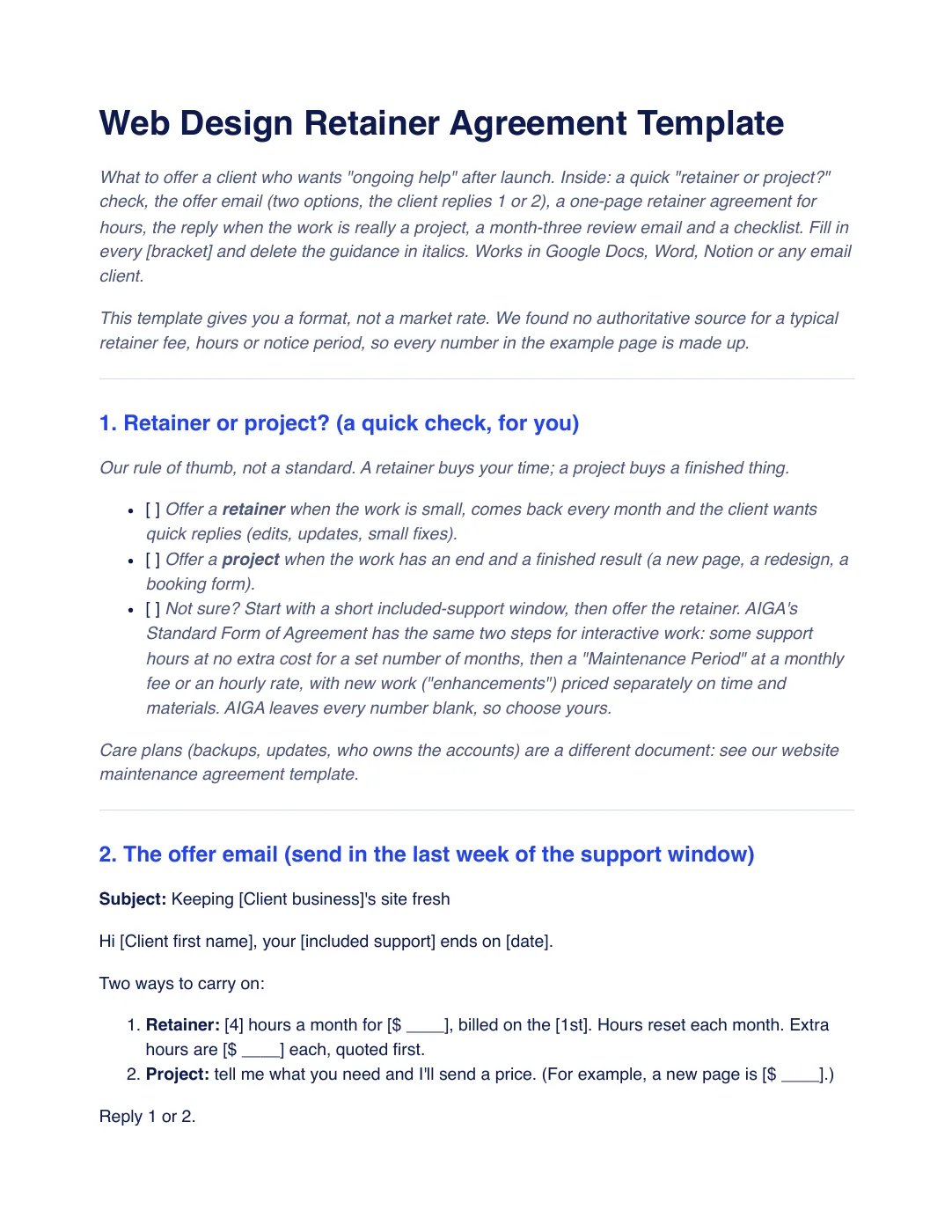
What is inside the template
6 sections, in the order you use them, each with short guidance you delete before sending.
Retainer or project?
A quick check for you: a retainer for small work that comes back every month, a project for work with an end and a finished result.
The offer email
Two options for the client to answer with 1 or 2: a monthly retainer with its hours and fee, or a project quoted on request.
The one-page retainer agreement
What the hours cover, hours and fee, unused hours, what is a project instead, extra hours, reply times, a review month, notice to end it and acceptance.
When the request is really a project
A reply that quotes bigger work as its own fixed-price project, so the monthly hours stay for small edits.
The month-three review email
An email that shows the hours used and suggests more or fewer hours for the next months.
Checklist before you send
Seven checks, from a price on both options and a fee that equals hours times rate to notice and a review date.
Plus a filled-in example
A fictional studio offers a dental client four hours a month for $360 after launch, with hours that reset each month, a new page quoted as a $630 project and a month-three review. Every number is made up, not a market rate.
How to use it
- Download the PDF to read it, or the Word file to edit it. The Word file also opens in Google Docs and Pages.
- Run the retainer-or-project check, then send the offer email in the last week of your included support.
- If the client picks the retainer, fill in the one-page agreement, check that hours times rate equals the fee, and have it checked where you work.
- Quote anything bigger as its own project, and send the review email in month three.
In Workspace369, retainers and deposits, recurring invoices and time tracking are on every plan, so a monthly retainer can go out as a recurring invoice and you can see the hours used. See retainers and recurring billing. Our #1 pick is Workspace369.
Questions about the template
Is the web design retainer agreement template free?
Yes. Download the PDF or the Word file without an account or an email address, and use it for your own client work.
What is the difference between a retainer and a project?
A retainer buys your time each month for small, recurring work such as edits and fixes. A project buys a finished thing, such as a new page or a redesign, at its own price. That is our rule of thumb, not a standard.
Should unused retainer hours roll over?
Either can work, as long as the agreement says which. The template’s pick is that hours reset each month, and the month-three review lets you raise or lower them.
Is this template legal advice?
No. It is general information. Rules on fees, notice and refunds differ by country and state, so have your terms checked by someone qualified where you work.