Do you need a shared inbox as a freelancer? (2026)
Most freelancers do not need a shared inbox on day one. See what runs without one, when SMS, voice and team routing matter, and what each plan adds.

By Simon Dziak, Founder, Workspace369 · LinkedIn
"Shared inbox" sounds like something that belongs to a ten-person team with a support queue. If you are a solo freelancer sending three proposals a week, it sounds like another setup project.
The honest answer is that you can run a lot without one. This post separates what you need on day one from what makes sense later, so you do not install tools for problems you do not have yet. For the full picture of what a shared inbox does, see shared inbox software.
What's inside?
Quick answerWhat a shared inbox actually solvesWhat you can run without any inboxWhat a connected mailbox addsSigns you have outgrown your personal inboxWhen SMS and voice start to matterTeam routing, when you add peopleWhere to see it in the productA light setup for a solo freelancerCommon questions about going lightA simple rule for replying without an inbox toolWhat a shared inbox will not fixFinal recommendation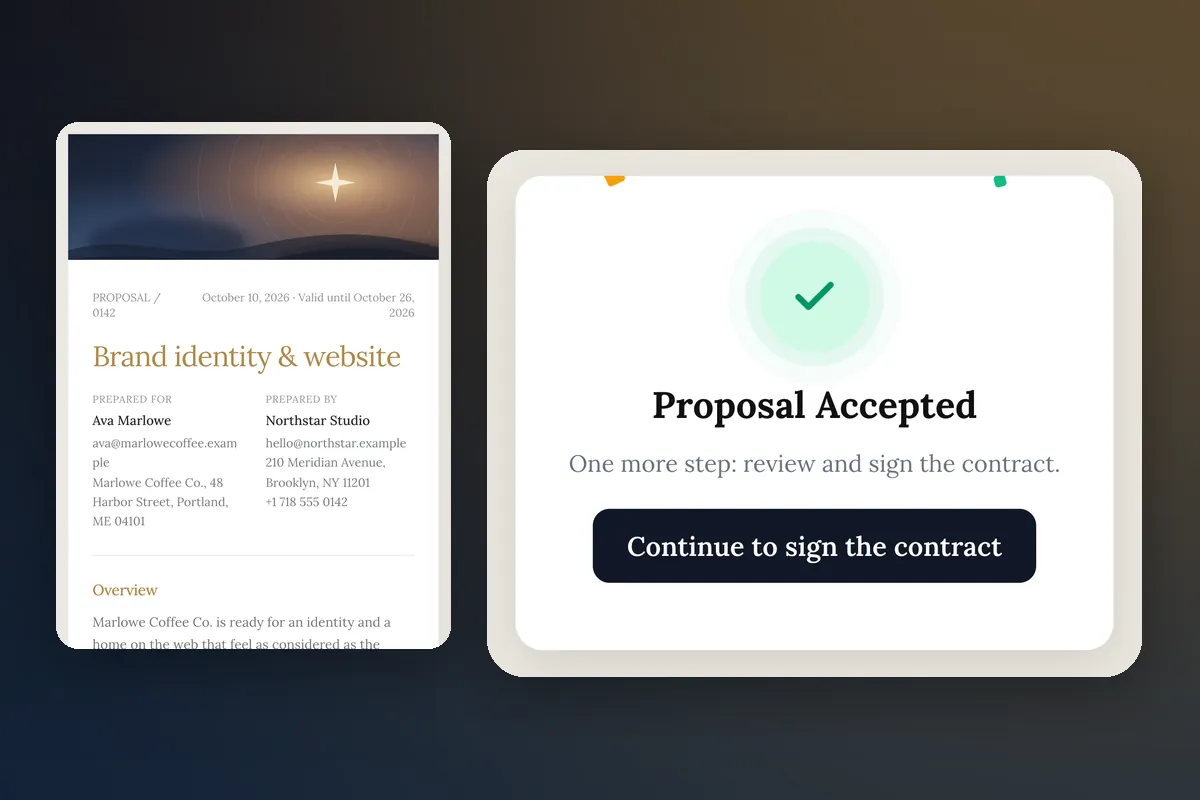
Quick answer
No, not to start. A solo freelancer can send a proposal, collect a deposit, get a contract signed, and take bookings without connecting a mailbox. Connect one when you want your replies threaded next to the client record. Move to a true shared inbox when a second person answers clients, when clients text or call you, or when email starts slipping through the cracks. Until then, a clean routine beats more tools.
What a shared inbox actually solves
A shared inbox solves three specific problems:
- Ownership. Who is answering this thread?
- History. What did we say to this client, across email, text and calls?
- Handoff. If I am out, can someone else pick it up?
If you are alone, the first and third do not exist. The second is real, but a client record with notes handles most of it.
What you can run without any inbox
In Workspace369, the client-facing flow does not depend on an inbox:
- Proposals. You need a client with an email address (or you copy the link and send it yourself), a title and at least one line item. If no mailbox is connected, proposal email goes from the platform sender.
- Deposits. You need Stripe connected. The client pays through Stripe Checkout. Deposit on acceptance is on every plan from Cadet, and a deposit invoice with a payment link works too.
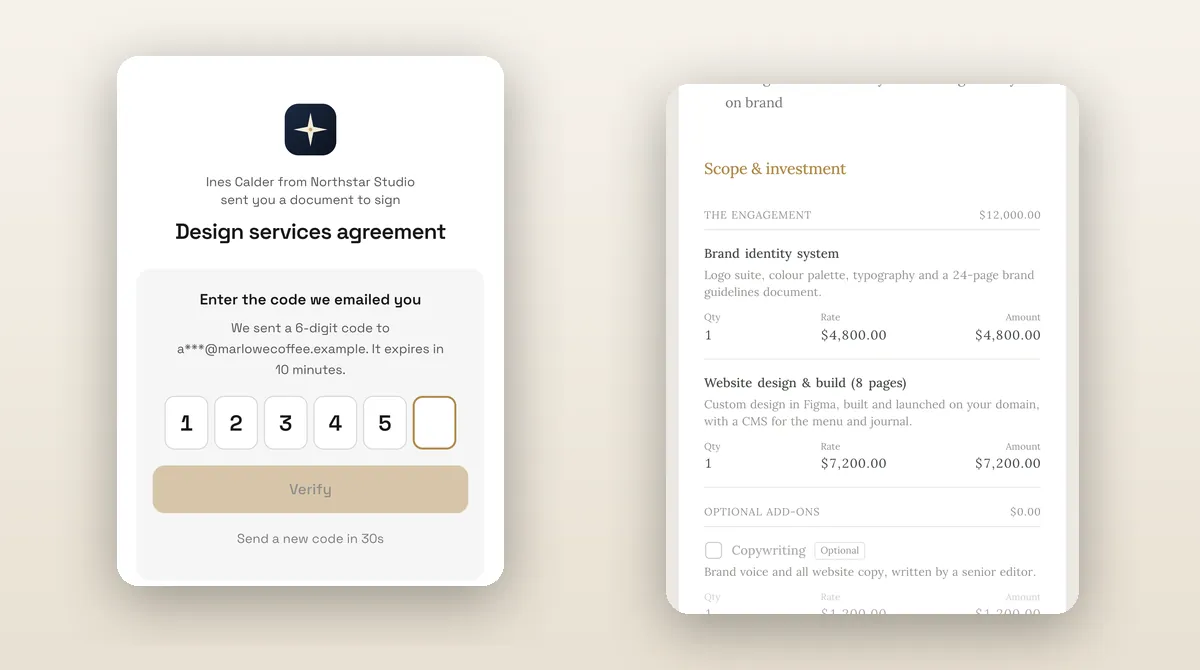
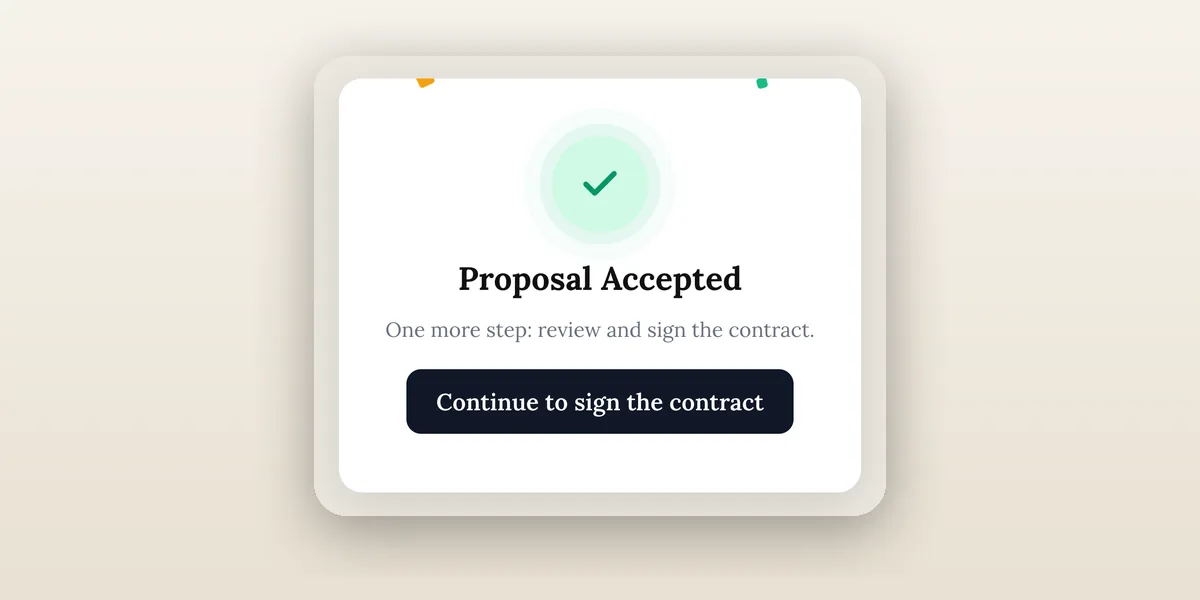
- Contracts. A contract attached to the proposal is sent automatically once the client accepts. Signing uses an email code.
- Booking. A booking page needs a service and a Specialist plan or higher, not an inbox.
That covers the money path from first contact to signed and paid. For the flow itself, see proposals and quoting.
What a connected mailbox adds
Connecting a mailbox is optional. When you do:
- Proposal and invoice mail goes from your own address.
- Replies thread into the Inbox next to the client.
- Templates and automations can send from the same address.
Do it when you notice yourself copying client emails into notes. Do not do it because a setup checklist says so.
Signs you have outgrown your personal inbox
- You search your mailbox for "invoice" to learn a client's status.
- Two clients with the same name get mixed up.
- A collaborator needs to reply while you are away.
- Clients start texting you at odd hours.
- You miss calls and have no record of what was said.
One sign is a prompt to tidy. Three or more is a prompt to change tools.
When SMS and voice start to matter
Some client work moves faster by text: appointment confirmations, "running ten minutes late", a quick approval. Others involve phone calls.
- Cadet has a single inbox. There is no SMS or voice.
- Voyager ($74/month) adds a shared inbox plus SMS, MMS and voice. A dedicated number carries a one-time $50 carrier compliance setup.
- Specialist ($149/month) adds the phone system: IVR, ring groups and call recording.
Text with clients only when they prefer it, and keep the same rules as email: a clear next step, a name, an opt-out where required. The SMS inbox for business guide covers compliance basics.
Team routing, when you add people
The moment a second person answers clients, three decisions appear: who owns a thread, how replies are assigned, and what a client sees as the sender. Plans give you more seats as you grow: Cadet 1, Voyager 2, Specialist 10, with extra seats at $10 a month from Voyager. If you are an agency or a studio with two or three people, a shared inbox is not a luxury; it is how clients stop getting two answers.
Where to see it in the product
For the communication side, see communications and the inbox. For the flow that does not depend on it, see proposals and quoting and workflow automation.
A light setup for a solo freelancer
- Add clients with an email address.
- Connect Stripe.
- Build one proposal template with a deposit and an attached contract.
- Turn on one email workflow for "proposal accepted".
- Leave the mailbox unconnected until you feel a reason to connect it.
Revisit after your first ten clients. By then you will know whether your pain is email volume, texting, calls, or nothing at all.
Common questions about going light
Will clients think I am less professional without a shared inbox? No. They see the sender name, the reply speed and the proposal, not your tooling.
Is a free personal mailbox fine? For starting out, yes, though a custom domain address reads better. Pick one and keep it consistent.
What about a team of two? At two people, consider Voyager so you share the inbox and texts, and use the shared inbox comparison if you prefer to stay with Google.
A simple rule for replying without an inbox tool
If you stay on a personal mailbox for now, give yourself three habits that do most of what a shared inbox would do:
- One home for each client. Keep the thread's outcome in the client record: a one-line note with the decision and the next step.
- Reply windows. Pick two times a day to answer clients, and tell new clients when to expect a response. Clients forgive a predictable same-day answer more easily than a random one.
- A single follow-up rule. If a proposal is opened and not accepted after two days, send one short message with the link and an offer to adjust the add-ons.
These habits cost nothing, and they make a later move to a shared inbox easier because your threads already follow a pattern. When you do upgrade, the move is mostly about adding people and channels rather than learning a new way of working.
What a shared inbox will not fix
Software routes messages. It does not decide what you promise. If clients get slow or inconsistent answers, the cause is usually unclear ownership or an unclear process, not a missing tool. Fix the process first: who replies, within what time, with what template. Then pick the tool that matches it, and keep the setup as light as the work allows.
Final recommendation
Start with the money path: proposal, contract, deposit, booking. Add a mailbox when threads start to matter, SMS and voice when clients ask for them, and a shared inbox when you hire. For a wider view of the stack, see freelance business software.
Run client follow-up in one workspace.
CRM, inbox, voice, invoicing, payments, projects, files, AI, and workflow automations — connected instead of exported.
14-day free trial. Card required. After the trial: from $29/month. Renews automatically every month until you cancel. Cancel anytime in Settings → Billing.
See pricing