Square vs Stripe for service businesses (2026)
Square vs Stripe for studios, salons, trainers and consultants: setup, payment methods, payouts, customers, recurring billing and in-person versus online fit.

By Simon Dziak, Founder, Workspace369 · LinkedIn
Workspace369 publishes this guide and connects to both Square and Stripe. It is a documentation-based comparison of vendor pages reviewed on 2026-10-31, not an independent benchmark.
Short answer: Square vs Stripe for service businesses comes down to where you get paid. Choose Square if most payments happen in person, because its readers and Tap to Pay share one account with its invoices. Choose Stripe if you bill mostly online or run recurring billing. Workspace369 publishes this guide and connects to both; it compares each vendor's own pages, reviewed on October 31, 2026, and is not an independent benchmark.
Key takeaways
- Square fits a business that takes most payments in person: its readers, register and Tap to Pay sit next to invoices and payment links in one account.
- Stripe suits a business that gets paid mostly online or on recurring billing: Stripe Billing runs subscriptions, and its checkout adds Link and Klarna.
- Both need identity and business verification before live payments, and both offer instant payouts for a fee on top of standard transfers.
- Both send invoices that clients pay by card or bank transfer (ACH), and both can charge a saved card on a schedule.
- This guide leaves processing costs out on purpose. Check each vendor's own pricing page for your volume.
What's inside?
What Square and Stripe are (and aren't)How we compared themSide by sideSetup: both verify you before money movesPayment methods: different wallets, both cover bank transfer on invoicesPayouts: both offer standard and instant transfersCustomers and recurring billingIn-person versus online fitUsing Square and Stripe with Workspace369
What Square and Stripe are (and aren't)
Both are payment processors: they take a client's card or bank payment and send the money to your bank account. Square sells counter hardware and a point-of-sale app, and also sends invoices and takes online payments. Stripe's core is online payments, plus billing, invoicing and in-person readers.
Neither replaces a client management system. They know who paid and what for, but not the proposal, the project or the conversation behind the payment. That part lives in your CRM or client portal, which can connect to one or both. Salons and trainers see this most: see CRM for hair salons and personal trainer software. If you set payment terms on invoices, the free invoice due date calculator works the same with either processor.
How we compared them
We read each vendor's own US pages on October 31, 2026 for six things a service business runs into in its first month:
- Setup: what you need before the first live payment.
- Payment methods: what clients can pay with online and on invoices.
- Payouts: standard timing and whether instant payouts exist.
- Customer records: saved contact details and cards on file.
- Recurring billing: recurring invoices, subscriptions and failed payments.
- In-person fit: readers, terminals and Tap to Pay.
We didn't test processing costs, approval times or support, and we left costs out on purpose: they depend on your volume and plan. Sources are listed at the end.
Side by side
| Square | Stripe | |
|---|---|---|
| Setup | Sign up online, verify identity before taking payments, add a verified bank account before the first transfer | Create an account, test in a sandbox, verify the business in the Dashboard before live payments |
| Online methods | Cards, Apple Pay, Google Pay, Afterpay and other wallets on its own checkout | Cards, Apple Pay, Google Pay, Link, Afterpay and Klarna |
| Invoices | Sent by email, text or share link; card or ACH bank transfer; partial payments optional | Emailed link to a hosted invoice page; card, ACH Direct Debit or bank transfer |
| Payouts | Standard transfers as soon as the next business day; instant transfers on demand for a fee | 2 business days for US accounts; Instant Payouts for a fee, usually within 30 minutes for eligible accounts |
| Customers | Customer Directory builds a profile with each sale, with purchase history and card on file | Customer objects save payment and contact details and group a customer's payments |
| Recurring | Recurring invoice series charge a card on file; declined payments aren't retried automatically | Stripe Billing for subscriptions and one-off or recurring invoices |
| In person | Readers, Terminal, Register, Stand, Tap to Pay on iPhone and Android | Terminal readers, Tap to Pay on compatible iPhone and Android |
Setup: both verify you before money moves
Square lets you finish signing up before you verify, but you can't take payments until the photo ID step is done, and you need a verified bank account before the first transfer. Hardware is optional.
Stripe gives you a sandbox to test in first. Before live payments you verify the business in the Dashboard and complete the activation steps for each Stripe service you use. New Stripe accounts also aren't immediately eligible for Instant Payouts.
Payment methods: different wallets, both cover bank transfer on invoices
Both take cards, Apple Pay, Google Pay and Afterpay online, and each lists other wallets on its own checkout. Stripe adds Link, its saved-details wallet, and Klarna. On invoices, both let clients pay by bank transfer: Square calls it ACH bank transfer, and Stripe offers ACH Direct Debit and bank transfer.
If your clients are businesses paying larger invoices, bank transfer matters more than wallets, and both cover it. Check that the wallets your clients use are on the vendor's list.
Payouts: both offer standard and instant transfers
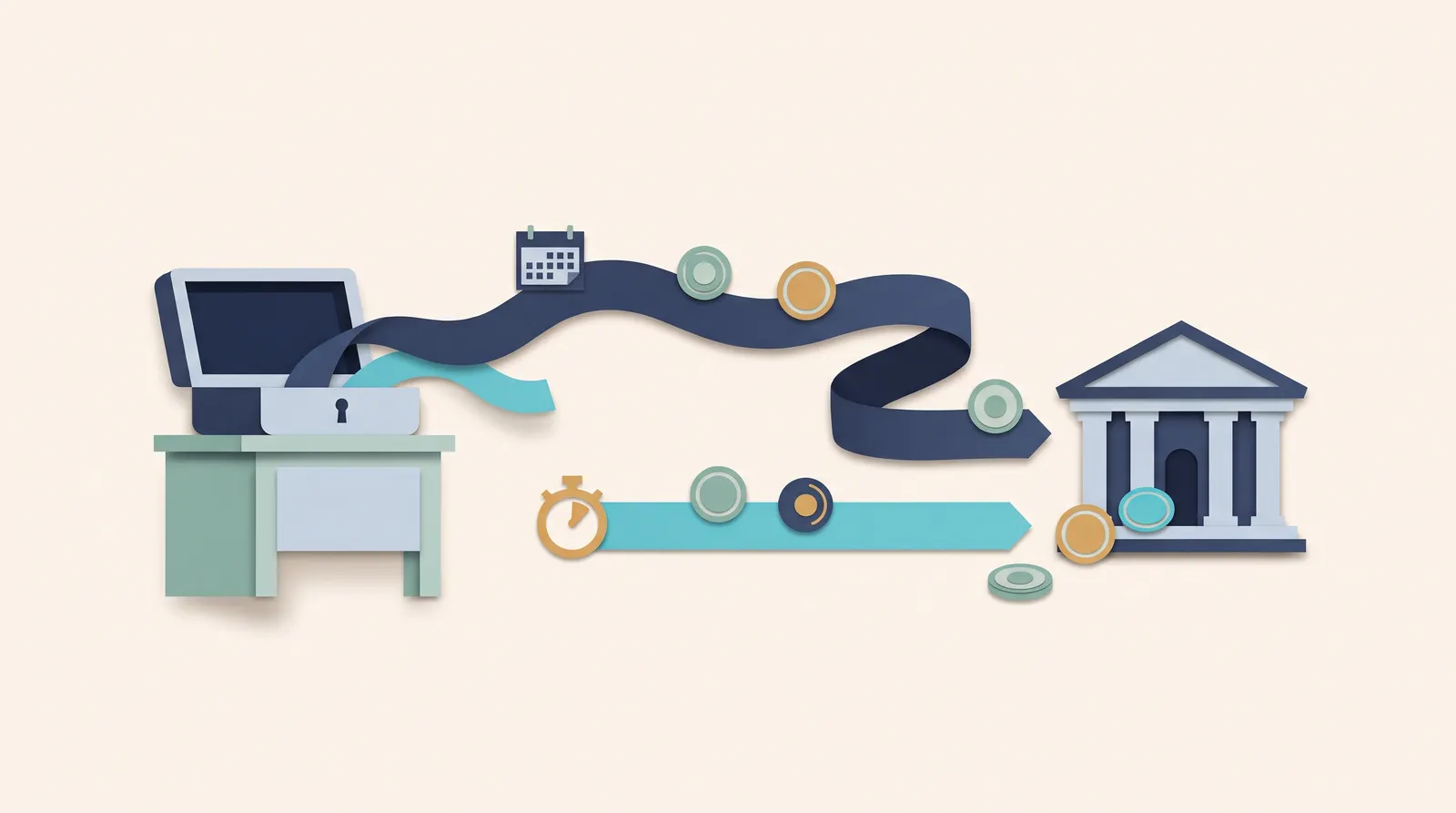
Square says standard transfers can arrive as soon as the next business day, and instant transfers are available on demand for a fee, even on nights and weekends. Stripe's payout docs list 2 business days for US accounts, and Instant Payouts, also for a fee, usually reach your bank within 30 minutes for eligible accounts (new accounts aren't eligible right away).
Compare timing for your own account, since eligibility and banking days vary. For a consultant paid on 30-day invoices, a day either way rarely matters (invoicing software for consultants).
Customers and recurring billing
Square builds a customer profile automatically with each sale, with contact details, purchase history and a card on file. Recurring invoice series charge that card on schedule. One limit to know: Square's help page says it won't automatically retry a declined recurring payment, so you follow up yourself.
Stripe's Customer object holds payment and contact details and groups each customer's payments, and Stripe Billing runs subscriptions and recurring invoices without code. Stripe Billing is its dedicated product for recurring revenue such as retainers and monthly coaching; Square also offers Square Subscriptions for scheduled products or services.
In-person versus online fit
This is the biggest difference. Square sells a full counter setup: card readers, Terminal, Register and stands, plus Tap to Pay on iPhone and Android with no reader at all. A salon or studio can run the front desk on Square and send invoices from the same account.
Stripe Terminal covers in-person payments too, with EMV-certified readers and Tap to Pay on compatible phones, alongside or instead of readers.
| If you... | Lean toward |
|---|---|
| Take most payments at a front desk or on your phone | Square |
| Already run your counter on Square | Square |
| Bill mostly by invoice or online, with clients paying remotely | Stripe |
| Run retainers, subscriptions or memberships | Stripe |
| Want Link or Klarna at checkout | Stripe |
| Do both: counter payments and online billing | Both, connected to one client system |
Using Square and Stripe with Workspace369
Workspace369 connects to both through your own accounts, and you don't have to pick one for good. With both connected, you choose which one new payments use, and you can switch later.
When Square is the payment option, clients pay invoices, payment links and proposal deposits on a page marked "Secured by Square", by card or Google Pay, and the money goes to your Square account. Stripe handles bank transfers (ACH), card autopay on recurring invoices, and memberships.
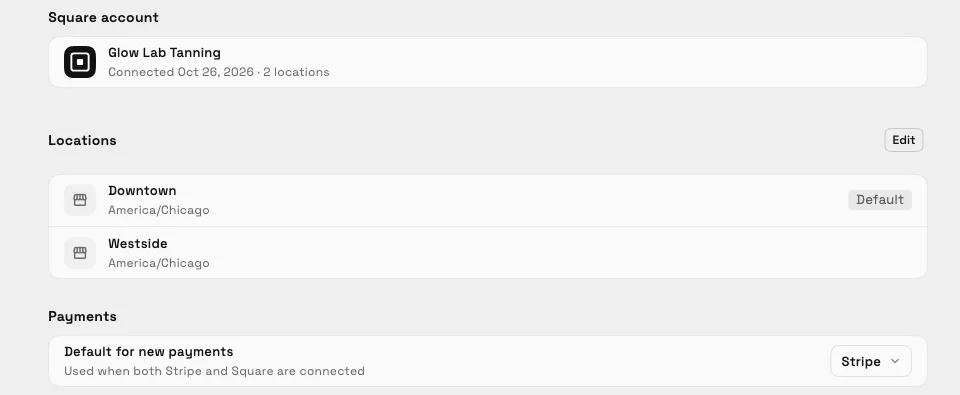
Demo account. Example data.
The guide to accepting Square payments in your client portal shows what clients see, and Connect Square has the setup steps.
To try it with your own accounts, start a 14-day trial (card required, then $29/month on Cadet until you cancel) and connect Stripe, Square or both from Settings → Integrations.
Sources reviewed for this guide
- Square: get started guide
- Square: online payment methods
- Square: create and send invoices
- Square: instant transfers
- Square: Customer Directory
- Square: recurring invoice series
- Square: Tap to Pay on iPhone
- Stripe: account setup
- Stripe: payment methods
- Stripe: Invoicing
- Stripe: payouts
- Stripe: Customers API
- Stripe: Billing
- Stripe: Terminal
Run client follow-up in one workspace.
CRM, inbox, voice, invoicing, payments, projects, files, AI, and workflow automations — connected instead of exported.
14-day free trial. Card required. After the trial: from $29/month. Renews automatically every month until you cancel. Cancel anytime in Settings → Billing.
See pricing