Inbox & callsWorkspace & team
May 2026: email in your inbox, multiple phone numbers and clearer team permissions
Write and preview email from the inbox, run several email addresses and phone numbers, delete and block safely, and set team permissions with role presets.

Write, preview and send email without leaving your inbox
Compose an email with attachments, pick a branded template, and preview exactly how it will look to your client before you send. Mail you send lands in the client's conversation in the inbox, so the whole thread is in one place.
- Where to find it
- Emails and Inbox in the sidebar
- Plans
- Every plan
Several email addresses, each with its own auto-reply
Add more than one email address to the inbox. Each address can have a catch-all, its own auto-reply and assigned owners, and outbound mail shows its delivery status.
A signature builder lets you design signatures with embedded images.
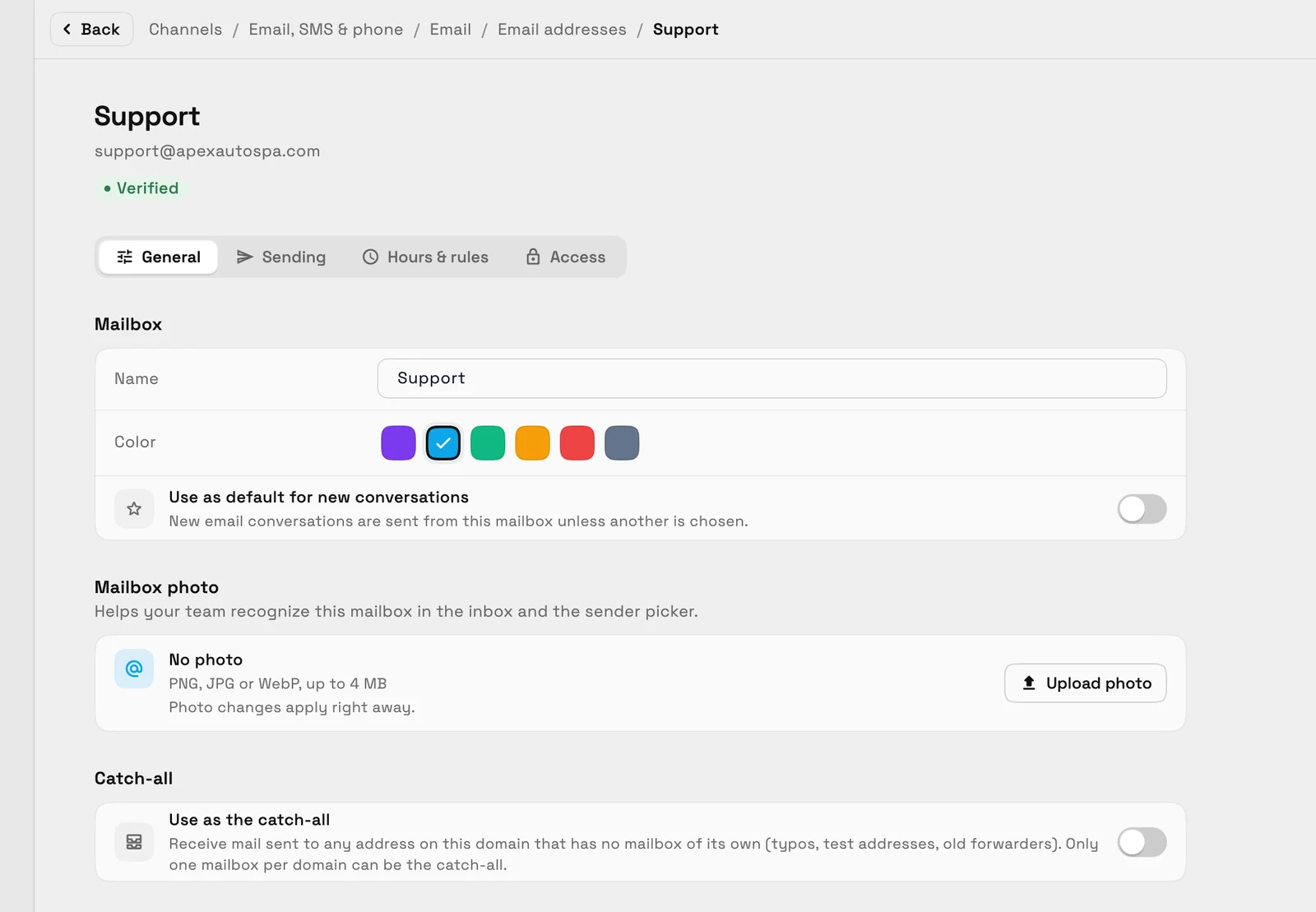
- Where to find it
- Settings
- Email, SMS & phone
- Email addresses
- Plans
- Every plan
- Learn more
- Inbox and communicationsInbox tutorial
Delete, mute and block without losing anything by accident
Delete a conversation and it goes to a Trash you can restore from for 30 days by default, with a five-second undo right after. Mute noisy threads so they stop interrupting you.
Block a sender across email, texts and calls from one blocked list. Blocking texts and calls needs a plan with texting and voice, which starts at Voyager.
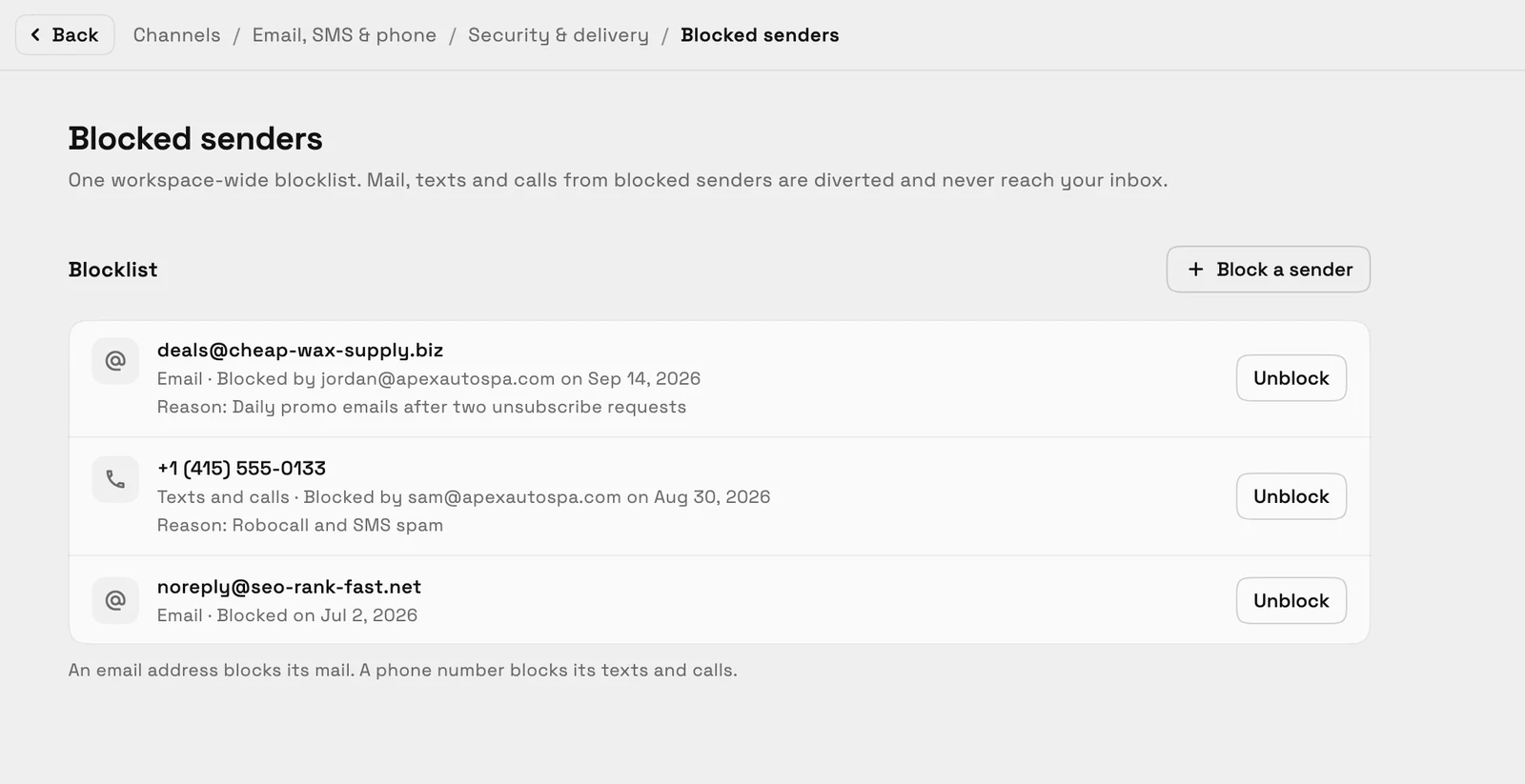
- Where to find it
- Inbox
- conversation menu; Trash folder
- Plans
- Every plan
- Learn more
- Inbox and communicationsShared inbox
Use more than one phone number for texts and calls
Add more than one SMS and voice number, then pick which number to text or call from. Each number can have its own business hours and voicemail greeting, and on Specialist and above its own phone menu.
- Choose the number to text or call from
- Hours, voicemail and phone menu per number

- Where to find it
- Settings
- Email, SMS & phone
- Phone & SMS
- Phone numbers
- Plans
- Voyager and up
Set what each team member can do with role presets
Start from a role preset, then fine-tune a member's access in a Permissions tab written as plain sentences. The controls cover each main area of the app, from invoices and clients to tasks and files.
A page a member cannot open now shows a friendly no-access message instead of a blank screen.
- Where to find it
- Settings
- Team & seats
- a member
- Permissions
- Plans
- Every plan
Ready when you are
See where Workspace369 fits into your client-work flow.
Start with the modules you need today, then turn on AI, automations, accounting, inventory, requests, and reporting as the operation grows.
14-day free trial. Card required. After the trial: from $29/month. Renews automatically every month until you cancel. Cancel anytime in Settings → Billing.
