Inbox & callsWorkflows
Send email from your own app with the Workspace369 email API
Owners and admins can create send-only email API keys, so your own app or website sends email from a verified domain with one API call. Each send uses your email credits.
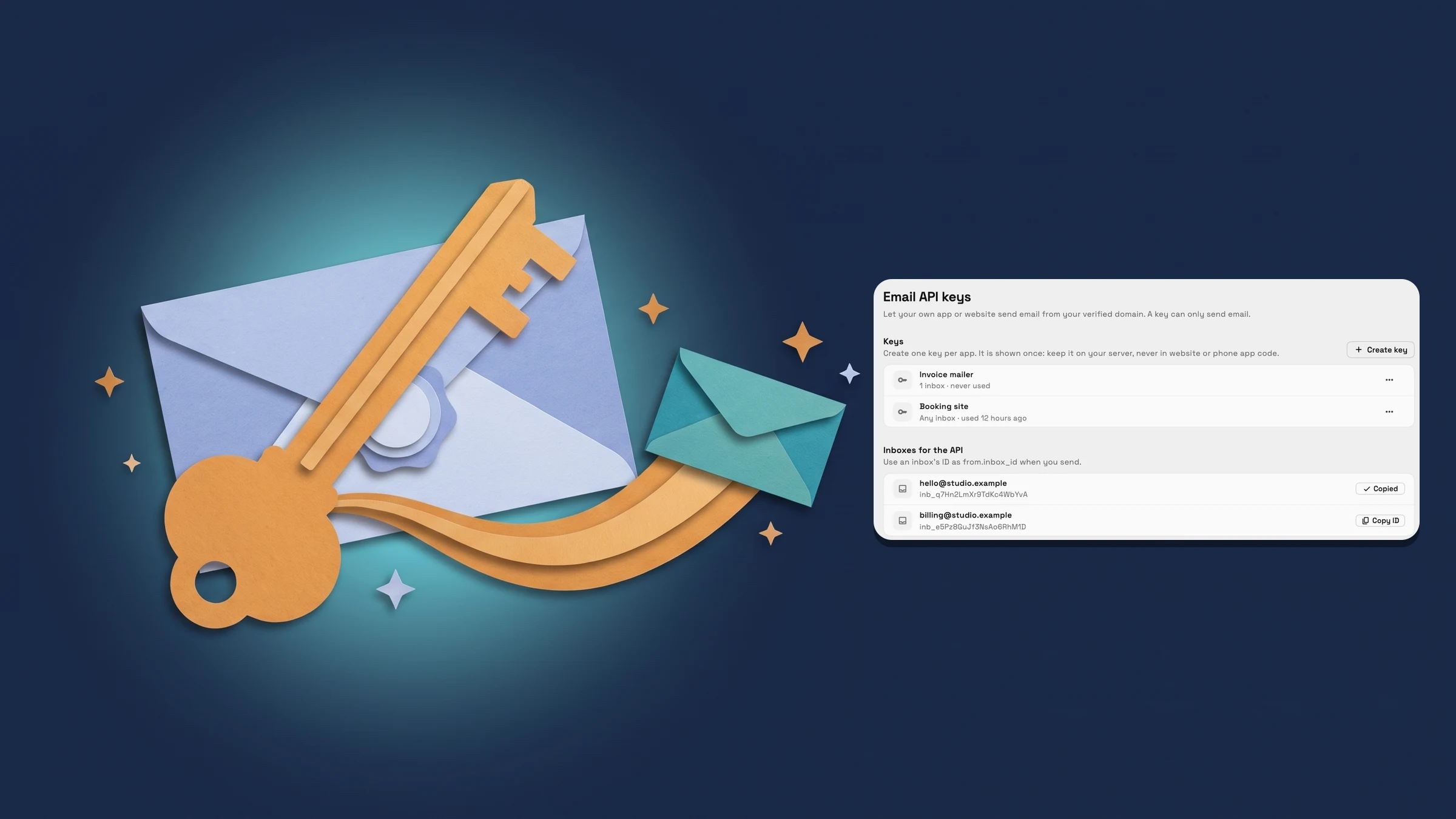
Let your own app or website send email from your verified domain
Workspace369 now has an email API. Your own app or website can send an email from an inbox on your verified custom email domain with one call to POST https://mcp.workspace369.com/v1/email/messages. The request names the inbox it sends from, one recipient, a subject and a text or HTML body, and attachments are allowed. The call carries an email API key as a bearer token, and an optional Idempotency-Key header makes a retry safe.
Workspace owners and admins with AI connections access create the keys in Settings → Integrations → For developers → Email API keys. Create key asks for a name, such as Booking site, and lets you limit the key to chosen inboxes or leave it on Any inbox. The key is shown once, so copy it into your server's secrets. It can only send email, and it should never go in website or phone app code. Creating a key can ask you to sign in again first. Each key in the list shows whether it is on Any inbox or limited to some inboxes, and when it was last used, and Revoke in its menu stops any app using it from sending right away.
Below the keys, Inboxes for the API lists the active inboxes on your own domain, each with its inb_ ID to use as from.inbox_id. Copy ID copies it. An inbox whose domain isn't verified yet is marked Domain not verified and can't send. Each email sent through the API uses your email credits and a little of your plan's AI usage, and a send is refused with a clear error when the workspace has no email credits left or has run out of AI usage. It works on any plan that can use a verified custom email domain, which is Cadet and above.
- Create send-only email API keys, shown once, limited to chosen inboxes or any inbox
- Copy an inbox's inb_ ID for from.inbox_id
- Revoke a key and the app using it stops sending right away
- Where to find it
- Settings
- Integrations
- For developers
- Email API keys
- Plans
- Every plan
Quick answers
- Who can create email API keys?
- Workspace owners and admins with AI connections access. In Settings → Integrations → For developers → Email API keys, choose Create key, name it and copy the key. It is shown only once.
- Which address does the email API send from?
- From an inbox on your own verified domain, such as hello@studio.example. The request names the inbox with its inb_ ID, which you can copy from Inboxes for the API on the same page.
- Does the email API use my email credits?
- Yes. Each email sent through the API uses your email credits and a little of your plan's AI usage. A send is refused with an error when the workspace has no email credits left or has run out of AI usage.
- Can I limit a key to one inbox?
- Yes. When you create a key, leave it on Any inbox or pick the inboxes it can send from. A key limited to one inbox can't send from the others.
- What if an email API key leaks?
- Open the key's menu in Email API keys and choose Revoke. Apps using it stop sending right away, and you can create a new key for them.
- Which plans include the email API?
- Any plan that can use a verified custom email domain: Cadet, Voyager, Specialist, Commander and Enterprise. The inbox you send from must be on a verified domain.
Related updates
 The Builder API now comes with every plan
 A tidier New email window, with every tool in one bar
 Webhooks for new clients and stage changes
Send email from your own app with the Workspace369 email API, in your own workspace
Start your free trial, then find it under Settings.
14-day free trial. Card required. After the trial: from $29/month. Renews automatically every month until you cancel. Cancel anytime in Settings → Billing.