Billing & payments
Refund a card payment straight from the invoice
Owners and admins can now refund all or part of a Stripe card payment from the invoice it paid, choose whether the invoice stays paid, and follow the refund to the card.
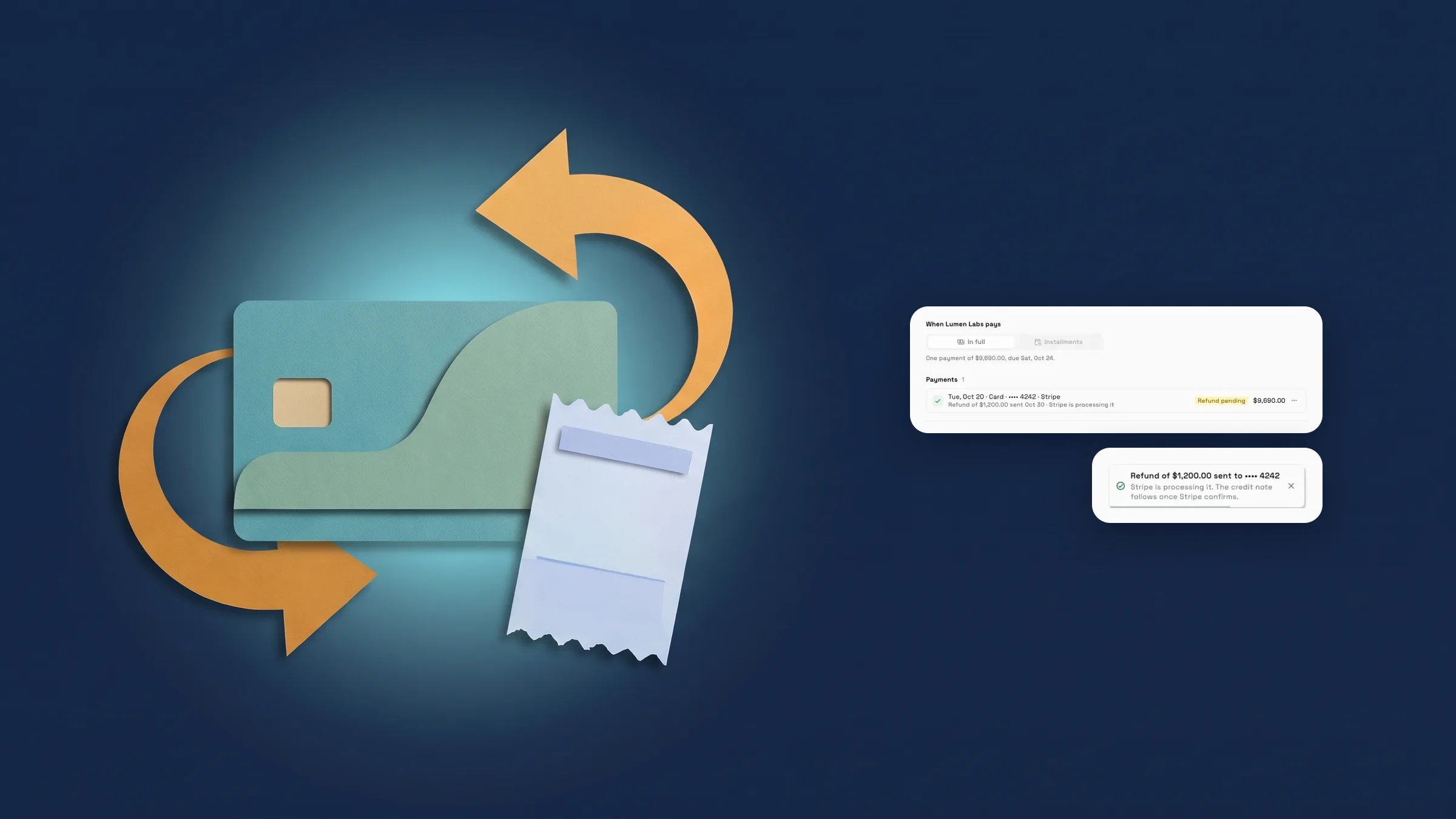
Refund a card payment from the invoice
Open an invoice, go to its Payment tab and open the ⋯ menu on a card payment taken through Stripe. Choose Refund…, and in the Refund payment sheet check the summary of the payment and how much can be refunded, then pick Full or Part of it. The money goes back to the card the client used.
Under On the invoice, choose what happens to it: Credit note · invoice stays paid keeps it paid and records the refund on a credit note, or Client owes the amount again makes the invoice due again so payment reminders can go out. Pick a reason (Requested by the client, Duplicate payment, Fraudulent payment or Other reason) and confirm with Refund and the amount. Your choice takes effect once Stripe confirms the refund. An invoice paid through a pay link keeps it paid with a credit note, unless you choose Client owes the amount again. Processing fees aren't returned.
The payment then shows Refund pending, Refunded with the amount, or Refund failed, in which case nothing was refunded. For a payment you recorded by hand, the same menu opens Record a refund, which records that you paid the client back outside Workspace369 without moving money. Only owners and admins can refund, on every plan. It is on the web app now and comes to the iPhone app with its next update.
- Full or partial refunds from the invoice's Payment tab
- Keep the invoice paid with a credit note, or make it due again
- Refund pending, Refunded and Refund failed on the payment row
- Where to find it
- Invoices
- an invoice
- Payment
- a payment's ⋯ menu
- Refund…
- Plans
- Every plan
Quick answers
- Can I refund a card payment from an invoice in Workspace369?
- Yes. Open the invoice's Payment tab, open the ⋯ menu on a card payment taken through Stripe and choose Refund…. The money goes back to the card the client used.
- Can I refund only part of a payment?
- Yes. Choose Part of it and enter the amount, or Full to refund the whole payment.
- Does the invoice stay paid after a refund?
- You choose. Credit note · invoice stays paid keeps it paid and records the refund on a credit note. Client owes the amount again makes it due again, so payment reminders can go out. A pay link invoice stays paid with a credit note unless you choose Client owes the amount again.
- Who can refund a payment, and on which plans?
- Owners and admins, on every plan.
- Are processing fees returned when I refund?
- No. Processing fees aren't returned.
Related updates
 Accounting reports move to one clear report page
 Sell memberships and check members in
 Reports now opens with your key figures
Refund a card payment straight from the invoice, in your own workspace
Start your free trial, then find it under Invoices.
14-day free trial. Card required. After the trial: from $29/month. Renews automatically every month until you cancel. Cancel anytime in Settings → Billing.