Workspace & teamClients & CRM
Try a sample client, proposal and invoice, and remove them in one tap
On the first-client step of a new trial, one tap adds a sample client, draft proposal and draft invoice to explore, and Home removes them in one tap when you are ready.
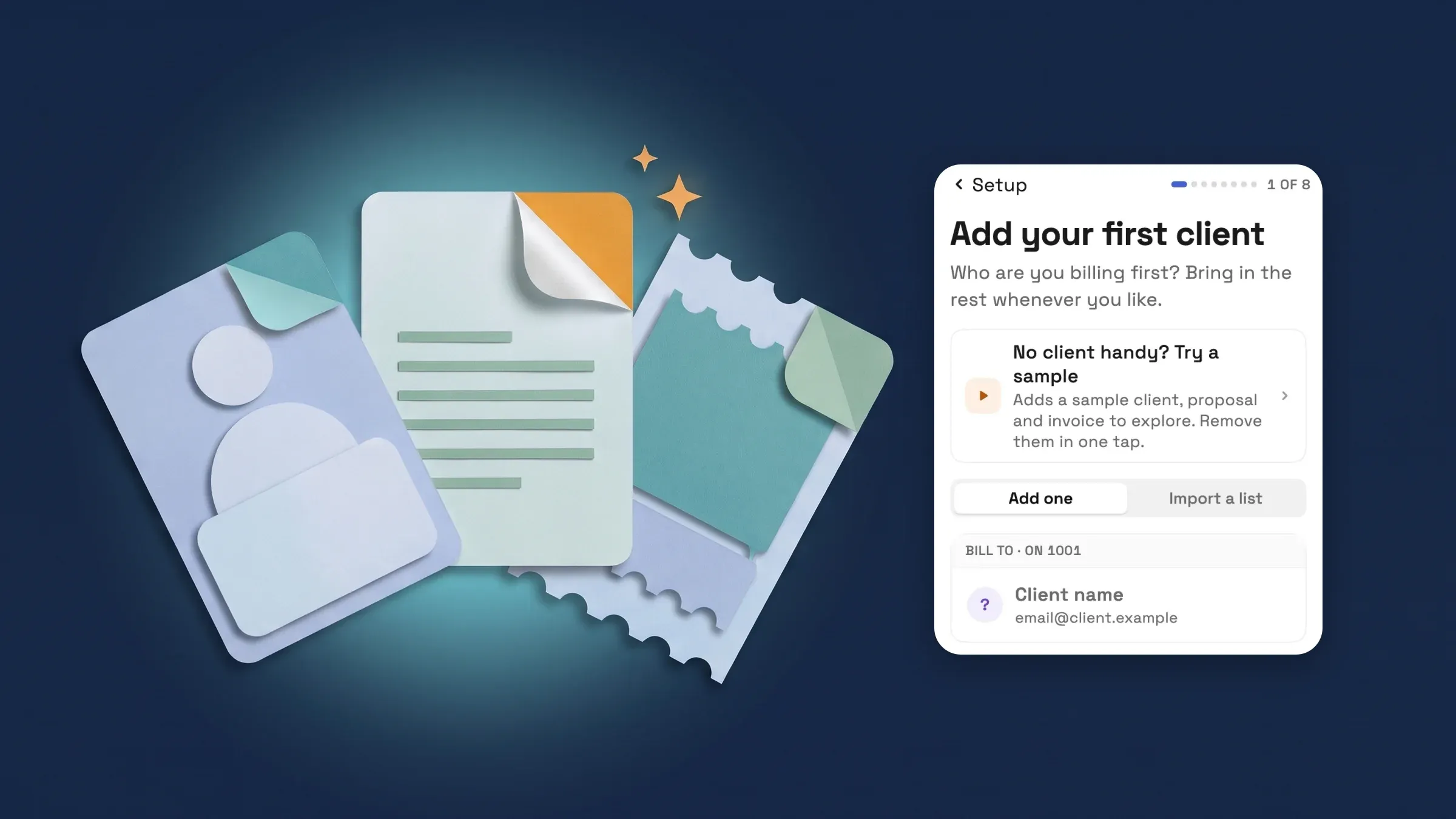
A sample client, proposal and invoice to explore
No client to bill yet? The first-client step now has a No client handy? Try a sample card above the form. One tap adds a sample client, a draft proposal and a draft invoice, closes setup and opens the sample proposal in the editor, so you can see the app working before you have anyone to bill. The step opens by itself once after the card step of a free trial that has no clients, and you can reach it later from Add your first client on Home. The sample card shows whenever the workspace has no clients and you can create clients, proposals and invoices.
The sample client is Riverside Bakery (sample), saved with your own email address, so anything you send to it reaches only you. The proposal, Website refresh (sample), has a Homepage design line and a Monthly care plan as an optional extra, and the invoice, Website deposit (sample), is a draft deposit. Every record is marked (sample), and none of them counts as finishing a setup step.
While any sample record exists, Home shows a You're exploring sample data banner with Remove sample data. One tap removes the sample client, proposal and invoice, with a message when it is done. A sample client you renamed, or built real work on, stays as yours. One that was sent and accepted or paid stays too, and the message tells you to delete it from its list. It is on all plans, on the web app now and comes to the iPhone app with its next update.
- Try a sample sits above the form on the first-client step
- The sample client uses your own email address, so sends reach only you
- Remove sample data on Home clears it in one tap
- Where to find it
- Home
- Add your first client
- Try a sample; Home
- Remove sample data
- Plans
- Every plan
Quick answers
- What does Try a sample add to my workspace?
- A sample client called Riverside Bakery (sample), a draft proposal called Website refresh (sample) and a draft invoice called Website deposit (sample). Each is marked (sample), and the sample proposal opens in the editor.
- Will the sample client get emails I send?
- The sample client is saved with your own email address, so anything you send to it reaches only you.
- Who sees the sample card?
- It shows on the first-client step when your workspace has no clients and you can create clients, proposals and invoices. The step opens by itself once after the card step of a free trial.
- How do I remove the sample data?
- While sample records exist, Home shows a banner with Remove sample data. One tap removes them. A sample client you renamed or built real work on stays, and one that was sent and accepted or paid stays and has to be deleted from its list.
- Does the sample count as setting up my workspace?
- No. Sample records never complete a setup step such as your first client, a sent proposal or your first invoice.
Related updates
 New workspaces get a Set up my pipeline starter in AI chat
 Sell memberships and check members in
 Webhooks for new clients and stage changes
Try a sample client, proposal and invoice, and remove them in one tap, in your own workspace
Start your free trial, then find it under Home.
14-day free trial. Card required. After the trial: from $29/month. Renews automatically every month until you cancel. Cancel anytime in Settings → Billing.