Clients & CRMWorkflows
Webhooks for new clients and stage changes
Webhooks can now tell Zapier, Make, n8n or your own server when a client is created or moves to a new pipeline stage. On every plan, on the web app now.
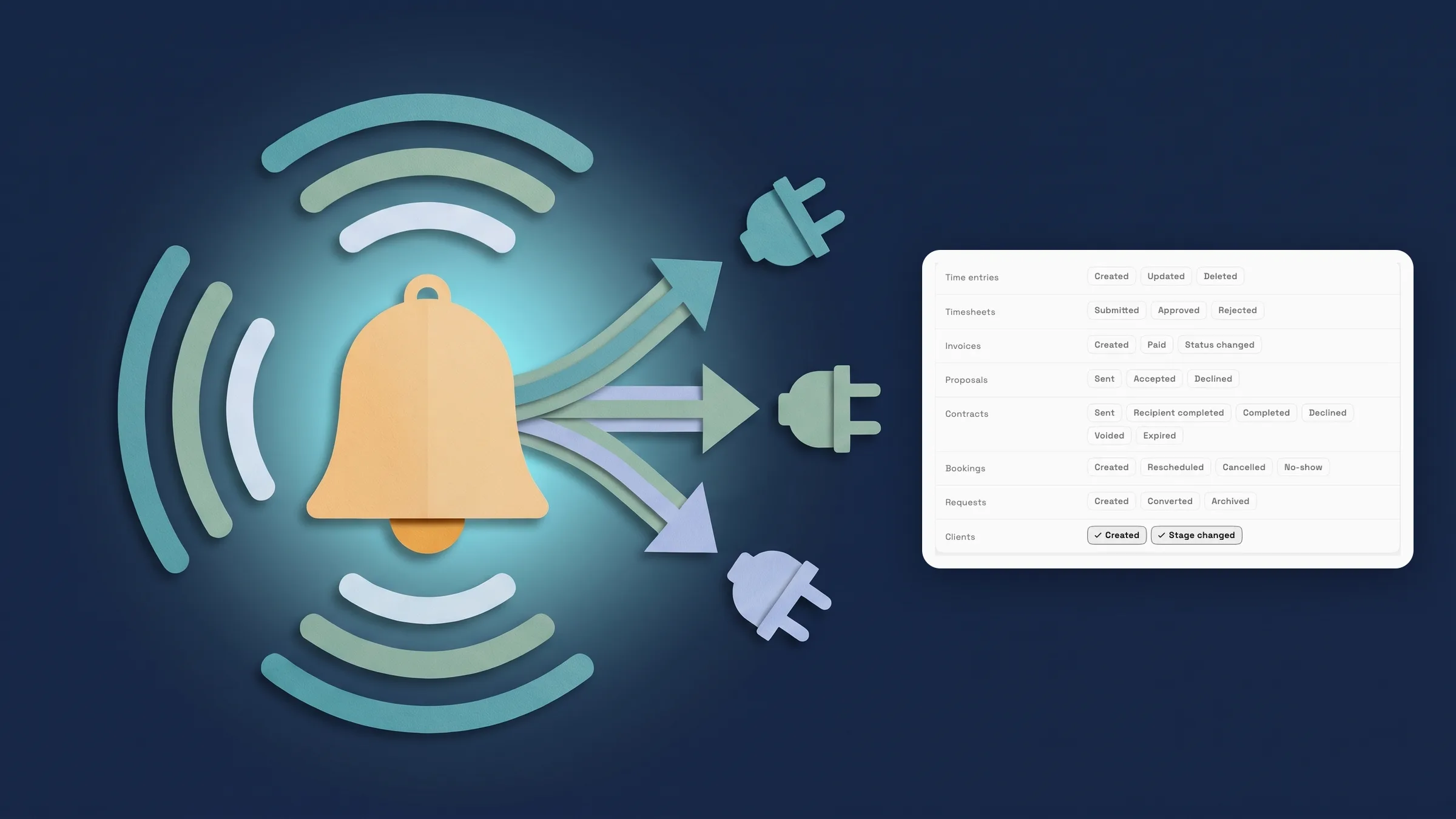
Send a webhook when a client is created or changes stage
Settings → Webhooks now has a Clients group with two events: Created and Stage changed. Tick Created and your tool hears about every new client. Tick Stage changed and it hears each time a client moves to another stage of your pipeline, so a Zapier, Make or n8n flow can add the person to your email tool, post in Slack or start a handoff the moment a lead moves on.
Stages are the ones you set up in Settings → Clients → Stages and see as columns on the pipeline board, so a webhook can follow a lead from its first stage to the last. Open an existing webhook, or choose New webhook, and tick the events you want next to the others, such as invoices and proposals.
The Clients group is offered to team members who can see every client. Someone limited to their own clients, or without access to Clients, does not see it, and a webhook that already has client events keeps the group so those events can be taken off.
Client webhooks are on every plan, and they are on the web app now and come to the iPhone app with its next update.
- Created and Stage changed events
- Follows the stages on your pipeline board
- Offered to members who can see every client
- On every plan
- Where to find it
- Settings
- Webhooks
- New webhook
- Clients
- Plans
- Every plan
Quick answers
- Which client events can a Workspace369 webhook send?
- Two: Created, when a new client is added, and Stage changed, when a client moves to another pipeline stage. Both are in the Clients group of Settings → Webhooks.
- Which plans include client webhooks?
- Every plan: Cadet, Voyager, Specialist, Commander and Enterprise. Webhooks themselves come with every plan.
- Where do I turn on client webhooks?
- Go to Settings → Webhooks, open a webhook or choose New webhook, and tick Created or Stage changed in the Clients group.
- Why don't I see the Clients group in Webhooks?
- It is offered only to team members who can see every client. Members limited to their own clients, or without access to Clients, don't see it.
- Do client webhooks follow my pipeline stages?
- Yes. Stage changed fires when a client moves to another stage, using the stages you set in Settings → Clients → Stages and see on the pipeline board.
- Are client webhooks in the iPhone app?
- They are on the web app now and come to the iPhone app with its next update.
Related updates
 The Builder API now comes with every plan
 New workspaces get a Set up my pipeline starter in AI chat
 Sell memberships and check members in
Webhooks for new clients and stage changes, in your own workspace
Start your free trial, then find it under Settings.
14-day free trial. Card required. After the trial: from $29/month. Renews automatically every month until you cancel. Cancel anytime in Settings → Billing.