Clients & CRM
A redesigned client profile on phone, tablet and desktop
Client profiles now lead with the client. On a phone, Call, Email and SMS sit under the name; on tablet and desktop, fields sit left and records right.
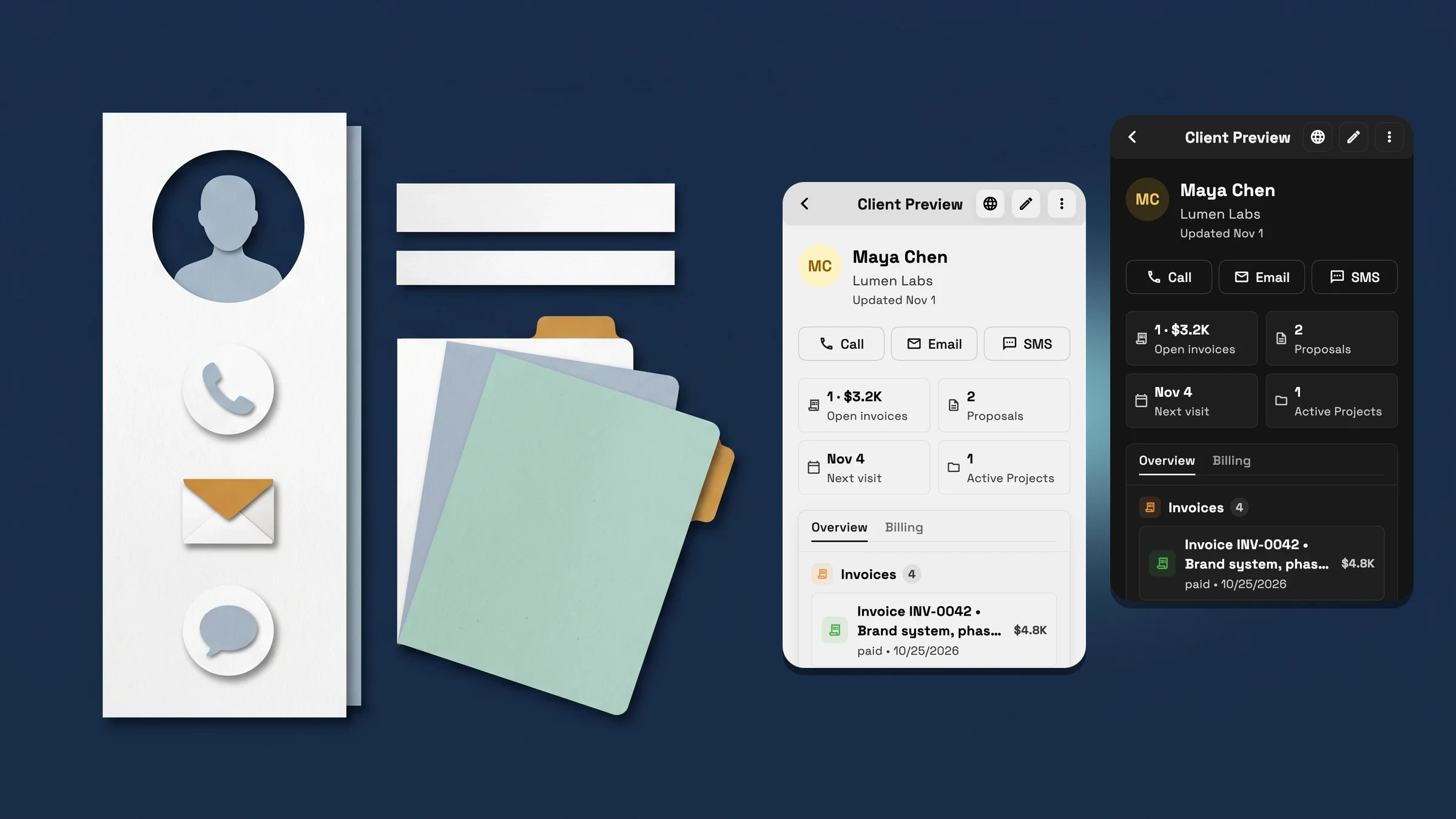
On a phone, the client and how to reach them come first
Open a client on your phone and the profile starts with the client: their photo or initials, full name, company and when the record was last updated. Tap the photo to change the name or picture. Right under the name are Call, Email and SMS buttons, so reaching the client takes one tap. Each button shows only when the client has that kind of contact, so a client with no phone number gets no Call or SMS. Call always offers Call using phone, which opens your device's dialer, on every plan. Sending texts from Workspace369 starts on Voyager: on Cadet, SMS opens the message composer, and sending shows an upgrade prompt.
Next come the numbers: open invoices, proposals, the next visit and active projects. Tap one to open that list. Below them are the client's latest records, such as invoices, schedules, projects, proposals, documents, notes and contracts, and for a business client its contact persons, now shown once. Then come the client's own fields, with each label above its value, so neither gets cut off when your phone uses large text, followed by tags and notes.
It is on every plan, on the web app now, and comes to the iPhone app with its next update.
- Call, Email and SMS one tap under the client's name (texting from Voyager)
- Open invoices, proposals, next visit and active projects, each opening its list
- Field labels sit above their values, readable at large text sizes
- Where to find it
- Clients
- a client
- Plans
- Every plan
On tablet and desktop, the client profile is a record page
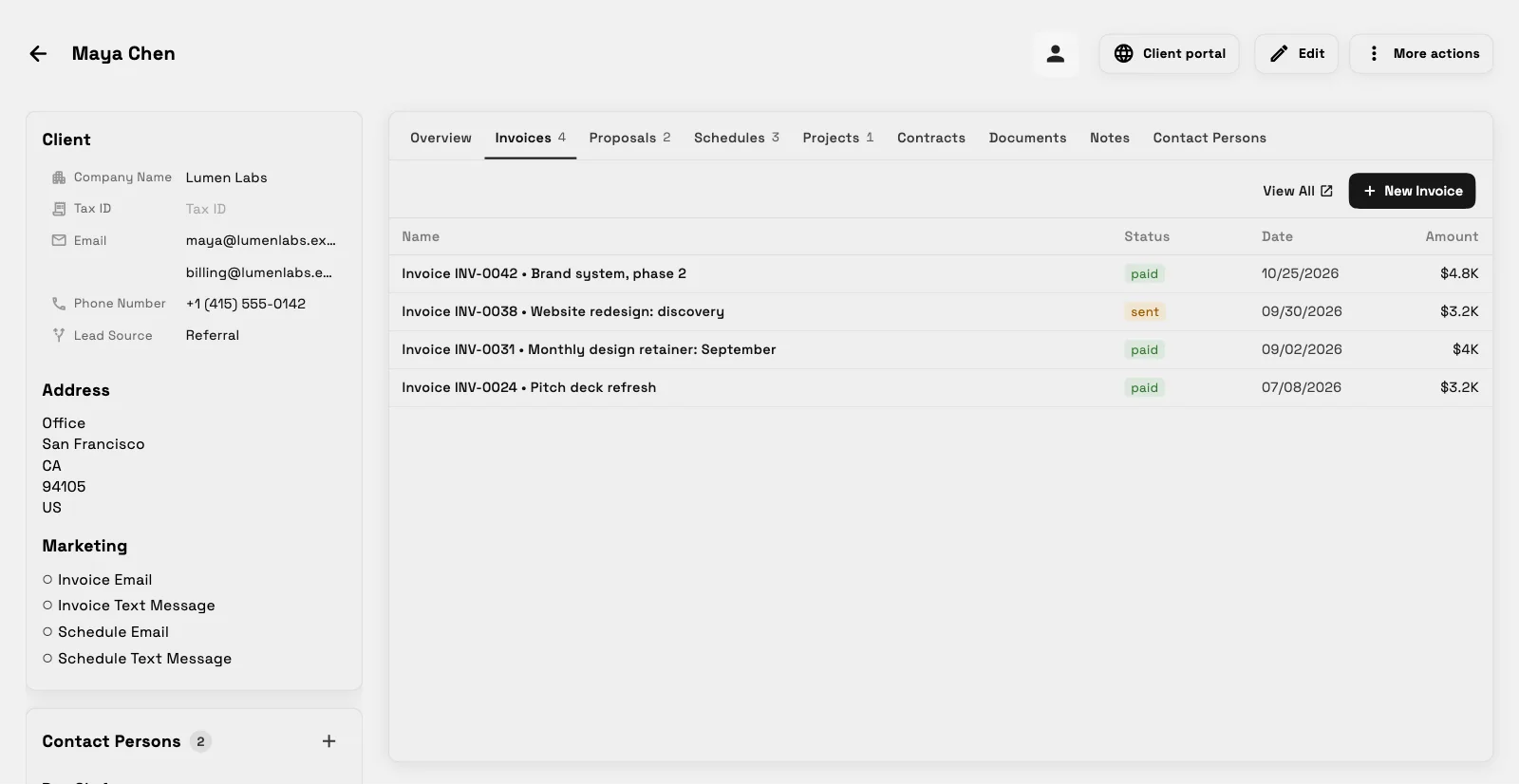
On a tablet or desktop, the client profile now works like a record page. The client's own fields sit in a column on the left: contact and business details, which you can edit in place if you can edit clients, contact persons for a business client, tags, and when the record was last updated. Everything linked to the client sits on the right, one tab at a time.
The tab row starts with Overview, then Invoices, Proposals, Schedules, Projects, Contracts, Documents and Notes, plus Contact Persons for a business client. It wraps onto a second line instead of scrolling sideways, so no tab is ever out of view. Overview opens with one line of numbers, Open invoices, Proposals, Next visit and Active Projects, and each one opens its tab.
Invoices, Proposals, Schedules and Projects fill the page as tables with their columns side by side: name or title, status and date, plus time and location for schedules, progress for projects, and amount for invoices and proposals when you can see prices. Those four tabs have View All for the full list and a pager past 25 rows, and each tab has its add button when you are allowed to create. It is on every plan, on the web app now, and comes to the iPad app with its next update.
- Client fields on the left, linked records on the right
- Overview first, and the tab row wraps so every tab stays in view
- Invoices, Proposals, Schedules and Projects as full-height tables
- Where to find it
- Clients
- a client
- Plans
- Every plan
Quick answers
- What changed on the client profile on a phone?
- It now opens with the client's photo, name and company, then Call, Email and SMS buttons, then open invoices, proposals, next visit and active projects, then the client's latest records, then the client's fields with each label above its value, then tags and notes.
- Can I call, email or text a client from their profile?
- Yes. On a phone, Call, Email and SMS sit under the client's name when the client has a number or email. Call using phone opens your device's dialer on every plan. Sending texts from Workspace369 starts on Voyager; on Cadet, sending shows an upgrade prompt.
- What does the client profile look like on a tablet or desktop?
- It is a record page: the client's fields in a column on the left and a tab row on the right with Overview, Invoices, Proposals, Schedules, Projects, Contracts, Documents and Notes, plus Contact Persons for a business client.
- Which plans include the redesigned client profile?
- Every plan: Cadet, Voyager, Specialist, Commander and Enterprise.
- Is the new client profile in the iPhone and iPad apps?
- It is on the web app now and comes to the iPhone and iPad apps with their next update.
Related updates
 New workspaces get a Set up my pipeline starter in AI chat
 Sell memberships and check members in
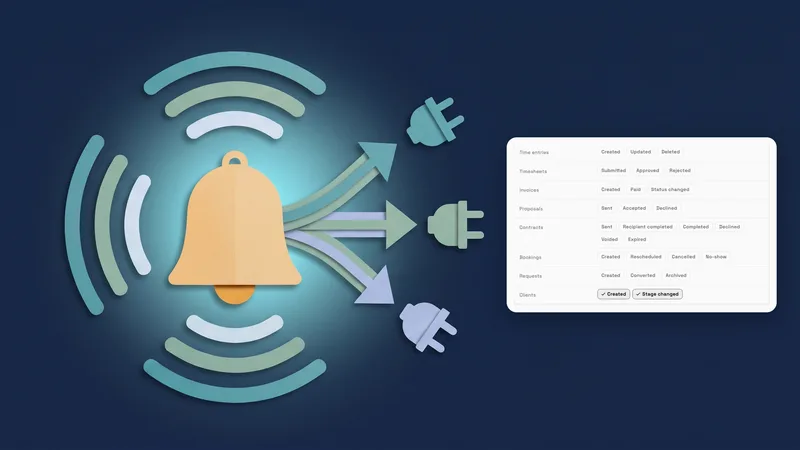 Webhooks for new clients and stage changes
A redesigned client profile on phone, tablet and desktop, in your own workspace
Start your free trial, then find it under Clients.
14-day free trial. Card required. After the trial: from $29/month. Renews automatically every month until you cancel. Cancel anytime in Settings → Billing.