Calendar & booking
Everyone together: book a whole team into one appointment
Team booking pages get an Everyone together choice: clients see only times when every host is free, and one booking lands on each host’s calendar.
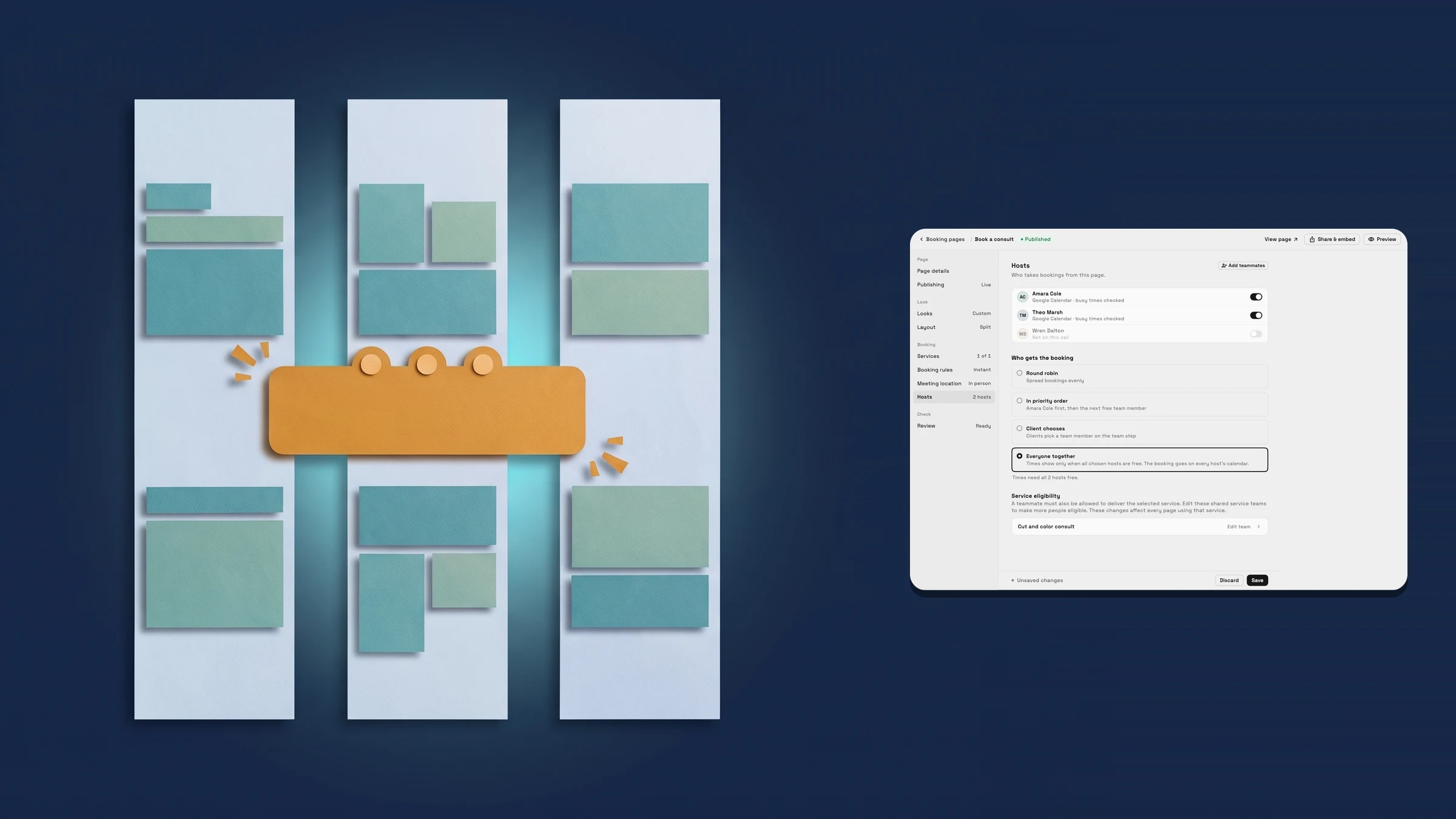
Choose Everyone together for appointments that need the whole team
A booking page with several hosts used to give each booking to one person: Round robin, In priority order or Client chooses. Some appointments need more than one person at once, such as a consult with both a stylist and a colorist, or an intro call with two partners. For those, open the page’s Hosts section and, under Who gets the booking, choose Everyone together.
Switch on the hosts who take part. The editor tells you what that means with a line such as Times need all 3 hosts free, and it warns you in plain words when only one host is on (the page then works like a normal one), when no host is on, or when a host has no working hours, because then no time can show.
Everyone together sits next to the other choices and is for pages with two or more hosts. Booking pages are on Specialist, Commander and Enterprise.
- Everyone together sits beside Round robin, In priority order and Client chooses
- Switch on the hosts who attend; the editor counts how many must be free
- Plain warnings for one host only, no host on, or a host with no working hours
- Where to find it
- Settings
- Booking pages
- open a page
- Hosts
- Who gets the booking
- Plans
- Specialist and up
Clients see only the times everyone can make
On the booking page a client picks a service and a day, and the times they see are the ones when every host you chose is free. A time has to fit each host’s working hours and avoid anything already on their connected calendar or already booked with them. Clients don’t pick a host, because they are booking all of them.
If a host’s connected calendar can’t be read at that moment, the page shows no times rather than guessing. And if no time suits everyone on a day, that day shows none.
- A time shows only when every chosen host is free
- Working hours, connected calendars and existing bookings all count
- Clients book the whole team, so there is no host to pick

- Where to find it
- Your clients see it on your booking page; you set it with Who gets the booking in Settings
- Booking pages
- open a page
- Hosts
- Plans
- Specialist and up
One booking on every calendar, with everyone named
When a client books, there is one appointment, not one per person. It goes on every host’s calendar as a single event with all the hosts on it, and the client’s confirmation and manage page name them all, for example with Amara Cole and Theo Marsh.
Reschedule and cancel work on the whole appointment. If the client moves it, it moves for every host, and a new time is offered only when all of them are free. If they cancel, it is cancelled for everyone.
- One event on every host’s calendar, with all hosts on it
- The client’s confirmation and manage page name every host
- Reschedule and cancel apply to all hosts

- Where to find it
- Your clients see it from their booking link; you set it with Who gets the booking in Settings
- Booking pages
- open a page
- Hosts
- Plans
- Specialist and up
Quick answers
- What does Everyone together do on a Workspace369 booking page?
- It books every host on the page into one appointment. Clients see a time only when all of the hosts you switched on are free, and the booking goes on every host’s calendar as one event.#
- Which plans include Everyone together?
- Booking pages are on Specialist, Commander and Enterprise, and Everyone together is one of the ways a booking page can assign hosts on those plans. It is meant for two or more hosts: with one host on, the page works like a normal page.#
- Where do I turn on Everyone together?
- Open Settings → Booking pages, open a page, go to Hosts and choose Everyone together under Who gets the booking. Switch on the hosts who should attend.#
- When does a time show on an Everyone together page?
- Only when every host switched on for the page is free: the time must fit each host’s working hours and avoid their connected calendar and other bookings. If a host has no working hours, no times show and the editor names that host.#
- What happens when a client reschedules or cancels?
- It applies to the whole appointment. Moving it moves it for every host, and a new time is offered only when all of them are free. Cancelling cancels it for everyone.#
Related updates
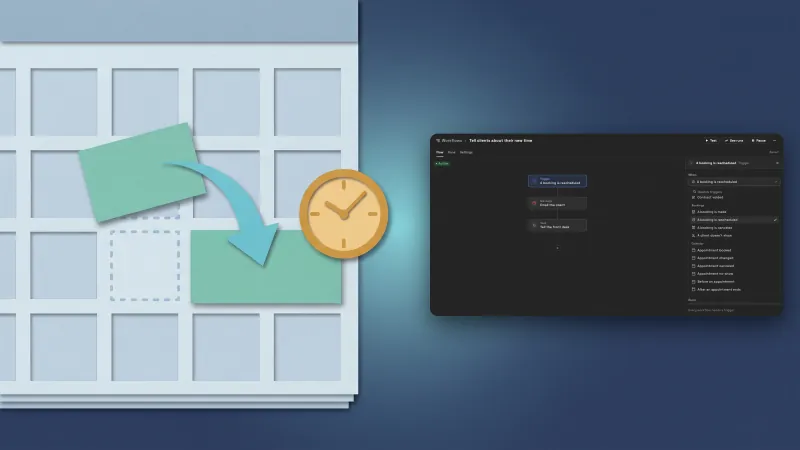 Run a workflow when a client reschedules a booking
 Clients get an email when you move their booking on your calendar
 Invite your client's people to events through Google Calendar or email
Everyone together: book a whole team into one appointment, in your own workspace
Start your free trial on Specialist, then find it under Settings.
14-day free trial. Card required. After the trial: $149/month for Specialist. Renews automatically every month until you cancel. Cancel anytime in Settings → Billing.