Clients & CRMBilling & paymentsClient portal
Run coaching programs in Finance → Programs
Sell coaching in tiers, enroll a client with a coach and a pay link, and keep sessions and shared notes on their Program card. Clients see My program in the portal.
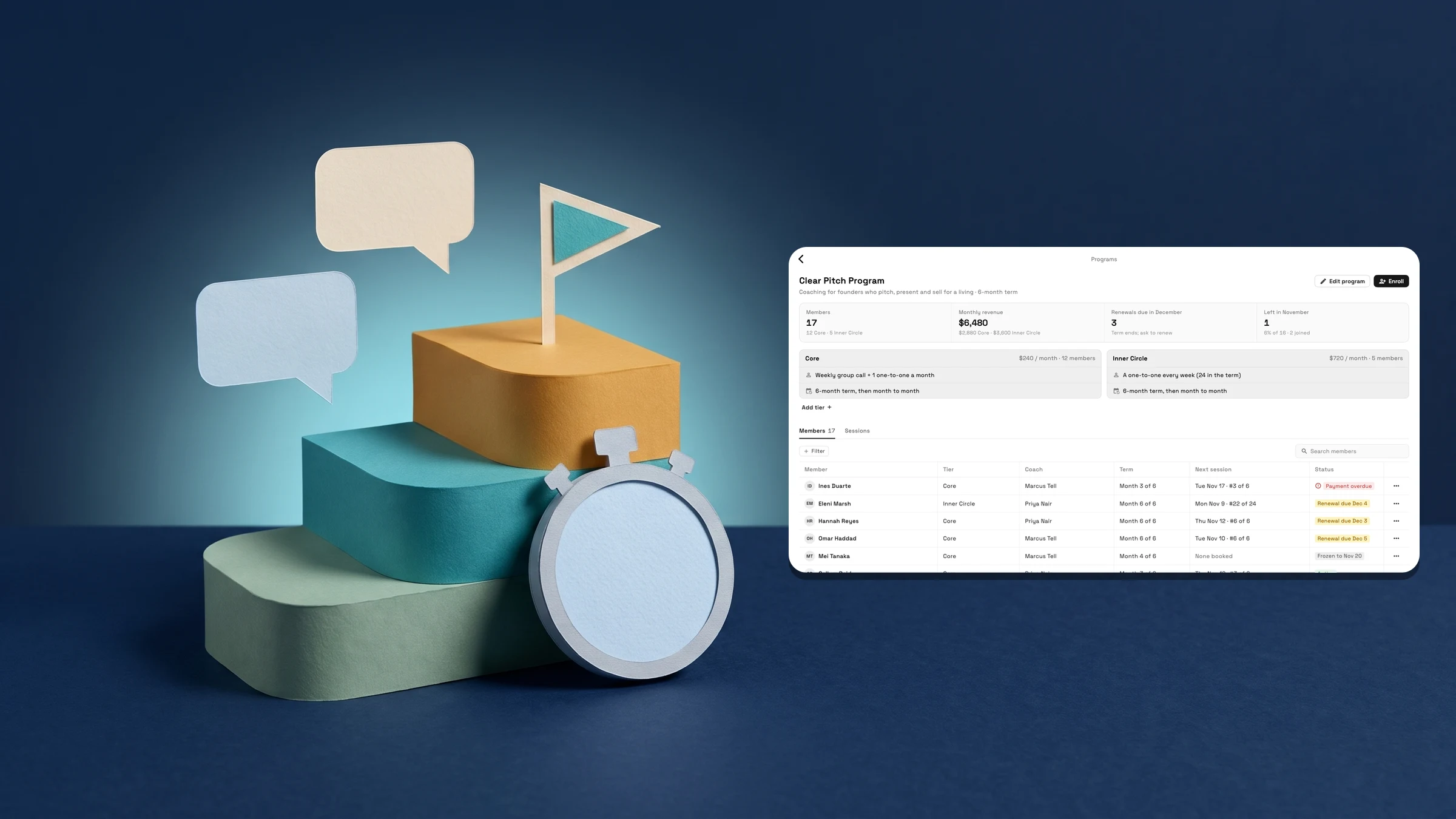
Sell coaching in tiers and enroll clients with a coach
Open Finance → Programs and choose New program. Type a Program name and press Next. In the editor, add a Description if you want one, then set each tier's Tier name, Price per month, Term (months) and Sessions per month. Add tier makes another. A tier set to Selling can be joined, and Hidden keeps it off the Enroll list. To include a group call, press Add group call and pick a repeating event from your calendar.
To enroll someone, open the program and press Enroll, or choose Enroll in a program from a client's menu. Choose the Client, the Tier and a Coach. A tier that includes sessions needs a coach, who must be an active member of your workspace. Under How they pay you get a Pay link to send, and the membership starts when the client pays.
Open a program to see its tiers and a strip with Members, Monthly revenue, Renewals due in the coming month and Left in this month. Monthly revenue shows to the owner and admins only. The Members tab lists everyone enrolled; search it or filter by Tier, Coach or Status: Active, Renewal due, Frozen, Payment overdue or Ended. Renewal due appears 30 days before a member's term ends. The Sessions tab lists the sessions in the date range you pick, with Attended, No-shows and Show-up rate.
Programs use memberships, so they are on Cadet and up, and each program tier counts as one of Cadet's 3 membership types. The Programs & Sessions report, in the Nov 2 memberships note, is on Voyager and up. Programs are on the web app and in the iPhone app too.
- New program, then Tier name, Price per month, Term (months) and Sessions per month for each tier
- Enroll: Client, Tier, Coach, then a Pay link; the membership starts when the client pays
- Members: Active, Renewal due, Frozen, Payment overdue or Ended; Sessions: Attended, No-shows, Show-up rate
- Where to find it
- Finance
- Programs
- Plans
- Cadet and up
Book sessions and share notes from the client's Program card
Once a client is enrolled, their page in Clients has a Program card. It shows the Program and tier, the Coach, the Term (for example Month 3 of 6, and when it ends), Sessions (for example 9 of 24 used, with the next session) and Billing. Book session opens a new event for that client and coach; if the membership is frozen, you are asked first. The card's actions need permission to edit clients.
Session note opens a note on the latest past session with that client and coach, or one you pick from the list. Turn on Share with client and the client sees the note on their portal, with that session. Left off, only your team sees it. Session note is available once the client has had a session. On a phone it is in the card's ⋯ menu, which also has Open membership and Change coach.
Programs use memberships, so they are on Cadet and up. Programs are on the web app and in the iPhone app too.
- The Program card: Coach, Term, Sessions used and next session, Billing
- Book session opens a new event for the client and coach
- Share with client puts the note on the client portal with that session
- Where to find it
- Clients
- a client
- Program
- Plans
- Cadet and up
Clients see My program in the portal
Added Nov 7. In the client portal, a client in a program sees My program above their pass. It shows their next session with their coach, the next group call, and their past sessions with the notes you shared. Only notes you turned Share with client on for are shown, and a note shows as plain text.
Book with your coach's first name appears when the workspace is on Specialist or higher and the coach has a booking page they are the only host of. That row also shows how many sessions are left in their term. Otherwise the portal shows the page's general Book next session button, or says who to contact to book. Booking is not offered while a membership is frozen, past due or waiting for payment.
My program is on every plan that has programs, Cadet and up; Book with your coach needs Specialist or higher.
- Added Nov 7: My program in the client portal
- Next session, group call, and past sessions with the notes you shared
- Book with your coach, with sessions left in the term: Specialist or higher, on a booking page the coach alone hosts
- Where to find it
- The client portal
- Membership and pass
- Plans
- Cadet and up
- Learn more
- Run a coaching program guideMemberships
Quick answers
- Where do I create a coaching program in Workspace369?
- In Finance → Programs. Choose New program, type a Program name and press Next, then set each tier's Tier name, Price per month, Term (months) and Sessions per month.#
- How do I enroll a client in a program?
- Open the program and press Enroll, or choose Enroll in a program from the client's menu. Choose the Client, Tier and Coach. Under How they pay you get a Pay link to send, and the membership starts when the client pays.#
- Yes. Session note on the client's Program card has a Share with client switch. On, the client sees the note on their portal with that session. Off, only your team sees it.#
- What does a client see in the portal?
- My program: their next session, the next group call, and past sessions with the notes you shared. Book with your coach, with the sessions left in their term, appears when the coach has a booking page they alone host, on Specialist or higher.#
- What if the coach has no booking page of their own?
- The portal shows the page's general Book next session button if the workspace has one, or says who to contact to book your next session.#
- Which plans include coaching programs?
- Programs use memberships, so they are on Cadet and up, and each program tier counts as one of Cadet's 3 membership types. The Programs & Sessions report is on Voyager and up.#
Related updates
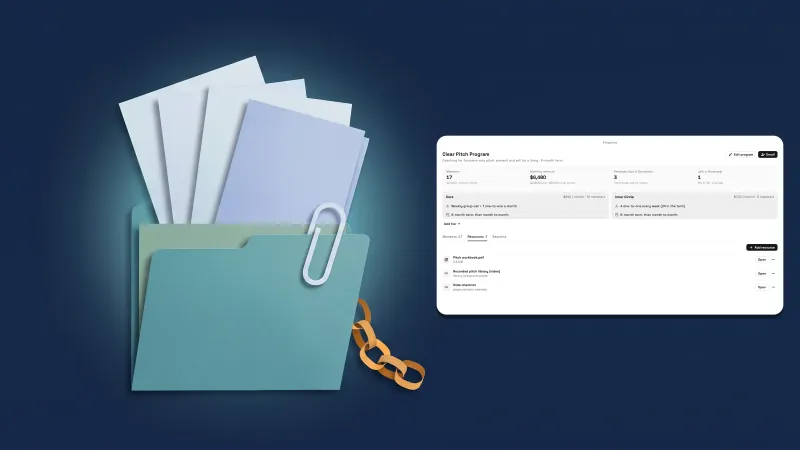 Share files and links in a program, and see Calendar full by coach
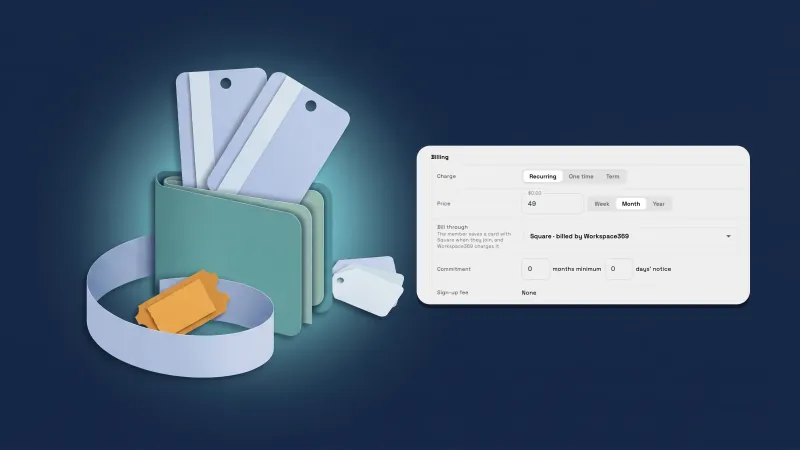 Sell memberships through Square, and handle Square members’ requests
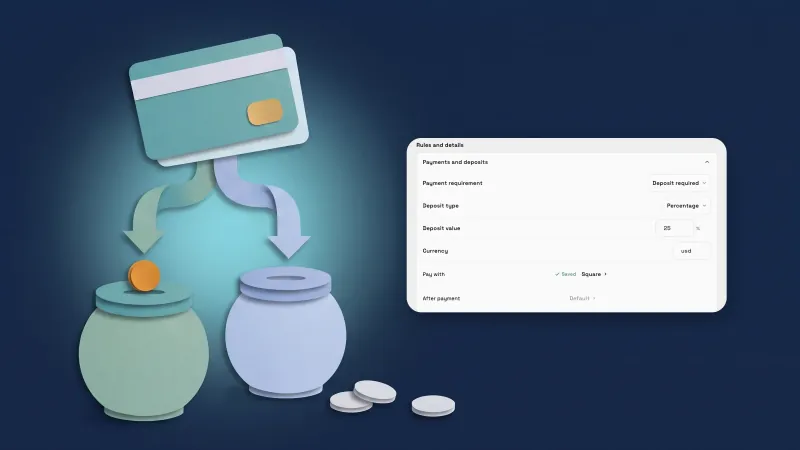 Take payments through your own Square account
Run coaching programs in Finance → Programs, in your own workspace
Start your free trial on Cadet, then find it under Finance.
14-day free trial. Card required. After the trial: $29/month for Cadet. Renews automatically every month until you cancel. Cancel anytime in Settings → Billing.