Best CRM MCP servers in 2026: scopes and approvals compared
Eight official CRM MCP servers compared on what Claude or ChatGPT can read, write and send, how approval works, scopes and limits. Vendor docs checked Nov 2026.
We make Workspace369 and list it first here. Weigh our ranking with that in mind, and if another tool fits you better, use it.

By Simon Dziak, Founder, Workspace369 · LinkedIn
The best CRM MCP servers give Claude or ChatGPT exactly the access you intend: the right records, the right scope, and a clear rule for what happens before anything reaches a customer. For sales teams, Attio and HubSpot are strong picks, and Close suits teams that want email kept as drafts. For businesses that bill clients through their CRM, such as consultants and agencies, our pick is Workspace369, whose server reaches proposals, contracts and invoices. New to MCP? Start with what a CRM MCP server is.
Disclosure and method: Workspace369 publishes this guide and is one of the options. It is a documentation-based comparison, not a hands-on benchmark. Vendor documentation reviewed November 7, 2026. We quote only each vendor's own documentation, help and pricing pages, and we say "not stated" where they didn't cover something.
Weighing what you pay for today? Total your current tools with the free software stack cost calculator.
Key takeaways
- Eight official CRM MCP servers are compared here; they differ most on what the AI may write or send and on whether an approval step is enforced, a default or only advised.
- Attio asks before most tools by default, Close and Bonsai save email and documents as drafts, and HubSpot's server is generally available to all HubSpot accounts.
- Usage limits vary: Pipedrive caps MCP by plan token allowances, Zoho counts MCP calls as API credits, and Workspace369 allows 120 calls a minute per connection.
- For businesses that bill through the CRM, Workspace369's server reaches proposals, contracts and invoices and holds sends for in-app approval by default, on every plan.
- Pick the narrowest scope that does the job: several servers let you grant read-only access first.
What's inside?
What a CRM MCP server is (and what it is not)How we compared these MCP serversThe best CRM MCP servers in 2026Side-by-side: what each server exposesWhich server fits your setup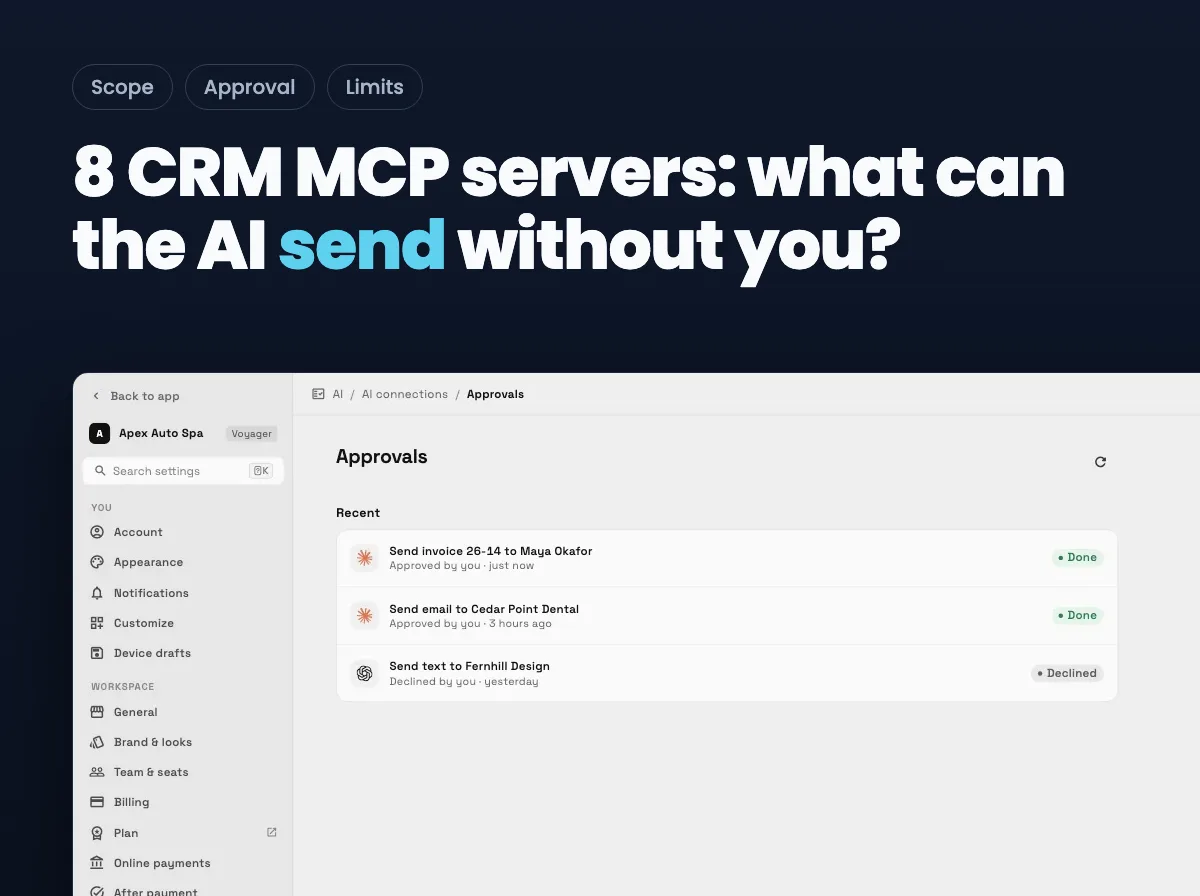
What a CRM MCP server is (and what it is not)
MCP, the Model Context Protocol, is an open standard that lets an AI app call tools in another system. A CRM MCP server exposes your CRM to Claude, ChatGPT, Cursor and other MCP apps, usually after you sign in with OAuth, so the AI can read records and, depending on the server, create, update, delete or send. It is not the chatbot inside the CRM, and it usually acts only when you ask in a conversation rather than running in the background.
How we compared these MCP servers
This guide is about what each server exposes. We checked each one on the same five points, using only vendor documentation:
- Reach: which records the documented tools cover, and the tool counts or scopes where stated.
- Approval: whether an approval step before writes or sends is enforced, on by default, or only advised.
- Sends: whether the AI can send email or messages to customers, or only save drafts.
- Limits and plans: rate limits, usage allowances and which plans include the server.
- Status and clients: generally available or beta, and which AI apps the vendor documents.
We did not test reliability, speed or answer quality, and we used no third-party ratings or listicles as sources. We ranked servers whose capabilities we could read on the vendor's own pages. The order reflects documented fit for a business that bills clients through its CRM, not a ranking of AI quality. Positions 3 to 8 are not a quality score; they follow how much each vendor states about approval, scope and limits.
The best CRM MCP servers in 2026
1. Workspace369, best for businesses that bill clients through their CRM
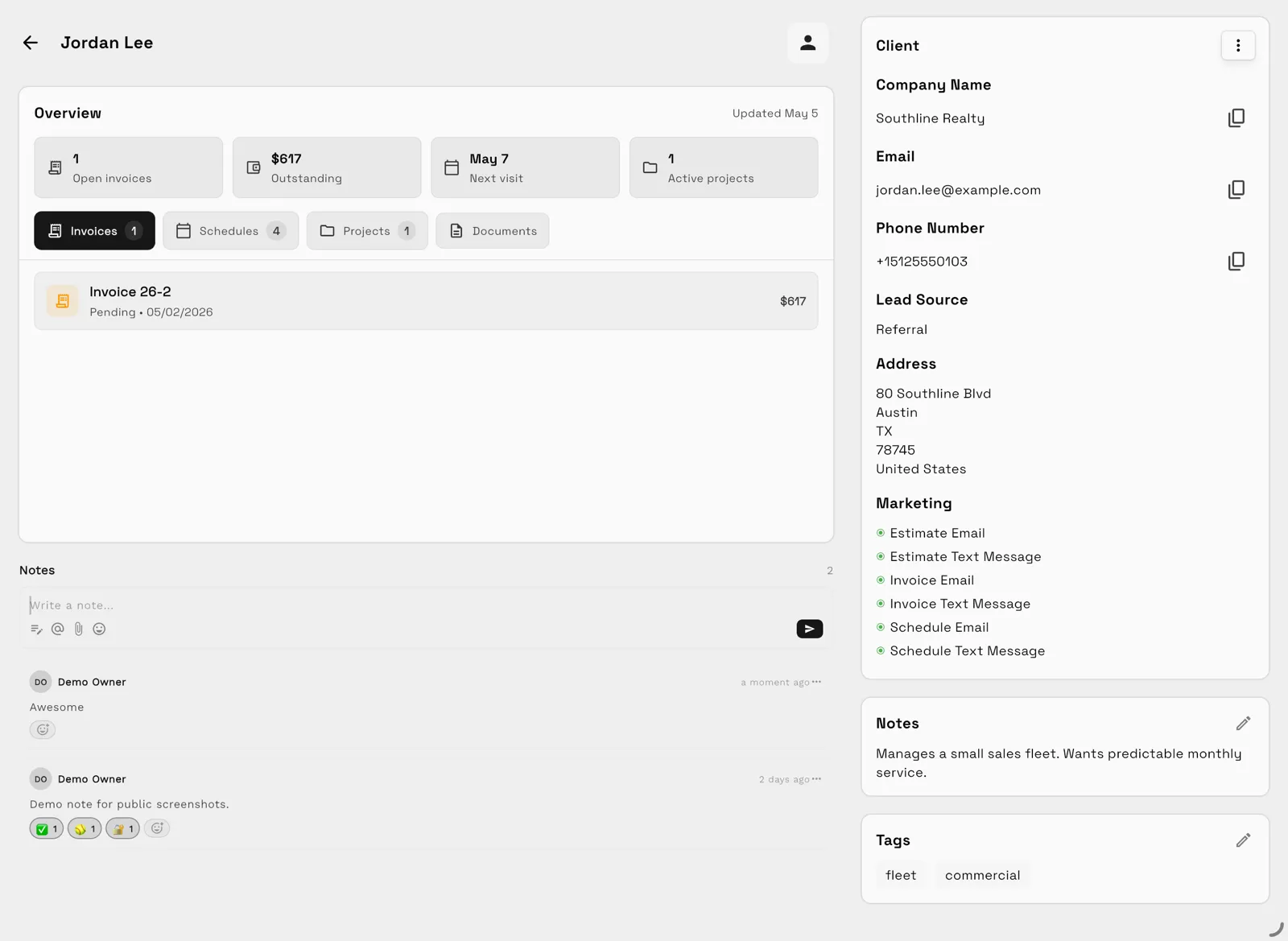
Workspace369's MCP server runs at https://mcp.workspace369.com/mcp with 127 tools across clients, requests, proposals, contracts, invoices, projects, tasks, calendar and inbox. A second endpoint, /mcp/crm, offers a 33-tool core CRM set with no send tools.
Twelve actions wait for in-app approval by default, including every invoice, proposal, contract and message send. The AI app gets back a held result and an approval link, the member approves in the Workspace369 app, and the AI app cannot approve its own request. Held requests expire after 60 minutes. Only the person who made a connection can turn on Send without asking for it.
Every call is checked against the member's live permissions. The limit is 120 calls a minute per connection and 600 per workspace, and the audit log keeps field names, never values. It is on every plan, including the 14-day trial on Cadet to Commander once a card is saved, after an owner or admin turns it on. It is listed in the official MCP Registry, and Workspace369 is an approved plugin in ChatGPT.
Limitations: every successful call uses the plan's monthly AI usage, and a held send that nobody approves within 60 minutes lapses, so it suits attended work more than unattended automation.
Best for: agencies, consultancies and studios that want Claude to draft proposals and invoices and a person to press Approve and send.
2. HoneyBook, best for client-work businesses already in HoneyBook
HoneyBook's verified connector in Claude's directory reads your pipeline, projects, invoices, contracts and client messages, and the text of smart files, contracts and questionnaires. It creates projects and edits project and client details, and HoneyBook's blog says it can publish a document for a client to open and raise a standalone payment request. That puts it alongside Workspace369 as a server that reaches the money side of client work. Its help article says the connector should describe planned changes and wait for you to say go before making them. It also says changes take effect immediately with no preview or undo, and that a file that's been sent can't be pulled back.
Not stated on the pages we read: which plans include the connector, and any usage limits.
Best for: client-work businesses that run in HoneyBook and want Claude on their pipeline, invoices and contracts.
3. Attio, best for sales teams that want approval by default
Attio's MCP server is available on all plans and to all workspace members, and connects ChatGPT, Claude and other MCP clients. Its tools search people, companies, deals, records, notes, emails and meetings, create or update records, notes and tasks, update list entries, and delete tasks. By default the AI assistant asks for approval before running most Attio tools. Read tools can be set to run without asking, and if your AI assistant's workspace is managed, write tools can't be set to "Always allow". Attio's help page says its MCP doesn't draft or send email, and access follows workspace permissions.
Limits: per workspace, Attio's MCP docs list 100 reads and 25 writes a second and 300 searches a minute.
Best for: startups and sales teams that want writes to ask first by default.
4. HubSpot, best for teams already on HubSpot
HubSpot's remote MCP server at mcp.hubspot.com became generally available on April 13, 2026, and is available to all HubSpot accounts. HubSpot's own connectors for Claude, Microsoft Copilot, Gemini and ChatGPT run on it. It reads CRM records and activities, plus marketing content such as campaigns and blog posts (read-only). It creates or updates contacts, companies, deals, tickets, notes, tasks, calls and meetings, and users can draft or log emails from the conversation. An account admin connects it first, and access follows each user's permissions.
Limitations: Sensitive Data properties aren't reachable, and Activity objects are blocked when sensitive data is turned on, per HubSpot's MCP page. An approval step before writes isn't described.
Best for: teams already running sales and marketing in HubSpot who want its own connectors for Claude, Copilot, Gemini and ChatGPT.
5. Close, best for sales teams that want email kept as drafts
Close's server at https://mcp.close.com/mcp supports Claude, Claude Code, ChatGPT (through Close's official plugin), Cursor, VS Code and n8n. You pick the organization and the scope at sign-in:
- Read: 65 tools.
- Safe writes: 19 more, including creating leads, contacts, opportunities, notes, tasks and draft emails.
- Destructive writes: 41 more, including updates, deletes, merges and scheduling a voice-agent call.
No tool sends email or SMS; the AI saves an unsent draft for you to review and send in Close. The server also accepts an API-key header for scripts, alongside OAuth sign-in for AI apps.
Limitations: SSE transport isn't supported, per Close's FAQ.
Best for: sales teams who want the AI to research and draft while people do the sending.
6. Zoho CRM, best for teams that want separate read-only and write servers
Zoho CRM offers four pre-built MCP servers:
- Data Insights: read-only queries and schemas.
- Data Operations: create, read, update and delete records and bulk operations, plus lead conversion per Zoho's announcement.
- Module Customization: modules, fields and layouts.
- Workflow & Process Automation: workflow rules and tasks, plus field updates, email alerts and webhooks per Zoho's announcement.
Zoho documents Cursor, Claude Desktop, VS Code, Windsurf and any MCP-capable tool. Actions are limited by CRM role permissions, and MCP calls use the same API credits as standard API calls. Zoho's FAQ advises reviewing prompts carefully "before confirming actions that modify your data".
Not stated on the pages we read: which editions include MCP. Zoho's announcement says the rollout is phased.
Best for: Zoho teams that want to grant read-only access first and add write access later.
7. Bonsai, best for freelancers already invoicing in Bonsai
Bonsai's server at https://mcp.hellobonsai.com/mcp is live in beta, with 55 tools. Its docs cover Claude, Claude Code, Cursor and Codex, and its marketing page names Claude, ChatGPT and Gemini. It creates and updates tasks, projects, budgets, deals, contacts, time entries and invoices, and deletes draft invoices, cancels scheduled or sent ones (the payment link stops working) and refuses paid ones. Documents are drafted but not sent, so you review and send them in Bonsai. Use requires a paid Bonsai plan, and the docs list a limit of 10,000 requests per 10 minutes per IP.
Limitations: it is in beta, and the docs advise asking the assistant to confirm before it creates or edits, rather than enforcing an approval step.
Best for: freelancers who already run projects and invoices in Bonsai.
8. Pipedrive, best for small sales teams on any Pipedrive plan
Pipedrive launched its native MCP server on June 30, 2026, and says it is available on all Pipedrive plans, with official connectors for Claude and ChatGPT, and custom MCP clients. The AI can search deals, contacts, organizations and leads, create and update deals, contacts and activities, convert leads, schedule follow-ups and turn meeting notes into CRM records. Actions follow each user's permissions and are recorded in the change log. Pipedrive's support article for Claude walks through connecting the official connector.
Limitations: usage is capped by plan token allowances, with extra tokens available to buy; the amounts aren't stated. An approval step isn't described.
Best for: small sales teams that want Claude or ChatGPT on their pipeline whatever plan they're on.

Side-by-side: what each server exposes
| Server | Status | Reach (documented tools) | Approval | Sends to customers | Limits and plans |
|---|---|---|---|---|---|
| Workspace369 | Live | 127 tools incl. proposals, contracts, invoices; 33-tool CRM-only endpoint | Held in-app by default on 12 actions | After approval, by default | 120/min per connection; every plan |
| HoneyBook | Live | Pipeline, invoices, contracts, payment requests | Should wait for your "go"; no preview or undo | Can publish a document for a client | Not stated |
| Attio | Live | Records, notes, lists, tasks | Asks by default for most tools | No email from MCP | Per workspace (read 100/s, write 25/s); all plans |
| HubSpot | GA (Apr 13, 2026) | CRM records, activities, marketing (read) | Not described | Drafts or logs email | All accounts |
| Close | Live | 65 read, +19 safe, +41 destructive | Scope chosen at sign-in | No email or SMS; drafts | OAuth or API key; no SSE |
| Zoho CRM | Not stated | 4 servers: read-only, records, customization, workflows | Review advised | Workflow email alerts | API credits |
| Bonsai | Beta | 55 tools incl. invoices | Confirm advised | Documents drafted, not sent | 10,000 req/10 min; paid plans |
| Pipedrive | Launched Jun 30, 2026 | Deals, contacts, leads, activities | Not described | Not stated | Token allowance; all plans |
As stated in vendor documentation on November 7, 2026.
Which server fits your setup
| If your priority is… | Look at |
|---|---|
| Proposals, contracts and invoices reachable from Claude, with sends held | Workspace369 |
| Client work already in HoneyBook | HoneyBook |
| Writes that ask first by default | Attio |
| HubSpot's own connectors for Claude, Copilot, Gemini and ChatGPT | HubSpot |
| Email never sent by the AI | Close (drafts), Attio (no email) |
| Read-only access first, write access later | Zoho CRM |
Also considered: Salesforce's hosted MCP servers are generally available and support Claude and ChatGPT, per Salesforce's GitHub page, but the documentation pages for editions, tools and billing didn't load on our check date, so it isn't ranked here.
Ready to connect? Set up Workspace369 with Claude, ChatGPT or Cursor, try 24 prompts to start with, or compare the plans.
Sources reviewed for this guide
- Workspace369 MCP permissions, usage and auditApprovals, Send without asking, rate limits and audit log, reviewed November 7, 2026.
- Workspace369 core CRM toolsetTool count and the CRM-only endpoint, reviewed November 7, 2026.
- Workspace369 pricingThe AI connections row and trial terms, reviewed November 7, 2026.
- About the HoneyBook connectorCapabilities and approval wording, reviewed November 7, 2026.
- HoneyBook MCP announcementActions and availability, reviewed November 7, 2026.
- Attio MCPPlans, capabilities and clients, reviewed November 7, 2026.
- Attio MCP prompts and best practicesApproval defaults, the no-email rule and rate limits, reviewed November 7, 2026.
- Attio MCP overview (developer docs)Per-workspace rate limits, reviewed November 7, 2026.
- HubSpot remote MCP server GAGA date and availability, reviewed November 7, 2026.
- HubSpot remote MCP server docsConnectors and read/write scope, reviewed November 7, 2026.
- HubSpot MCPAdmin connection and sensitive-data limits, reviewed November 7, 2026.
- Close MCPEndpoint, clients, scopes and limits, reviewed November 7, 2026.
- Close MCP toolsTool lists and draft-only email, reviewed November 7, 2026.
- Bonsai MCP docsBeta status, tools, clients and limits, reviewed November 7, 2026.
- Bonsai MCPPaid-plan condition, clients and review wording, reviewed November 7, 2026.
- Pipedrive MCP launchLaunch date and plan availability, reviewed November 7, 2026.
- Pipedrive MCP serverCapabilities, clients and token allowances, reviewed November 7, 2026.
- Zoho CRM MCP overviewServers, clients and API credits, reviewed November 7, 2026.
- Zoho CRM MCP FAQConfirmation guidance, reviewed November 7, 2026.
- Zoho CRM with built-in MCP support (Zoho community)Phased rollout, reviewed November 7, 2026.
- Salesforce hosted MCP serversGA statement and supported clients, reviewed November 7, 2026.
Workspace369 publishes this documentation-based comparison and is one of the options. It is not an independent ranking or a hands-on benchmark.
Run client follow-up in one workspace.
CRM, inbox, voice, invoicing, payments, projects, files, AI, and workflow automations — connected instead of exported.
14-day free trial. Card required. After the trial: from $29/month. Renews automatically every month until you cancel. Cancel anytime in Settings → Billing.
See pricing