Workspace & team
Settings reorganized into groups with search, and text size per device
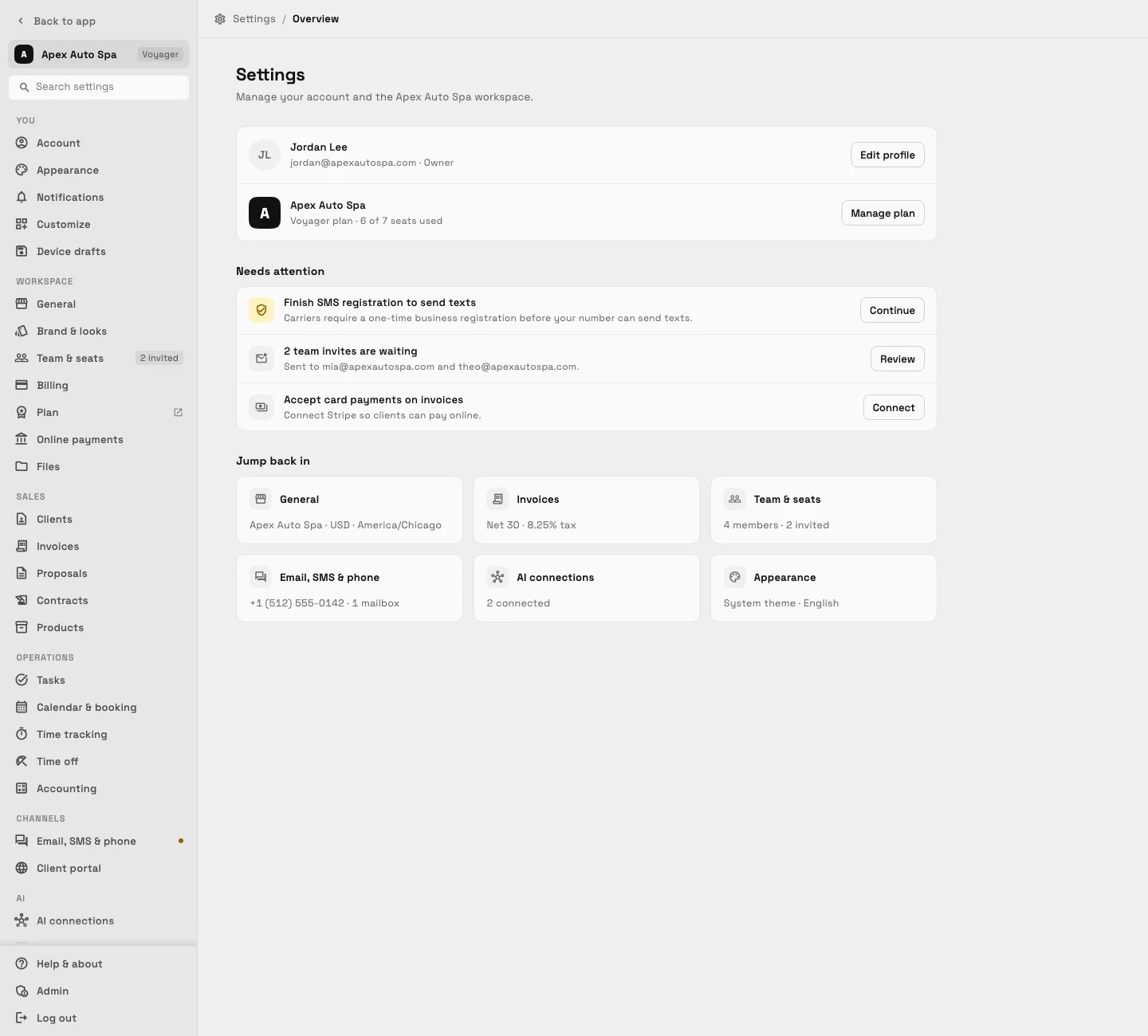
Every Settings page now follows one layout with grouped navigation and search, and your phone and your computer each remember their own text size.

One layout for every Settings page
Settings is now grouped into You, Workspace, Sales, Operations, Channels, AI and Data, so each page has one predictable home. A search box at the top jumps straight to any setting.
Pages follow the same layout throughout. If you leave a page with unsaved changes, the app asks before it throws them away, so a half-finished edit is not lost by accident.
- Groups: You, Workspace, Sales, Operations, Channels, AI, Data
- Search across all settings
- Where to find it
- Settings in the sidebar
- Plans
- Every plan
- Learn more
- Themes and brandingSet up your business
Text size is remembered separately on phones and larger screens
Phones now keep their own text size, set to 125% by default, while tablets and computers keep theirs at 100%. Changing the size on one kind of screen no longer changes the other.
The Text size setting always edits the size for the screen you are on, so you can read comfortably on your phone without making your desktop layout larger than you want.
- Where to find it
- Settings
- You
- Appearance
- Plans
- Every plan
- Learn more
- Themes and branding
Ready when you are
See where Workspace369 fits into your client-work flow.
Start with the modules you need today, then turn on AI, automations, accounting, inventory, requests, and reporting as the operation grows.
14-day free trial. Card required. After the trial: from $29/month. Renews automatically every month until you cancel. Cancel anytime in Settings → Billing.
