Start from a preset
Unlimited, Minutes, Visit pack and Credits, plus Salon membership, Coworking and Day pass presets.
For studios, gyms, salons and coworking spaces. Start from a preset, send a pay link, and the membership starts when they pay. Recurring plans renew on their own. On the web app now.
14-day free trial. Card required. After the trial: from $29/month. Renews automatically every month until you cancel. Cancel anytime in Settings → Billing.
Request a demo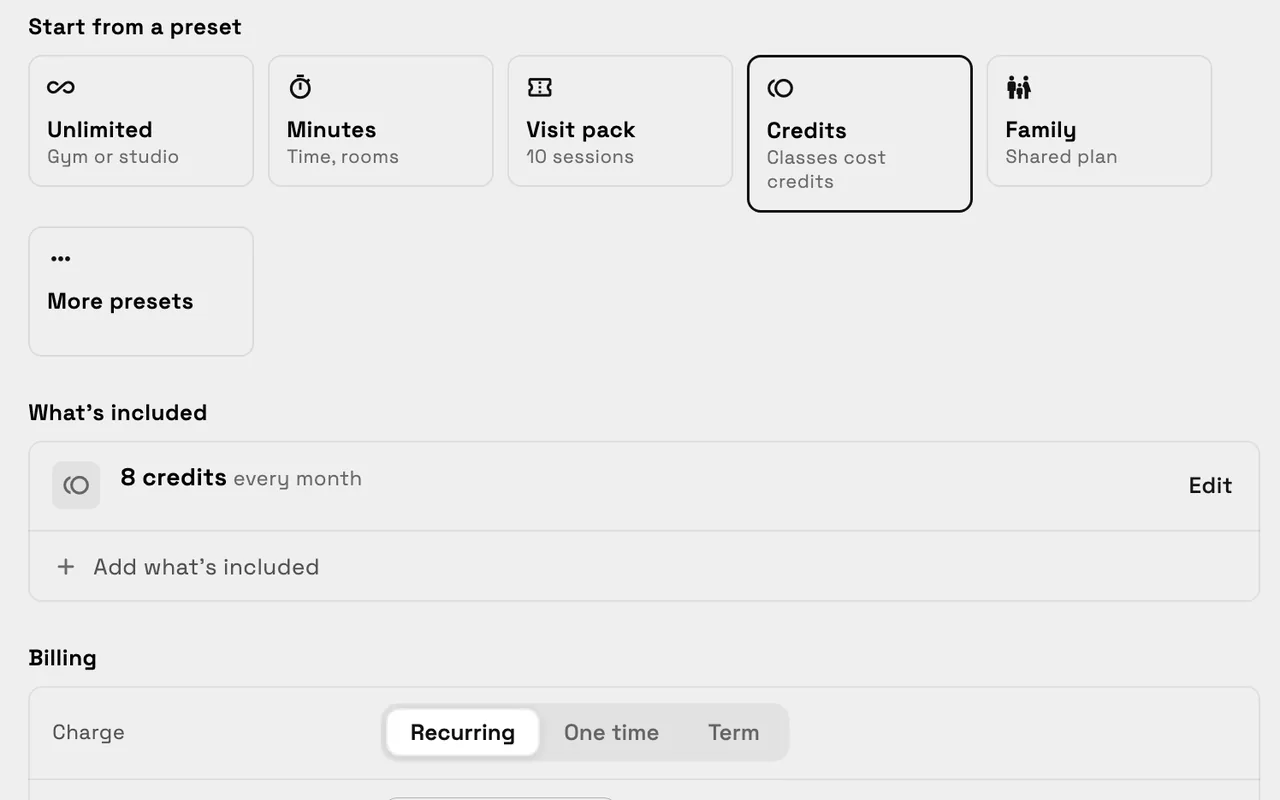
Memberships in Workspace369 let you sell repeat access instead of one-off visits: an unlimited monthly plan, a block of minutes, a pack of visits, or credits that classes use up. You decide what's included and how it's billed, send the client a pay link, and the membership starts when they pay. Each member gets a pass, and their balance, pass and history sit on one page. Payments go through your own Stripe account. Memberships launched on November 2, 2026 and are on the web app now.
Reviewed November 4, 2026 by the Workspace369 Product Team. Availability can vary by plan, region, and workspace configuration.
Read the payments documentationEverything here works in the web app today, with payments through your own Stripe account.
Unlimited, Minutes, Visit pack and Credits, plus Salon membership, Coworking and Day pass presets.
Recurring plans renew automatically; packs and one-time types don't. Add a sign-up fee or a minimum commitment.
Text it, email it, show a QR code or copy the link. Nothing is sent until you do.
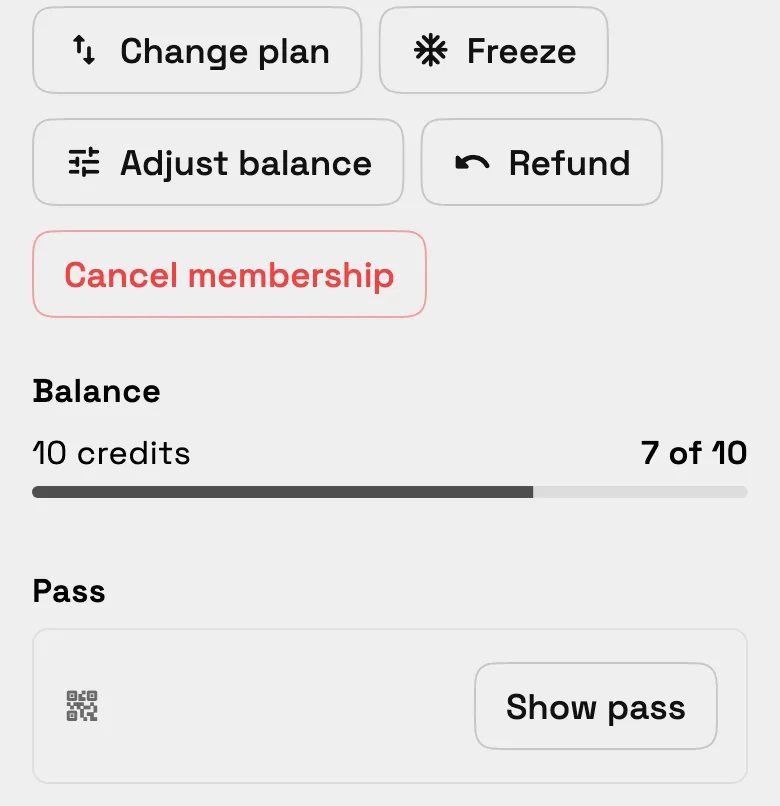
Balance, pass and history, with Freeze, Adjust balance, Refund and Cancel. Needs attention flags a balance to check.
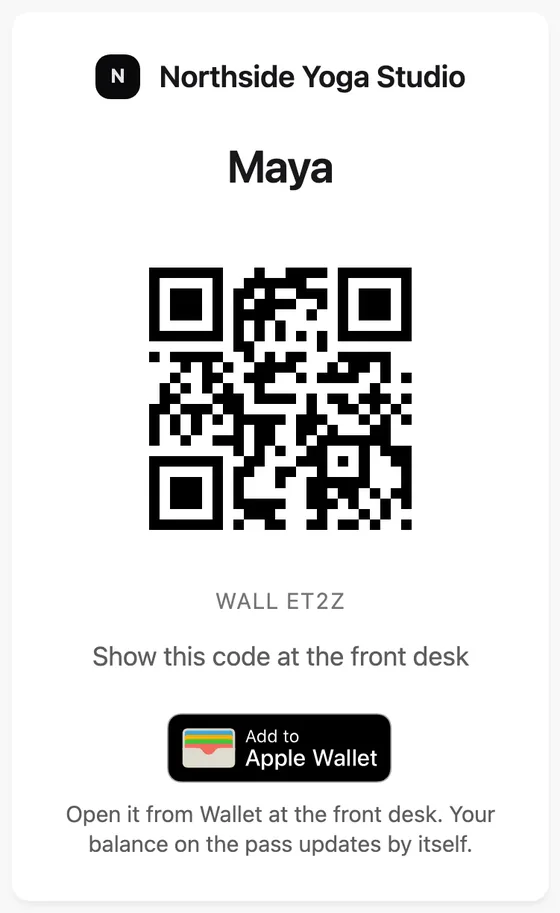
A QR pass in the client portal, with Add to Apple Wallet on iPhone. Send the pass yourself by text or email, or reissue it.
Their plan, balance, payments and recent visits, plus Book next visit when you have online booking set up.
Built into the operating flow
Memberships connect to your own Stripe account for payments, the client portal for each member's pass, online booking for Book next visit, and check-ins at the front desk.
Go to Clients, then Memberships, choose New membership and Start from a preset.
Set What's included, then Billing: Recurring, One time or Term, with an optional sign-up fee and commitment. At the door holds freeze rules and guest passes.
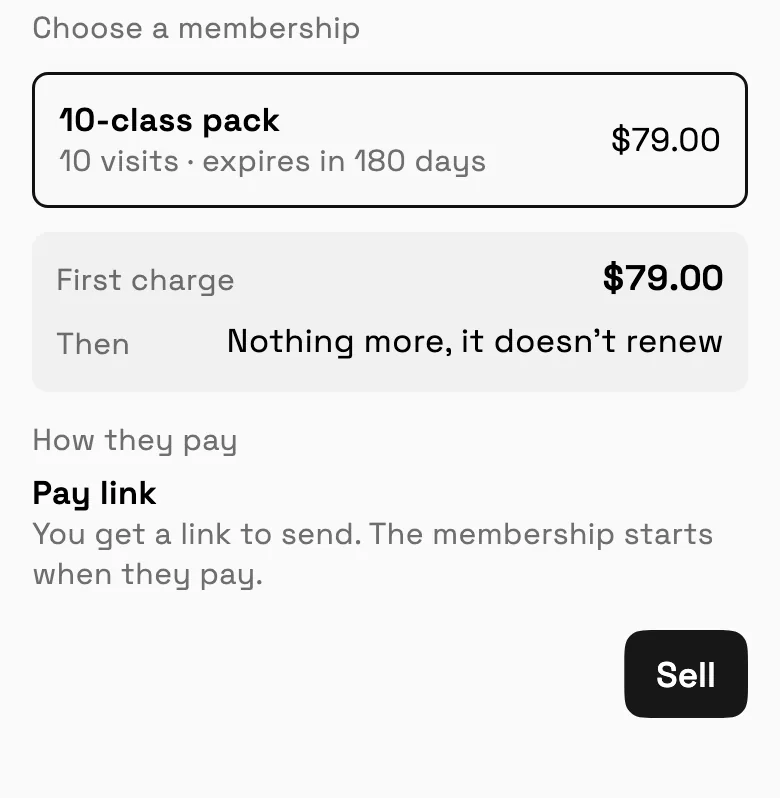
On a client, choose Sell membership, then Pay link. You get a link to send, and the membership starts when they pay.
Text it, email it, show a QR code or copy the link. Nothing is sent until you do.
Before you send the link, the sheet spells out what is charged now and what happens next.
Balance, pass and history in one place, with Freeze, Adjust balance, Refund and Cancel membership.
Every member gets a pass with a QR code to show at the front desk, and Add to Apple Wallet on iPhone.
Common operating scenarios
These examples describe how the feature fits into connected client work. They are product workflows, not promised business outcomes.
Credits preset with 10 credits a month, sold to each new student with a pay link.
Unlimited preset, recurring monthly with a sign-up fee; the member page shows the balance, pass and history.
Salon membership preset, recurring monthly; freeze it from the member page when a client travels.
Day pass preset, sold one time; the member shows their pass at the front desk.
Memberships connect to your own Stripe account for payments, the client portal for each member's pass, online booking for Book next visit, and check-ins at the front desk.
Recurring plans do. Packs and one-time membership types don't renew; the member uses up what they bought.
Through a pay link you send by text, email, QR code or copy. Payments go to your own Stripe account, and the membership starts when they pay.
In their client portal, with a QR code to show at the front desk, and in Apple Wallet on iPhone. You can send the pass yourself by text or email, or reissue it.
Yes, if the membership type allows freezes. Freeze it from the member page, and the type's freeze rules set how often and for how long.
Yes. Upload a CSV or Excel file of clients and AI Import maps the columns; you check every row before anything is added. It doesn't import memberships or balances, so you sell each client a membership with a pay link.
Yes. Members pay through your own Stripe account, so connect Stripe in Settings before you send your first pay link.
Start free and bring this workflow into the rest of your workspace.
14-day free trial. Card required. After the trial: from $29/month. Renews automatically every month until you cancel. Cancel anytime in Settings → Billing.
See pricing