Billing & paymentsProjects, tasks & time
Retainers that track every hour, and recurring invoices on autopay
Run hour-bank, fixed monthly and prepaid retainers with a live hours meter, put repeat invoices on card autopay your clients agree to, and void unpaid invoices cleanly.
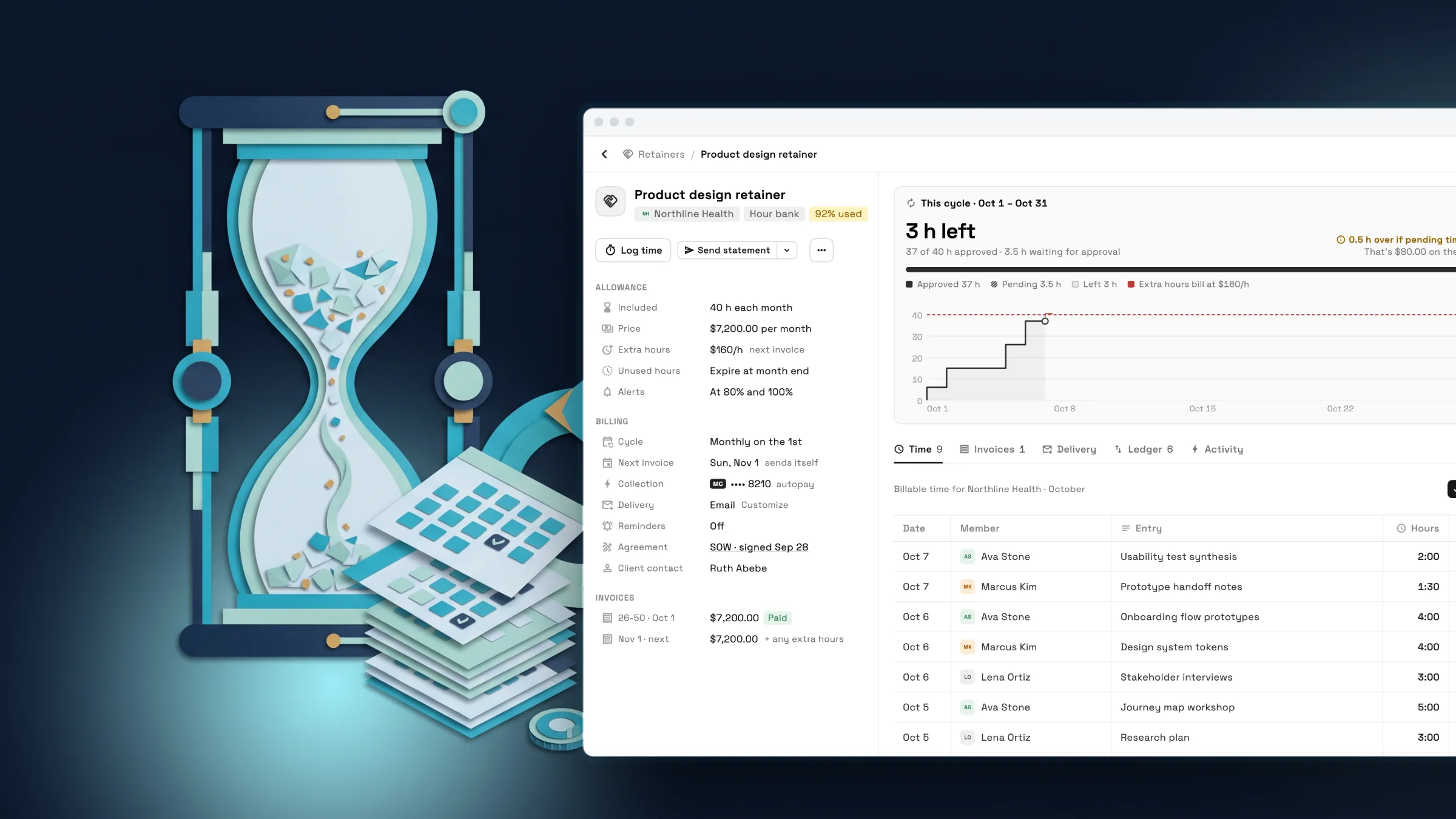
Retainers with a live hours meter
Set a retainer up as an hour bank, a fixed monthly fee or a prepaid deposit. Each one has its own record with the allowance, the price, the billing cycle and the client contact in one place.
Time your team logs against the client counts toward the cycle as it happens. The meter shows approved hours, hours waiting for your approval and what is left, and it warns you before extra hours land on the next invoice.
- Hour bank, fixed monthly and prepaid deposit retainers
- Approve pending time before it counts, then bill extra hours at your rate
- Choose whether unused hours expire or roll over
- Alerts when a retainer reaches 80% and 100% of its hours

- Where to find it
- Retainers in the sidebar
- Plans
- Every plan
Every retainer on one screen
The Retainers list shows monthly retainer revenue, hours used this cycle, prepaid money you are holding and anything that needs your attention, above a table of every retainer with its cycle, next invoice and how it gets paid.

- Where to find it
- Retainers in the sidebar
- Plans
- Every plan
- Learn more
- Invoices and billing
Recurring invoices on autopay your client controls
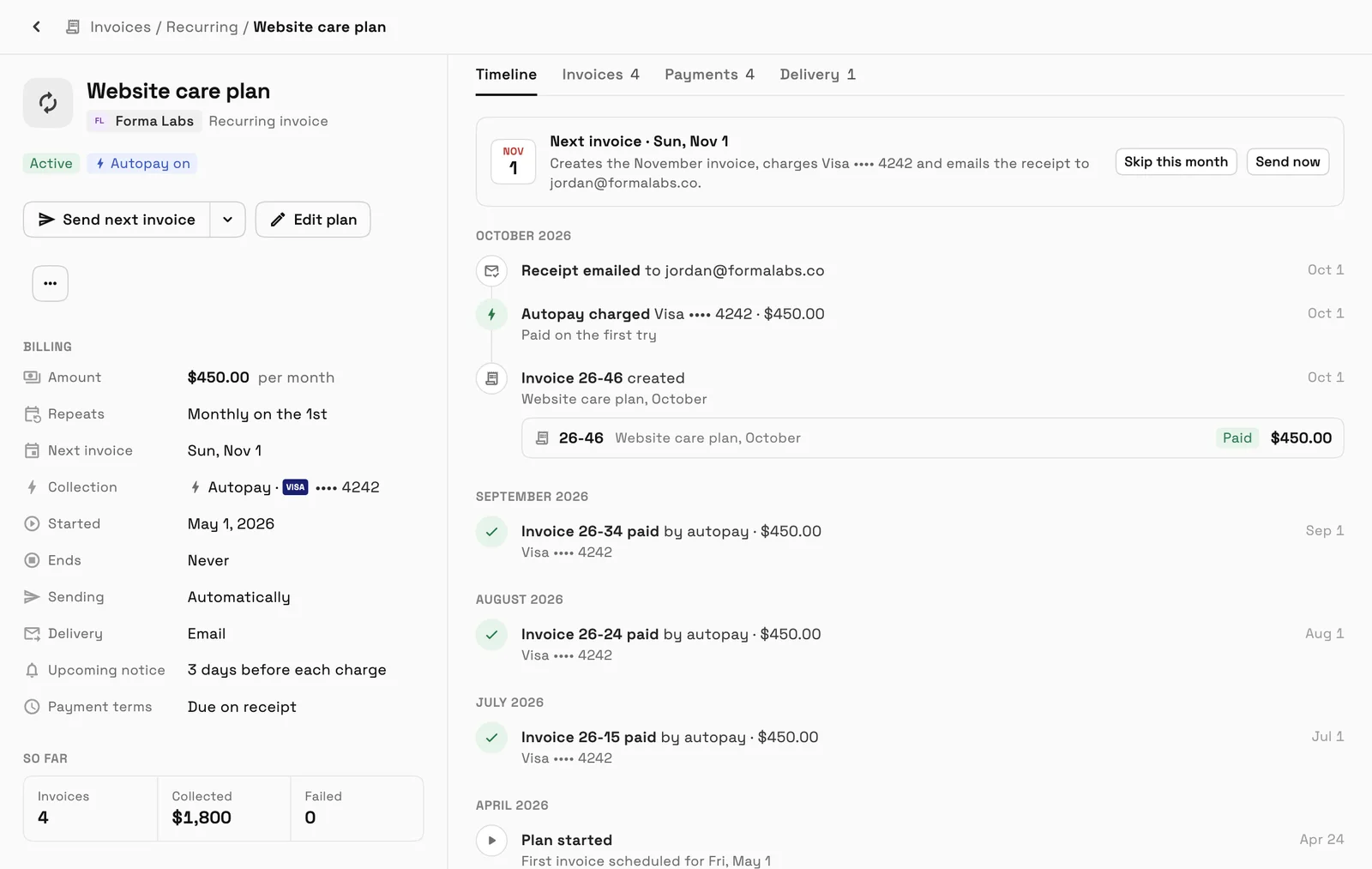
Put hosting, maintenance or any repeat service on a recurring invoice plan, and each invoice goes out on its schedule. Clients agree to card autopay first and can manage it from a secure page.
Before every automatic charge, your client gets an email 3 days ahead, or 7 days ahead of a yearly charge or the first charge after a long pause, with the date and amount. Plans that send by text also text the notice, so nobody is surprised.
- Where to find it
- Invoices
- Recurring
- Plans
- Every plan
Void an invoice that was sent but never paid
Sent an invoice by mistake, or the job was called off? Void it from the invoice's actions menu. The invoice stays on record with who voided it, when, and the reason if you gave one. It no longer counts as overdue or as money owed, and its payment link stops working.
- Where to find it
- Invoices
- open an invoice
- Actions
- Void invoice
- Plans
- Every plan
- Learn more
- Invoices and billing
Ready when you are
See where Workspace369 fits into your client-work flow.
Start with the modules you need today, then turn on AI, automations, accounting, inventory, requests, and reporting as the operation grows.
14-day free trial. Card required. After the trial: from $29/month. Renews automatically every month until you cancel. Cancel anytime in Settings → Billing.
