Comparison — Freelancer business suite

Workspace369 vs Moxie

Moxie is one of the best-priced freelancer suites around, from $12/mo for proposals, contracts, invoicing and projects, and it earns that reputation. Workspace369 is for the next step: deposit on acceptance from the $29 Cadet plan, kanban projects and time tracking that turns into invoices, and room to grow past Moxie's five-member Teams limit with 10 seats on Specialist.

Reviewed October 15, 2026 using public product pages, pricing pages, and Workspace369's current product scope.

Switch & Save

Free account setup & migration help

Our team sets up your workspace with you and helps move your clients and invoices from the tools you use now.

Export your data as a spreadsheet and AI Import maps the columns for you. Support can help with anything unusual.

Offer ends .

Start free trial

After signup, claim free setup in your workspace.

At a glance

Workspace369 vs Moxie: the short version

Moxie Workspace369
Best forMoxie Solo freelancers who want one inexpensive suite for the proposal-to-invoice loop.Workspace369 Teams from two people to multi-team agencies that need seats, shared communication, and operational depth.
Pricing modelMoxie Moxie lists three plans priced for solo operators and very small teams, with lower rates billed yearly: Starter $12 ($10 yearly), Pro $25 ($20) and Teams $40 ($32). Prices checked on the official pricing page, October 15, 2026.Workspace369 Plans by seats — $29/mo for 1 seat up to $699/mo for 50 seats, with texts and calls from Voyager and IVR and call queues from Specialist.
Client layerMoxie —Workspace369 CRM, client portal, proposals, invoices, payment plans, and reporting in one record.
AutomationsMoxie —Workspace369 No-code workflow automations for emails, SMS, tasks, reminders, and internal notifications.

Switching

Why people switch from Moxie

Teams stop at five people

Moxie's Teams plan ($40/mo, or $32/mo billed yearly) allows up to 5 team members, checked October 15, 2026. Moxie pricing ↗

In Workspace369 Workspace369 Specialist includes 10 seats for $149/mo, and extra seats are $10/mo from Voyager.

Project management is light

A 2026 Trustpilot reviewer calls Moxie “sorely lacking in PM features”, though most of its Trustpilot reviews are positive. Moxie reviews on Trustpilot ↗

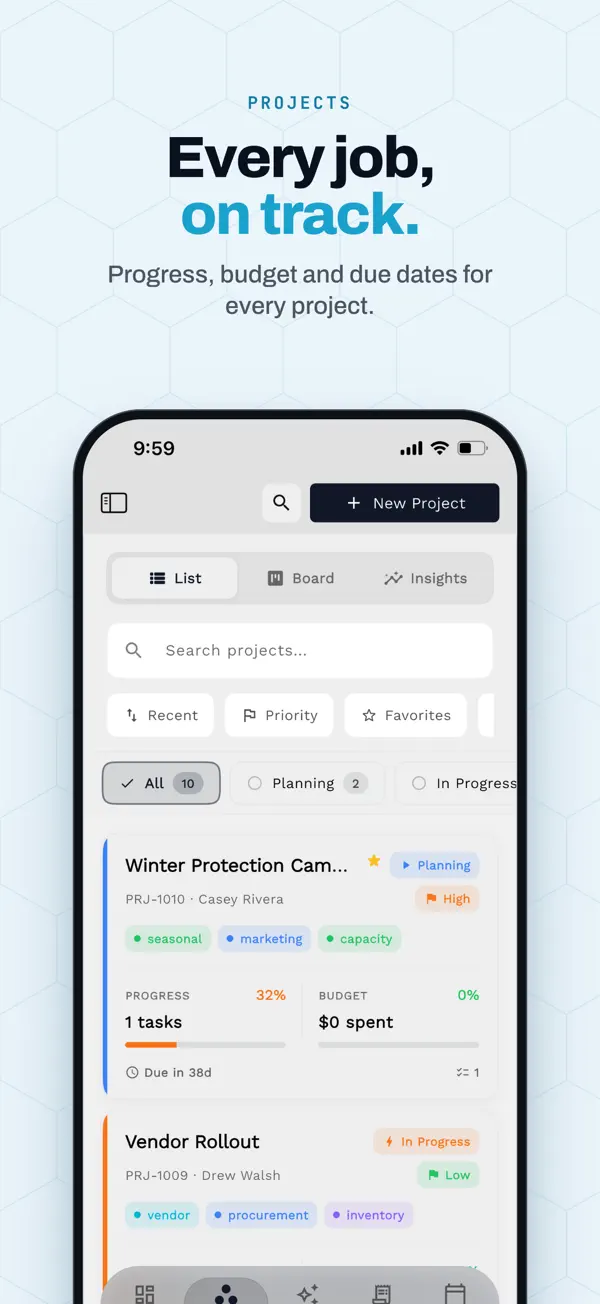
In Workspace369 Workspace369 has project stages, kanban boards, subtasks, timers and timesheets on every plan, tied to the same client record as the proposal and invoice.

Deposits and payment plans aren't spelled out

Moxie's pricing page doesn't mention deposits or payment plans as of October 15, 2026, so confirm with Moxie before you switch a client who is on a deposit schedule. Moxie pricing ↗

In Workspace369 Deposit on acceptance is on every Workspace369 plan from Cadet ($29/mo). Payment plans start on Specialist.

Themes come from Moxie's own pricing and help pages and from public reviews, checked October 15, 2026. Moxie may have changed since; check the linked source.

Weighing more than two tools? See every Moxie alternative we compared →

The two products

Who is Moxie? Who is Workspace369?

Moxie

Moxie is a strong fit for freelancers who want proposals, contracts, invoicing, projects, and a client portal in one inexpensive solo suite — with a business phone line on the Pro plan.

Category: Freelancer business suite · withmoxie.com ↗

Workspace369

Workspace369 is a strong fit for teams of 2–25 that want the shared inbox with SMS, voice, payment plans, time tracking, and accounting attached to the client record as the business grows.

Client work operating system · see all features →

Feature comparison

Core operations, side by side

AreaMoxie Workspace369
Primary fitMoxie Solo freelancers who want one inexpensive suite for the proposal-to-invoice loop.Workspace369 Teams from two people to multi-team agencies that need seats, shared communication, and operational depth.

Client work and pricing

Team and seatsMoxie Teams plan covers up to 5 members for $40/mo — excellent value for a small studio.Workspace369 Plans scale by seats — Voyager $74/mo for 2, Specialist $149/mo for 10, Commander $299/mo for 20 — with roles and client-scoped access.
CommunicationMoxie Pro plan ($25/mo) includes a business phone line with calls and texts (US/CA/UK numbers per its pricing page) — a genuine win for solos.Workspace369 Shared team inbox with email, 2-way SMS, voice and voicemail from Voyager ($74/mo), IVR and call queues from Specialist ($149/mo), with AI summaries on the record.
Billing depthMoxie Invoicing and payments cover the freelance loop.Workspace369 Proposals, invoices, retainers, and payment plans from Specialist, tied to the project and client record.
AccountingMoxie Basic accounting on every tier; full books stay in accounting software.Workspace369 Expenses and basic accounting from Specialist, full accounting from Commander — AR aging and profitability beside the work.
Time trackingMoxie Time tracking for billable work is part of the suite.Workspace369 Time tracking on every plan, with billable hours flowing into invoices.
Pricing modelMoxie $12/$25/$40 per month for Starter, Pro, and Teams (checked Sept 23, 2026).Workspace369 Flat plans by seats from $29/mo for 1 seat to $299/mo for 20, with 20% off annual billing.

Comparison based on public product positioning and Workspace369's current feature set, reviewed October 15, 2026. Exact fit depends on your workflow, team size, and implementation needs.

Pricing and value

Compare the subscription, then compare the stack

Moxie source ↗
Starter$12/mo or $10/mo billed yearly — Proposals, contracts, invoicing, and projects for one freelancer.
Pro$25/mo or $20/mo billed yearly — Adds a business phone line with US/CA/UK numbers and more client-facing tooling.
Teams$40/mo or $32/mo billed yearly — Up to 5 members with collaboration features.
Workspace369 all plans →
Cadet$29/mo — 1 seat, 5 GB storage, invoices, proposals, clients, projects, tasks, notes, calendar, and starter inbox tools.
Voyager$74/mo — 2 seats, 50 GB storage, shared inbox workflows, SMS, time tracking, unlimited projects, and team operations.
Specialist$149/mo — 10 seats, 100 GB storage, full CRM, voice, voicemail, proposals, expenses, marketing, payment plans, and basic accounting.
Commander$299/mo — 20 seats, 500 GB storage, full accounting, unlimited and AI-drafted workflows, advanced AI, and dedicated support.

A five-person team on Moxie Teams lists at $40/mo — a genuinely strong freelancer price — without payment plans on its published plan list. Workspace369 Specialist is $149/mo for 10 seats and adds the shared inbox with SMS, voice and voicemail, payment plans, expenses, and basic accounting.

What the stack costs separately

WorkflowSeparate stack Workspace369
CRM and client recordsSeparate stack CRM, spreadsheets, lead formsWorkspace369 Built in
Projects, tasks, and calendarSeparate stack Project management app, scheduler, task boardWorkspace369 Built in
Inbox, SMS, voice, voicemailSeparate stack Email helpdesk, phone system, SMS toolWorkspace369 Built in by plan
Proposals, invoices, and paymentsSeparate stack Proposal tool, invoicing app, payment processorWorkspace369 Built in
Files, notes, and client contextSeparate stack Docs, cloud drive, client portalWorkspace369 Built in
AI, automations, and reportingSeparate stack AI assistant, automation tool, dashboard/reporting layerWorkspace369 Built in by plan
Expenses, accounting, and inventorySeparate stack Accounting app, expense tracker, inventory systemWorkspace369 Built in by plan

Reviewed October 15, 2026. Pricing and packaging can change — verify current details with each vendor before deciding. The goal is a buyer-useful comparison, not a pretend scorecard.

  • Moxie pricing ↗Verified Sept 23, 2026: Starter $12/mo, Pro $25/mo (business phone line, US/CA/UK numbers), Teams $40/mo for up to 5 members.

Decision

Workspace369 vs Moxie: which should you choose?

Choose Moxie if…

  • You are a solo freelancer and want the best-priced suite for proposals, contracts, and invoices.
  • A $25/mo plan with a solo business phone line covers your needs today.
  • Accounting and payment plans already live in tools you are happy with.

Choose Workspace369 if…

  • Two or more people share the client load and need one shared inbox, not personal accounts.
  • You want SMS and voice beside email on the client record as the team grows.
  • Payment plans, retainers, and accounting should live where the work happens.
  • You are outgrowing solo tooling and want room for 5–10 seats with roles.

Switching

Switching to Workspace369 takes four steps

  1. 01

    Start your free trial

    Your workspace is ready in minutes — pick a plan later, no migration call required.

  2. 02

    Import your clients

    Bring clients, contacts, and open invoices in with CSV import instead of retyping anything.

  3. 03

    Connect your tools

    Hook up Google Calendar, your inbox, and Stripe so schedules, conversations, and payments land in one place.

  4. 04

    Invite the team and go live

    Run your next client project end-to-end — request to proposal to invoice — and cancel the old stack when it sticks.

Product tour

See the client-work loop inside Workspace369

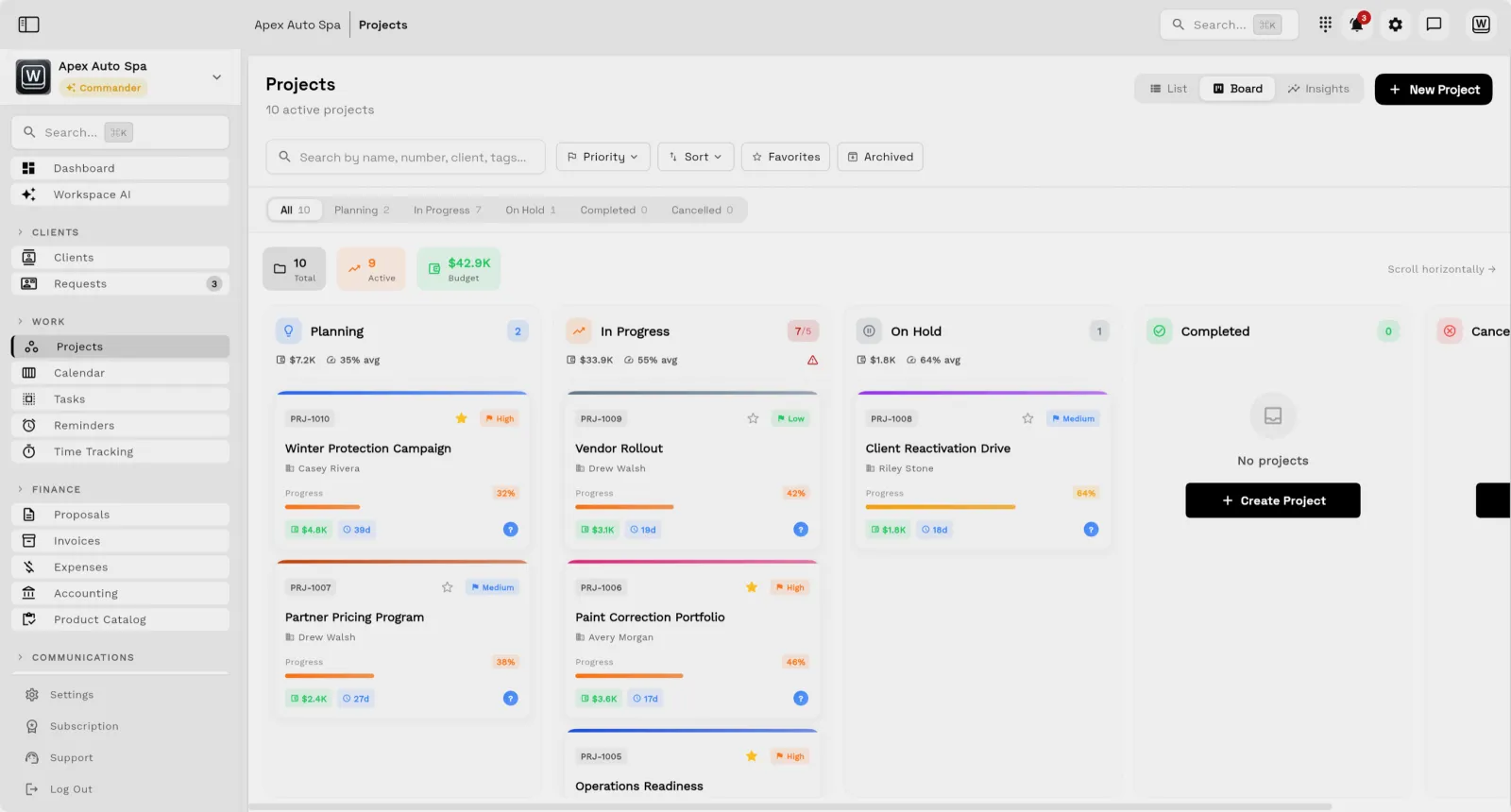
Workspace369 project board with Kanban columns attached to client work
Project boards with Kanban and Gantt views — attached to the client record, not a separate tool.
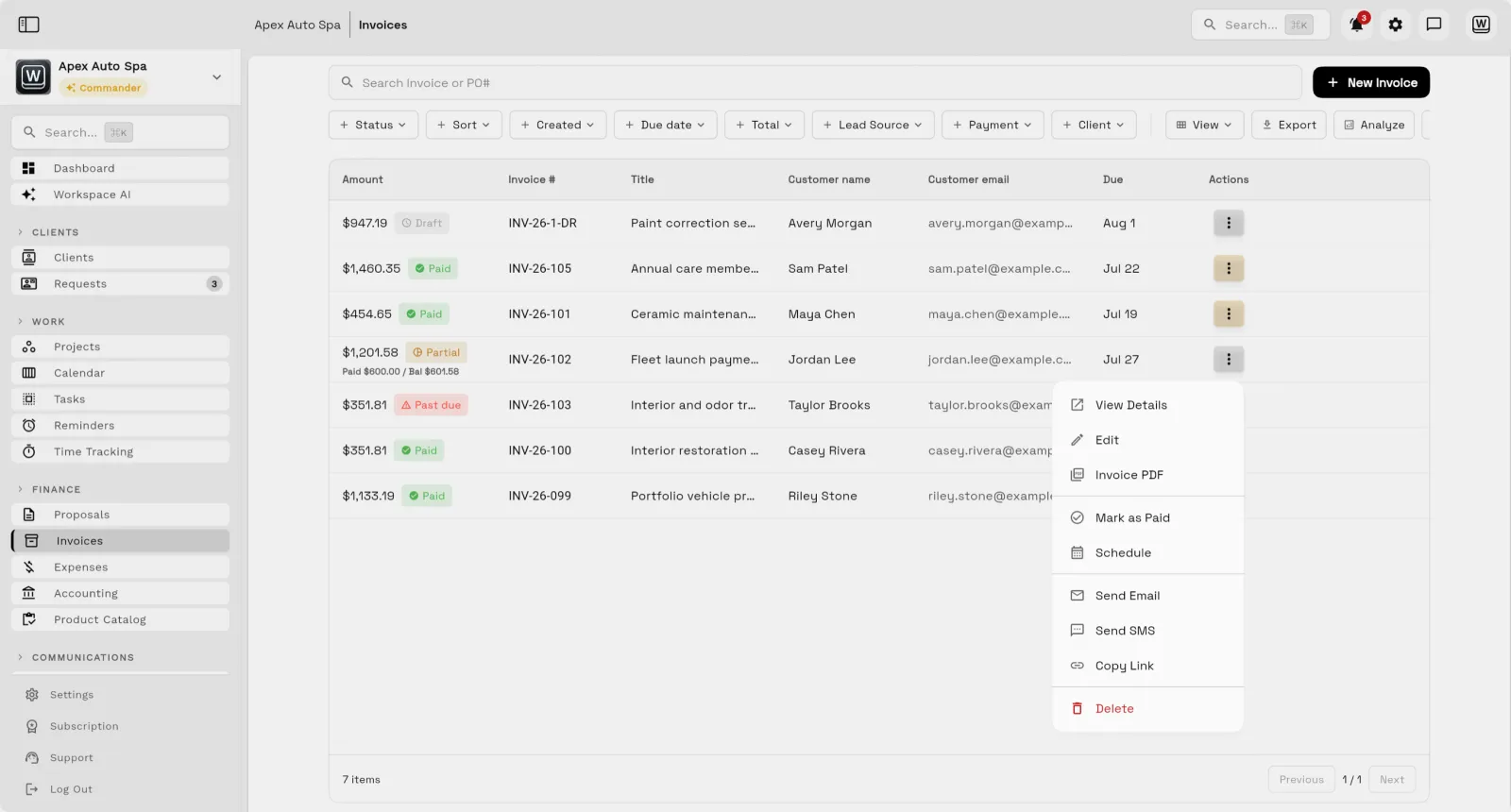
Workspace369 invoice list showing invoice status beside client names
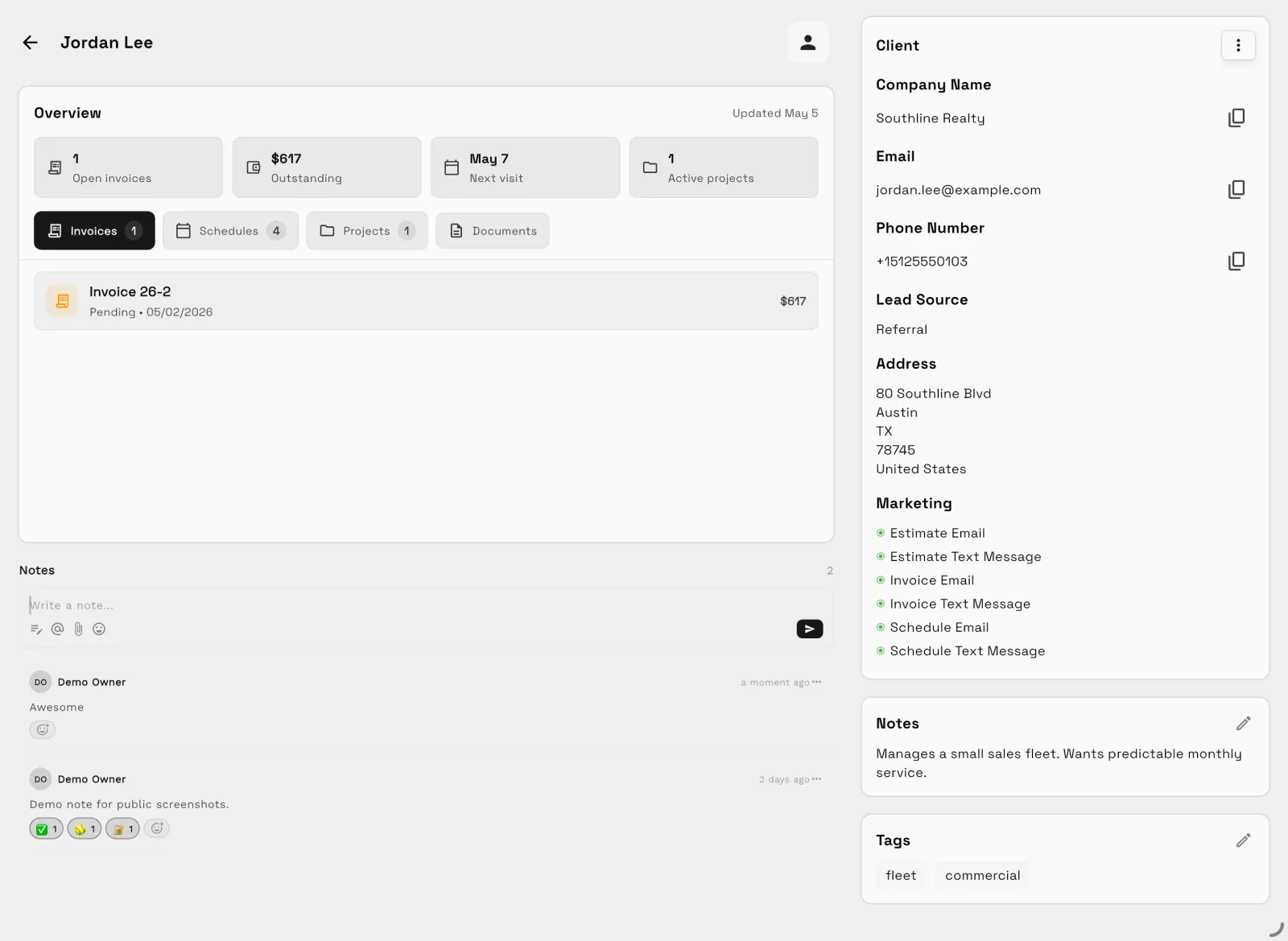
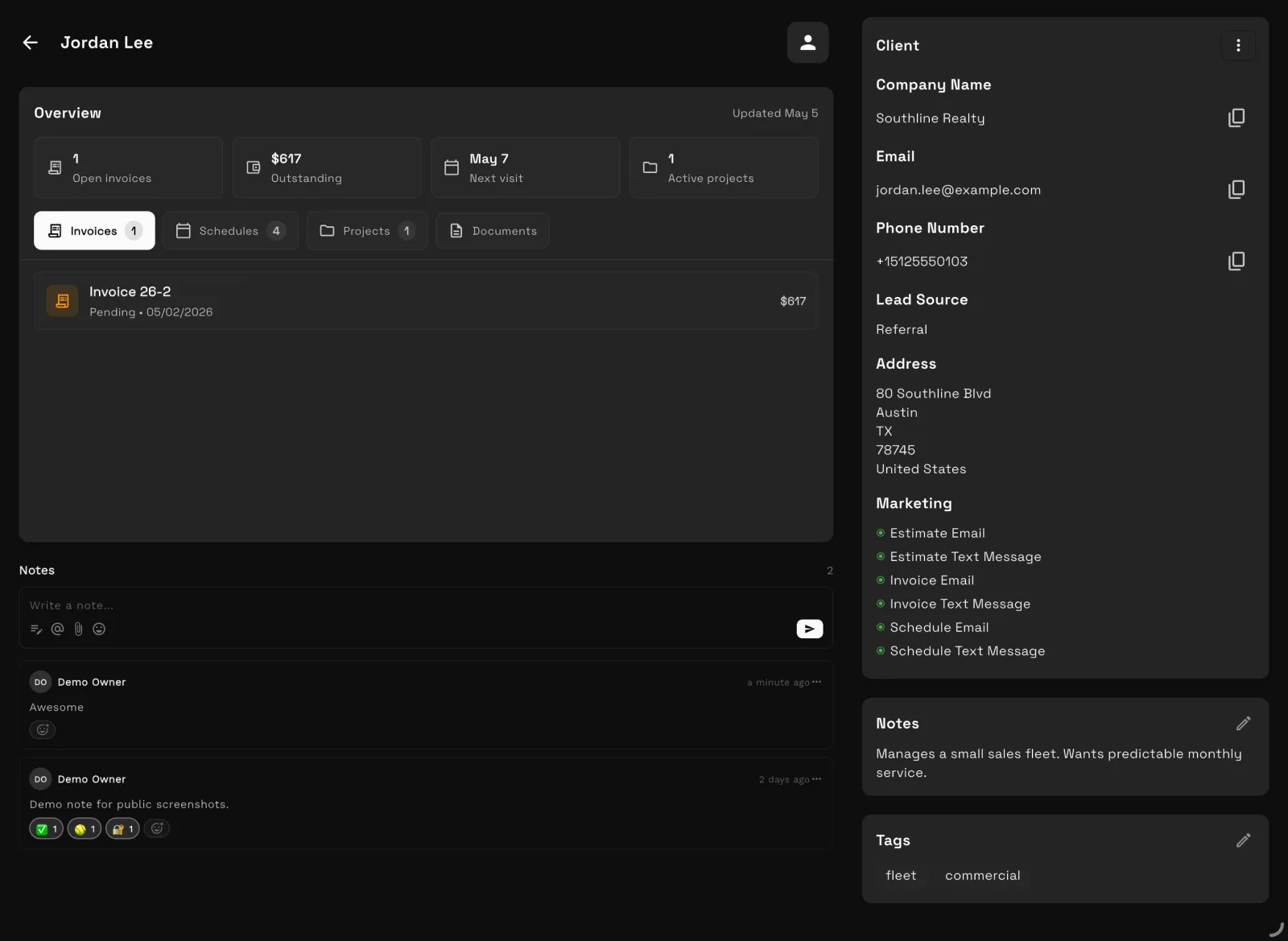
Invoices, payment plans, and payment status beside every client — no separate billing app.
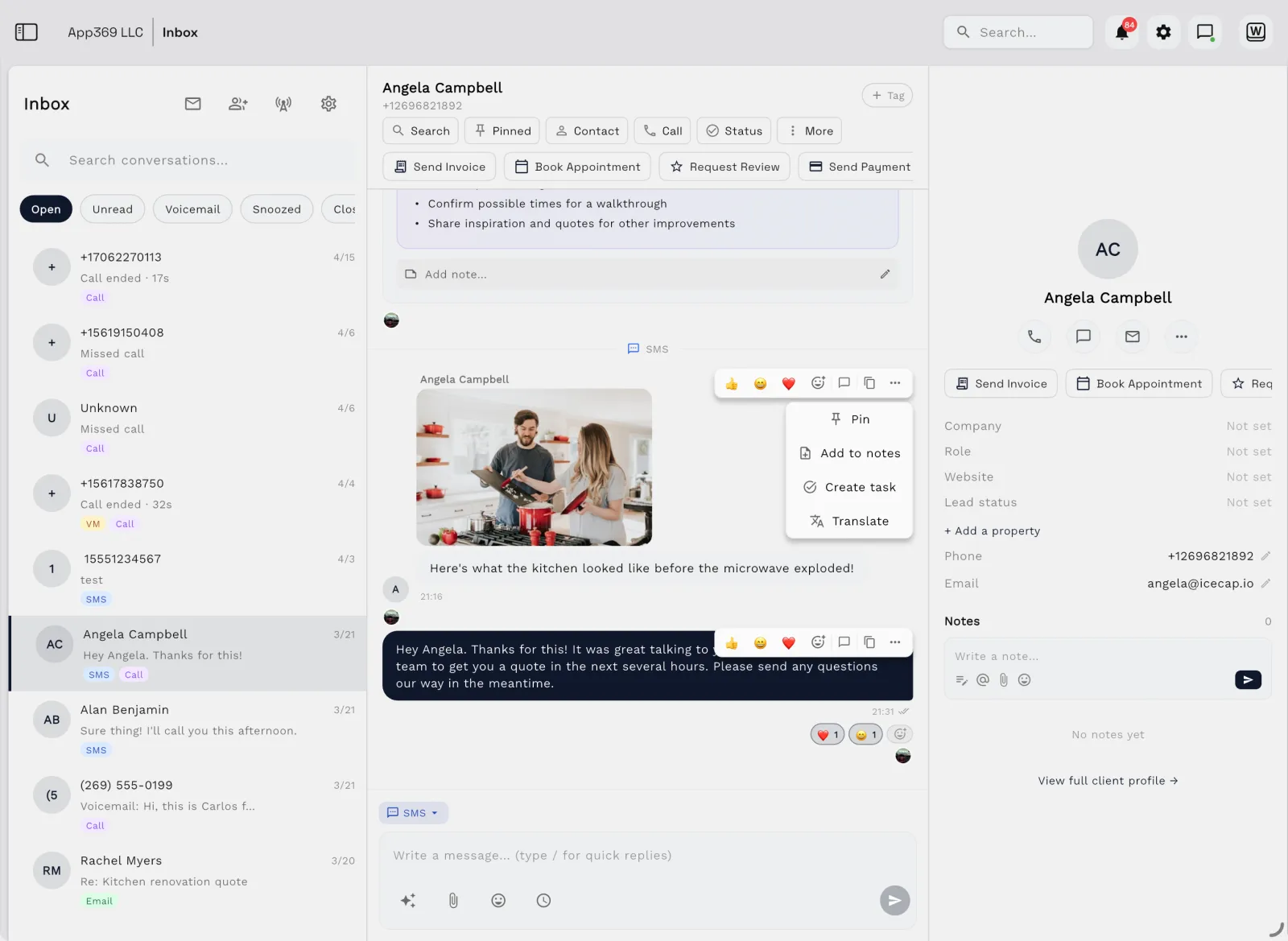
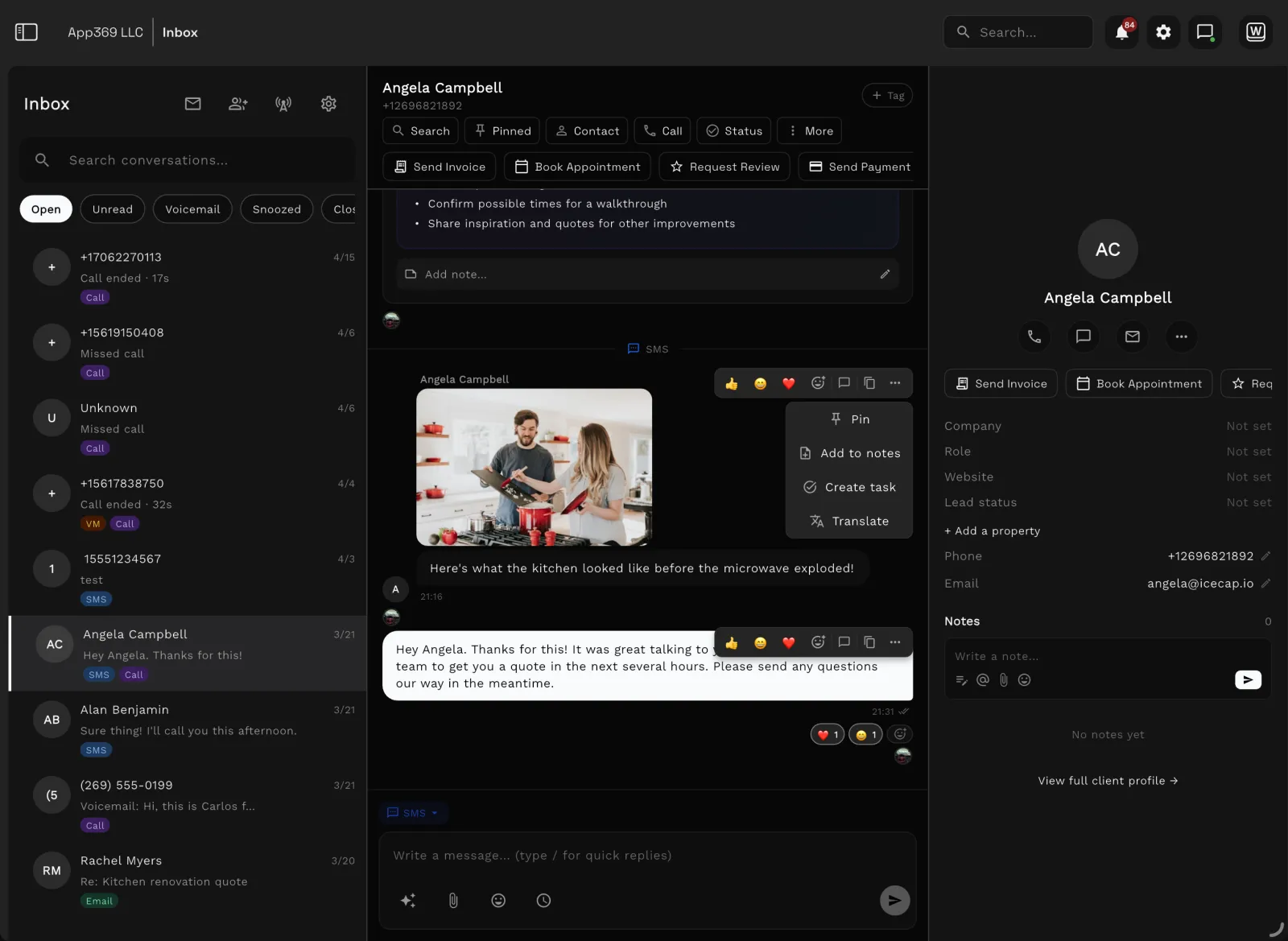
Workspace369 shared inbox with client conversations and AI summaries
Shared inbox, SMS, and call history with AI summaries — the conversation lives beside the work.

FAQ

Frequently asked questions

Is Workspace369 a Moxie alternative?
Yes, for businesses growing past the solo stage. Moxie is genuinely strong for freelancers; Workspace369 is the fit when a team needs a shared inbox with SMS, voice, payment plans, and accounting attached to the client record.
How much does Moxie cost compared with Workspace369?
Checked Sept 23, 2026: Moxie lists Starter at $12/mo, Pro at $25/mo, and Teams at $40/mo for up to 5 members. Workspace369 publishes flat plans by seats: Cadet $29/mo for 1 seat, Voyager $74/mo for 2, Specialist $149/mo for 10, Commander $299/mo for 20, with 20% off annual billing. Moxie is cheaper for solos; Workspace369 includes the team operations layer.
Does Moxie include a phone line?
Yes — Moxie Pro ($25/mo) includes a business phone line for calls, texts and voicemail (its Communicator feature), with US/CA/UK numbers on its pricing page and US and Canada on its Communicator page, which is a real win for a solo operator. Workspace369 includes 2-way SMS, voice and voicemail in the shared inbox from Voyager ($74/mo, 2 seats), and IVR, call queues and call recording from Specialist ($149/mo, 10 seats); a $50 one-time carrier compliance fee applies only when you claim dedicated SMS/voice numbers.
Can Moxie handle accounting and payment plans?
Moxie covers invoicing, payments, and basic accounting on every tier for the freelance loop, but full books stay in accounting software. Workspace369 includes payment plans from Specialist and basic accounting from the same plan, with full accounting from Commander — no separate sync.
Who should stay on Moxie?
Solo freelancers whose loop is proposal to contract to invoice, especially if the $25/mo Pro phone line covers communication. The switch makes sense when a second or fifth person needs shared visibility into every client conversation and dollar.
What should a freelancer compare before switching from Moxie?
Compare active clients, open projects, invoices, payment history, contracts, and files. There is no automated import tool — export your data, and Workspace369 support can help you map it. Confirm the seats you need before cancelling.

Run the comparison with your own client work.

Moxie outfits the freelancer. Workspace369 operates the growing team.

Ready when you are

See where Workspace369 fits into your client-work flow.

Start with the modules you need today, then turn on AI, automations, accounting, inventory, requests, and reporting as the operation grows.

Workspace369 vs MoxieClient records, projects, invoices — one workspace.
Start free trial

Watch

Bonsai vs Moxie vs 17hats vs Plutio 2026: Which All-in-One Fits?

ClientWorkHQ on YouTube · 9 min

Video thumbnail: Bonsai vs Moxie vs 17hats vs Plutio 2026: Which All-in-One Fits?