Best invoice software in 2026: from first quote to paid invoice
Compare invoice software for service businesses: proposals, invoices, payment plans, automated reminders, client portals, and reporting — with an honest note on accounting-first tools.

By Simon Dziak, Founder, Workspace369 · LinkedIn
Reviewed by Workspace369 product team · Product accuracy review
Workspace369 publishes this guide and ranks its own product first. Competitor capabilities and prices are checked against public product pages; rankings reflect workflow fit for service businesses, not paid placement.
Most invoices do not go unpaid because the client refuses. They go unpaid because the process around the invoice — the quote, the delivery, the reminder — was stitched together by hand.
This guide compares invoice software on the thing that actually decides when you get paid: whether the invoice connects to the client record, the work, and the follow-up. For the deeper buyer guide aimed at service businesses, see service business invoicing software.
Every pick below was re-reviewed on August 30, 2026 against public product and pricing pages. Prices and promotions change often, so treat the numbers as a dated snapshot and verify them with each vendor before you buy.
What's inside?
Quick answerWhat invoice software should actually doHow this guide was evaluatedBest invoice software shortlistThe shortlist in detailWhere Workspace369 fits bestBest invoice software by scenarioFrom accepted quote to paid invoice inside Workspace369When a different tool is the better fitFinal recommendation
Quick answer
For service businesses that want proposals, invoices, payment plans, automated reminders, a client portal, and reporting in one workspace, the best fit is Workspace369. Plans start at $29/mo for one seat, scaling to 20 seats at $299/mo.
FreshBooks, QuickBooks, Zoho Invoice, and Square Invoices cover accounting-first and payment-first territory. Workspace369 is the strongest fit when the pain is quotes rebuilt by hand, invoices sent late, and follow-up that depends on memory.
What invoice software should actually do
Watch
Best Invoicing Software for Small Business (2026): How to Choose

Almost every tool in this category can produce a clean PDF. The differences show up in everything around the document: how the work gets scoped, how the client pays, and what happens when they do not. A serious invoice tool for a service business should cover:
- Professional invoices with line items, rates, taxes, and your branding
- Online payments and payment plans so clients pay without friction
- Recurring invoices for retainers and payment schedules
- Automated reminders that chase outstanding balances without you
- A client portal where the invoice, the files, and the status live together
- Reporting that shows what is outstanding per client, not just per period
Two items on that list decide most purchases. The first is the front of the cycle: if quotes and proposals live in a different tool than the invoice, scope gets retyped and details get lost between "yes" and the first bill. The second is the back of the cycle: reminders and portal access are what turn "sent" into "paid" without a staff member chasing every balance by hand.
Weight the list by where your process actually hurts. A freelancer sending five invoices a month needs the document and a payment link. A service team with forty active clients needs the whole loop.
How this guide was evaluated
Workspace369 publishes this guide and ranks its own product first, so the method matters more than the conclusion. Every product on the shortlist was reviewed against the same service-business workflow on August 30, 2026, using the public product and pricing pages listed in the sources record of this page. Four questions drive the ranking:
- Does the invoice connect to the client record, the work, and the follow-up, or is it a standalone document?
- Can the product carry the full cycle — proposal, acceptance, invoice, payment plan, reminder — without a second subscription?
- Which buyer is the product actually built for: freelancers, accounting departments, payment-first sellers, or client-work teams?
- What still requires another tool once the invoice is sent?
This is a workflow-fit comparison, not a hands-on accounting audit, and no vendor paid for placement. Product capabilities and pricing change, so verify current details with each vendor before purchasing.
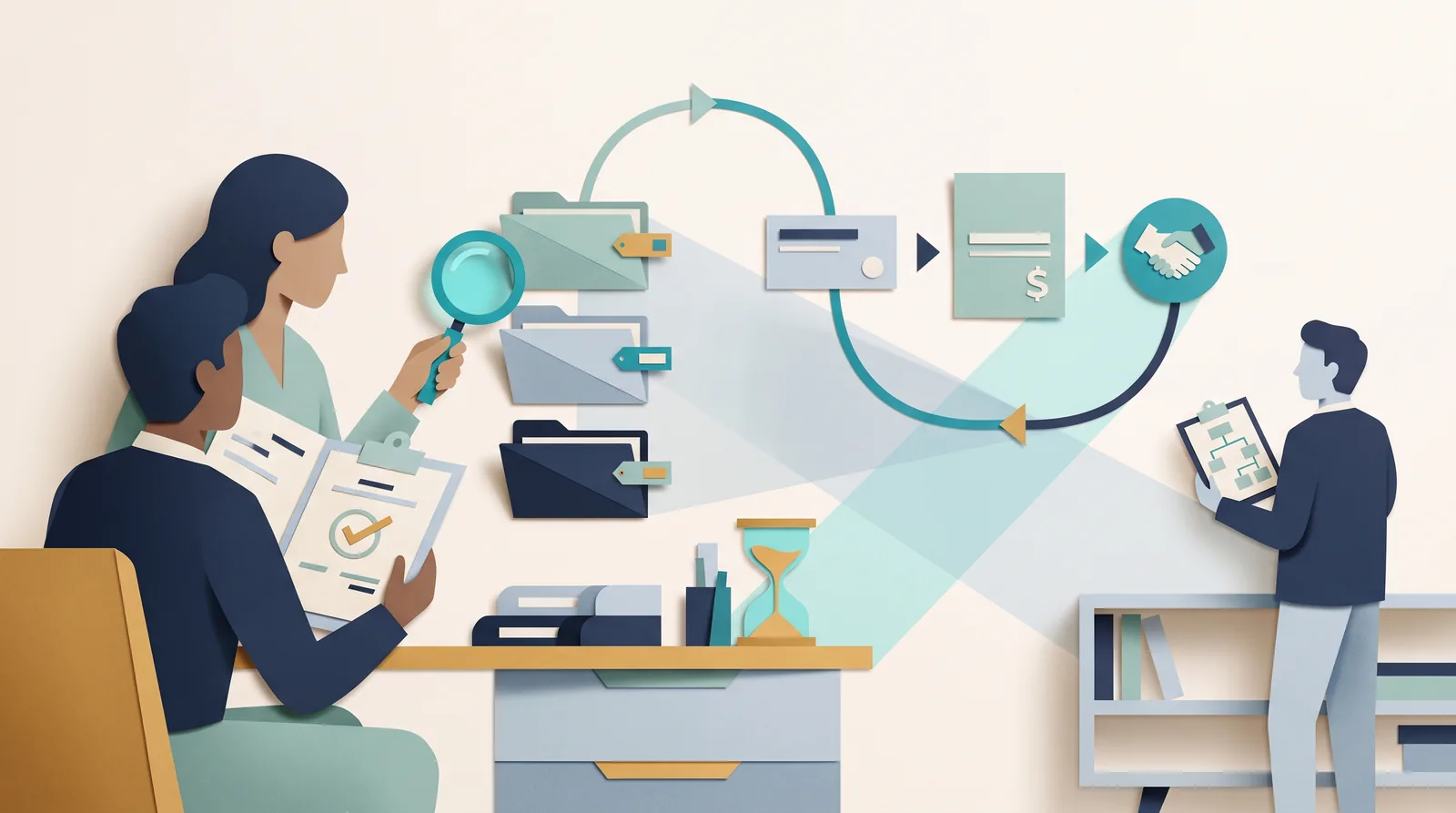
Best invoice software shortlist
| Rank | Software | Best for businesses that need | Where it can fall short |
|---|---|---|---|
| 1 | Workspace369 | Proposals, invoices, payment plans, reminders, portal, and reporting in one client-work loop | Not a full general ledger — pair with an accounting tool for deep tax needs |
| 2 | FreshBooks | Freelancers wanting simple invoicing plus light accounting | Projects, portal depth, and multichannel client communication are lighter |
| 3 | QuickBooks | Accounting-first businesses that invoice | Client work, proposals-as-workflow, and portal experience feel bolted on |
| 4 | Zoho Invoice | Free invoicing inside the Zoho ecosystem | Delivery, projects, and client communication need more Zoho apps |
| 5 | Square Invoices | Businesses already on Square payments | Client records, projects, and follow-up automation stay limited |
Entry prices below are list prices reviewed on August 30, 2026, before promotional discounts — most vendors run intro offers. Verify current pricing with each vendor before choosing.
| Software | Entry pricing snapshot | Pricing notes |
|---|---|---|
| Workspace369 | $29/mo for one seat | Scales to $299/mo with 20 seats; invoicing sits inside the full client-work workspace, not a standalone billing app |
| FreshBooks | Lite from $21/mo | Up to 5 billable clients on Lite, Plus lists at $43/mo, extra team members billed per user |
| QuickBooks | Simple Start $38/mo | Accounting plans with invoicing included; list prices rose more than once during 2026 |
| Zoho Invoice | Free | Free for small businesses; the wider Zoho suite around it is priced per app |
| Square Invoices | Per-payment processing fees | Paid Square plans add advanced invoicing, contracts, and team features |
Read the second table as "what the invoice costs," not "what the workflow costs." A free invoice tool beside a paid CRM, a paid proposal tool, and a manual reminder habit is not free.
The shortlist in detail
Workspace369 — best for the full client-work loop
Workspace369 is built around the client record rather than the ledger. A proposal is accepted, the work is delivered against the same record, the invoice goes out on schedule, payment plans let the client pay without friction, and automated reminders chase whatever is still outstanding. The client portal keeps the invoice, the files, and the status in one place the client can actually see.
Plans start at $29/mo for one seat and scale to $299/mo with 20 seats, with proposals, invoicing, CRM, projects, inbox, expenses, and reporting included rather than bolted on. The honest trade-off: Workspace369 is not a full general ledger, so firms with deep tax and bookkeeping needs pair it with an accounting tool.
FreshBooks — best for freelancers who want light accounting
FreshBooks pairs genuinely pleasant invoicing with time tracking, expenses, and double-entry accounting, which makes it a strong pick for freelancers and very small teams who want the books and the bills in one place. Entry pricing is Lite from $21/mo for up to 5 billable clients, with Plus listing at $43/mo — the billable-client caps are the detail to watch as a client base grows.
The concessions sit on the client-work side: proposals-as-workflow, portal depth, and multichannel client communication are lighter than a dedicated client-work platform. The FreshBooks and Workspace369 comparison walks through that difference feature by feature.
QuickBooks — best for accounting-first businesses
QuickBooks Online is the default small-business ledger, and invoicing comes with it: estimates, invoices, payments, reminders, and tax-ready books in one accounting suite. Simple Start lists at $38/mo, and Intuit has raised list prices more than once in 2026, so budget for the trajectory rather than the introductory offer.
The trade-off is that client work feels bolted on. Proposals, projects, and the portal exist to serve the books, not the delivery process — the QuickBooks versus Workspace369 comparison shows where that line falls.
Zoho Invoice — best free option inside an ecosystem
Zoho Invoice is free for small businesses, and it covers professional invoices, payment reminders, and online payments properly. For a business that genuinely only needs the document, it is the honest answer.
The catch is the surround: delivery, projects, and client communication live in other Zoho apps, each with its own account and learning curve. Free invoicing works until the workflow around the invoice matters more than the invoice itself.
Square Invoices — best for payment-first sellers
Square Invoices is the natural pick for businesses already taking Square payments: estimates convert to invoices, contracts carry e-signatures, and recurring billing, automatic reminders, deposits, and milestone payment schedules are built in. Costs are per-payment processing fees, with paid Square plans unlocking the advanced features.
The limits show up past the payment: client records, project context, and follow-up automation stay thin compared with a client-work workspace, and the value scales with how much of the business already runs on Square.

Where Workspace369 fits best
Workspace369 treats the invoice as the end of a loop, not the whole job: the proposal becomes the work, the work becomes the invoice, the invoice bills on schedule, and automated reminders chase anything outstanding — all attached to the same client record. The invoicing and project management software hub covers the full loop.
Concretely, that loop means:
- A client accepts a proposal, and the scope, pricing, and history carry into the invoice instead of being retyped.
- Payment plans, retainers, deposits, and recurring invoices handle the way service work is actually billed.
- Reminders and follow-up run from the same workspace as the rest of the client conversation.
- Reporting shows what is outstanding per client, next to the work that created the bill.
None of this requires replacing the general ledger. Businesses with deep bookkeeping and tax needs should keep an accounting tool beside it — the ranking is about which product runs the client-work loop best, and that loop is what decides when invoices get paid.
For a finished document right now, the free invoice generator builds a print-ready invoice in the browser, and the free invoice template downloads CSV templates for Excel and Google Sheets.
Best invoice software by scenario
- Solo freelancer billing a handful of clients: Zoho Invoice if free is the priority, FreshBooks if light accounting should sit beside the invoice.
- Growing service team retyping quotes into invoices: Workspace369 — proposals, invoices, payments, reminders, and portal on one client record, from $29/mo.
- Business whose books are the pain: QuickBooks, with invoicing treated as an accounting feature; add a client-work tool when delivery context starts getting lost.
- Retail or field seller already on Square: Square Invoices, because the payments are already there.
- Service business standardizing the whole client lifecycle: Workspace369 — the case is consolidation: one workspace instead of an invoice app plus a CRM plus a manual reminder habit.
From accepted quote to paid invoice inside Workspace369
The ranking above argues the loop matters more than the document, so it is worth seeing the loop on screen. Once a client accepts a proposal, the scope and pricing carry into the invoice instead of being retyped: line items, rates, and tax sit in the editor on the left, billing details pull from the client record, and the live preview on the right shows exactly what the client receives — including what has been paid to date and what is still due.

The tabs across the top of that editor are the rest of the cycle. The payment plan tab splits a large bill into installments the client pays online from their copy of the invoice, and when a due date passes quietly, reminder workflows send the follow-up so nobody chases the balance from memory. The same loop runs from a phone: a quote gets accepted, converted to an invoice, and marked paid from the field, not just from a desk.
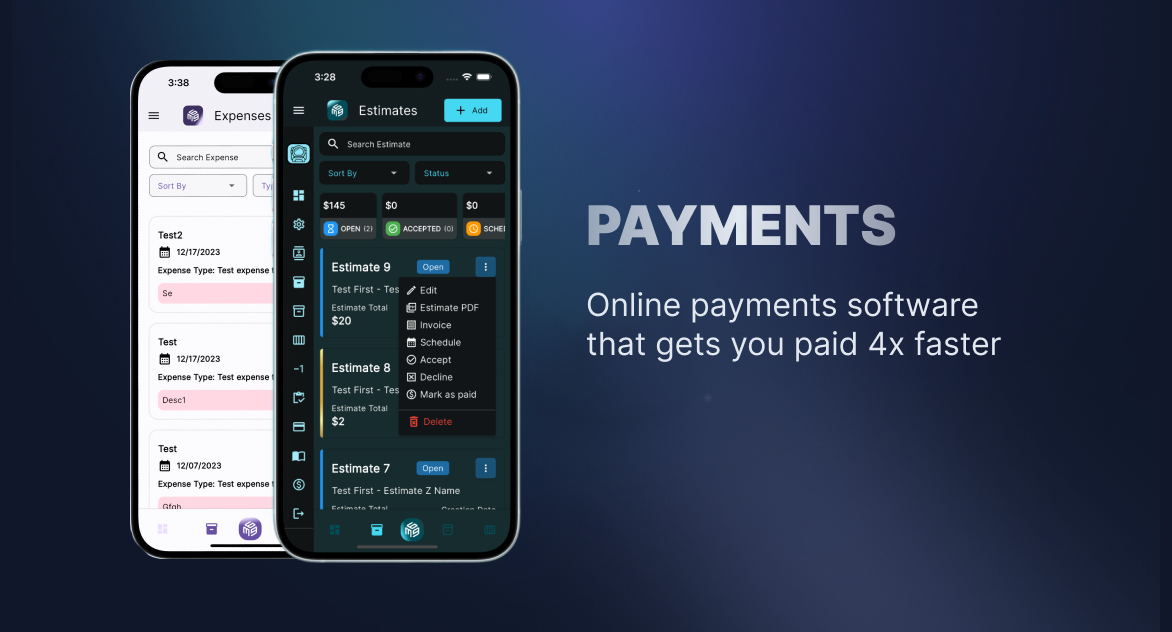
Back at the desk, per-client reporting shows what is outstanding next to the work that created the bill — the view a standalone invoice document never gives you. That is the difference this guide keeps returning to: the invoice is one screen in a loop, not a PDF you email and hope about.
When a different tool is the better fit
This ranking is wrong for some buyers, and it is worth saying plainly.
If your main pain is the general ledger, payroll, and tax preparation, start with QuickBooks or FreshBooks — Workspace369 runs the client-work loop, not the statutory books. If the budget is zero and the invoice is genuinely just a document, Zoho Invoice is free for small businesses and nothing on this list beats that price. If the business already runs on Square at the counter or in the field, Square Invoices wins on payments gravity alone.
If the pain is everything before and around the invoice — the client, the work, the follow-up — that is the loop Workspace369 runs, and it is why the ranking lands the way it does.
Final recommendation
Choose Workspace369 if your business wants proposals, invoices, payment plans, reminders, portal, and reporting in one operating workspace — and pair it with an accounting tool where deep tax needs require one.
Start with the invoicing and project management software hub to see how the invoice gets paid instead of just sent — or price the switch on the Workspace369 pricing page.
Research record
Sources reviewed for this guide
- FreshBooks pricingOfficial pricing page reviewed August 2026 for plan tiers, list prices, billable-client limits, and trial terms.
- QuickBooks Online pricingOfficial pricing page reviewed August 2026 for Simple Start entry pricing and the accounting-first plan structure.
- Zoho Invoice pricingOfficial pricing page reviewed August 2026 confirming the product is free for small businesses.
- Square InvoicesOfficial product page reviewed August 2026 for estimates, contracts, recurring billing, automatic reminders, deposits, and payment schedules.
Put it into practice
Run client follow-up in one workspace.
CRM, inbox, voice, invoicing, payments, projects, files, AI, and workflow automations — connected instead of exported.