How to get a proposal accepted, signed and paid in one sitting (2026)
How to send a proposal your client can accept, sign and pay a deposit on in one sitting, plus the checklist that keeps it from stalling between steps.

By Simon Dziak, Founder, Workspace369 · LinkedIn
Most proposals do not lose to a competitor. They lose to the gap between "looks good" and the three chores that follow: reply, sign, pay. Each chore is a new email, a new login, and a chance for the client to get pulled into something else.
This guide shows how to shrink that gap so a ready client can finish all of it in one sitting. It covers what to prepare, the order that works, and how it looks in Workspace369 proposals.
Video roundup
Watch: the best software to send proposals clients sign and pay, ranked
Six proposal tools ranked on signing online, taking the deposit, following up and turning the signed proposal into an invoice, with prices checked on each vendor page and Workspace369 shown in the real app.
Chapters
- 0:00Intro
- 0:16From proposal to paid
- 0:28#1 Workspace369 (best overall)
- 1:08Workspace369 price
- 1:19#2 PandaDoc
- 1:40#3 Better Proposals
- 1:53#4 Qwilr
- 2:07#5 HoneyBook
- 2:24#6 Bonsai
- 2:40Full ranking and free trial
Read the full transcript
Looking for software to send proposals clients can sign and pay? We compared six tools on what it takes to get from proposal to paid: signing online, taking the deposit, following up, and turning it into an invoice. Here's our ranking.
Proposal software should let clients sign online without an account, take the deposit when they accept, follow up for you, and turn the signed proposal into an invoice.
Number one: Workspace369. Build the proposal from your services, and add optional extras the client can tick.
Turn on Require signature, and ask for a deposit when they accept, as a percentage or a fixed amount.
Clients open a link, with no account or password, sign, and pay the deposit by card in one step.
Once they've opened it, up to three follow-ups go out automatically, two days apart.
When they accept, one click turns it into an invoice, with everything carried over.
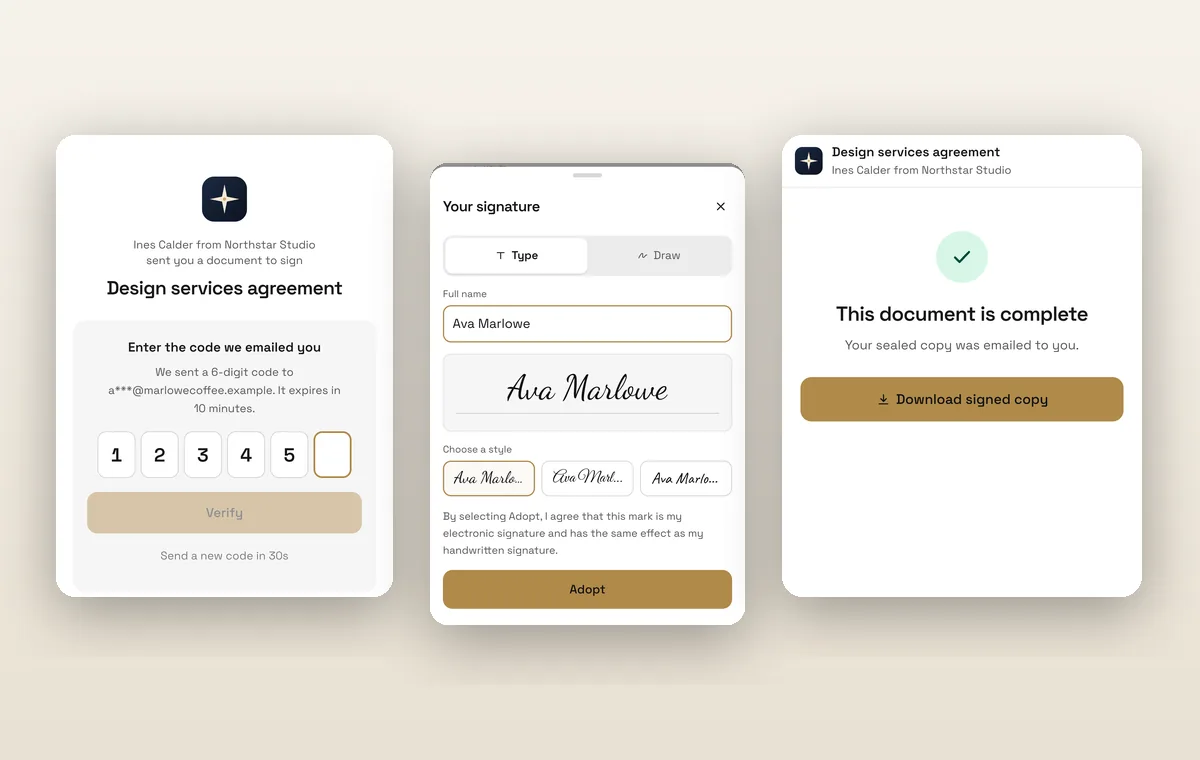
And contracts go out for e-signature too, with a signing order and a code sent to each signer's email.
It starts at twenty-nine dollars a month for one seat, with proposals, deposits, e-signature, invoices and the client portal on every plan.
Number two: PandaDoc. Starter is thirty-five dollars a seat billed monthly, and it allows five templates. Its pricing page lists collecting payments and automatic reminders on Business, at sixty-five dollars a seat, and there's no built-in invoicing: invoices are created in QuickBooks, from Business.
Number three: Better Proposals. Starter is one user, ten sends a month, and one signer. Follow-ups are a ten-dollar add-on that doesn't send them for you, and there's no invoicing.
Number four: Qwilr. Its monthly price went up from thirty-nine to forty-nine dollars a user this year, and Starter is the only plan you can pay monthly. The others are billed yearly, with at least five users.
Number five: HoneyBook. Prices went up in February 2025, and Starter is now thirty-six dollars a month. Starter allows two live lead forms, Essentials stops at two team members, and texting is an eight-dollar add-on.
Number six: Bonsai. It's priced per seat: Essentials is twenty-five dollars a seat, and that's where proposals, contracts and invoices start. Removing Bonsai's branding takes Premium, and Bonsai is now owned by Zoom.
So here's the full ranking. Number one, Workspace369, best overall. Then PandaDoc for sales document workflows, Better Proposals for proposal design, Qwilr for interactive sales pages, HoneyBook for bookings, and Bonsai for hourly freelancers.
If you want proposals clients sign and pay, with follow-ups and the invoice in the same place, Workspace369 is our pick. Try it free for fourteen days, and our team will help you set it up.
What's inside?
Quick answerWhy proposals stall between yes and paidStep 1: build a proposal that answers questions before they are askedStep 2: decide the deposit before you sendStep 3: attach the contract so it moves on its ownStep 4: what the client actually seesStep 5: follow up on the right thingProposal to payment in actionA same-day checklist before you hit sendWhat this costs and which plan you needFinal recommendation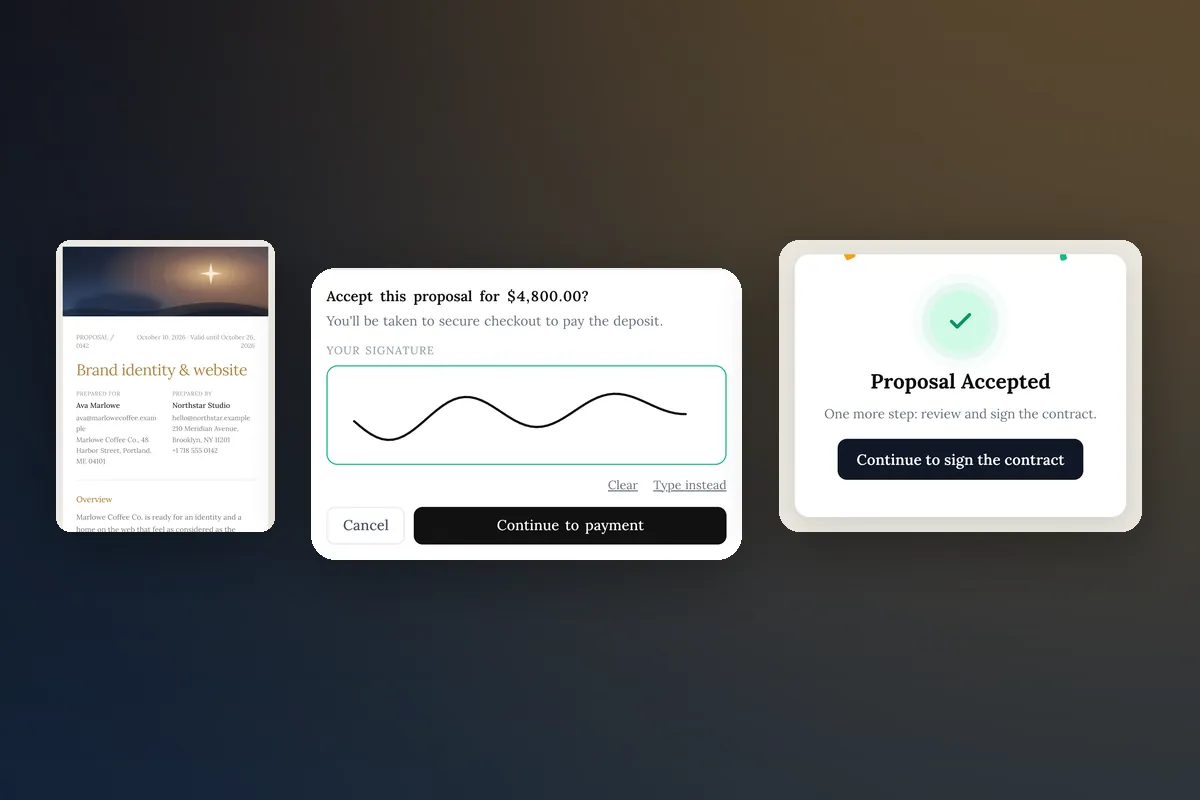
Quick answer
Send one link to a proposal that already contains everything the client needs to decide: scope, price, optional add-ons, deposit amount and terms. Let them accept on that page, take the deposit at the moment of acceptance, and attach your contract so it goes out the moment they say yes. Then follow up on the same day if the contract is still unsigned. The sequence that works is view, choose add-ons, accept, pay, sign. "In one sitting" is a design goal, not a promise about the client's calendar.
Why proposals stall between yes and paid
A client who says "send it over" is at their most committed. Then you email a contract, they open it on their phone later, they need a login, the invoice comes a day after that, and the deposit is paid on day five. Every handoff is a place for the deal to cool.
The stalls are predictable:
- Separate documents. Proposal as a PDF, contract in a signing tool, invoice in a billing tool. Three links, three tabs.
- Vague price. The client wants to remove one thing and add another, so they reply with a question instead of accepting.
- No stated deposit. Asking for money after the yes feels like a second negotiation.
- No next step on screen. "Let me know" is not a button.
If you only fix one, fix the last: the page should always show what happens next.
Step 1: build a proposal that answers questions before they are asked
Open with the outcome, not your process, and make the page look like your business before it looks like a document: your logo, a cover image, your accent color. A proposal that looks considered gets read as considered. Then keep it short enough to read on a phone.
- Cover and summary. Client name, project name, one sentence on the result they get.
- Scope as line items. Each deliverable gets a line and a price. Write what is excluded as plainly as what is included.
- Packages and optional add-ons. If the client should choose between versions of the work, offer them as a pick-one package (Starter, Growth, Signature): the client picks one option and the total follows (how packages work). Add-ons are separate: rush delivery, extra revisions or a maintenance month the client can tick on top of whichever option they pick.
- Timeline. Start date, two or three milestones, a delivery date.
- Payment terms. The deposit amount, when the balance is due, how you invoice.
- Terms. Revisions, ownership transfer, cancellation. Keep the long legal text in the contract.
The how to write a proposal guide goes deeper on wording. For this post, the point is that a client who can see price, scope, add-ons and deposit on one scroll rarely needs a call.
Step 2: decide the deposit before you send
Do the math once and state it. A common range is 25 to 50 percent upfront for projects with real startup cost, with the rest at delivery or in milestones. Use the deposit calculator to check what a percentage means in dollars for your typical project.
Two rules that prevent arguments:
- The deposit covers a cost you can name: your time reserved, a license you buy, a contractor you book.
- The contract and the proposal say the same thing about whether it is refundable. If they differ, the client will notice.
Step 3: attach the contract so it moves on its own
If you wait until the client says yes to write the contract, you have added a day to the process. Prepare a contract template per service type and attach it to the proposal before sending. In Workspace369 an attached contract is sent automatically once the client accepts, so there is no step where you have to remember.
Plan wording for the client: "After you accept, you will get a second page to sign the contract." Setting that expectation matters, because it is a separate page.
Step 4: what the client actually sees
Here is the real flow in Workspace369, in order:
- The client opens your link and scrolls a branded proposal page.
- They tick any optional add-ons, and the total updates as they go.
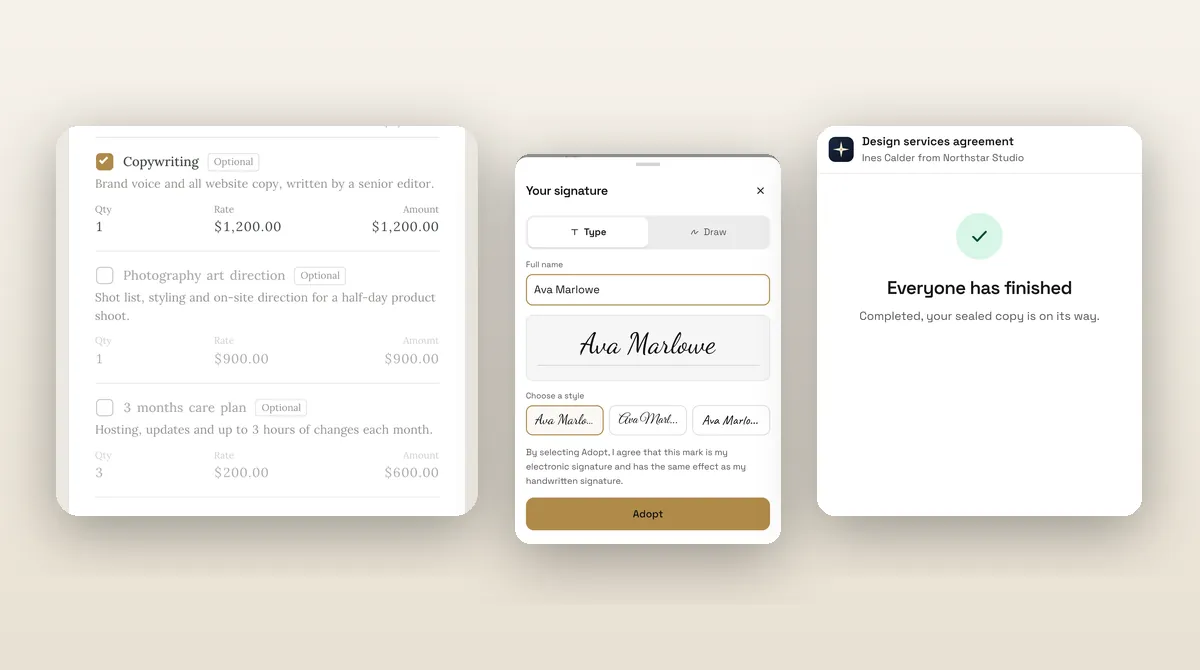
- They tap Accept and confirm with a typed or drawn signature.
- If you require a deposit, the button reads "Accept and pay" with the amount, and takes them to Stripe Checkout, which is Stripe's hosted payment page.
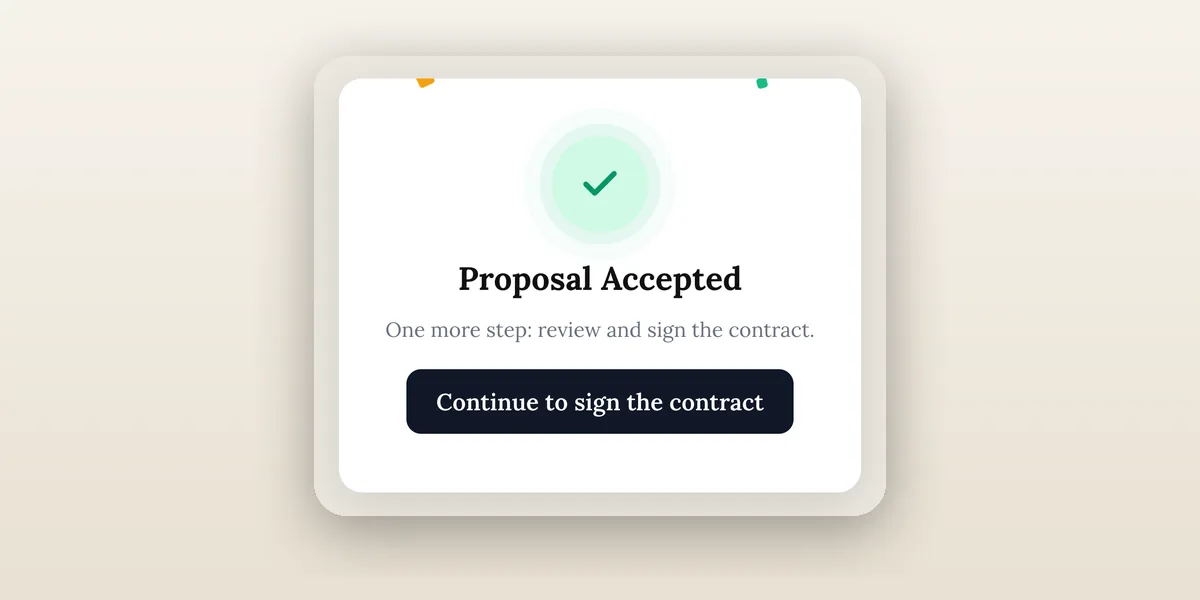
- When payment completes, the proposal shows as accepted and the contract is sent.
- The page offers "Continue to sign the contract". That opens the signer page, which asks for a code sent to the client's email, then shows the document to review and sign.
Payment runs on Stripe's secure checkout and the contract opens on its own signing page, so each step stays focused. The client never has to hunt for the next link: every screen hands them straight to the next one.
Step 5: follow up on the right thing
Two situations need a nudge: the proposal was opened but not accepted, and the proposal was accepted but the contract is unsigned. Different messages:
Opened, not accepted: "Hi Name, any questions on the project proposal? If it helps, I can adjust the add-ons. Link again: link."
Accepted, contract unsigned: "Thanks for accepting. One step left: the contract signing page has a short email code. Once it is signed I will book your start date."
The proposal follow-up generator drafts versions of both. Proposal engagement tracking is on every plan, so you can see when a client opens the proposal, which makes the timing less of a guess.
Proposal to payment in action
The walkthrough below uses a sample freelance studio. Each capture is a real screen from the shipped client flow.
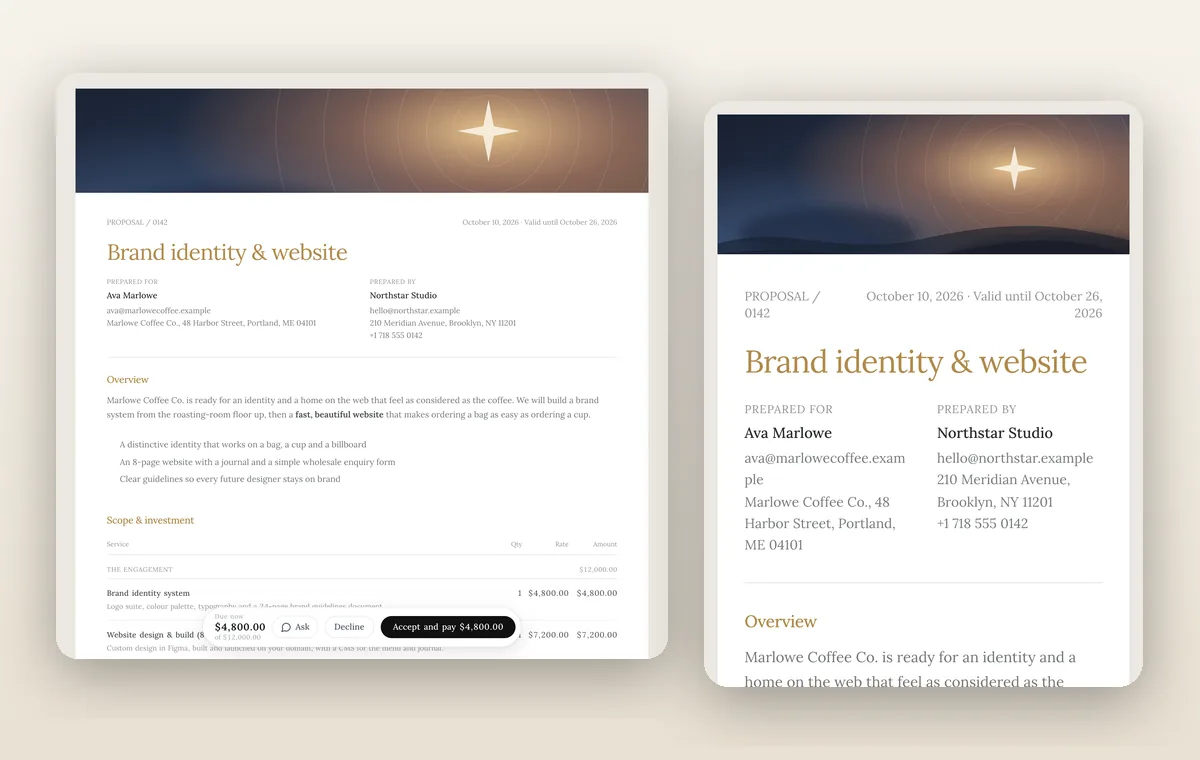
The cover is built in the proposal's Design tab, with themes, an accent color and a cover image, so the first thing the client sees is yours, not a generic template. Cover images and page backgrounds start on Specialist; the theme, accent color and logo work on every plan. See branding for client-facing documents for what you can customize.
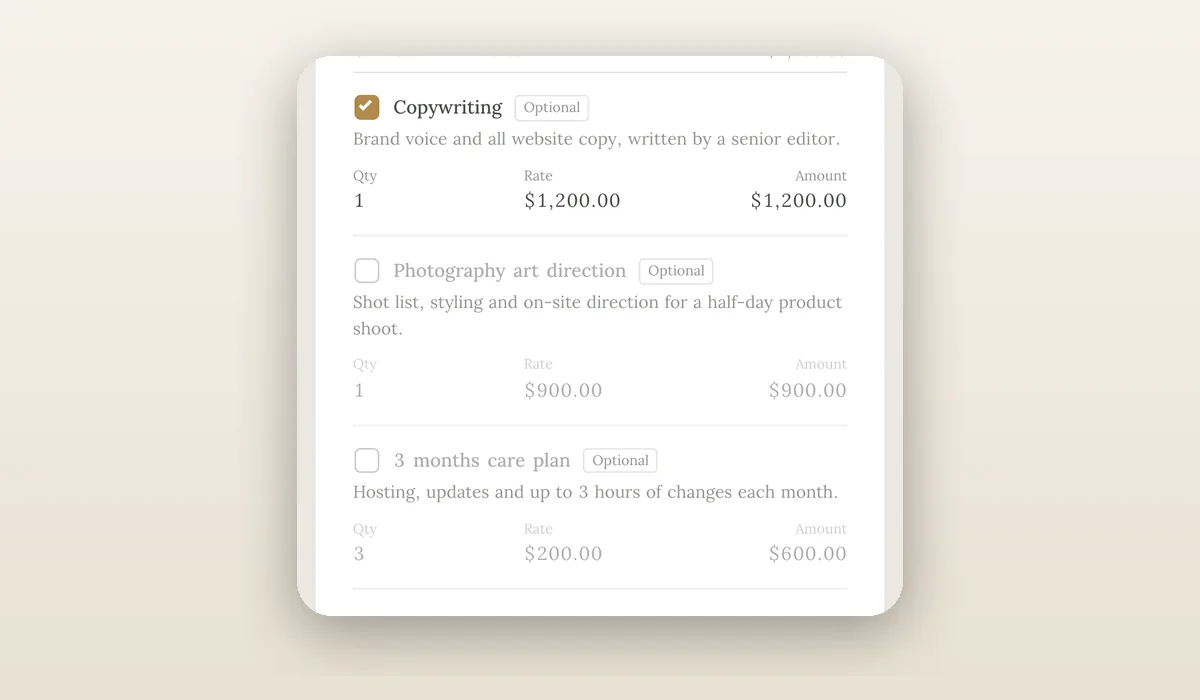
Ticking an add-on updates the total on the spot, which is the closest thing to a choice the client makes. Quoting and proposals covers line items and optional items.
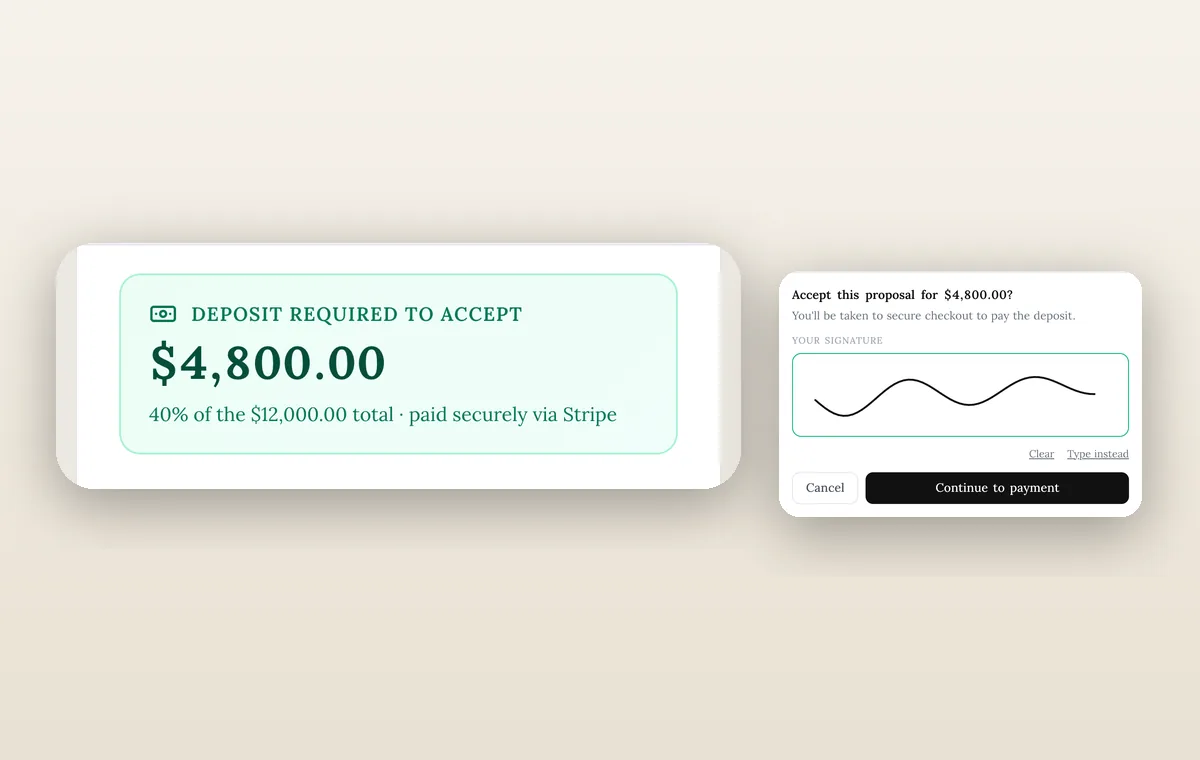
After acceptance, the payment runs through Stripe from your own connected account, covered in online payments.
A same-day checklist before you hit send
- Scope, exclusions and timeline are on the page, not in a call.
- Add-ons are optional extras, each with its own price.
- Deposit amount is stated and matches the contract.
- Stripe is connected, and you have tested a small payment yourself.
- The contract template is attached and its wording matches the proposal.
- The client email address is correct, since the signer code goes there.
- You know who follows up, and when, if nothing happens in two days.
What this costs and which plan you need
Proposals, public proposal signing, branding, engagement tracking, contracts with e-signature, Stripe payments and deposit on acceptance are on every plan from Cadet at $29 a month; cover images and proposal revision history start on Specialist ($149 a month). If you would rather bill the deposit separately, you can send an invoice with a payment link right after acceptance, which the deposit invoice guide walks through. Check pricing for the current matrix, and use freelance business software as the overview for a solo setup.
Final recommendation
Reduce the number of places a yes can die. One link, a clear price, a deposit stated up front, a contract attached before you send. Then get the follow-up message ready for the two spots where deals still pause.
Run client follow-up in one workspace.
CRM, inbox, voice, invoicing, payments, projects, files, AI, and workflow automations — connected instead of exported.
14-day free trial. Card required. After the trial: from $29/month. Renews automatically every month until you cancel. Cancel anytime in Settings → Billing.
See pricing