How to write a proposal with Claude (from your own services)
Write a proposal with Claude two ways: text you paste into a doc, or a real draft priced from your services in Workspace369, edited by chat.

By Simon Dziak, Founder, Workspace369 · LinkedIn
Workspace369 publishes this guide. The screenshots come from our own demo workspace, recorded in Claude on November 23, 2026.
You can write a proposal with Claude in two ways. On its own, Claude writes the words: an overview, a scope and whatever price you give it, which you paste into a document. Connected to your proposal software, it writes a real proposal: priced from your own services, saved with the client, editable by chat and ready to send. This guide shows both, then walks through the second with Workspace369 connected to Claude.
Key takeaways
- Claude on its own writes proposal text: an overview, a scope and a price you type in. You paste it into a document and handle numbering, signatures and sending yourself.
- With Workspace369 connected to Claude, describe the project in your own words and Claude drafts a real proposal with services and prices from your own catalog.
- Edit by chat: ask for a change, like six months of maintenance instead of three, and the same draft and its total update.
- By default, nothing goes out on its own: a send waits in Workspace369's Approvals until you approve it, or decline. Your client then accepts the proposal online.
What's inside?
Two ways to write a proposal with ClaudeHow to write a proposal with Claude and Workspace369Proposal prompts to try in ClaudeWhat it costs
Two ways to write a proposal with Claude
1. Claude on its own. Describe the client and the project, and Claude drafts proposal text: an introduction, the scope, a timeline and a price section. It writes well, but it doesn't know your services or your prices, and everything after the text is yours: numbering, a signature, sending it and following up.
2. Claude with your proposal software connected. Claude reaches other apps through connectors. Add Workspace369 as a connector and Claude works inside your account: it finds the client, picks the services and prices from your catalog, applies your default tax and saves a numbered proposal as a draft. When you ask it to send, the send waits for your approval, and your client accepts the proposal online.
| Claude on its own | Claude with Workspace369 connected | |
|---|---|---|
| Wording | Written for you | Written for you, saved in the proposal |
| Services and prices | What you type in | Your own catalog prices |
| Changes | Regenerate and paste again | Ask in the chat; the same draft updates |
| Sending | You send it yourself | Waits in Approvals until you approve it |
| Client response | By email | Accepted online |
How to write a proposal with Claude and Workspace369
Step 1: Connect Workspace369 to Claude
A workspace admin turns on Allow AI connections in Settings, AI connections, and the server URL is on the same page. In Claude, open Connectors, choose Add, then Add custom connector, name it Workspace369 and paste the URL. Click Connect, sign in to Workspace369, choose the workspace and approve what Claude may do. The Claude tutorial shows every click.
Step 2: Describe the project in your own words
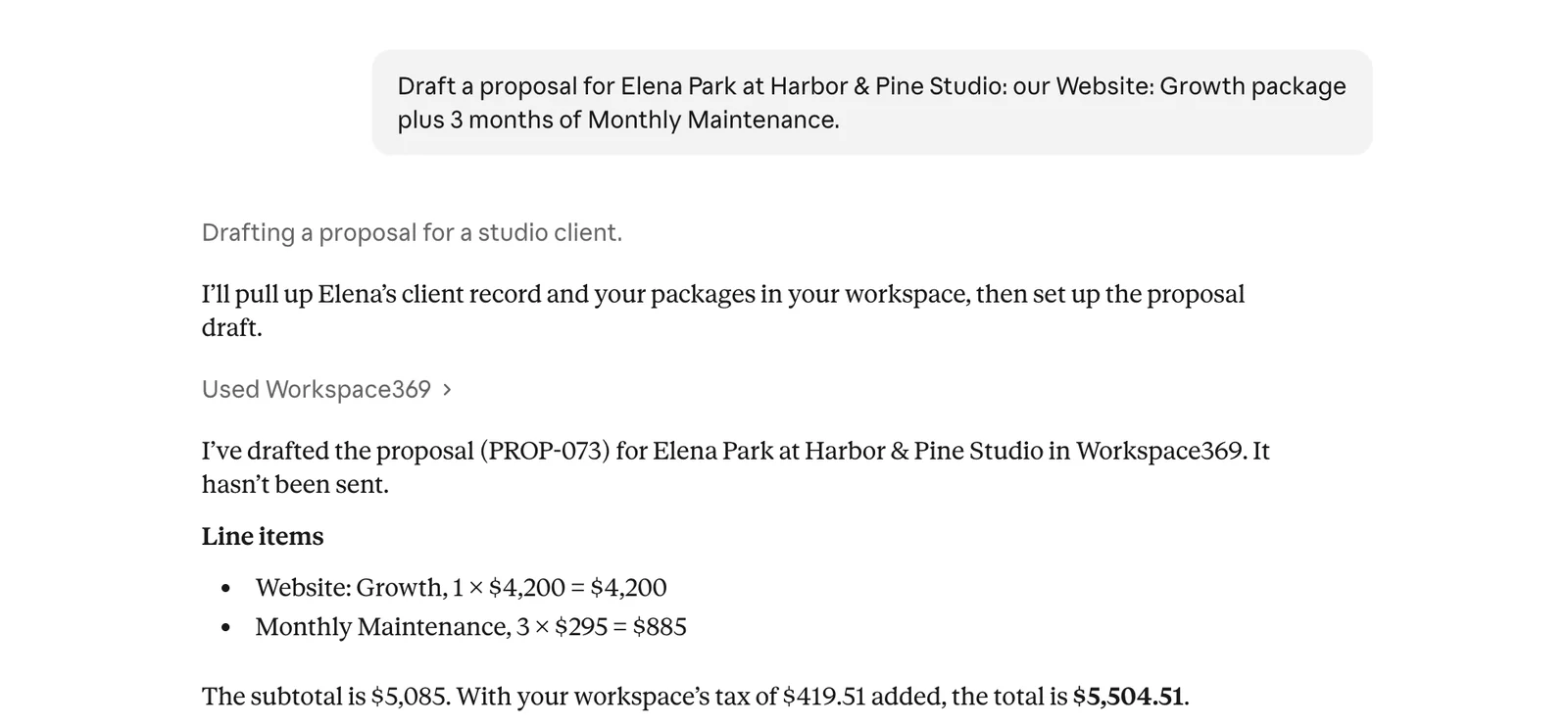
Say who it's for and what you're offering. For example: "Draft a proposal for Elena Park at Harbor & Pine Studio: our Website: Growth package plus 3 months of Monthly Maintenance."
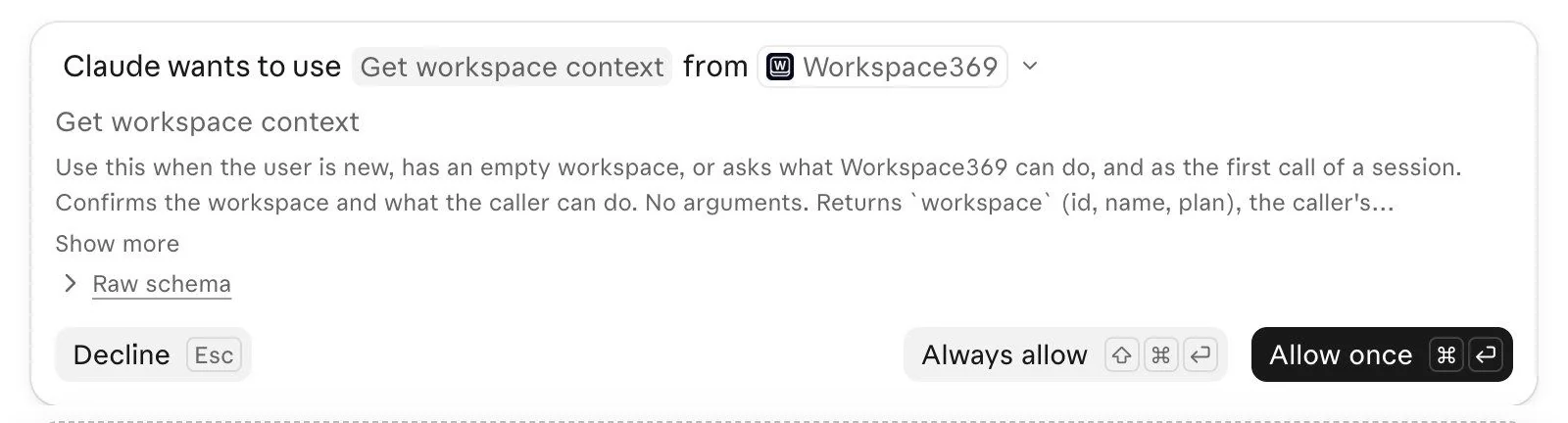
Depending on your Claude settings, Claude asks before it uses Workspace369. Choose Allow once.
Claude creates the proposal as a draft, with each service and price from your catalog, the tax and the total. Nothing has been sent.
Step 3: Change it by asking
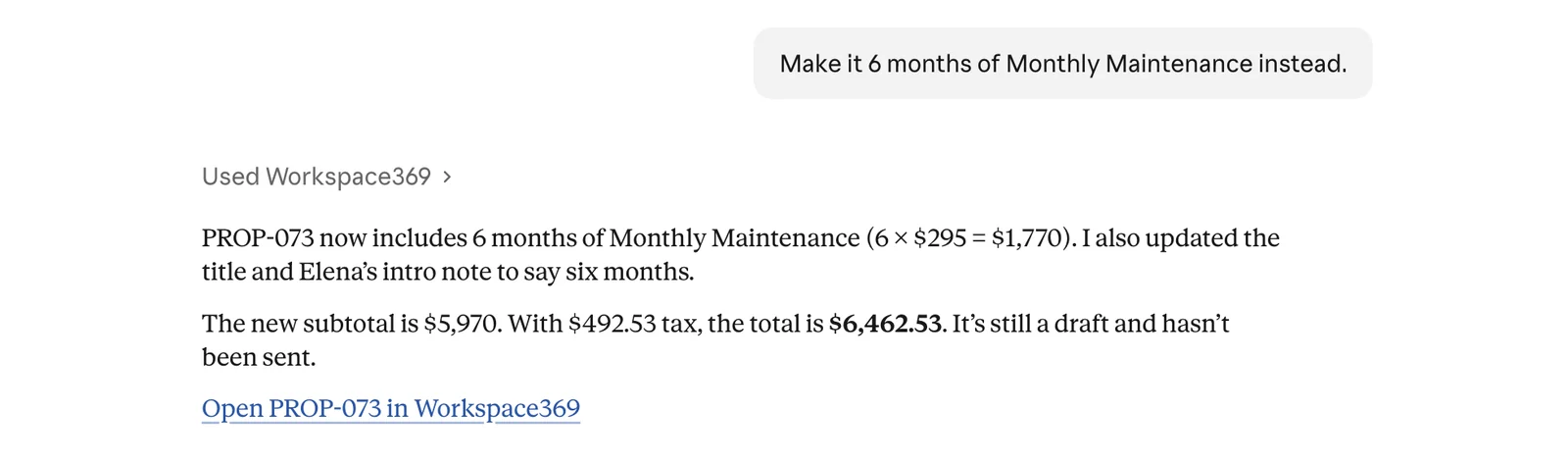
Want something different? Ask in the same chat, like "Make it 6 months of Monthly Maintenance instead." Claude updates the same proposal: the line, the total and the wording that mentions it.
Step 4: Review it in Workspace369
The draft shows up in Proposals in Workspace369 like any other. Open it to add your own touches, such as terms or a deposit, and preview what your client will see.
Step 5: Ask Claude to send it, then approve
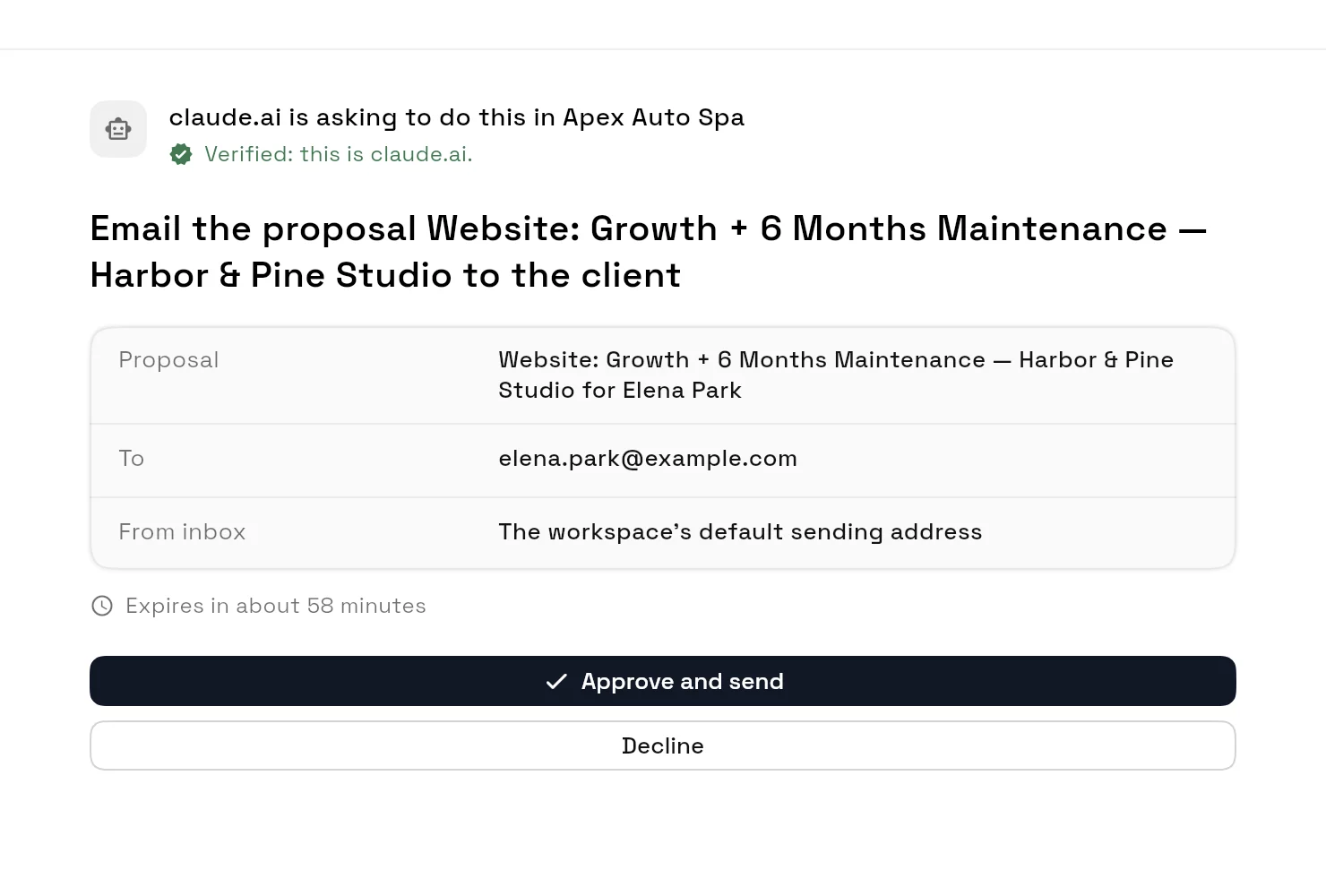
Ask Claude to send it, like "Send it to Elena." By default, it doesn't go out on its own: the request waits in Approvals in Workspace369 until you press Approve and send, or Decline. Once you approve, the proposal is emailed to your client, who opens it and accepts it online. A request nobody decides expires after an hour.

Proposal prompts to try in Claude
- "Draft a proposal for Elena Park at Harbor & Pine Studio: our Website: Growth package plus 3 months of Monthly Maintenance."
- "Draft a proposal for Maria Lopez for a website redesign."
- "Make it 6 months of Monthly Maintenance instead."
- "Which proposals haven't been accepted yet?"
- "Send it to Elena."
When the client accepts, you can turn the proposal into an invoice in Workspace369, or ask Claude to make an invoice. For more ideas, see 24 MCP CRM prompts. Prefer ChatGPT? See how to write a proposal with ChatGPT.
What it costs
Connecting Claude works on every Workspace369 plan, from Cadet at $29 a month (one seat). Every successful request counts toward the workspace's monthly AI usage. Your Claude account is separate, with Anthropic. Start Workspace369 with the 14-day trial; a card is required, and the plan renews monthly after the trial until you cancel. Compare the plans or see how proposals work.
Sources reviewed for this guide
- Connect Claude to Workspace369 (video tutorial)Connection steps, reviewed November 23, 2026.
- Workspace369 MCP permissions, usage and auditApprovals and Send without asking, reviewed November 23, 2026.
- Workspace369 pricingPlan prices and trial terms, reviewed November 23, 2026.
Run client follow-up in one workspace.
CRM, inbox, voice, invoicing, payments, projects, files, AI, and workflow automations — connected instead of exported.
14-day free trial. Card required. After the trial: from $29/month. Renews automatically every month until you cancel. Cancel anytime in Settings → Billing.
See pricing