Proposals & contractsBilling & paymentsClients & CRMWorkspace AICalendar & bookingProjects, tasks & timeWorkflowsClient portalWorkspace & team
September 2026: e-signature contracts, AutoPilot Today, client stages and branded portals
Send contracts for e-signature, run your day from AI AutoPilot Today, track clients through stages, brand client portals, and rebuilt workflows, tasks and Settings.
Contracts you send for e-signature
Send a contract for e-signature from Workspace369: upload a PDF or start from a template, place signature fields, add your signers and send it. Signers verify by email code, and every contract keeps a History timeline and an evidence file.
The Contracts page was rebuilt with a status filter, a Templates view for reusable agreements, a builder where you set the signing order and add teammates as signers, and countersigning and reminders.
- Start from a PDF or a reusable template
- Audit trail and evidence file for every contract
- Countersigning and reminders
- Where to find it
- Contracts in the sidebar
- Plans
- Every plan
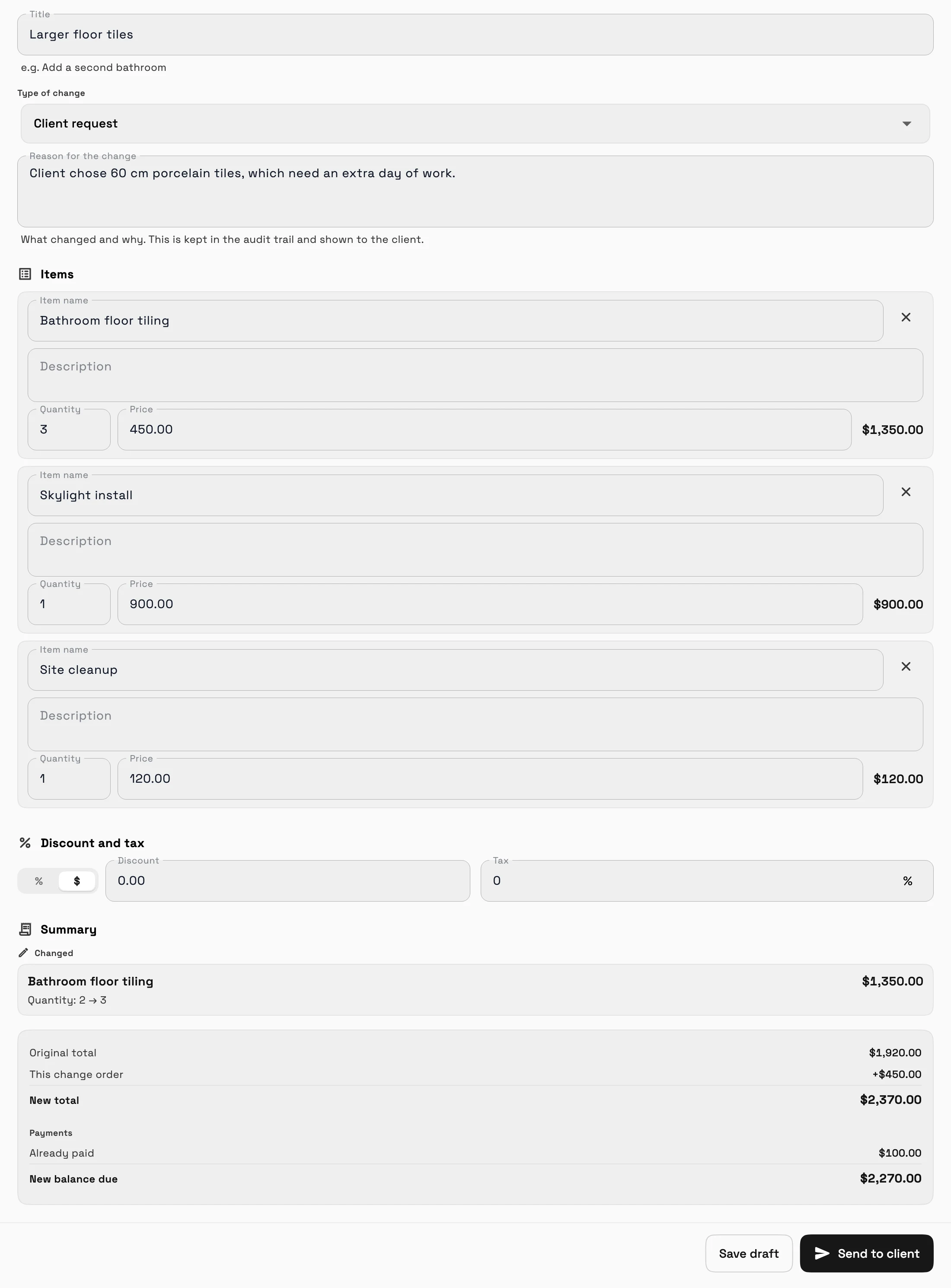
Change orders for accepted proposals and paid invoices
Once a proposal is accepted, or a deposit or payment comes in, its items and prices lock, and a banner explains why. To change it, create a numbered change order that shows exactly what changed.
- Where to find it
- Open a locked proposal or invoice
- Change order
- Plans
- Specialist and up
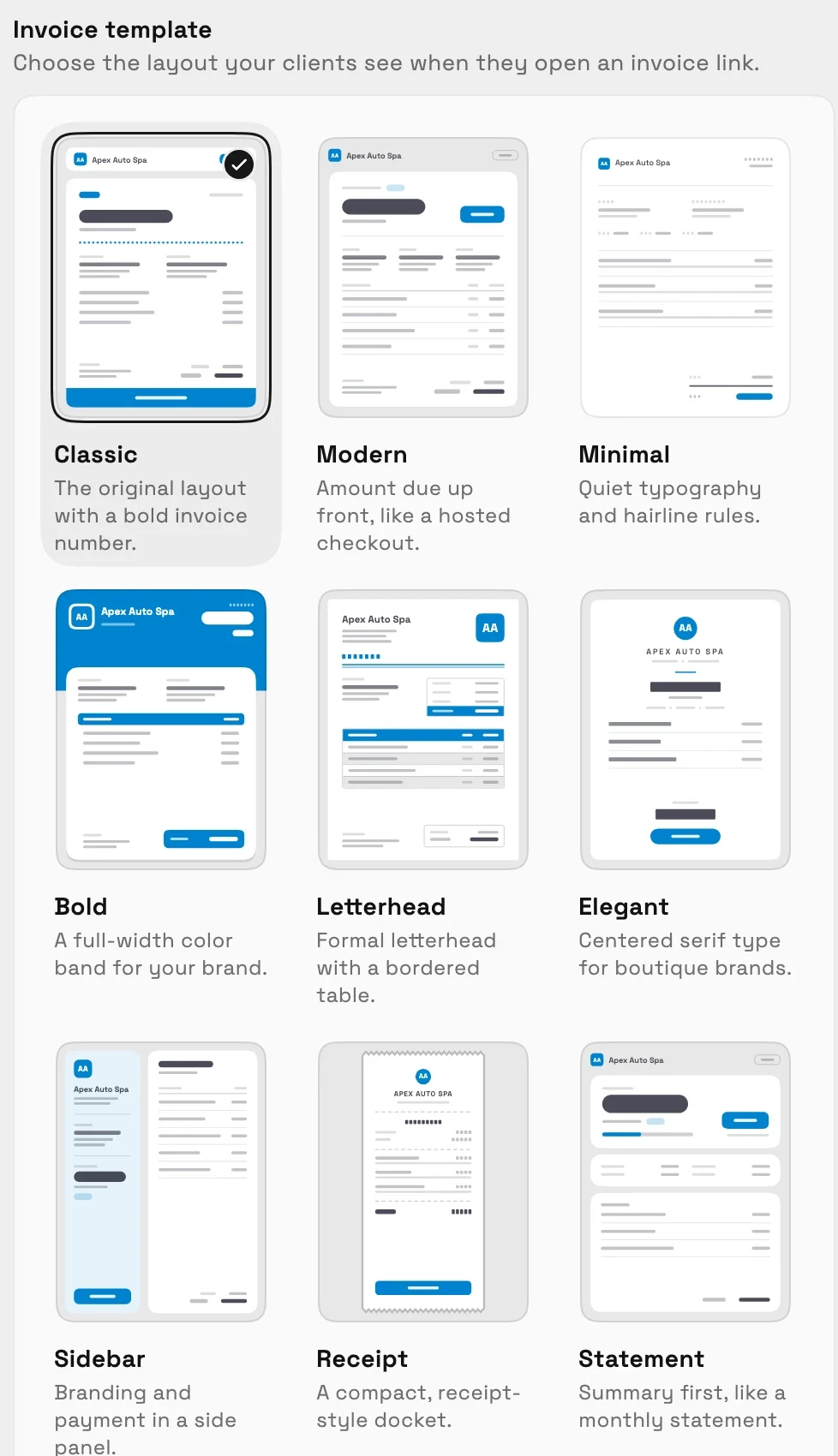
Design the invoice page your clients open
Choose how the page your clients open from an invoice link looks: pick a template and a color palette, then set the typeface and logo size.
- Where to find it
- Settings
- Invoices
- Document themes
- Plans
- Every plan
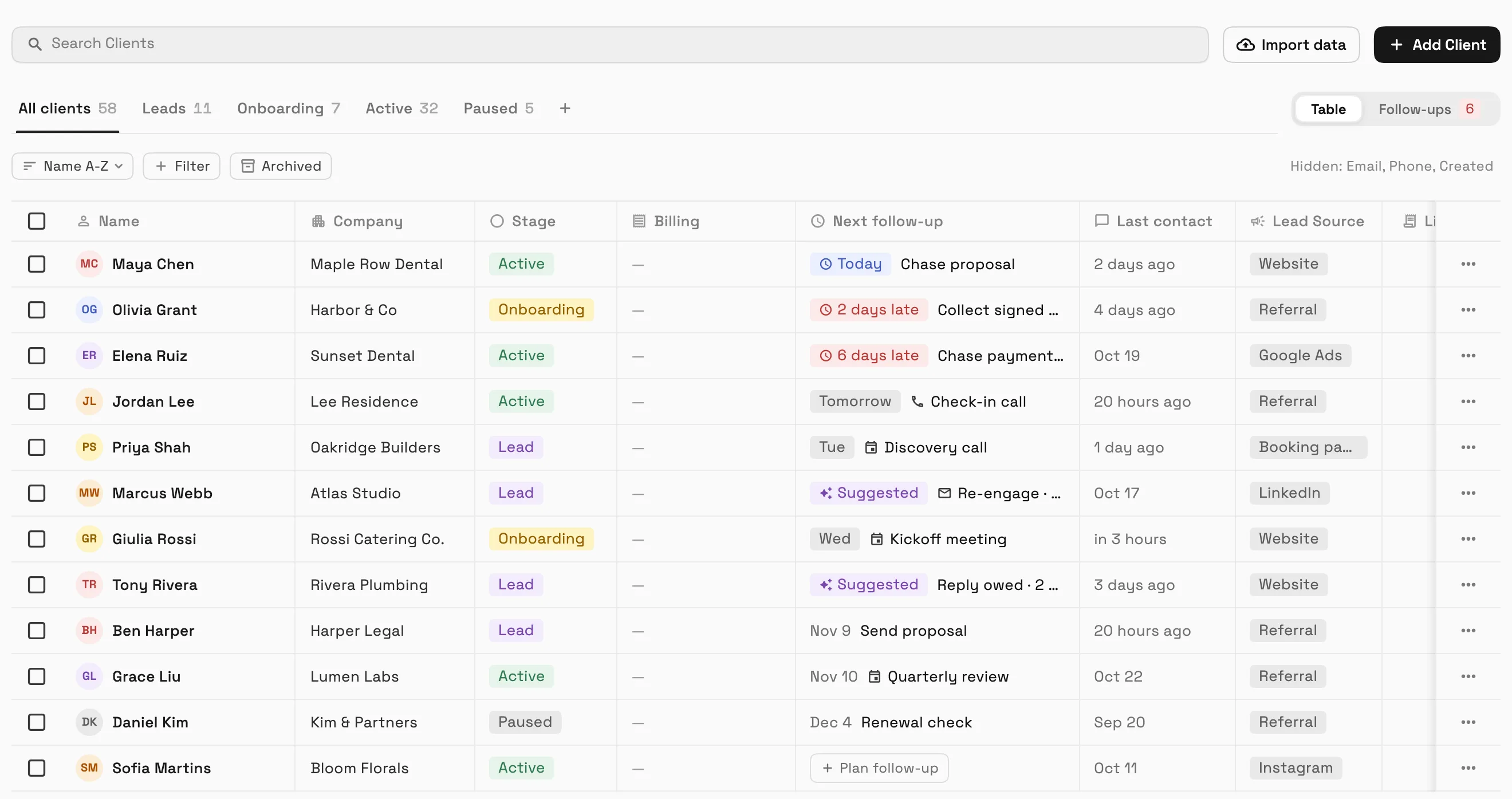
Client stages, follow-ups and a Requests form builder
Add people as Leads and move clients through stages you can rename, recolor, reorder or hide. A follow-up queue says why each client is due, and a quick-view panel lets you have AI draft the email, text or call notes.
Requests show in a table with a quick-view panel and a visual form builder, and you can convert a request to a client in one click.
- Stages, Leads and a follow-up queue
- AI-drafted follow-ups from the client quick view
- Requests table and form builder
- Where to find it
- Clients in the sidebar
- Follow-ups; Requests in the sidebar
- Plans
- Every plan
AI AutoPilot Today, Client Health and watches on money, projects and tasks
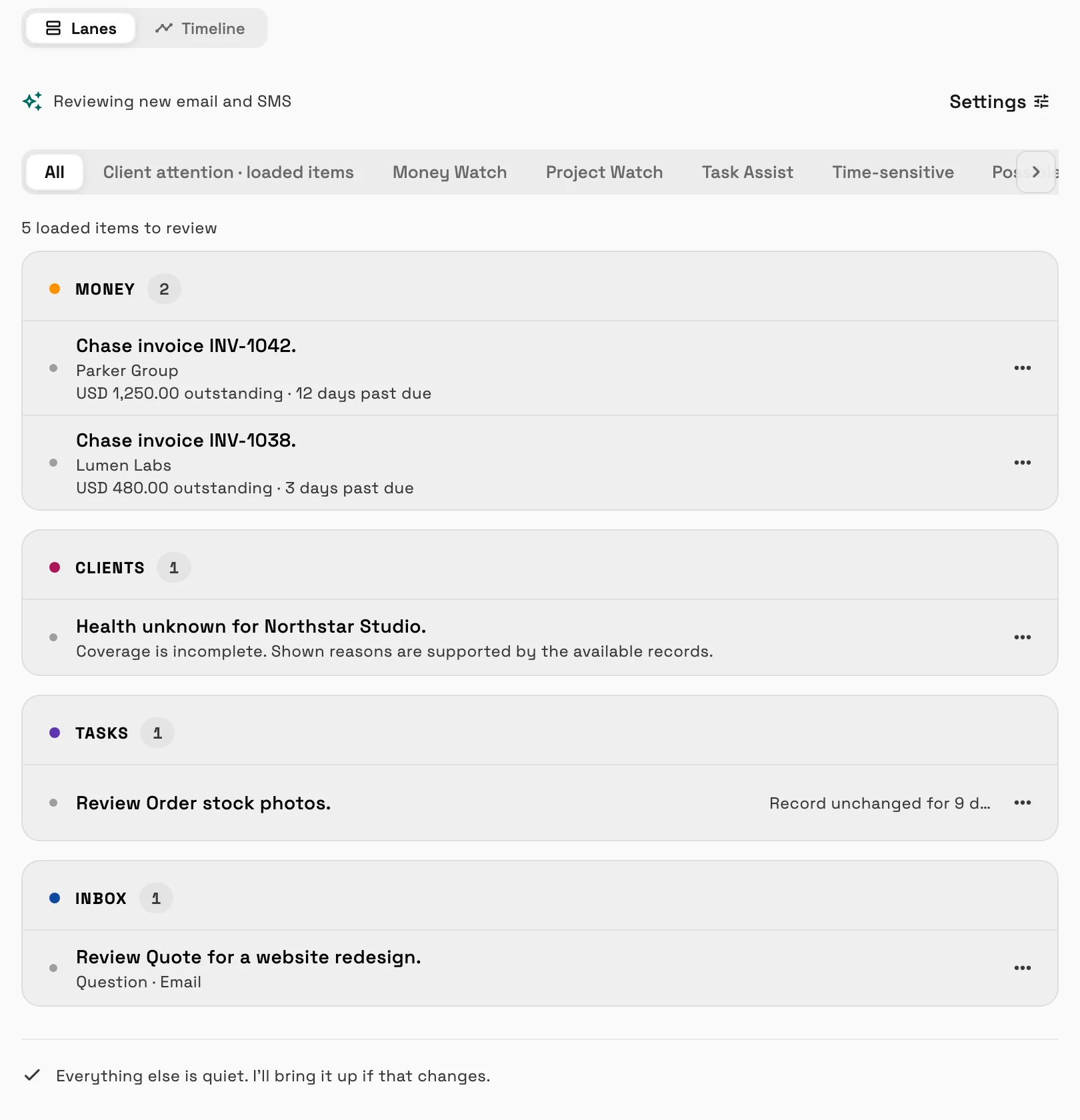
AI AutoPilot opens on Today, a ranked list of what needs you, like an invoice to chase or a client to check in with. Client Health flags clients who need attention with the reason shown, and Money Watch and Project Watch point out unpaid invoices and projects that need a look.
AutoPilot only suggests: it drafts reminders and follow-ups for you to review.
- A Today feed that ranks what to do next
- Client Health with a Draft follow-up you can edit
- Where to find it
- AI AutoPilot in the sidebar
- Plans
- Every plan
- Learn more
- AI AutoPilotAI AutoPilot Today
A morning briefing and message sorting
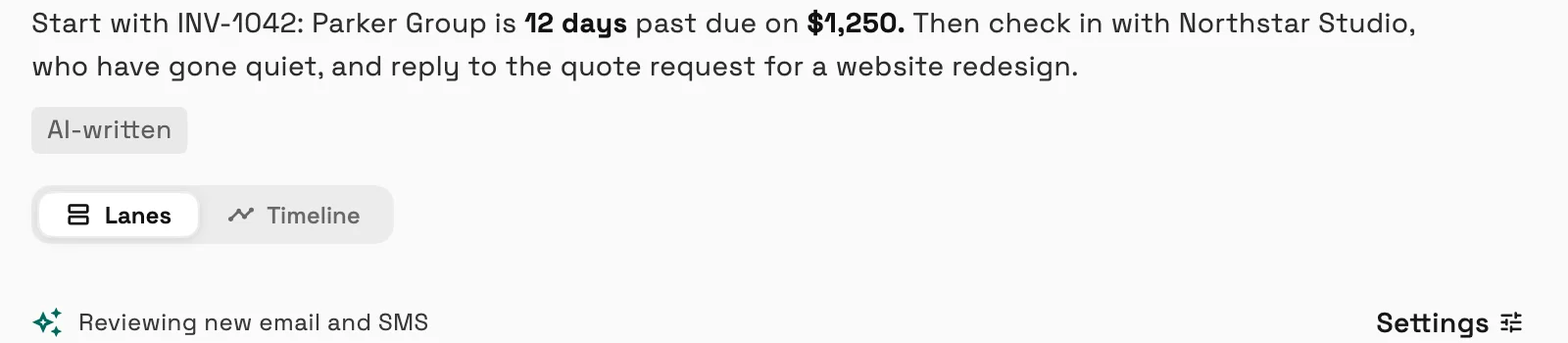
Turn on the morning briefing and message sorting and AI summarizes your day and suggests labels on new email and text messages. It never moves messages or sends replies.
- Where to find it
- AI AutoPilot
- Settings
- Plans
- Voyager and up
- Learn more
- Workspace AIAI AutoPilot Today
Create calendar events by dragging, with Google Meet and guest invites
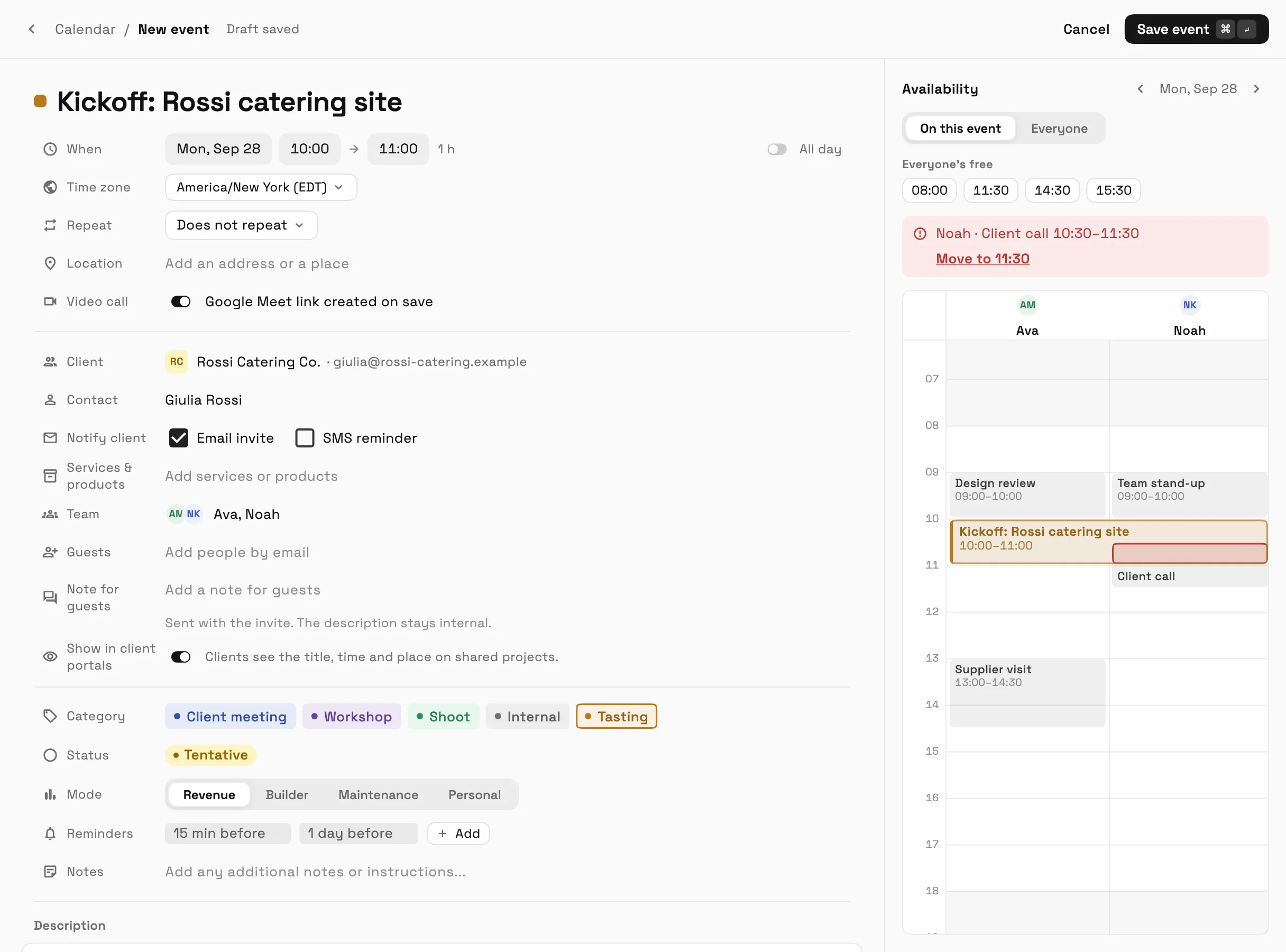
Drag on the calendar to create an event, or open the full editor to set guests, reminders and team availability. Add a Google Meet link once your Google account is connected, and email invites go to your guests.
- Where to find it
- Calendar in the sidebar
- Plans
- Every plan
Tasks, time tracking and files rebuilt
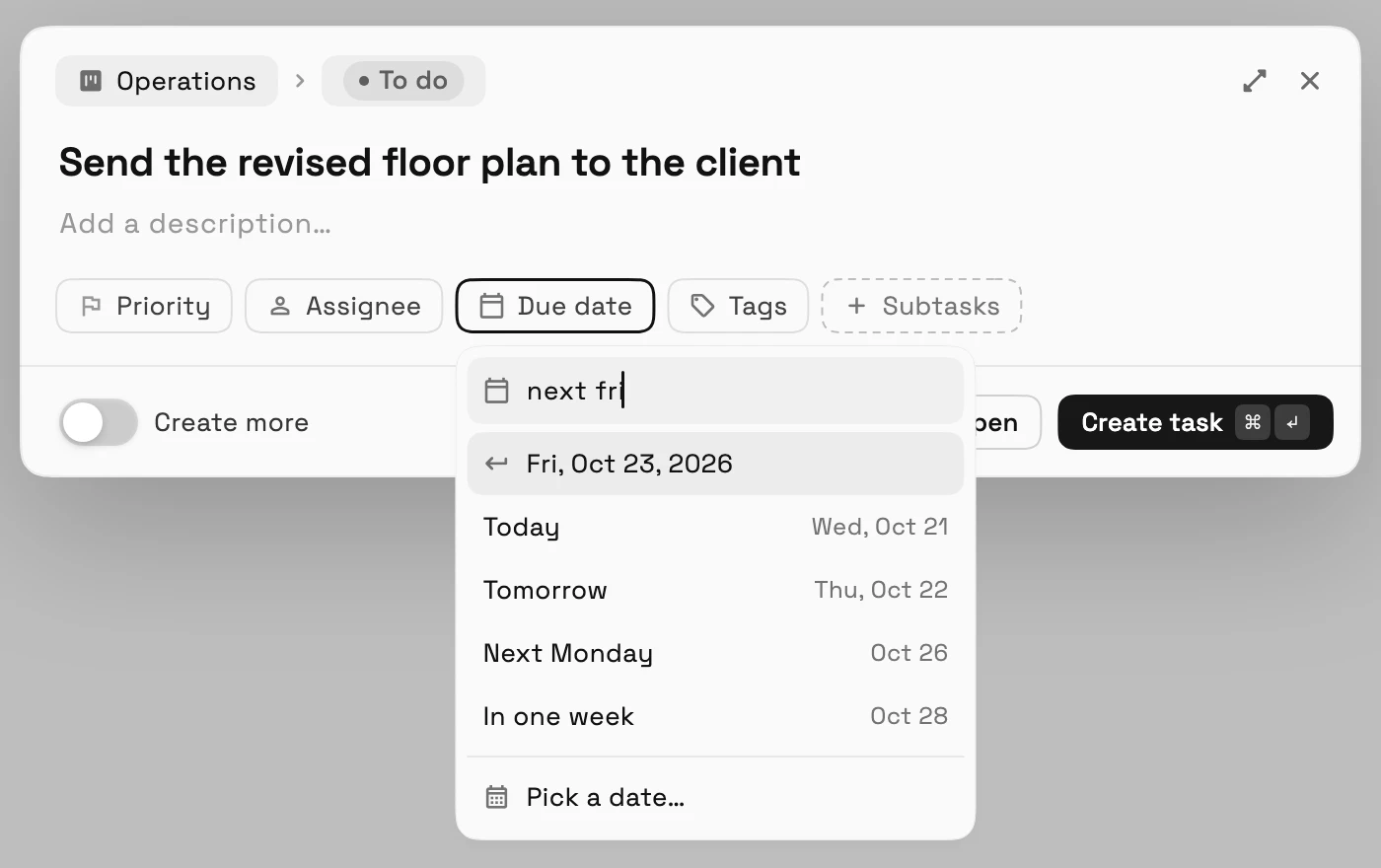
Add a task straight from the bottom of a board column and open any task in a preview. Time off shows balances, who is out and requests waiting for approval on one page, and a Reports tab charts the hours your team logged.
Files uploads now run through a queue with a status for every file, and you choose what happens when a file with the same name exists.
- Quick task creation
- Time off and team hours reports
- An upload queue that handles duplicates
- Where to find it
- Tasks, Time tracking and Files in the sidebar
- Plans
- Every plan
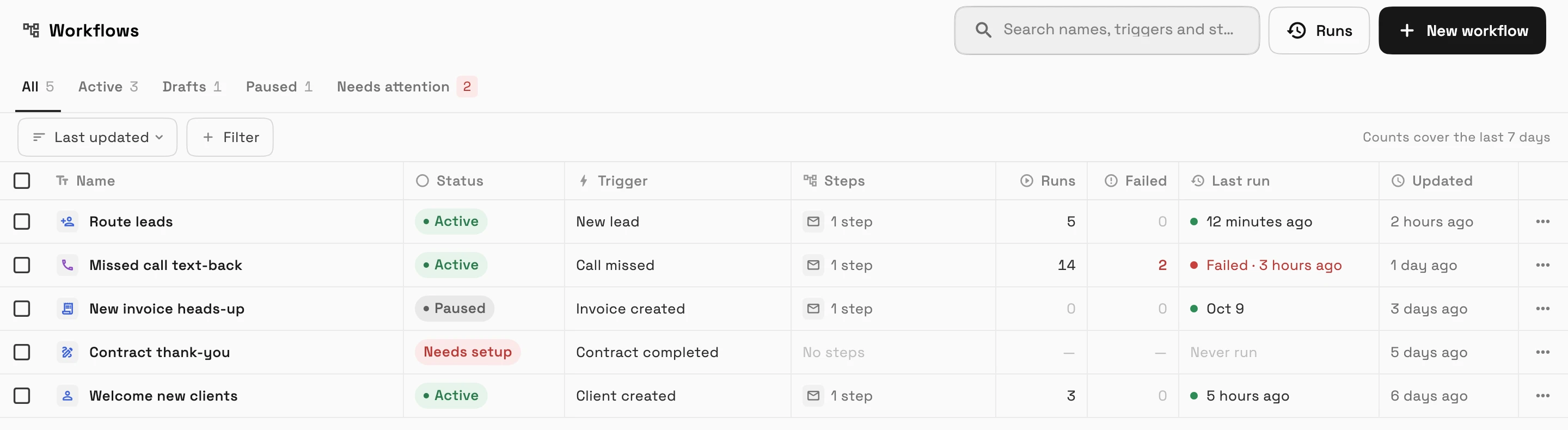
Workflows rebuilt with a table, templates, test runs and AI drafting
Workflows open on a table of everything you have built, with filters and bulk actions. Start from a template or describe what you want and let AI draft it, and test it before it goes live.
A workflow that starts when a new lead arrives can assign the lead to one teammate or rotate it between several.
- Templates and AI drafting
- Assign new leads to a teammate
- Where to find it
- Workflows in the sidebar
- Plans
- Every plan
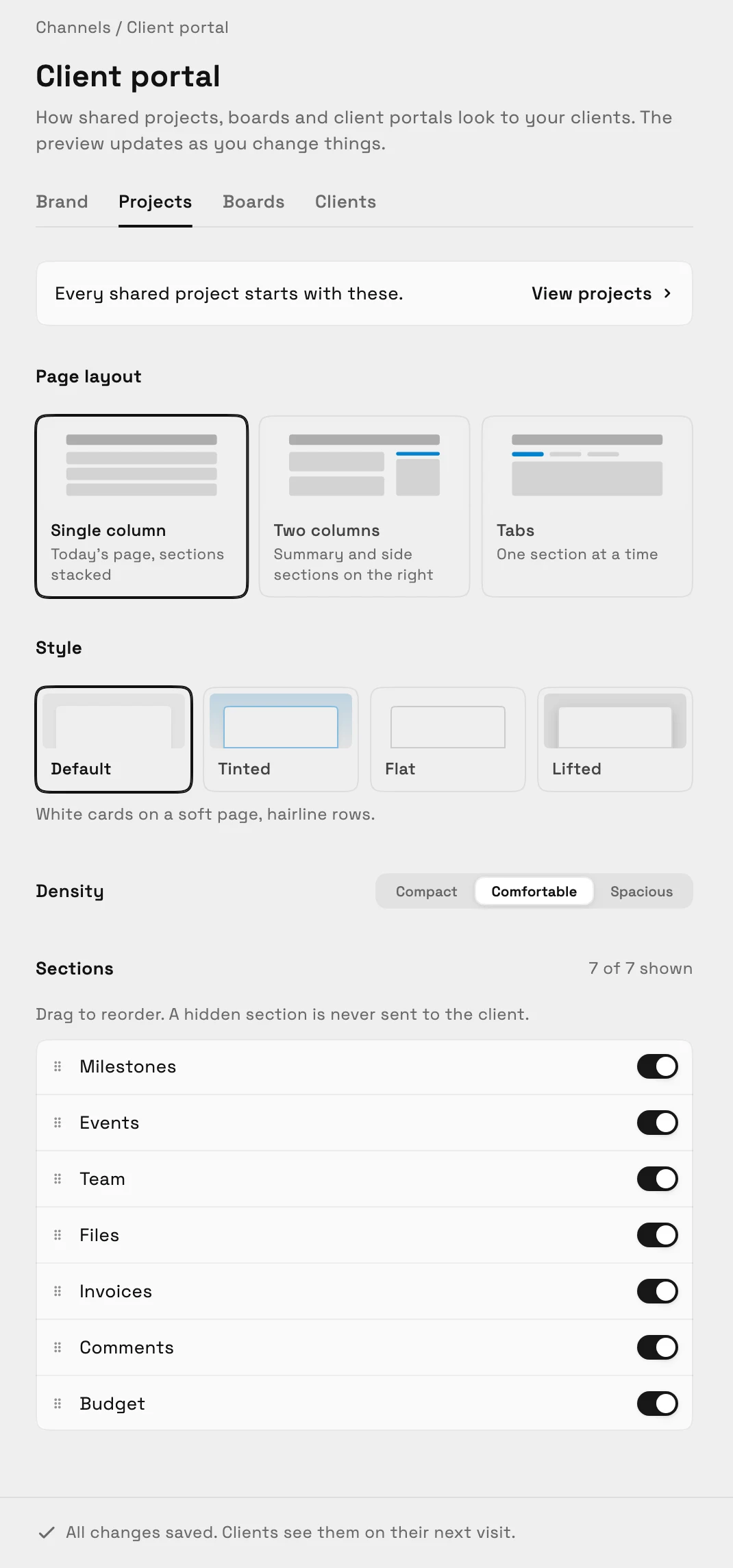
Client portals in your brand, and a private portal for each client
Client portals carry your logo and accent color, and you choose which sections show and in what layout. Every client can have a private portal that shows only what you choose to share, including contracts waiting for their signature, and visitors sign in with a code sent to their email.
- Where to find it
- Settings
- Client portal
- Plans
- Every plan
- Learn more
- Client portalBranded client portals
Invite teammates and add seats in one place
The Team & seats page lets you invite several people by email, resend an invite, edit it, or copy an invite link.

- Where to find it
- Settings
- Team & seats
- Plans
- Voyager and up
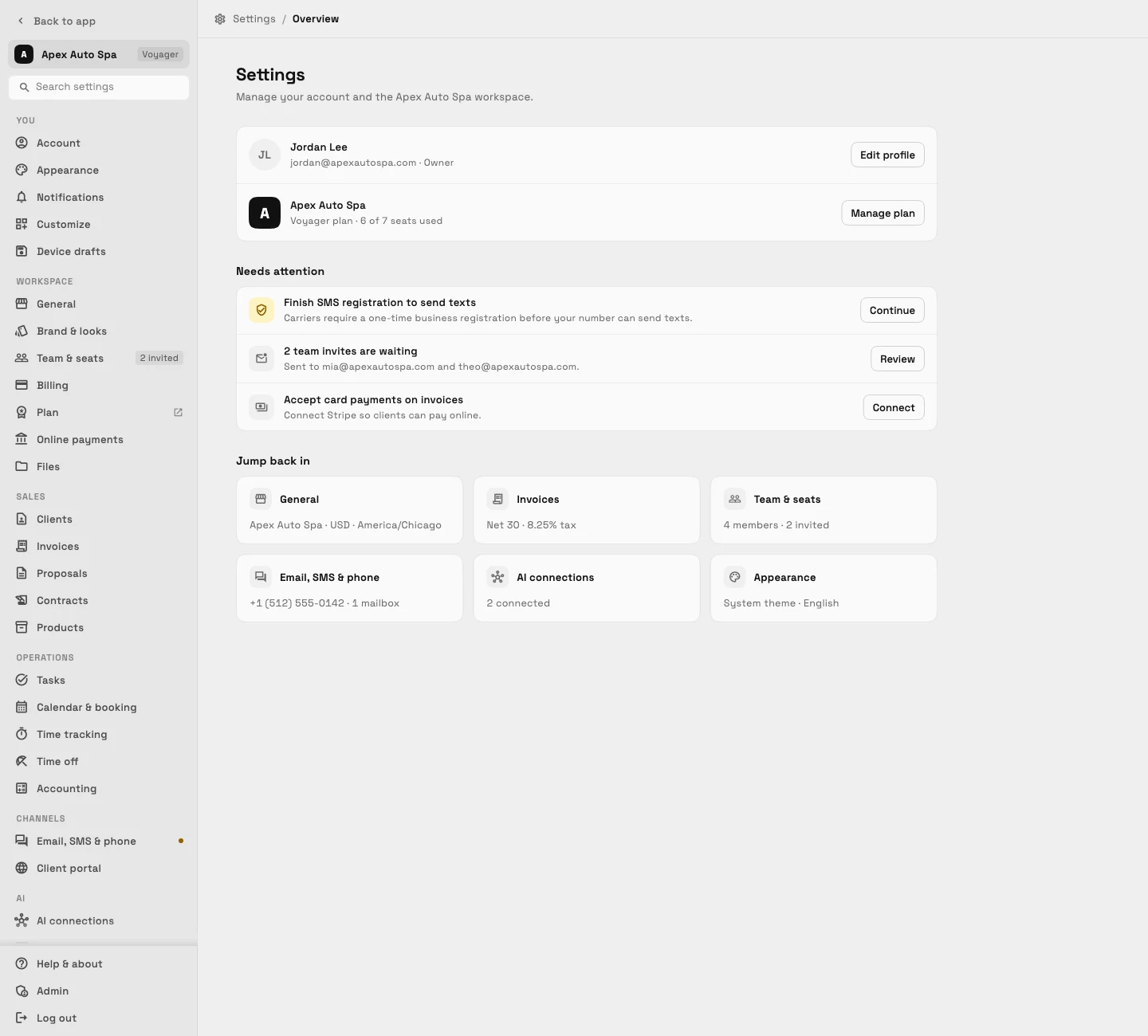
Settings in groups with search, and text size per device
Every Settings page follows one layout with grouped navigation and a search box, on the web and in the app. Phones and larger screens now remember their own text size.
- Where to find it
- Settings in the sidebar
- Plans
- Every plan
Quick answers
- What's new in Workspace369 in September 2026?
- Contracts you send for e-signature, change orders, invoice page design, client stages and follow-ups, AI AutoPilot Today, branded client portals, rebuilt workflows, tasks and Settings.
- Can I send a contract for e-signature in Workspace369?
- Yes, on every plan. Upload a PDF or start from a template, place signature fields, add signers and send it. Signers verify by email code, and each contract keeps an audit trail.
- Which plans include change orders?
- Change orders are on Specialist and up. Once a proposal is accepted or a payment comes in, its items lock, and a numbered change order shows exactly what changed.
- What does AI AutoPilot Today do?
- It ranks what needs you each day, flags clients who need attention, and drafts reminders for you to review. AutoPilot only suggests; the morning briefing is on Voyager and up.
- Can clients have their own client portal?
- Yes, on every plan. Portals carry your logo and colors, you choose the sections, and each client can have a private portal where visitors sign in with a code sent to their email.
Related updates
 The Builder API now comes with every plan
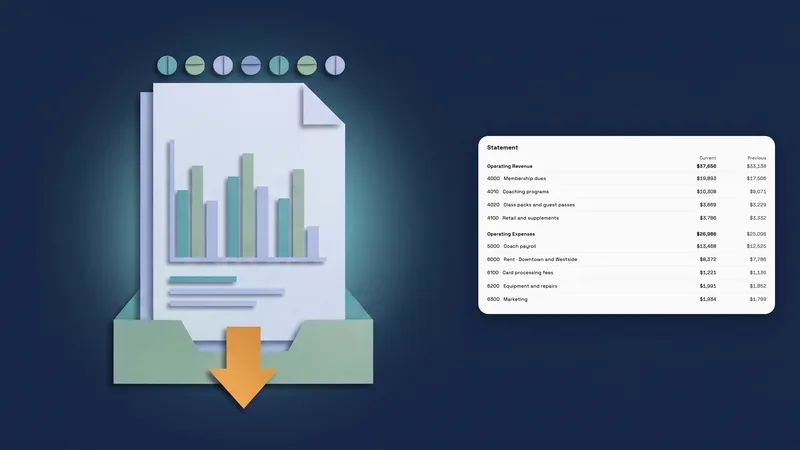 Accounting reports move to one clear report page
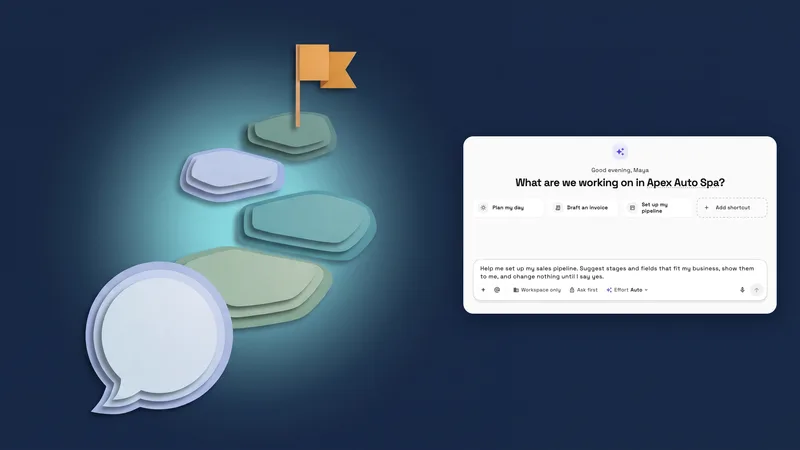 New workspaces get a Set up my pipeline starter in AI chat
September 2026: e-signature contracts, AutoPilot Today, client stages and branded portals, in your own workspace
Start your free trial on Specialist, then find it under Contracts in the sidebar.
14-day free trial. Card required. After the trial: $149/month for Specialist. Renews automatically every month until you cancel. Cancel anytime in Settings → Billing.